Time Stamping YouTube Videos: The Ultimate Guide to Saving Time and Boosting ROI
Master time stamping YouTube videos with our expert guide. Learn how to boost video SEO, improve user experience, and automate your workflow for maximum impact.

If you're publishing webinars without timestamps, you’re wasting money and leaving engagement on the table. It’s that simple. Time stamping YouTube videos isn’t a minor tweak; it’s a critical strategy to improve viewer experience and SEO. This one action transforms an expensive, underutilised webinar into a powerful marketing asset that delivers measurable returns.
Why Time Stamping YouTube Videos Is a Game Changer
Webinars are expensive to produce and most of that value remains locked inside a long, unedited recording. When your best advice is buried 40 minutes into a 60-minute video, it's invisible to most of your audience. This is precisely why so much great content underperforms.
Adding timestamps, or "chapters," is the first, most crucial step to fixing this.
You give viewers a map, letting them jump straight to the sections they need. This immediately improves user experience, which boosts the metrics YouTube’s algorithm loves—like viewer retention and total watch time. Instead of a potential customer getting frustrated and leaving, they find their answer instantly. That's a powerful signal to YouTube that your video delivers value, helping it rank higher.
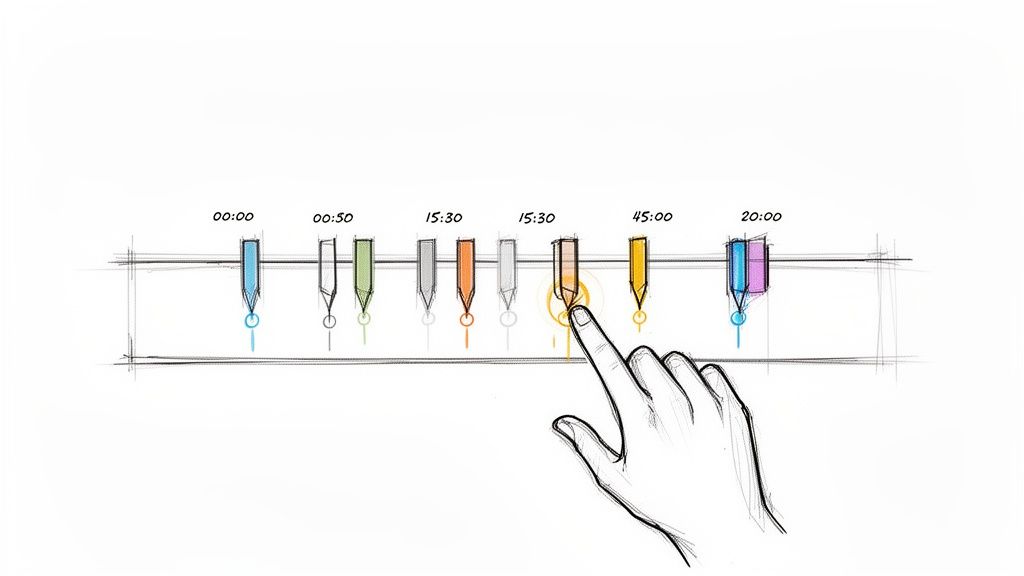
The benefits are immediate. By making your content accessible and discoverable, you're not just improving a few metrics; you're fundamentally increasing the ROI of your most valuable content.
Immediate Wins from YouTube Time Stamping
| Benefit | Impact on Your Content | Real-World Scenario |
|---|---|---|
| Better Viewer Experience | Lets people skip directly to the information they need, respecting their time and keeping them engaged longer. | A prospect looking for a specific feature in your hour-long demo finds it in seconds, watches that section, and becomes a qualified lead. |
| Increased Watch Time | By helping viewers find value quickly, you reduce drop-offs and encourage them to watch more of your content. | Instead of leaving after a slow intro, a viewer uses chapters to explore three different topics, tripling their session time and engagement. |
| Boosted SEO Performance | Google and YouTube use chapters to create "Key Moments" that appear directly in search results, driving highly targeted traffic. | Someone Googles "how to set up email automation" and your webinar appears with a direct link to the 5-minute chapter where you explain it. |
| Effortless Content Repurposing | The process of identifying key moments for timestamps provides the exact blueprint for creating dozens of smaller content assets. | You pull three key timestamped sections from your webinar to create individual TikToks, each driving traffic back to the full video. |
Ultimately, chapters turn a passive viewing experience into an active one, giving your content a much longer and more impactful lifespan.
Unlocking SEO and Discoverability
The rewards for time stamping go way beyond your YouTube channel. Google actively scans your video description for timestamps and uses them to feature Key Moments directly in its search results.
Think about that. When someone searches for a specific question you answered in your webinar, Google can serve them a direct link to the exact point in your video where you answer it. This is a massive competitive advantage.
This is especially critical in the UK, where YouTube has become the second-most watched video platform, even beating traditional broadcasters like ITV. With British viewers spending an average of 39 minutes per day on the platform, there's a huge, engaged audience ready to be captured by well-optimised content. You can read more about these UK viewing trends to see just how big the opportunity is.
Here’s the bottom line: without chapters, you get one shot at ranking for your video’s main title. With chapters, you get 10, 15, or even 20 chances to rank for the specific, high-intent questions your audience is actually asking.
Maximising Your Content ROI
Every webinar you record is an asset goldmine. Time stamping is the key that unlocks its value. The process itself forces you to pinpoint the most valuable segments—the quotes, tutorials, and insights that can be repurposed again and again.
Here’s where you see an immediate return:
- Happier Viewers: You show respect for your audience's time by making your content easy to navigate. This builds loyalty and turns casual viewers into subscribers.
- Better SEO Traffic: Your chapters create new doorways for people to find your video on both YouTube and Google, driving organic views long after it's published.
- A Foundation for Repurposing: Once you’ve identified your key moments for timestamps, you’re already halfway to turning that one webinar into a month of social media clips, blog posts, and quote cards.
The Manual Approach to Adding YouTube Timestamps
Before diving into automation, it’s worth understanding the manual process. Knowing how to add YouTube timestamps the old-fashioned way not only guarantees your chapters work but also highlights how much time and effort automation saves.
It’s a simple job, but the details are everything.
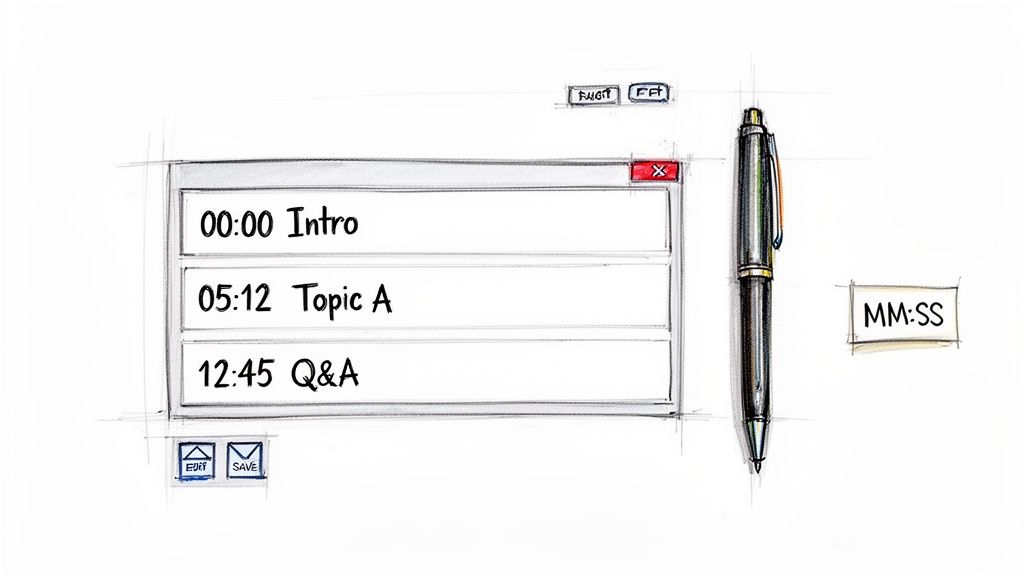
You’ll be working directly in your video’s description box inside YouTube Studio. This is where you map out the key moments, turning a long recording into a navigable resource. If you’ve invested thousands of US Dollars producing a high-value webinar, this manual step is your first line of defence against viewer drop-off.
Crafting Your Timestamp List
To get YouTube to recognise your list and create clickable chapters, you have to follow a few simple, non-negotiable rules. Get these wrong, and your list will just sit there as plain text.
Here’s what you must do:
- Always start at zero: The very first timestamp in your list must be 00:00. This is the trigger that tells YouTube you’re building a chapter list.
- Get the format right: Timestamps must be written as MM:SS (minutes:seconds). For videos over an hour, use the HH:MM:SS (hours:minutes:seconds) format.
- Meet the minimum count: You need at least three timestamps for chapters to appear. The mandatory 00:00 timestamp counts as one of them.
A correct list for a webinar description looks like this:
00:00 Introduction to B2B Content Strategy
04:22 The Pillar-Cluster SEO Model
09:15 How to Conduct Keyword Research
15:48 Creating Your First Content Calendar
This clean, chronological list is all YouTube needs to segment your video.
Best Practices for Manual Timestamps
Just listing times isn’t enough. The chapter titles are crucial for both user experience and SEO.
You need to be descriptive. Put yourself in your audience’s shoes: What specific phrase would they search for to find this exact part of your video?
Let's be direct about the pain point: manually scrubbing through a 60-minute webinar, noting every topic change, and typing it all out is a slow, tedious task. It’s the kind of low-value work that stops marketing teams from extracting the full ROI from their content.
To ensure that effort pays off, treat each chapter title like a mini-headline: clear, concise, and packed with relevant keywords. Finally, double-check that every timestamp is in chronological order. A single entry out of sequence will break the entire feature.
Mastering this manual process is valuable, but it clearly shows why a smart, automated solution is essential for any team that wants to scale its content strategy without scaling its workload.
Writing Chapter Titles That Drive Clicks and SEO
Getting your timestamps in place is the first step. The real ROI comes from crafting chapter titles that do more than just describe what’s happening. Lazy, generic labels are a massive missed opportunity. This is your chance to turn a simple navigation feature into a powerful discovery engine.
Think about each chapter title as its own mini-headline. It has one job: grab attention, communicate value, and include the exact keywords your ideal viewer is searching for. When you get this right, your single webinar video transforms into a collection of discoverable, bite-sized lessons.
From Vague Labels to Search Magnets
Imagine your webinar ended with a great Q&A session. The default timestamp title would be "Q&A Session". It’s accurate, but from an SEO perspective, it’s invisible.
Now, what if you wrote this instead: "Answering Top Questions on Social Media ROI"?
Which one is someone actually going to type into the YouTube or Google search bar? The second option directly matches user search intent, turning a simple timestamp into an answer for a specific, high-value query. This strategic mindset is essential when time stamping YouTube videos.
The goal is to stop describing what a section is and start articulating the problem it solves or the question it answers. This simple shift in thinking is the secret to writing chapter titles that actively pull in new viewers.
This strategy is especially powerful when you consider just how much time people are spending on video. UK adults now spend 18.08% of their screen time—a full 49 minutes every day—on platforms like YouTube. For the crucial 15-24-year-old group, that number shoots up to an average of 48 minutes a day on YouTube alone. Take a closer look at UK streaming habits, and you’ll quickly realise the massive potential for discoverability.
A Practical Keyword Research Process
You don’t need expensive tools for this. Simply step into your audience’s shoes. For every key moment in your webinar, ask yourself: "What problem does this part of the video solve?"
Here’s a simple process for each segment:
- Pinpoint the Core Topic: Watch a section and identify its main idea (e.g., explaining a specific software feature).
- Brainstorm Search Phrases: Think about how someone might search for that information (e.g., "how to set up automation rules," "software automation tutorial," or "best way to automate reports").
- Pick the Clearest, Strongest Title: Choose the phrase that is both descriptive and perfectly aligned with search intent. "How to Automate Weekly Reports" is worlds better than "Automation Demo".
By doing this for every key moment, you systematically optimise your entire video. You’re no longer just hoping people find your webinar; you're creating multiple, specific entry points for them to discover it, turning an expensive one-off event into a long-term lead generation machine.
Automating Your Workflow: The Smart Way to Timestamp
Let's be direct: manually scrubbing through a 60-minute webinar to find key moments is a tedious, expensive use of your time. It’s a bottleneck that prevents you from getting the true ROI out of your content.
Why spend hours on a task that smart automation can complete in minutes? This is where a modern approach to time stamping YouTube videos pays for itself. Instead of a manual chore, AI-powered tools transform your workflow, freeing your team to focus on high-value strategy instead of low-value busywork.
How AI Transforms Time Stamping
The entire process is about speed and efficiency. Platforms like RepurposeMyWebinar are designed to eliminate this exact pain point. You simply upload your video, and our AI analyses the transcript.
It automatically identifies topic shifts, questions, and key takeaways. From there, it generates a complete list of accurate timestamps with optimised, descriptive chapter titles—ready to copy and paste.
The process is built for speed and simplicity. What was once a painstaking cycle of watch-pause-type becomes a single, automated action. It means you can turn a long recording into a perfectly chaptered video without juggling multiple tools, hiring freelance editors, or adding to your team's workload.
The real return on investment (ROI) here isn't just saving an hour of work. It's about ensuring every expensive webinar you produce is immediately optimised for engagement and SEO—without the manual grind.
From Simple Chapters to Powerful Assets
This automated approach does more than just create a list for your YouTube description. Once the AI has identified the key moments, it has created a blueprint of your most valuable content. This opens the door to a much broader and more efficient repurposing strategy.
These AI-generated timestamps are the perfect starting point for creating other assets. Found a powerful three-minute segment? You can instantly turn it into a short, shareable clip for social media. To see this in action, you can learn more about how to clip a YouTube video using these AI-identified moments, turning one long recording into multiple pieces of focused content.
This workflow ensures no value is left on the table. Every key insight from your webinar is identified, timestamped, and ready to be deployed across different channels. You multiply your content output without multiplying your team’s workload—a professional, efficient, and impactful video strategy.
Turning Timestamps into a Complete Content Calendar
Time stamping your video is a great start, but it’s just scratching the surface. The real win comes when you treat timestamps as the blueprint for your entire content calendar.
Suddenly, that single webinar—which cost a lot to produce—becomes a content machine.
This is where you graduate from simply helping viewers navigate a video to launching a full-blown repurposing strategy. The biggest headache for most teams isn't a lack of ideas; it's the sheer time and cost of manually chopping up long videos. This grind keeps your best insights locked away. RepurposeMyWebinar is the solution that eliminates this manual work.
One Webinar, Thirty Days of Content
Imagine turning a single 60-minute webinar into 30 days of content. With RepurposeMyWebinar, that’s the standard workflow. The same AI that finds the key moments for your YouTube timestamps uses those markers to automatically create a suite of ready-to-publish marketing assets.
The process flips your workflow on its head. Instead of a dozen tedious tasks using multiple tools, it becomes one unified action. You upload the video once, and the platform delivers everything you need—no freelance editors or design agencies required.
This isn't just a time-stamping tool. It's an end-to-end content production platform. One upload generates an entire month's worth of content, saving hundreds of hours and thousands of US Dollars in production costs.
This simple flow—upload, analyse, and generate—is the foundation for scaling your content output.
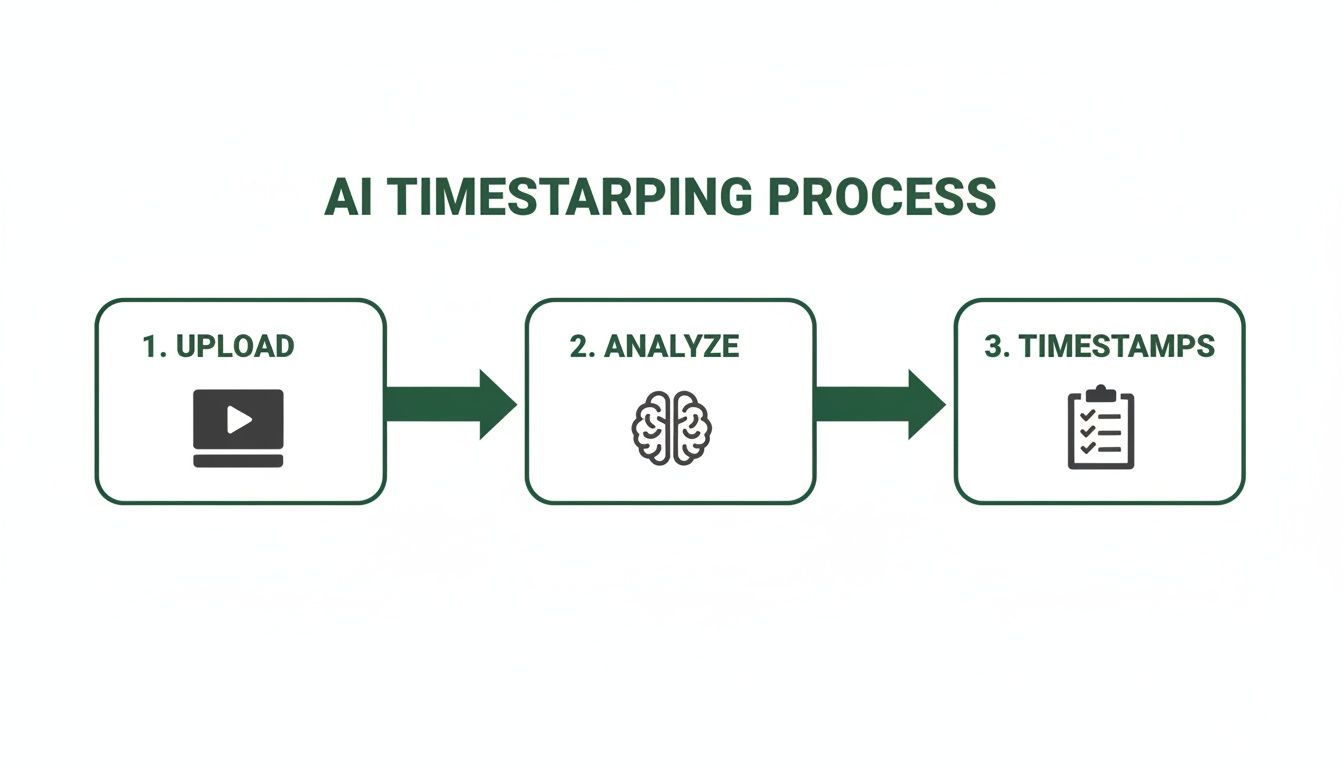
It’s this efficiency that lets your team scale up content output without scaling up the headcount or budget.
From Timestamps to a Full Asset Library
Once the AI has pinpointed the best moments, the real magic happens. RepurposeMyWebinar automatically generates a library of ready-to-go assets from a single webinar:
- Short-Form Video Clips: Instantly create dozens of clips formatted for TikTok and Instagram Reels.
- Shareable Image Quotes: Pull out powerful statements and turn them into 6-16 branded quote images for LinkedIn and X.
- SEO-Optimised Blog Drafts: Using the transcript and key moments, it generates a structured blog post draft, complete with headings.
This is a game-changer for reaching the UK YouTube audience, where over 35.6 million adults are active users. Younger viewers, especially those aged 16-24, spend an average of 48 minutes a day on the platform. Turning your long-form content into bite-sized pieces is vital for cutting through. You can get a better sense of the numbers by reviewing the latest YouTube UK statistics.
By automating the creation of these assets, you can shift your focus to perfecting your content distribution strategies and ensuring your message lands with the right people. Every valuable insight gets put to work, driving engagement long after the live event is over.
Frequently Asked Questions About YouTube Timestamps
Here are quick, no-fluff answers to the most common questions about getting timestamps right.
What Is the Correct Format for YouTube Timestamps?
The simplest format is MM:SS (minutes:seconds). For longer content like webinars, use HH:MM:SS (hours:minutes:seconds).
The golden rule is that your list must start with a 00:00 timestamp to activate the chapters feature. From there, put each new timestamp on its own line, followed by a clear, descriptive title. That's all YouTube needs.
Why Are My YouTube Chapters Not Working?
If your chapters aren't showing up, it's almost always one of three simple issues. First, double-check that you've included the mandatory 00:00 start time. It has to be the very first item in your list.
Second, you need a minimum of three timestamps in your video description, and the 00:00 entry counts as one. Finally, ensure every timestamp is in chronological order. Even one entry out of sequence will stop the feature from working.
Over 90% of the time, a quick check of these three points solves the problem. The small details make all the difference here.
Can I Edit Timestamps After Publishing a Video?
Absolutely. You can edit your video's description at any time. Just go into YouTube Studio, find the video's details, and you can add, remove, or adjust your timestamps and chapter titles as needed.
Hit save, and the changes will appear on the video player within a few minutes. This is perfect for sharpening titles for better SEO or adding a section you missed. For more tips on optimising your video strategy, we share tons of insights on our RepurposeMyWebinar blog.
How Many Timestamps Should I Add to a Video?
While you only need three to get started, the ideal number depends on your content. The goal isn't to hit a specific number but to create a logical chapter for each distinct topic.
For a 60-minute webinar, aiming for 8-15 well-defined chapters is a great sweet spot. It gives viewers enough detail to navigate easily and creates more opportunities to rank for specific keywords without overwhelming them.
Ready to stop the manual grind and automate your entire webinar content strategy? With RepurposeMyWebinar, you can turn one recording into a month's worth of on-brand video clips, image quotes, and blog drafts in minutes. Start your free trial today and see how much time you can save.

