The Definitive Guide to Repurposing Webinar Content in 2026
Learn how to repurpose webinar content into a month of strategic assets that generate leads and boost your marketing ROI.

Repurposing webinar content is the strategy of transforming a single, one-hour recording into dozens of smaller, high-impact marketing assets. Think SEO-optimised blog posts, punchy social media clips, and eye-catching quote graphics. It’s how you convert a single event into an evergreen content engine, maximising the return on your initial investment and fuelling your marketing for weeks.
Why Your "One-and-Done" Webinars Are a Financial Black Hole
Let's be direct: webinars are a cornerstone of B2B marketing, but they are expensive to produce and chronically underutilised. The "one-and-done" approach—hosting a fantastic live session only for the recording to gather digital dust—is a significant financial drain and a colossal missed opportunity. The value you worked so hard to create evaporates the moment the broadcast ends.
You have to acknowledge the real cost. It isn't just the platform subscription. It's the mountain of time, resources, and budget poured into producing a professional event.
The True Cost of a Single Webinar
Let’s break down the real investment required for one live webinar in 2026:
- Speaker Fees & Preparation: Securing a top-tier industry expert can cost thousands of US Dollars. Even using internal experts, you're investing dozens of hours in research, slide deck creation, and rehearsals—valuable time diverted from other critical tasks.
- The Promotion Machine: Your marketing team likely spends weeks building landing pages, writing email nurture sequences, designing social media assets, and running paid ad campaigns, all just to drive registrations.
- Production and Technology: From high-quality microphones and cameras to the annual subscription for a reliable webinar platform, the technical overhead adds up quickly.
When you tally it all, a single 60-minute webinar can easily represent an investment of $5,000 to $10,000 or more. If that asset is only used once, your cost per lead remains painfully high. This is where a robust strategy to repurpose webinar content shifts from a "nice-to-have" to a financial imperative. Without it, you’re leaving an astonishing amount of value on the table.
Failing to repurpose is like filming a blockbuster movie and only showing it in cinemas for a single night. You’re treating a high-value, evergreen asset as if it's disposable.
The smartest B2B marketing teams understand this: the live event is just the beginning. The recording is the raw material for a long-term content strategy that generates leads and builds authority for weeks, if not months. This simple shift in mindset is what transforms a one-off expense into a sustainable, lead-generating machine.
Turn One Hour of Content Into 30+ Days of Engagement
The moment you commit to repurposing, your webinar's cost flips from a sunk expense to a strategic investment. That single one-hour recording can fuel an entire month of high-value marketing assets, keeping you top-of-mind with prospects long after the live event. It’s not just about efficiency; it’s about fundamentally changing the ROI of your entire webinar programme.
Let’s look at the ROI math. A single webinar might cost $5,000 and generate 100 leads from the live event, making your cost per lead (CPL) a steep $50.
But what happens when you strategically extract a blog post, 10 video clips, and 15 image quotes from that same recording? If those repurposed assets generate another 150 leads over the next 30 days, your total leads become 250. Your effective CPL plummets to just $20. You’ve more than doubled your output with zero additional production spend.
Visualising the Webinar Value Gap
Too often, a webinar's lifecycle involves a huge upfront investment followed by a sharp drop-off in value. This is what it looks like when money leaks from a one-and-done strategy.
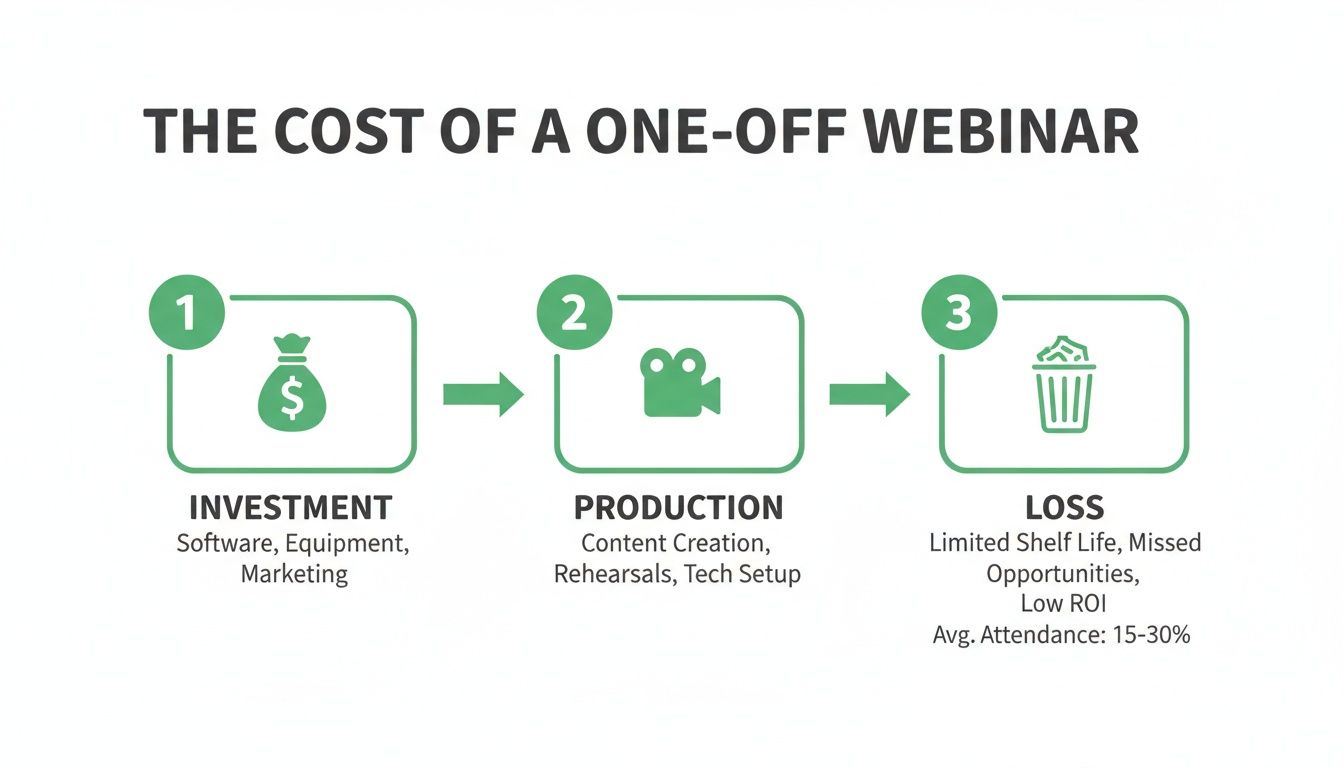
Without a repurposing plan, all the potential energy stored in that recording simply evaporates. This is a massive missed opportunity for lead generation, brand visibility, and sales pipeline growth.
Want to see how much content you can extract from one webinar? Upload yours free and see the potential.
Your 30-Day Webinar Content Calendar: A Strategic Blueprint
To unlock this value, you need a distribution plan. Instead of scrambling for content ideas, you can map out a full month of activity from one recording. Here’s a blueprint for turning one 60-minute webinar into 30 days of strategic content.
Week 1: The Big Launch & SEO Foundation Make an initial splash while laying the groundwork for long-term organic traffic.
- Day 1: Publish the full on-demand webinar on a dedicated landing page.
- Day 3: Publish the SEO-optimised blog post derived from the webinar transcript.
- Day 5: Share two key video clips on LinkedIn, each with unique, insightful commentary.
Week 2: Social Amplification & Driving Conversation Shift focus to driving conversation and reaching new audiences with bite-sized, shareable content.
- Day 8: Post 3-4 impactful image quotes across LinkedIn and X (formerly Twitter).
- Day 10: Release two more video clips, this time focusing on practical tips or surprising statistics.
- Day 12: Share an audiogram of a key insight to capture the attention of podcast listeners and those scrolling without sound.
Week 3: Deep Dives & Building Authority Reinforce your expertise with more detailed, valuable content.
- Day 16: Extract a case study or customer story mentioned in the webinar and share it as a standalone LinkedIn post.
- Day 19: Create a LinkedIn carousel post that breaks down a complex topic into simple, digestible steps.
- Day 21: Release another two video clips, perhaps focusing on answers to common audience questions.
Week 4: Nurturing Leads & The Final Push Bring it all home by nurturing generated leads and reinforcing the core message.
- Day 24: Send a "Best Of" email to your list, summarising the top takeaways with links to the blog and key clips.
- Day 27: Share the final video clips and image quotes.
- Day 30: Post a "lessons learned" text post on LinkedIn, summarising the topic and linking back to the on-demand recording one last time.
Building Your Webinar Repurposing Content Arsenal
Your webinar recording isn’t a single piece of content. It’s a goldmine of raw material waiting to be crafted into a full arsenal of marketing assets. To truly maximise your investment, you must think beyond simply posting the replay. The goal is to slice, dice, and reformat the core recording into a complete suite of content types, each designed for a specific platform and purpose.
This strategic approach allows you to meet your audience where they are, catering to the different ways people consume content today. Some will read a deep-dive article, while others will only ever engage with a 30-second video clip in their feed. By creating a diverse set of assets, you ensure your core message reaches the widest possible audience.
The Complete Repurposing Checklist for 2026
It’s genuinely surprising how much high-impact content you can extract from a single 60-minute session. Here is the complete list of formats every B2B team should be creating:
-
SEO-Optimised Blog Post: Use the webinar transcript as the foundation for a detailed article. This transforms spoken insights into a powerful, long-form asset that captures organic search traffic for months, or even years to come.
-
Short-Form Video Clips (Reels & Shorts): With shrinking attention spans, short-form video is essential. Extract 5-10 compelling 30-60 second clips highlighting surprising stats, actionable tips, or key speaker moments. These are perfect for grabbing attention on TikTok, Instagram Reels, and YouTube Shorts. For a deeper dive, check out our guide on how to effectively clip a YouTube video.
-
Professional LinkedIn Videos: These can be longer—1-3 minutes—and should be tailored for a B2B audience. Focus on deeper insights, expert Q&A segments, or mini-case studies from the webinar. Always include burnt-in subtitles, as most professionals browse with the sound off.
-
Shareable Image Quote Cards: A single webinar can easily yield 6-16 powerful image quotes. These are visually appealing, easy to share, and perfect for reinforcing key messages on platforms like LinkedIn and X (formerly Twitter).
-
Audiograms: Convert your most powerful audio snippets into animated audiograms. These short, engaging videos feature animated sound waves and are ideal for sharing on social media, acting as a teaser to drive traffic to a full podcast or the on-demand webinar.
-
The Full Webinar Transcript: Don't overlook the power of a full transcript. It makes your content accessible to a wider audience, including those with hearing impairments, and provides a text-based version that search engines can easily crawl and index for a simple SEO win.
The Manual Grind vs. The 5-Minute Automated Workflow
You’ve just wrapped up a brilliant webinar, packed with insights. But the thought of repurposing that recording feels exhausting. The traditional manual workflow is a time-consuming vortex of inefficiency. It involves downloading massive video files, waiting for transcription services, and then spending hours scrubbing through footage in a video editor to find shareable moments.
Once you’ve found a few clips, the real grind begins: manually editing, adding subtitles, and exporting each one. Then you move to another tool like Canva to create quote graphics that match your brand. Finally, you write custom copy for every asset and schedule each post across your channels. It’s a fragmented process that requires multiple tools, significant time, and often hiring specialist help.
The Real Cost of the Manual Process
This manual workflow isn't just slow; it's expensive. When you add up the subscriptions for video editing, transcription, and design software, plus the 5+ hours of a skilled marketer's time, the cost to repurpose just one webinar can easily top $400. This is a massive blocker to scaling your content marketing and the primary reason so many valuable webinar recordings are left to die.
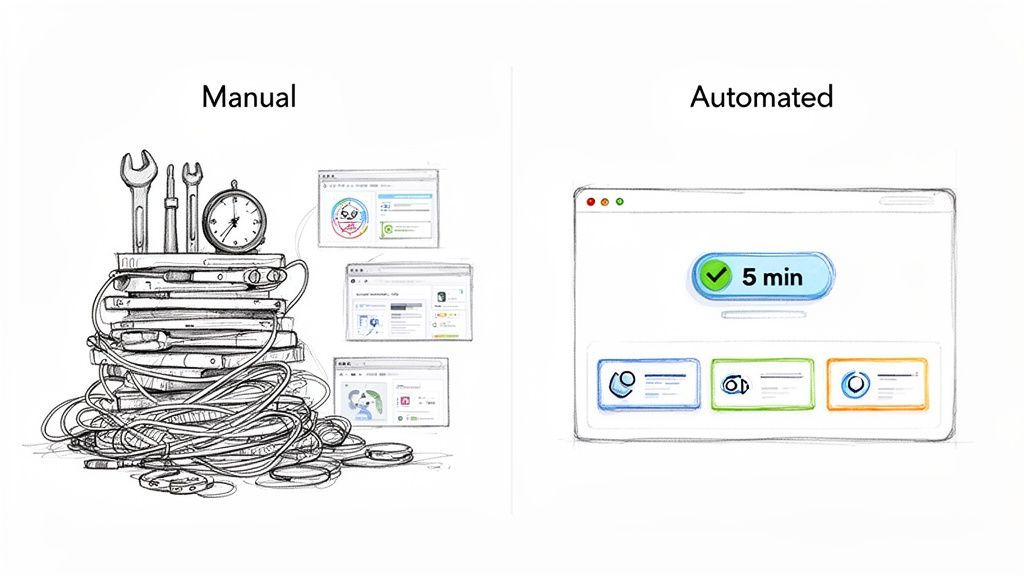
The data is clear: B2B marketers are seeking a better way. According to the latest webinar statistics from GetContrast.io, teams are under increasing pressure to prove ROI, and AI-driven automation is the key to achieving it efficiently.
Manual Effort vs. Automated Repurposing: The Comparison
| Metric | Manual Workflow (The Old Way) | RepurposeMyWebinar (The Smart Way) |
|---|---|---|
| Time Investment | 5-8+ hours | Under 5 minutes |
| Tools Required | 3-5+ (Video editor, transcription, design tool, scheduler) | 1 purpose-built platform |
| Assets Created | 5-10, depending on stamina | 30+ (videos, quotes, blog, audiograms) |
| Key Tasks | Manual transcription, clip hunting, editing, subtitling, branding | AI transcription, AI soundbite detection, automated asset creation |
| Typical Cost | $400+ per webinar (labour + software subscriptions) | A fraction of the cost, with flexible credit-based plans |
| Scalability | Very low; a significant bottleneck | High; easily scales across all webinars |
The difference is night and day. One path is a resource drain; the other is a genuine growth multiplier.
The Smarter Alternative: A 5-Minute Workflow
Now, imagine a different scenario. You finish your webinar and upload the recording to one platform. In the time it takes to grab a coffee, the AI does all the heavy lifting. In under five minutes, it has:
- Transcribed the entire session with high accuracy.
- Identified the most impactful soundbites using AI.
- Generated a full suite of ready-to-publish assets, including video clips, image quotes, a blog draft, and audiograms.
Every asset is automatically branded with your company’s logo, colours, and fonts using your pre-set brand kit. No manual design work, no multiple tools, no hiring freelancers. This is exactly what RepurposeMyWebinar delivers. We are a purpose-built solution focused exclusively on webinars for B2B teams. The entire manual slog is condensed into a few clicks.
RepurposeMyWebinar turns 1 webinar into 30+ assets in under 5 minutes—see how it works.
The contrast couldn't be clearer. Instead of juggling three or more tools over five hours, you're using one platform and are ready to schedule a month of content in minutes. This is how you finally scale your webinar content strategy without burning out your team. And for a great tip on prepping your video, see our guide on the benefits of time-stamping your YouTube videos.
How to Optimise Repurposed Assets for Each Platform
You’ve successfully created a library of assets from your webinar. The next crucial step is distribution. A one-size-fits-all approach won't work. Each social platform has its own algorithm, audience expectations, and unwritten rules. Slapping the same asset everywhere is a recipe for being ignored. Adapting your content is the fastest way to earn your audience's attention.
Winning on LinkedIn: The B2B Powerhouse
LinkedIn is the main stage for B2B content. Keep your repurposed video clips short and to the point—ideally under two minutes. The goal is to deliver a potent, valuable insight before the viewer scrolls on.
A non-negotiable rule: burnt-in subtitles. The vast majority of users browse LinkedIn with the sound off. If they can’t understand your video without audio, you've lost them. Finally, the accompanying text is just as important. Pull out a powerful quote, ask a thought-provoking question, or summarise the problem your video solves to spark a real conversation in the comments.
Mastering Short-Form: Instagram, X, and TikTok
On platforms like Instagram Reels, X, and TikTok, it’s all about immediate impact.
-
Instagram Reels & TikTok: Vertical video is mandatory. Your clips must be formatted to a 9:16 aspect ratio to fill the screen. Use trending audio where appropriate for your brand and add bold on-screen text to land your key takeaway in the first three seconds.
-
X (formerly Twitter): This is the home of punchy, high-impact assets. Image quotes are incredibly effective here. They're visual, easy to consume, and highly shareable. Pair them with a short caption and relevant hashtags for maximum reach. Ultra-short video clips (under 30 seconds) also perform well if they have an immediate hook.
Tailoring your repurposed webinar content for each channel is the final, crucial step that turns a single event into a month-long campaign that connects with the right people, in the right place, at the right time.
Your Questions About Webinar Repurposing, Answered
Here are answers to the most common questions B2B marketers have about repurposing webinar content.
How Much Content Can I Actually Get From One Webinar?
From a single 60-minute webinar, you can genuinely fuel your content calendar for an entire month. A typical output from one recording includes:
- 1 comprehensive, SEO-friendly blog post (1,500+ words).
- 8-12 short-form video clips for social media.
- 10-16 shareable image quotes from key soundbites.
- 2-3 audiograms for audio-first platforms.
- 1 complete transcript for SEO and accessibility.
Suddenly, that one-hour event is a sustainable content engine, and you didn't have to create anything from scratch.
How Long Does Repurposing Really Take?
This depends entirely on your process. The manual way, juggling separate tools for transcription, video editing, and graphic design, takes 5 to 8 hours per webinar. This is why so many recordings go unused—the manual effort is too high.
With a purpose-built platform like RepurposeMyWebinar, the entire workflow is condensed to under 5 minutes. Our AI handles the transcription, identifies the best moments, and generates all your branded assets automatically, eliminating the manual grind.
Do I Need Video Editing Skills To Make Clips?
Not anymore. This was once a major barrier, but modern tools have eliminated the need for technical skills. Platforms designed for webinar repurposing use AI to pinpoint the most engaging soundbites and automatically generate clips complete with burnt-in, animated subtitles. You can forget about complex software and focus on strategy.
Is It Worth Repurposing My Old Webinars?
Absolutely, provided the content is still relevant. If you have webinars from six months ago that cover timeless industry challenges or foundational advice, they are a goldmine of untapped content. Repurposing older, high-performing webinars is one of the fastest ways to fill your content calendar and reignite conversations around topics you know resonate with your audience.
Ready to stop leaving value on the table and transform your webinar library into a lead-generation machine? RepurposeMyWebinar was built to make this process fast, scalable, and effortless for B2B teams.
Start free today and transform your next webinar into a month of content


