How to Repurpose Video Content For Social Media (Without Wasting Time)
Learn how to repurpose video content for social media. This practical guide shows you how to turn one webinar into 30 days of high-impact content.
Repurposing video isn’t just about chopping up a long recording into smaller pieces. It's a strategic shift. It means transforming one long-form video—like a webinar—into dozens of platform-specific assets like clips, quotes, and articles that drive real business results.
This approach stops the content treadmill dead in its tracks. Instead of constantly creating from scratch, you multiply the value of what you already have. A single webinar recording can fuel your social media channels for weeks, saving you an enormous amount of time and money while proving clear ROI.
Your Webinars Are an Untapped Content Goldmine
Think about that last webinar your company produced. Weeks of planning. Costs for speakers, technology, and promotion, all for a single live event. And once it was over, what happened? For most businesses, that expensive recording is now gathering digital dust, its potential completely wasted.
Frankly, this is a massive missed opportunity. Webinars are expensive, and leaving them underutilised is a huge drain on your marketing budget.
That 60-minute recording isn't just a video; it's a deep well of valuable insights, expert quotes, and compelling data points. When you learn to properly repurpose video content for social media, you shift from a frantic cycle of creating new content to a much smarter strategy of asset maximisation.
Instead of asking, "What should we post today?" you start asking, "How many different ways can we share this one powerful idea to drive leads?"
Shifting from Production Costs to Tangible ROI
Let's be direct: producing a high-quality webinar is a serious investment, often running into thousands of US Dollars. Treating it as a one-and-done event guarantees a poor return.
The true ROI is unlocked when you strategically turn that single asset into a complete content library. Imagine turning one 60-minute webinar into 30 days of content:
- 5-7 short, powerful video clips perfect for driving engagement on LinkedIn and Instagram Reels.
- 6-16 impactful image quotes designed for high shareability on X and Facebook.
- A full, SEO-optimised blog post that captures long-tail search traffic and generates leads.
- Dozens of text-based posts pulling out key statistics and questions to spark genuine conversation.
Suddenly, that one investment is fuelling your entire social media calendar for a month. You get off the content hamster wheel and start building a consistent, authoritative presence that actually contributes to the bottom line. This is more important than ever.
Video is the undisputed cornerstone of digital marketing strategy. Compelling evidence shows that 83% of consumers want to see more video content from brands in 2025. On top of that, businesses that add web video to their brand pages increase user dwell time by 88%, which directly boosts engagement and SEO performance. You can find more content marketing insights and statistics that confirm this clear trend.
The Solution That Eliminates Manual Work
The problem has always been the sheer manual effort involved. Traditionally, repurposing meant juggling a clumsy stack of tools for video editing, graphic design, and transcription. That's before you even get to the hours spent just finding the best moments to clip.
It was a slow, expensive process that required multiple tools, freelancers, or dedicated team members.
Repurposing shouldn't be another time-consuming task on your to-do list. It should be an automated system that multiplies your impact without multiplying your workload. That's the key to making it a high-ROI activity.
With a platform like RepurposeMyWebinar, this entire workflow is automated. You can turn a recording into a month's worth of on-brand social media assets in minutes, not days. This eliminates the need for multiple tools, subscriptions, and external hires, freeing your team to focus on strategy instead of tedious production.
A Practical Playbook for Repurposing Your Webinar
You know your webinars are packed with value. But extracting that value efficiently is another story.
This is where a solid, repeatable playbook comes in. It’s not about piling more work onto your plate—it’s about a simple system to turn a single 60-minute recording into a month of high-quality, on-brand social media assets. Forget tedious manual editing and juggling a dozen different tools. This is about speed, simplicity, and professional results.
With the right process, your webinar stops being a one-off event and becomes a perpetual content engine.
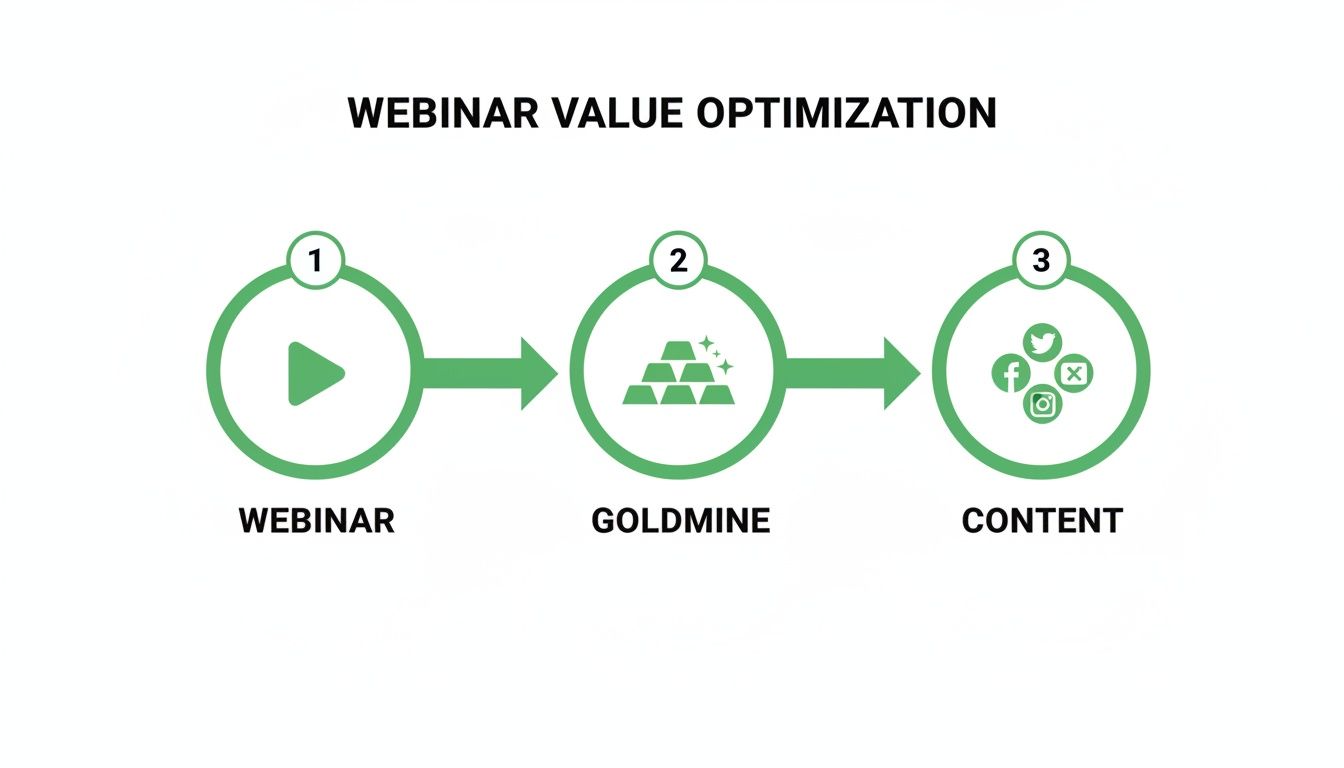
The big idea here is that every webinar recording is an untapped goldmine. You just need a systematic way to convert it into a diverse mix of social content.
The whole thing boils down to two main phases: Content Mining and Asset Creation. Get these right, and you’ll fundamentally change how you repurpose video, moving it from a random task to a core part of your marketing strategy.
The Content Mining Process
Before you create anything, you have to find the gold. The old way involves re-watching the entire hour-long recording, constantly scrubbing back and forth to pinpoint the best moments. It's tedious, slow, and you're guaranteed to miss great content.
A much smarter approach is to start with a full transcript.
With a platform like RepurposeMyWebinar, this is the first automated step. Upload your recording, and in minutes, you get a searchable transcript. Instead of listening for an hour, you can scan the text for keywords, surprising stats, and powerful statements.
Keep an eye out for these specific types of "gold nuggets":
- Actionable Advice: Find moments where the speaker gives a clear, concise tip that your audience can use immediately.
- Strong Opinions: Identify statements that present a confident, even provocative, point of view. These make fantastic image quotes.
- Data and Statistics: Pinpoint any specific numbers, percentages, or financial figures. Data-driven insights are incredibly shareable.
- Q&A Gems: The question-and-answer section often contains the most direct and unscripted advice.
The goal of content mining isn't to summarise the whole webinar. It's to isolate the most potent, standalone ideas that can capture attention and deliver value in under 60 seconds.
This methodical mining process ensures you’re not clipping content at random. You're strategically identifying the moments most likely to resonate on social media. It’s the difference between guessing and knowing what will perform.
Rapid Asset Creation
Once you’ve found your golden nuggets, it's time to turn them into a polished, on-brand content mix. The old way meant sending timestamps to a video editor, briefs to a graphic designer, and transcripts to a copywriter. This creates bottlenecks, brand inconsistencies, and a pile of invoices.
An automated solution like RepurposeMyWebinar collapses this entire workflow into one place. With your key moments selected, the platform instantly generates a whole suite of assets, all pre-formatted with your brand kit—logos, colours, and fonts.
From a single webinar, you can easily generate a complete month's worth of diverse, engaging social media content. Here's what that looks like in practice:
One Hour Webinar to 30 Days of Content
| Asset Type | Quantity Per Webinar | Best Platforms | Primary Goal |
|---|---|---|---|
| Short Video Clips (30-90s) | 5–7 | LinkedIn, Instagram Reels, TikTok | Awareness & Engagement |
| Image Quotes | 6-16 | LinkedIn, X (Twitter), Facebook | Value & Shareability |
| Audiogram Clips (Audio + Waveform) | 3–4 | LinkedIn, Instagram Stories | Teasers & Highlights |
| Key Takeaway Carousel | 1 | LinkedIn, Instagram | Education & Saves |
| SEO-Optimised Blog Post | 1 | Company Blog, LinkedIn Articles | Lead Gen & SEO |
| Email Newsletter Snippets | 2–3 | Email Marketing Platform | Nurturing & Driving Traffic |
This isn’t just about quantity; it’s about creating a varied library of content formats that appeal to different audience preferences and perform best on their native platforms.
Crafting Engaging Captions and CTAs
The final piece is the copy that accompanies each asset. A great clip can fall flat without an engaging caption to provide context and encourage action.
You don't need to reinvent the wheel every time. Use simple formulas to save time:
- For Video Clips: Start with a hook that frames the problem your clip solves. For example, "Struggling with lead nurturing? Our expert breaks down the one mistake most marketers make." Then, add a clear Call-to-Action (CTA): "Watch the full webinar for the complete framework [Link]."
- For Image Quotes: Add a thought-provoking question related to the quote. If the quote is "Consistency is more important than intensity," your caption could be, "Do you agree? Where do you struggle most with staying consistent in your marketing?" This sparks comments and discussion.
- For the Blog Post: Promote it with a benefit-driven headline. Instead of "New Blog Post," try something like, "We distilled a 60-minute webinar on [Topic] into 5 key takeaways you can read in 6 minutes. Grab them here [Link]."
This playbook establishes a highly efficient, repeatable workflow. By automating the manual, time-sucking parts of the process, you can go from spending days repurposing one webinar to generating a month's worth of professional, on-brand content in under an hour. This isn’t just about saving time; it's about systematically maximising the ROI on every piece of video content you produce.
Creating Thumb-Stopping Short-Form Videos
Short-form video isn't a trend; it's the primary language of social media. Your audience scrolls through feeds at lightning speed, making snap judgments in seconds. If you want to repurpose video content for social media and actually get results, you must master the short clip. That means turning dense, long-form expertise into digestible, captivating moments that stop the scroll.
The good news? Your webinars are already packed with these moments. The real challenge is the soul-crushing manual work of finding, clipping, and branding them. This is where you gain a serious edge—by ditching the slow, manual process for a fast, automated system.
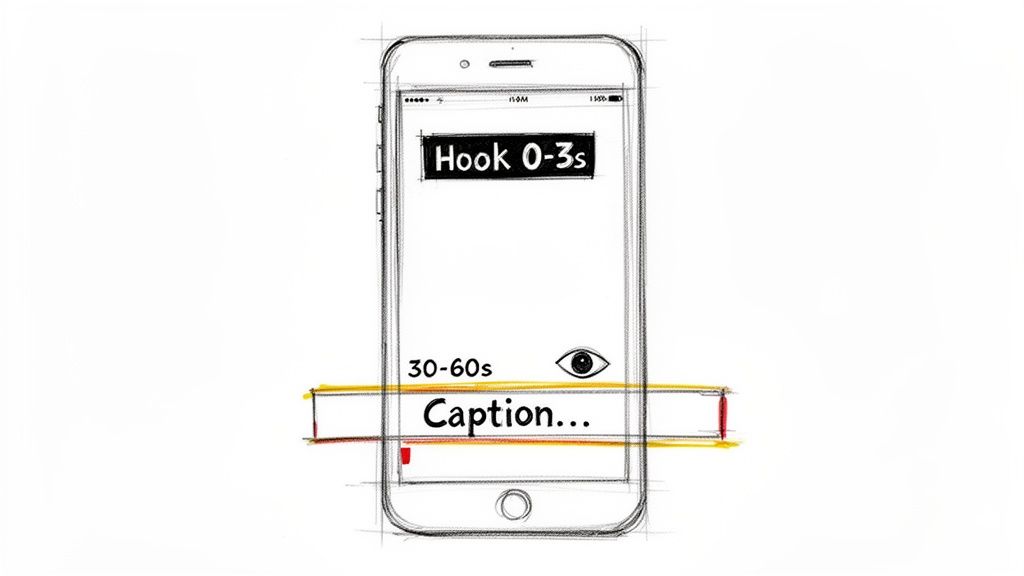
The explosion in short-form video consumption shows a huge shift in how audiences engage with content. In fact, 81% of consumers are now asking for more short-form videos from brands. The average retention rate for videos under a minute is a solid 66%, which tells you that concise, hook-driven content is absolutely essential. But here's the kicker: 92% of users watch videos with the sound off, making clear, burnt-in captions a total non-negotiable if you want your message to land.
Identifying the Perfect Clip
So, what makes a great short-form video clip? It’s not about slicing out a random 30-second segment. You need to hunt for self-contained "nuggets" of value that can stand on their own without needing the full webinar for context.
These golden nuggets usually fall into one of these categories:
- A Provocative Statement: A strong, confident opinion from your expert that goes against a common belief.
- A "Lightbulb" Moment: A clear, simple explanation of a complex topic that makes the viewer think, "Ah, I finally get it."
- A Surprising Statistic: A powerful data point that immediately grabs attention and gives a concrete takeaway.
- An Actionable Tip: A quick, practical piece of advice the viewer can apply to their own work right away.
Manually scrubbing through an hour-long recording to find these moments is a massive time sink. This is exactly the kind of tedious task an AI-powered platform like RepurposeMyWebinar was built to solve. It scans your transcript to automatically pinpoint and suggest the most powerful clips, saving you hours of guesswork.
Engineering the First Three Seconds
You have less than three seconds to convince someone to stop scrolling. The opening of your clip is everything. It has to signal value and spark curiosity immediately.
A powerful hook isn't a "welcome to our video" intro. It's a direct promise or a question that dives straight into the core topic.
The most effective hooks address a viewer's pain point or challenge their assumptions. Instead of starting with "In this clip, we'll discuss...", try "Stop making this common mistake..." or "Here's the one metric you're probably ignoring...".
This approach instantly frames your content as a solution, making it relevant to your ideal audience from the first frame. You need a tool that lets you easily trim clips to start at that exact moment of impact.
Why Burnt-In Captions are Non-Negotiable
With the vast majority of social video being watched on mute, relying on audio alone means your message is completely lost. Burnt-in captions—text that's part of the video file itself—are essential for both accessibility and engagement.
Manually adding and styling captions is a slow, frustrating process that often involves juggling multiple tools. A streamlined workflow here is critical. RepurposeMyWebinar automatically transcribes your video and burns the captions directly onto your clips.
Better yet, it applies your brand kit—logos, custom fonts, and brand colours—to every single clip. This ensures every piece of content is not just accessible but also instantly recognisable and professional, reinforcing your brand identity with every single view. If you want to dig deeper into this, check out our guide on using a webinar clip generator to automate the whole thing.
By combining AI-driven clip selection, powerful hooks, and automated branding, you can transform the time-consuming chore of creating short-form videos into a fast, scalable system. This is how you turn your experts' best insights into a consistent stream of thumb-stopping social content that builds authority and drives real business results.
Automate Your Workflow to Maximise ROI
You have the raw material. Your webinar archive is a goldmine, packed with expert insights and powerful soundbites.
So why isn’t your social media flooded with high-quality video content every day? It’s not a lack of material; it's a crippling lack of time.
The old way of repurposing video is a slow, disjointed, and expensive nightmare. It's a clumsy juggling act of multiple tools, subscriptions, and, more often than not, freelancers.
The Old, Broken Workflow
Think about what it takes to do this manually. First, someone has to sit through an entire 60-minute webinar, trying to pinpoint the best moments worth clipping. Then you export that huge file and upload it to a separate video editor.
After painstakingly clipping the segments, you send them to a graphic designer to add your branding and captions.
Meanwhile, you’re paying another service to transcribe the audio for quotes and a blog post. Each step is a bottleneck. The result? Hours wasted, brand inconsistencies, and a stack of invoices for tools and talent that can easily top $500 per webinar. It's no wonder most valuable recordings are left to gather digital dust.
The manual approach turns a high-ROI activity into a high-cost, low-output chore. You spend more time managing the process than you do creating impact. This inefficiency is the single biggest reason valuable content remains locked away.
This method isn't just slow; it actively discourages you from repurposing at all. You end up creating a handful of assets instead of the dozens you could be generating, severely limiting the return on your initial webinar investment.
A Modern, Automated Approach
Now, contrast that with a modern, automated workflow. Imagine uploading your one-hour webinar and, in about ten minutes, getting back a complete library of ready-to-publish social assets.
This is the power of an integrated, AI-powered solution. Instead of juggling half a dozen different tools, you use a single platform that consolidates the entire process. It’s an approach that eliminates the manual work, the multiple subscriptions, and the need to hire external help.
A smart, automated system handles every tedious step for you:
- AI-Powered Clip Finding: It scans the transcript to identify and suggest the most potent soundbites, saving you from re-watching a single second.
- Instant Asset Generation: With a few clicks, it produces short video clips, image quotes, and even a full blog post draft.
- Automatic Branding: Your brand kit—logos, colours, and fonts—is applied to every single asset, ensuring professional consistency without any design work.
- Perfect Formatting: Every clip and image is automatically formatted for the specific social platform you plan to use, from LinkedIn to Instagram Reels.
The Tangible ROI of Automation
The return on investment here is immediate and obvious. You’re not just saving time; you are fundamentally changing the economics of your content strategy.
Consider the financial impact. By replacing separate subscriptions for video editing, graphic design, and transcription, you slash your monthly software spend. Dig into the best webinar repurposing tools to see just how much more value an all-in-one platform provides.
More importantly, you reclaim dozens of hours for your team each month. That’s time they can reinvest into strategy, community engagement, and performance analysis—the activities that actually drive business growth.
With a platform like RepurposeMyWebinar, you eliminate the friction completely. You upload one file and get a month's worth of high-quality, on-brand content back. This is how you finally unlock the true value sitting in your webinar archive and turn your content from a cost centre into a revenue driver.
Plotting Out Your Content Calendar and Measuring What Works
You’ve done the work and now you have a library of clips, quotes, and assets pulled from your webinar. But that’s only half the battle. If you really want to repurpose video content for social media in a way that moves the needle, you need a plan.
Without a calendar, great content gets posted randomly and loses its impact. Without the right metrics, you’re just guessing. This is where you connect your creative effort back to actual business goals. A solid content calendar gives you a consistent rhythm, while the right analytics will prove the ROI to anyone who asks.
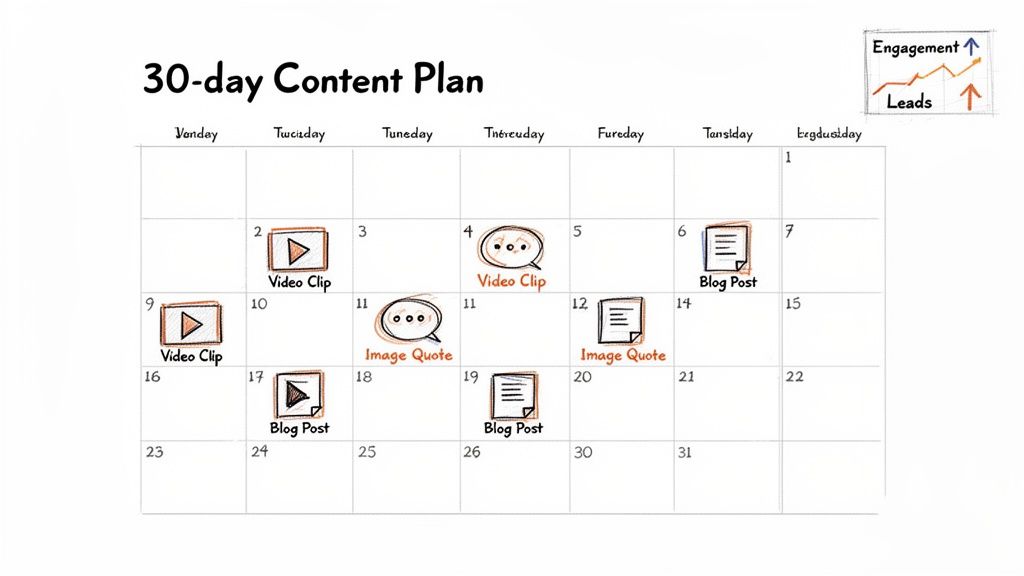
From One Webinar to a 30-Day Content Plan
Forget the daily scramble of "what are we going to post today?" From a single 60-minute webinar, you can easily map out an entire month of content. The trick is to establish a simple, repeatable cadence that keeps you top-of-mind without burning out your audience.
Here’s a sample weekly rhythm that works wonders:
- Monday (Video Clip): Kick off the week with a punchy video clip on LinkedIn to grab attention and deliver immediate value.
- Tuesday (Image Quote): Share a powerful quote from the webinar on X and Instagram Stories to spark conversation and shares.
- Wednesday (Blog Post Promotion): Drive traffic by posting a key insight from the full SEO-optimised blog post and linking people back to your site.
- Thursday (Second Video Clip): Drop another short clip, perhaps one tackling a different sub-topic or answering a common audience question.
- Friday (Interactive Post): Use a surprising statistic or a thought-provoking question from the webinar to run a poll on LinkedIn or an interactive sticker on Instagram.
This schedule gives you a consistent presence. And when you automate the heavy lifting of asset creation with a tool like RepurposeMyWebinar, your only job is scheduling—a task that suddenly takes minutes, not days. If you’re hungry for more ideas, check out our guide on effective content distribution strategies.
Measuring What Truly Matters for Business Growth
Vanity metrics like likes and follower counts feel good, but they don’t pay the bills. The real success of your repurposing efforts must be measured by its impact on what the business actually cares about. It’s time to look past surface-level numbers.
The ultimate goal of repurposing isn't just to fill a calendar; it's to generate leads, build authority, and shorten the sales cycle. Your measurement framework must reflect these business objectives, not just social media activity.
Instead of obsessing over likes, focus on analytics that tell a story about audience behaviour and intent.
Key Performance Indicators (KPIs) to Track:
- Video Engagement Rate: Forget raw view counts. How long are people actually watching? Track the average watch time and completion rate on your clips. This tells you if your content is genuinely holding their attention.
- Click-Through Rate (CTR) to Full Webinar: Every piece of content should point somewhere. Often, that’s back to the full webinar recording. A high CTR is a huge signal of qualified interest.
- Lead Generation from Gated Content: If your full webinar is gated behind a form, this is your money metric. Track exactly how many new leads come directly from the links in your repurposed social posts. This is your clearest measure of ROI.
- Website Traffic from Social Referrals: Use your analytics to see how much traffic your repurposed content is driving to your blog and other key landing pages. This proves the top-of-funnel value of what you’re doing.
When you focus on these KPIs, you can draw a straight line from a social media post to a tangible business result. This data-driven approach doesn't just help you refine your strategy over time—it gives you the cold, hard proof that repurposing your video content is one of the smartest marketing moves you can make.
Got Questions About Repurposing Video Content?
Even with a solid strategy, a few questions always pop up. Let's tackle the common hurdles marketers hit when they decide to turn their video assets into social media gold.
How Do I Pick the Best Clips from a Long Webinar?
You're hunting for moments that pack a punch on their own. The best clips don't need a ten-minute preamble to make sense; they stand strong by themselves.
Look for a surprising statistic, a sharp answer from the Q&A, or a moment where a complex idea is explained perfectly. Your sweet spot is usually a clip between 30-90 seconds long. AI-powered tools are brilliant for this—they can scan a transcript and automatically flag the most promising moments, saving you from scrubbing through an hour of footage.
What if Our Webinars Are Super Technical or Niche?
No topic is too "boring" or specialised for social media. In fact, that's your advantage. Your audience craves expertise, and your job is to slice that expertise into bite-sized, shareable formats.
Got a technical product demo? Find the one feature that solves a massive pain point and clip just that. A data-heavy presentation is a treasure trove of killer stats that can be turned into powerful, branded image quotes. It’s all about pulling out the "aha!" moments that offer a specific solution to a specific problem for your ideal customer.
How Much Content Can I Really Get from One Webinar?
This isn't an exaggeration: a single 60-minute webinar can genuinely fuel your social media for an entire month. The key isn't magic; it's having a repeatable system.
From one recording, you can realistically pull 5-7 short-form video clips, 6-16 branded image quotes, a full SEO-optimised blog post, and dozens of text-based posts for platforms like LinkedIn and X. That’s more than enough diverse content to keep your channels active without sounding like a broken record.
What Tools Do I Actually Need to Start Repurposing?
The manual route is a slow, expensive grind. You end up juggling separate tools for video editing (Adobe Premiere), graphic design (Canva), and transcription (Otter.ai). Those subscriptions and the time spent switching between them add up fast.
An all-in-one platform changes the game entirely. You upload your long video, and it does the heavy lifting—transcription, clip creation, and branding—all in one place. This is how you ditch the manual work, kill multiple subscriptions, and avoid hiring extra help, saving a serious amount of time and money.
Ready to stop letting your brilliant webinar content gather dust? RepurposeMyWebinar turns your recordings into a month of on-brand social media assets in minutes, not days. See how our AI-powered platform can automate your entire workflow and finally maximise your content ROI.