What Is a Webinar Clip Generator and How Does It Work?
Discover how a webinar clip generator uses AI to automatically create social media clips, saving you time and boosting your content ROI. Learn how they work.

Let's be honest—a huge amount of time, money, and expertise goes into pulling off a great webinar. But what happens once the live event is over? Too often, that incredible content gathers digital dust, locked away in a lengthy recording. Webinars are expensive, underutilised, and time-consuming to repurpose manually. A webinar clip generator is the modern solution that finally unlocks all that trapped potential, saving you time and delivering clear ROI.
Your Webinar Content Is a Wasted Asset
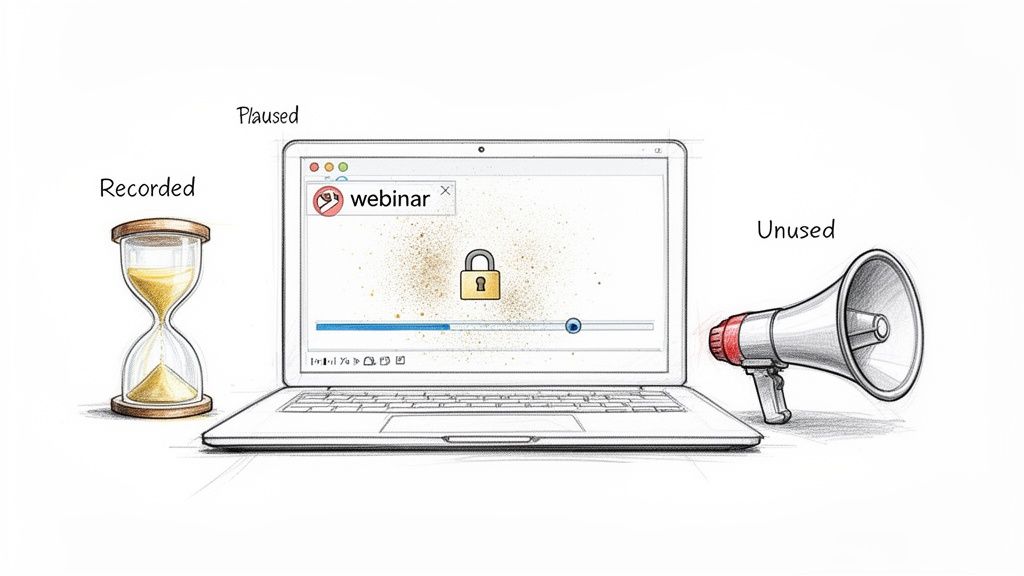
You’ve poured weeks into planning, promoting, and delivering a high-value session. Your experts dropped golden nuggets of advice, the Q&A was electric, and you’ve got it all captured in a 60-minute recording. Now what?
For most marketing teams, the answer is frustratingly simple: not much. The full recording gets emailed to attendees, maybe uploaded to a corner of your website, and then… it just sits there. That single, monolithic video file becomes a digital paperweight, its best moments hidden from the very audiences who need to see them.
The High Cost of Inaction
This isn’t just a missed opportunity; it’s a real waste of resources. Tally up the total investment: speaker fees, platform subscriptions, ad spend, and countless hours from your marketing and sales teams. Leaving that content dormant is like spending thousands of US Dollars on a billboard and then covering it up after one day.
In today's market, businesses are leaning more heavily on webinars as a core part of their strategy. This growing investment makes the lack of effective repurposing even more painful. The old way of turning this asset into smaller, digestible pieces is just too daunting. It means hours of re-watching the whole thing, trying to pinpoint the best moments, and then battling with clunky video editing software. This friction is exactly why so much valuable content remains untapped.
Your biggest content expense shouldn't be a one-time event. It should be your most powerful, reusable asset—a perpetual marketing engine that works for you long after the live audience has gone.
Unlocking Your Webinar's True Potential
A webinar clip generator completely flips this script. It transforms the post-webinar workflow from a time-sucking chore into an automated, strategic process. Instead of letting your hard-won insights fade away, you can systematically pull out every valuable moment and get it in front of people on all your channels. It's the solution that eliminates manual work, multiple tools, and the need to hire freelance editors.
This simple shift turns your webinar from being the end of a campaign into the beginning of one. The recording becomes the raw material for weeks, or even months, of high-quality, snackable content. For example, you can turn a 60-minute webinar into 30 days of content, including up to 16 image quotes. By mastering a few key content distribution strategies, you can ensure every clip reaches the right person at the right time, truly maximising your original investment.
What Exactly Is a Webinar Clip Generator?
A webinar clip generator is an AI-powered tool designed to automatically analyse a long-form webinar recording and extract short, high-impact video clips. Instead of a human spending hours scrubbing through a timeline, the software uses artificial intelligence to identify the most valuable moments—like key insights, answered questions, or compelling statistics—and creates ready-to-share clips from them.
Think of it as a smart video editor that doesn’t need your help. It watches your entire hour-long video, understands the conversation, and instantly pulls out dozens of short, shareable clips. This isn’t just about randomly chopping up your video. A proper webinar clip generator uses AI to understand the context, making sure every single clip it creates is a self-contained, meaningful piece of content that actually makes sense on its own.
The Core Process: How Clip Generators Work
While the technology is complex, the user experience is designed for speed and simplicity. The entire process of turning a raw recording into a library of marketing assets typically follows three steps:
- Ingest: You upload your video file (e.g., an MP4 from Zoom) or provide a link to the recording. This is the raw material the AI will analyse.
- Analyse: The AI gets to work. It transcribes the entire conversation and then uses Natural Language Processing (NLP) to analyse the text, identifying key topics, questions, and impactful statements. It essentially finds the "golden nuggets" for you.
- Create: Based on its analysis, the generator automatically extracts these highlights into individual video clips. It then adds professional touches like captions, your brand’s logo and colours, and formats them for platforms like LinkedIn, TikTok, or Instagram Reels.
The primary benefit is turning a tedious, multi-hour task into an automated workflow that takes minutes. Want to see AI clip generation in action? Try it free.
A Quick Look at Its Functions
To really get what this tool brings to the table, let’s break down its core functions and why they’re such a big deal for busy marketing teams.
Webinar Clip Generator at a Glance
| Function | What It Does | Primary Benefit |
|---|---|---|
| AI Analysis | Scans the full webinar transcript and audio to identify key topics, questions, and impactful statements. | Finds the best moments automatically, saving hours of manual review. |
| Clip Extraction | Intelligently isolates these moments and creates short, standalone video clips. | Turns a single long video into dozens of pieces of shareable content. |
| Content Formatting | Adds captions, applies branding, and formats clips for different social media platforms (e.g., vertical for TikTok/Reels). | Delivers professional, platform-ready content without needing multiple tools. |
Ultimately, a webinar clip generator is a massive force multiplier for your content team. It eliminates the need for expensive video editing software, freelance editors, and the sheer manual labour that stops most businesses from unlocking the treasure trove of content hidden inside their webinar recordings.
The Technology Behind Webinar Clip Generators
It might feel like magic, but a webinar clip generator is a sophisticated system trained to think like an experienced content strategist. It layers several types of artificial intelligence to not just watch your webinar, but to actually understand what was said and pinpoint the moments your audience will care about most. It isn't just chopping your video into random bits; it’s making smart, editorial decisions for you.
Here's a simple look at the process.
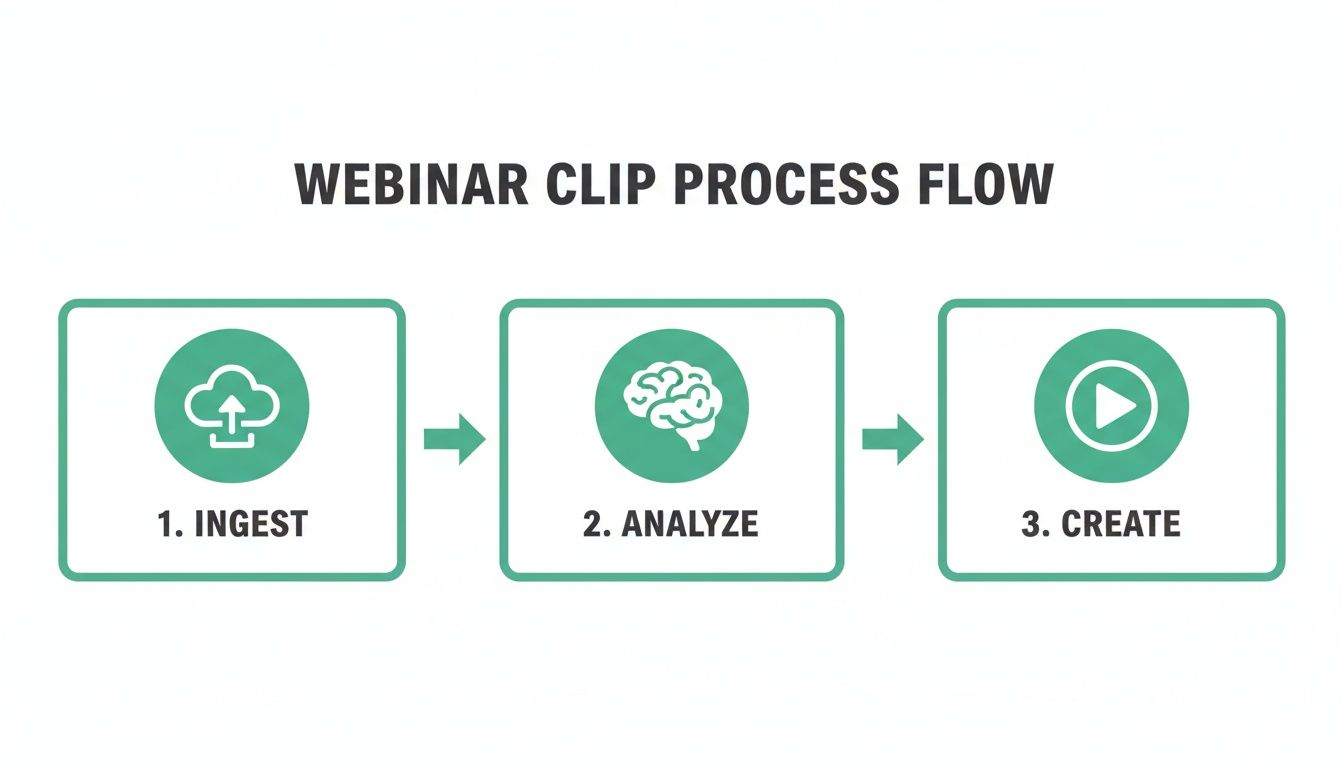
This shows how the AI takes your raw video file, puts it through deep analysis, and produces ready-to-use clips, all with minimal human effort.
Step 1: Transcription with Automatic Speech Recognition (ASR)
The process begins by converting speech into text. Automatic Speech Recognition (ASR) technology listens to every word spoken in your webinar and generates a highly accurate transcript. This transcript is the foundation for everything that follows. Without a precise text version of the conversation, the AI would be unable to analyse the content's substance.
Step 2: Understanding with Natural Language Processing (NLP)
Once the transcript is ready, Natural Language Processing (NLP) gets to work. This is where the AI goes beyond just reading words and starts to understand their meaning, context, and intent. It’s the difference between hearing and listening.
NLP algorithms are trained to perform several critical tasks:
- Topic Identification: It figures out the main subjects being discussed throughout the webinar.
- Sentiment Analysis: The AI can detect emotional tone, recognising moments of excitement, strong opinions, or thoughtful pauses.
- Question Detection: It automatically flags whenever a question is asked and answered—these are almost always gold for creating clips.
This is the "brain" of the operation. It allows the system to follow the flow and substance of the conversation just like a human would. This same tech is also incredibly powerful for creating other kinds of short-form content; you can learn more about how to clip a YouTube video using similar AI principles.
Step 3: Moment Identification with Engagement Scoring
Not all moments in a webinar are created equal. An AI-powered clip generator uses scoring algorithms to weigh different parts of the conversation and identify the segments that pack the biggest punch. The AI isn’t just looking for keywords; it's hunting for those "Aha!" moments that deliver a complete thought and tangible value to the viewer. For instance, a segment where a speaker says, "The single most important metric you need to track is..." will receive a much higher value score than five minutes of small talk.
At RepurposeMyWebinar, our AI is specifically tuned to find these self-contained, high-impact moments. Our clip generation technology analyses webinar transcripts to identify and extract these valuable segments as platform-optimised video clips with captions. We pair this automated power with a simple workflow for human review, giving you full quality control. RepurposeMyWebinar's AI finds and clips your best webinar moments automatically, doing all the heavy lifting so you can focus on strategy.
Common Use Cases for Webinar Clips
The true value of a webinar clip generator lies in its practical applications. Here’s how businesses use auto-generated clips to drive ROI and save time across different departments. The goal is to turn a single one-hour event into a powerful content engine that fuels growth for weeks. For example, a single 60-minute webinar can be turned into 30 days of targeted, high-impact content.
Supercharge Social Media Marketing
Social media platforms like LinkedIn thrive on a steady stream of valuable video content. A clip generator makes it easy to maintain a consistent presence without burning out your team.
- Example: Your guest speaker delivers a perfect 90-second answer to a complex question. The AI identifies it, adds your branding and captions, and creates a clip ready for LinkedIn.
- ROI: A single webinar can generate a full month of social content.
- Week 1: Share 5-7 key insight clips from the main presentation.
- Week 2: Post 3-4 clips from the audience Q&A.
- Week 3: Turn powerful stats into 6-16 eye-catching image quotes.
- Week 4: Re-share top-performing clips and create a "highlight reel."
This approach builds authority and keeps your audience engaged. For a deeper dive, explore our full guide on how to repurpose webinar content.
Boost Email Marketing Engagement
Text-only emails are easy to ignore. Embedding a short video clip can significantly increase click-through rates.
- Example: Extract a 30-second clip of a shocking statistic or bold prediction from your webinar. Embed it in an email with a call-to-action to "watch the full session."
- ROI: Provides instant value and gives subscribers a compelling reason to engage with your full-length content, increasing on-demand views.
According to recent data, webinar attendance often hovers around 40-50%, with 84% of webinars attracting fewer than 50 live attendees. This highlights the massive opportunity in repurposing content for those who couldn't attend live. You can dig into more insights about webinar marketing statistics on embryo.com.
Empower Sales Enablement Teams
Your sales team answers the same prospect questions repeatedly. A library of short, expert-led video clips is a powerful tool for providing instant, authoritative answers.
- Example: Instead of typing a long email, a sales rep sends a two-minute clip of your product manager explaining a complex feature during a webinar.
- ROI: Builds trust, saves reps time, and increases prospect engagement. Creating a searchable library of clips tagged by topic (e.g., "pricing," "integration") helps your team handle objections and close deals faster.
This is how a clip generator becomes a strategic asset for growth, not just a marketing toy. Ready to get started? Upload your webinar free and get AI-generated clips in minutes.
Quality Considerations: AI Efficiency with Human Oversight
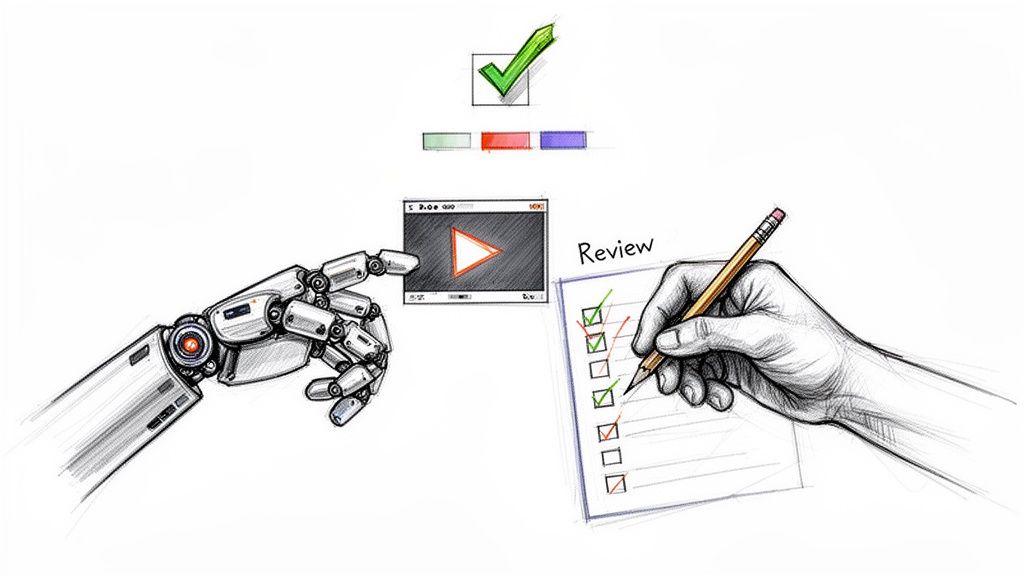
Can you really trust AI with your brand’s voice? While the speed of automation is compelling, the final output must meet your quality standards. The best webinar clip generators are designed for collaboration, creating a perfect partnership between AI's efficiency and your strategic oversight.
What Makes a Good vs. Bad Auto-Generated Clip?
The quality of an AI clip hinges on the sophistication of the underlying technology. Here are the key differences:
- Good Clips: Are coherent and self-contained. They capture a complete idea, a full question and answer, or a satisfying thought that makes sense on its own.
- Bad Clips: Start or end abruptly, leaving out crucial context. They feel like random sentence fragments that confuse the viewer.
A quality platform should deliver clips that are 95% ready, requiring only minor tweaks rather than a full re-edit.
The Human Review: What to Check Before Publishing
Even with the best AI, a quick human review is essential for maintaining brand integrity. Before publishing, check for:
- Contextual Coherence: Does the clip make sense as a standalone piece of content?
- Caption Accuracy: Are the auto-generated captions correct? AI can misspell names, industry jargon, or unique product terms.
- Brand Consistency: Do the logos, colours, and fonts align perfectly with your style guide?
Think of the AI as your tireless production assistant. It does the heavy lifting of finding potential highlights, and you provide the final editorial judgment.
At RepurposeMyWebinar, our platform is built on this philosophy. Our AI identifies and extracts high-value moments, creating optimised clips with accurate captions. However, you always have the final say. Our workflow allows you to easily review each clip and polish the details before publishing. This ensures you get both the speed of automation and the quality assurance of human expertise. Want to see this workflow for yourself? Try it free and see just how powerful AI clip generation can be.
Understanding Pricing Models for Clip Generation Tools
Investing in a new tool requires ensuring the numbers make sense. A webinar clip generator offers a significant ROI, but only if the pricing model aligns with your content schedule. Let's break down the common structures.
Subscription Tiers Based on Minutes
This is the most common model. You pay a monthly or annual fee for a set number of video processing minutes (e.g., 120 minutes per month for a basic plan).
- Pros: Predictable costs make budgeting straightforward. This works well for teams with a consistent, high-volume webinar schedule.
- Cons: The "use it or lose it" problem. Unused minutes expire, meaning you pay for capacity you don't use during quiet months.
Per-User or Per-Seat Plans
Pricing is based on the number of team members who need access. This is often layered on top of other limits, like processing minutes.
- Pros: Simple to understand, especially for larger, collaborative teams where multiple people need to review and approve clips.
- Cons: Costs can escalate quickly for growing teams. You may end up paying for seats that are used infrequently.
Flexible Credit-Based Systems
This is a pay-as-you-go approach. You buy a bank of credits, and each action—like processing a minute of video—uses a certain number of credits.
This is the model we use at RepurposeMyWebinar. It’s built to give you total control and maximum value, so you never waste money on capacity you don’t need. Credits have a long expiry date (or none at all), tying your costs directly to your actual content production.
- Pros: The most cost-effective option for teams with fluctuating needs. Run one major webinar this quarter and none for the next two months? Your credits will be waiting. This eliminates waste and scales with your real-world needs.
- Cons: Teams with an extremely high and predictable volume might need to top up credits more frequently than with a set subscription.
For most businesses whose webinar schedules ebb and flow, a credit-based system offers the perfect balance of flexibility and value. Ready to see how a flexible model could work for you? Upload your webinar free and get AI-generated clips in minutes.
Your Questions About Webinar Clip Generators Answered
Even when a new piece of tech makes perfect sense on paper, a few practical questions always pop up before you dive in. Let's tackle the most common ones we hear from marketing teams so you can feel confident about how this works in the real world.
What Kind of Video Files Can I Use?
This is usually the first question people ask, and for good reason—your workflow depends on it. The good news is that most modern clip generators are built to be flexible.
Tools like RepurposeMyWebinar handle all the standard video formats you’d expect, like MP4, MOV, and WMV. That means you can drag and drop recordings straight from your computer, whether they came from Zoom, Microsoft Teams, or Google Meet. Many tools also let you just paste in a link from video platforms like YouTube or Vimeo, which saves you the hassle of downloading and re-uploading.
How Much Can I Customise the Branding on My Clips?
Your brand's look and feel is everything. Any content you push out has to be instantly recognisable, and a solid clip generator gets that. It should offer more than just slapping a logo on top.
You should be looking for the ability to:
- Add Your Logo: Place your company logo neatly in a corner to keep your brand front and centre.
- Customise Colours: Tweak the colours for captions, backgrounds, and progress bars to match your brand palette perfectly.
- Choose Fonts and Styles: Select from different caption styles and fonts to make sure every clip has the right personality for your brand.
With this level of control, every AI-generated clip looks like it came straight from your in-house design team. It ensures a professional and consistent brand image across every channel you post to.
The point of a webinar clip generator isn't just to chop up a video; it's to produce assets that are ready to go live, with your brand identity baked right in.
Is This Better Than Hiring a Freelance Video Editor?
This one comes down to a classic trade-off: speed and scale versus cost and effort. A talented freelance editor can definitely create beautiful, high-quality clips. No one's arguing with that. But that process has its own set of challenges.
Hiring an editor means spending time on briefing, back-and-forth communication, and revisions. The costs can also stack up fast, especially if they charge by the hour or by the clip. Repurposing an entire webinar could easily run you hundreds of US Dollars.
A webinar clip generator offers a totally different kind of value. You get incredible speed and scale for a fraction of the price. The AI does the heavy lifting—finding the most compelling moments—and can spit out dozens of clips in the time it would take you to just brief an editor on a handful. It lets you run a high-volume content strategy that would be financially and logistically out of reach with manual editing alone.
For teams trying to squeeze every last drop of value from their content without bloating their budget, a webinar clip generator is simply the smarter, more scalable choice.
Ready to unlock the hidden value in your recordings and turn one webinar into a month of content? See how RepurposeMyWebinar can get you there faster.
Upload your webinar free and get AI-generated clips in minutes


