10 Webinar Repurposing Best Practices to Maximise ROI and Save Time
Discover 10 webinar repurposing best practices to turn your recordings into a month of content. Save time, demonstrate ROI, and scale your marketing today.
You invest thousands of US Dollars and countless hours into a single webinar, only for its value to evaporate once the live session ends. It's a colossal, underutilised asset collecting digital dust. Manually slicing it into clips, articles, and social posts is a time-consuming ordeal that requires multiple tools, expensive freelancers, or more headcount you simply don’t have. This process is broken, and it’s costing you engagement and pipeline.
This article outlines 10 powerful webinar repurposing best practices designed to solve this exact problem. We will show you how to systematically and efficiently transform one 60-minute webinar into a full month of high-performing, on-brand content. Forget the manual grind; these are the practical, actionable strategies B2B marketing teams use to maximise the ROI of their most expensive content asset without hiring, juggling multiple tools, or wasting hours on manual editing.
By implementing these webinar repurposing best practices, you can save hundreds of hours and dominate your content calendar with a diverse range of professional assets, all derived from the expert material you have already created. Let’s unlock the hidden value in your webinar library.
1. Multi-Platform Content Atomisation
Content atomisation is the practice of breaking down a single, long-form piece of content, like a 60-minute webinar, into numerous smaller, self-contained "atomic" assets. This isn't about simply slicing up your webinar video; it's a strategic process of deconstructing it into its core ideas and then reconstructing them into formats optimised for specific platforms. One webinar doesn't become one YouTube video and one blog post. It becomes a content engine that can fuel your marketing calendar for a month.
Instead of posting the same generic link everywhere and hoping for engagement, this best practice ensures your valuable insights are delivered in a way that feels native to each channel. A powerful quote becomes a visually striking image for Instagram, a key statistic transforms into a discussion-prompting LinkedIn post, and a compelling anecdote is clipped into a 30-second TikTok or YouTube Short. This approach dramatically increases your webinar's ROI by maximising its reach and impact across your entire digital footprint.
How to Implement Content Atomisation
Start by identifying the most valuable moments in your webinar. Look for 3-5 core insights, powerful quotes, or data points that can stand alone. From just one of these key moments, you can generate multiple assets.
- For LinkedIn: Create a 60-90 second video clip with burned-in captions, accompanied by a text post that summarises the key takeaway and asks a question to spark conversation.
- For Twitter (X): Design a thread that breaks down a complex idea from the webinar into a series of digestible tweets, incorporating a key stat or a powerful image quote.
- For your Blog: Transcribe a 10-minute segment into a detailed, SEO-optimised blog post, embedding the corresponding video clip and adding a call-to-action.
- For Email: Send a targeted email to your subscribers featuring a single, high-impact tip from the webinar, encouraging them to watch the full replay for more context.
Pro Tip: Schedule these atomic assets over 2-4 weeks post-webinar. This creates a sustained promotional campaign, keeping the conversation going and continuously driving traffic back to the full recording, rather than causing a single-day spike in attention.
This methodical approach transforms a one-off event into a strategic content cascade. By tailoring each piece to the platform's unique audience behaviour, you ensure your message resonates far more effectively. To see how this fits into a broader plan, you can explore various content distribution strategies that leverage this atomised content.
2. SEO-Optimised Blog Article Generation
Generating an SEO-optimised blog post from your webinar transforms your valuable spoken insights into a durable, searchable asset. This practice involves more than just transcribing the audio; it's about strategically converting the webinar's core content into a comprehensive article structured for search engines and human readers alike. By targeting relevant keywords, you turn a one-time live event into an evergreen lead-generation machine that captures organic traffic long after the webinar has ended.
This method is one of the most powerful webinar repurposing best practices because it positions your brand as a thought leader on key industry topics. A well-crafted article, like those produced by industry leaders such as HubSpot and Moz, can rank for high-intent keywords, attracting a qualified audience actively searching for the solutions you discussed. This turns your webinar's inherent authority into tangible SEO value, driving consistent, high-quality traffic to your website.
How to Implement SEO-Optimised Blog Article Generation
Begin by using a tool like Ahrefs or SEMrush to identify the primary and secondary keywords that your webinar content naturally addresses. This research forms the foundation of your article, guiding its structure, headings, and focus. The goal is to align the audience's search intent with the expert content you've already created.
- For Structure: Organise the article with clear H2 and H3 headings that mirror the key sections of your webinar. This enhances readability and helps search engines understand the content's hierarchy.
- For Credibility: Embed direct quotes, statistics, and key data points from your speakers throughout the text. This adds unique value and reinforces the article's authority.
- For Engagement: Include the most relevant video clip from the webinar within the blog post. Add a clear call-to-action (CTA) prompting readers to watch the full recording for a deeper dive.
- For SEO: Optimise your meta title, meta description, and images. Answer common questions raised during the Q&A section to target featured snippet opportunities on Google.
Pro Tip: Don't just publish and forget. Build internal links from the new article to other relevant service pages or blog posts on your site. This boosts the SEO authority of both the new post and your existing content, creating a stronger overall digital presence.
By converting your presentation into a written format, you make your expertise accessible to a much wider audience. This methodical approach to creating a high-value article is a cornerstone of an effective content strategy. To master this conversion, you can find a complete guide on how to turn a webinar into a blog post with step-by-step instructions.
3. Short-Form Video Clip Creation for Social Media
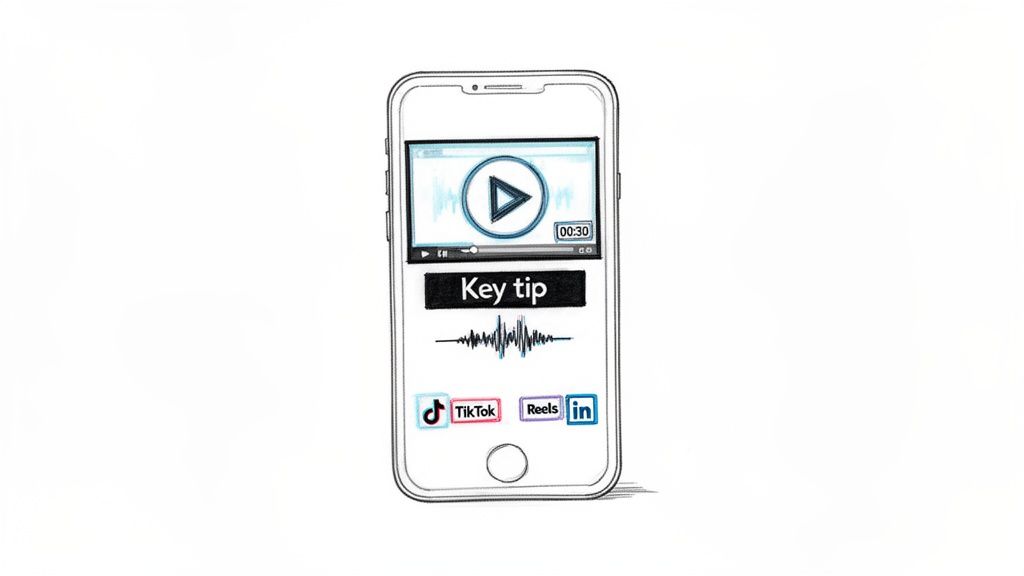
Creating short-form video clips involves extracting compelling, 15-60 second segments from your webinar and optimising them for platforms like TikTok, Instagram Reels, and YouTube Shorts. This practice directly addresses modern viewing habits and declining attention spans, capitalising on social media algorithms that heavily favour native video content. Instead of letting your hour-long recording gather dust, you can transform it into a series of high-impact, shareable moments that drive brand awareness and engagement.
This isn't just about chopping up the video; it's about isolating moments of high value, such as a surprising statistic, an actionable tip, or an emotional anecdote. By turning these key insights into standalone clips, you make your expert knowledge accessible to a much broader audience that may never have watched the full-length webinar. This method is one of the most effective webinar repurposing best practices for generating rapid, widespread visibility and directing new traffic back to your core content assets.
How to Implement Short-Form Video Clip Creation
Begin by re-watching your webinar with the specific goal of identifying "clip-worthy" moments. Look for segments where the energy is high, a critical question is answered, or a powerful statement is made. These are your raw materials for creating engaging social content.
- For Instagram Reels & TikTok: Isolate a single, powerful tip or surprising fact. Keep the clip under 60 seconds, use bold text overlays to highlight the key takeaway, and add trending audio to increase discoverability.
- For YouTube Shorts: Create vertical video clips that answer a specific question. Shorts favour content that is direct and educational, so focus on clear, concise explanations or quick how-to moments.
- For LinkedIn Video: Select a segment that offers a professional insight or challenges a common industry belief. Clips between 30-90 seconds perform well here, especially with burned-in captions for silent viewing in a professional setting.
- For All Platforms: Always include captions, as up to 85% of users watch social videos without sound. Ensure your branding (logo and colours) is visible but not intrusive.
Pro Tip: Don't just post and forget. Your call-to-action should encourage viewers to comment with their own experiences or questions. This engagement signals to the algorithm that your content is valuable, boosting its reach and creating a feedback loop for future content ideas.
This strategy turns your webinar from a static recording into a dynamic source of daily social content. To streamline this entire process and avoid manual editing, you can discover how a purpose-built webinar clip generator can automatically create these assets for you.
4. Email Marketing Sequence Development
Email marketing sequence development transforms your one-off webinar into a sustained lead nurturing campaign. This practice involves strategically breaking down your webinar's core insights into a series of automated emails designed to educate, engage, and ultimately convert your audience. Rather than just sending a single "here's the replay" email, you create a coordinated multi-touch experience that guides prospects through the buyer's journey.
This approach acknowledges that attendees and non-attendees have different needs. A well-crafted sequence delivers tailored value over time, keeping your brand top-of-mind and reinforcing the webinar's key messages. Companies like HubSpot and Marketo have built entire methodologies around this, demonstrating that a single webinar can fuel a powerful email engine that nurtures leads from initial awareness to sales-readiness, significantly boosting event ROI.
How to Implement an Email Marketing Sequence
Begin by segmenting your audience immediately after the webinar: those who attended and those who registered but did not attend. Each group should receive a slightly different sequence to maximise relevance and impact. From there, map out a 3-5 email series based on your webinar's content.
- For Attendees: Start with a "thank you" email within 24 hours, including the replay link and downloadable slides. Follow up with emails that expand on key webinar topics, share related resources, or present a case study that reinforces your solution's value.
- For Non-Attendees: The first email should focus on creating a sense of missed value, with a subject line like "Sorry we missed you" and a direct link to the replay. Subsequent emails can highlight the most impactful moments, such as a powerful quote or a key statistic, to entice them to watch.
- For Both Segments: The final emails in the sequence can pivot towards a stronger call-to-action, such as a demo request, a free trial sign-up, or a special offer related to the webinar's content.
Pro Tip: Customise your sequences by tracking which links recipients click. If someone downloads a specific case study from an email, you can enrol them in a more product-focused follow-up sequence. This level of personalisation dramatically improves conversion rates.
Developing these sequences is one of the most effective webinar repurposing best practices for converting interest into action. It ensures your event's momentum isn't lost after the live broadcast, turning a one-hour presentation into weeks of meaningful engagement. You can learn more about building effective nurture campaigns by exploring lead nurturing strategies from industry leaders.
5. Audiogram and Podcast Distribution
Tapping into audio-first channels is a powerful, yet often overlooked, webinar repurposing best practice. This strategy involves converting your webinar's audio track into both short-form, shareable audiogram clips and full-length podcast episodes. It’s not just about creating another asset; it's about meeting your audience where they are, capitalising on the massive growth in podcast listenership and on-the-go content consumption.
This approach transforms your visual presentation into an accessible audio experience, perfect for listeners during their commute, workout, or daily tasks. A B2B SaaS company, for example, can turn its monthly product deep-dive webinars into a regular podcast series, building an engaged subscriber base. This method extends the life and reach of your webinar content significantly, positioning your brand as a consistent voice of authority in an increasingly popular medium.
How to Implement Audio Distribution
Begin by exporting a high-quality audio file (MP3 or WAV) from your webinar recording. From this single file, you can create a range of assets designed for different audio platforms and promotional channels.
- For Podcast Platforms: Extract the most valuable 15-45 minute segment. Edit out any housekeeping notes or irrelevant Q&A to create a focused, high-value podcast episode. Upload this to platforms like Spotify, Apple Podcasts, and Google Podcasts with a compelling title and detailed show notes.
- For LinkedIn & Instagram: Create 60-second audiogram clips using a key insight or powerful quote from the webinar. These visually engaging assets, which feature a static image, audio waveform, and burned-in captions, are perfect for stopping the scroll and teasing the full episode.
- For your Blog: Embed the full podcast episode player directly within a related blog post. This provides visitors with another way to consume your content and increases time-on-page, a positive signal for SEO.
- For Email Newsletters: Share a compelling audiogram clip in your newsletter to promote the new podcast episode, driving your most engaged audience to subscribe to your audio feed.
Pro Tip: When publishing your podcast episode, write detailed show notes that include timestamps for key topics, speaker biographies, and links to any resources mentioned. This improves the listener experience and helps your episode get discovered through podcast search engines.
By systematically converting your webinar into audio formats, you unlock a new channel for audience engagement. This is a core part of any modern webinar repurposing strategy, ensuring your valuable content resonates with busy professionals who prefer to listen. To see how this can be automated, learn how to turn a webinar into a podcast without the manual effort.
6. LinkedIn Carousel and Thread Optimisation
Simply sharing a link to your webinar replay on LinkedIn is a missed opportunity. This best practice involves transforming your webinar's core insights into native LinkedIn formats like carousels and threads, which are heavily favoured by the platform's algorithm. Instead of trying to pull professionals off the platform, you deliver value directly within their feed, maximising engagement and establishing thought leadership. This strategic approach turns a single webinar into multiple, high-performing assets designed for professional audience reach.
This method isn't just about sharing information; it's about starting conversations in the professional sphere where your audience is already active. A well-designed carousel post can achieve engagement rates far exceeding a simple link post, while a thoughtful thread can demonstrate deep expertise on a topic. This is a core part of effective webinar repurposing best practices, ensuring your valuable content is seen and valued by the right people, driving tangible results from your initial investment.
How to Implement LinkedIn Optimisation
Begin by extracting 3-5 distinct, powerful ideas or data points from your webinar. Each one can become the foundation for a separate LinkedIn carousel or thread, allowing you to create a content series that keeps your audience engaged over several weeks.
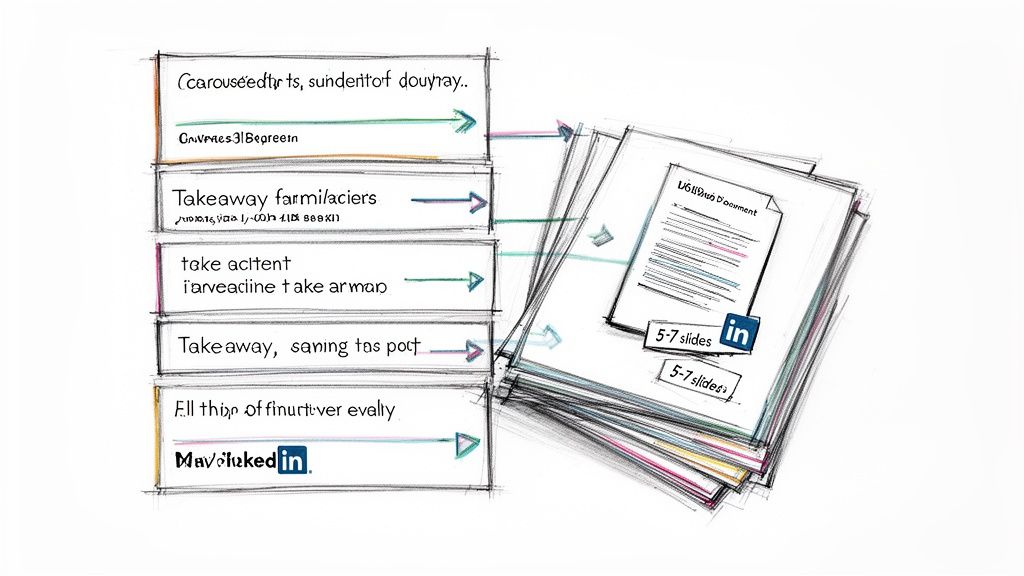
- For Carousels: Design a 5-7 slide document (PDF) where each slide presents a single, digestible insight. Use bold headlines, clear text, and brand visuals. The final slide should include a clear call-to-action, such as "Watch the full webinar for more insights" with a link.
- For Threads: Start your post with a strong hook or a controversial statement from the webinar. Break down a complex topic into a series of short, numbered comments, each building on the last. Tag any speakers or companies mentioned to broaden your reach.
- For Articles: For a more in-depth segment, expand it into a full LinkedIn Article. Embed video clips and carousel slides directly into the article to create a rich, multimedia experience that positions you as a definitive authority on the subject.
Pro Tip: Post your LinkedIn content between Tuesday and Thursday mornings for optimal engagement with B2B professionals. Always end your post with an open-ended question to encourage comments and signal to the algorithm that your content is sparking valuable conversation.
This tailored approach ensures your webinar content not only reaches its intended professional audience but also resonates deeply within the unique context of the LinkedIn platform. By leveraging native formats, you move beyond simple promotion and into the realm of true thought leadership.
7. Quote Graphics and Visual Asset Creation
Some of the most powerful and shareable moments in your webinar are locked within the audio track. Creating quote graphics is the practice of extracting these potent soundbites, key statistics, or profound takeaways and transforming them into visually appealing, branded images. This method converts spoken words into highly shareable, snackable assets perfectly suited for platforms like LinkedIn, Instagram, and Twitter (X), where visual content reigns supreme.
Instead of just telling your audience what was said, you can show them. A well-designed graphic not only captures attention in a crowded social feed but also reinforces brand identity through consistent colours, fonts, and logos. This is a core component of many successful webinar repurposing best practices because it turns passive listening into active sharing. You can easily generate 6-16 impactful image quotes from a single webinar, fuelling your social media calendar for weeks.
How to Implement Quote Graphics and Visual Asset Creation
Your goal is to identify quotes that are surprising, actionable, or counter-intuitive, as these generate the most shares. Sift through your webinar transcript and pull 8-10 of the most impactful sentences or data points. These will become the foundation of your visual content campaign.
- For Brand Authority: Always include the speaker's name, title, and photo on the graphic. This adds a layer of credibility and encourages the speaker to share the asset with their own network, amplifying its reach.
- For Mobile Optimisation: Use high-contrast colours and bold, legible fonts. Ensure the design is clean and the text is easily readable on a small screen without needing to zoom in.
- For Sustained Engagement: Create 2-3 visual variations for your top quotes using different background images or colour schemes. This allows you to re-share the same powerful insight without causing content fatigue.
- For Lead Generation: Subtly incorporate your logo and a simple call-to-action or a shortened link to the full webinar replay directly on the graphic. This ensures that even when the image is shared, your brand and the original source travel with it.
Pro Tip: Don't post all your quote graphics at once. Schedule them to be published over several weeks following the webinar. This creates a steady drumbeat of valuable content that keeps the conversation alive and continuously directs new audiences back to your full-length recording.
This approach transforms your webinar's key messages into evergreen visual assets. By creating a library of branded graphics, you can efficiently fuel your social media calendar for weeks, turning a single one-hour event into a long-term engagement engine. You can find more inspiration by exploring how to create compelling audiograms to complement your visual strategy.
8. Sales Enablement and Customer Success Resources
One of the most underutilised webinar repurposing best practices is to extend content beyond the marketing department. Your webinar isn't just a lead generation tool; it's a valuable repository of insights that can directly arm your sales and customer success teams. This involves strategically converting webinar content into targeted assets like competitive battle cards, product feature guides, and customer onboarding materials that help close deals and improve retention.
By transforming a single webinar into a library of high-value internal resources, you directly support revenue and retention operations. For instance, a webinar Q&A session can be mined for common objections, which are then used to create a sales playbook. A product demonstration can be clipped into a series of short, shareable videos for sales reps to use in their outreach, dramatically increasing the ROI of the original event by turning it into a long-term operational asset.
How to Implement Sales and Customer Success Repurposing
Begin by involving your sales and customer success leads in the webinar planning phase to ensure the topics directly address customer pain points and sales objections. This collaborative approach makes the final content far more valuable for their needs. Once the webinar is complete, you can deconstruct it into powerful internal tools.
- For Sales Enablement: Clip key moments where your expert addresses a competitor's weakness or highlights a unique product feature. Package these clips into a "battle card" in your shared drive, giving sales reps instant, credible content to handle objections.
- For Product Demos: Isolate the product demonstration segment and cut it into bite-sized, 1-2 minute videos focusing on a single feature or benefit. These are perfect for sales reps to share in follow-up emails.
- For Customer Success: Transcribe the Q&A section to identify frequently asked questions from new customers. Use these insights to build or enhance customer success playbooks and onboarding documentation.
- For Case Studies: If your webinar featured a customer success story, repurpose it into a one-page PDF and a short video testimonial that both sales and success teams can use to demonstrate value.
Pro Tip: Create a dedicated channel in your internal comms tool (like Slack or Teams) where you share these newly created assets. Announce each new resource and provide context on how sales or customer success can use it, ensuring the content gets adopted and doesn't get lost in a folder.
9. Multi-Language Translation and Localisation
Multi-language translation goes beyond simply converting your webinar script into different languages; it’s about strategically localising your content to resonate with global audiences. This practice involves adapting your core insights, examples, and terminology to be culturally and contextually relevant for specific international markets. By doing this, you exponentially expand your total addressable market and can engage prospects in their native language, building trust and demonstrating a deeper level of commitment to their needs.
This isn't about creating entirely new webinars for each region. Instead, it’s one of the most powerful webinar repurposing best practices for unlocking new revenue streams from a single, high-value asset. A webinar that performed well in the UK can be adapted to serve potential customers in Germany, France, or Japan, turning one successful event into a global lead generation engine. This transforms your webinar from a one-time, single-language broadcast into a versatile international sales and marketing tool.
How to Implement Translation and Localisation
Begin by identifying your highest-priority international markets based on website traffic, sales inquiries, or strategic growth plans. Focus your initial efforts on the languages spoken in these key regions to maximise your return on investment.
- For YouTube: Add translated, closed captions (subtitles) to your full webinar recording. You can also dub the audio using AI tools or a professional voice-over artist and upload it as a separate video targeted to a specific country.
- For your Blog: Translate your repurposed blog posts and create dedicated language sections on your website (e.g., yoursite.com/de/blog). This is a highly effective way to capture organic search traffic from non-English speaking audiences.
- For Social Media: Create translated versions of your social media clips, quote graphics, and text posts. Ensure you use localised hashtags and post at times that are optimal for the target time zone to increase visibility and engagement.
- For Lead Magnets: Translate any checklists, templates, or eBooks created from the webinar. Offering a downloadable resource in a prospect's native language can significantly increase conversion rates on landing pages.
Pro Tip: Establish a "terminology glossary" with a professional translator for your key industry terms and branded phrases. This ensures consistency across all translated assets and prevents misinterpretations of technical language, which automated tools often get wrong. Always have a native speaker review customer-facing materials before publishing.
By methodically translating and localising your webinar content, you break down language barriers and make your expertise accessible worldwide. This strategic approach ensures your message remains powerful and consistent, regardless of where your audience is located.
10. Community Engagement and User-Generated Content Campaigns
This practice moves beyond broadcasting content and transforms your webinar into a catalyst for active community dialogue. Instead of simply sharing assets, you strategically use clips, quotes, and key insights to spark conversations and inspire user-generated content (UGC) within your dedicated communities, such as Slack channels, forums, or private social media groups. This turns passive viewers into active participants, building a loyal and engaged audience that advocates for your brand.
The goal is to leverage your webinar’s educational value to create a peer-to-peer learning environment. When community members discuss how they are applying your webinar's advice, they create a powerful layer of social proof and real-world validation. This is one of the most effective webinar repurposing best practices for deepening customer relationships and fostering brand loyalty long after the live event has ended, turning a one-time broadcast into an ongoing, collaborative experience.
How to Implement Community Engagement Campaigns
Begin by identifying conversation-starting moments from your webinar. These could be provocative questions, counter-intuitive data points, or practical frameworks that your audience can immediately apply. Then, build a campaign around these moments to encourage participation.
- For your Slack or Discord Community: Post a 60-second clip of a key "how-to" moment and ask members to share how they've implemented a similar tactic. Create a dedicated channel like
#webinar-discussionto centralise the conversation. - For LinkedIn or Facebook Groups: Launch a poll based on a surprising statistic from your webinar, inviting members to vote and discuss the results. Follow up by sharing a short video clip that provides more context.
- For your Customer Forum: Start a thread asking attendees to share their biggest challenge related to the webinar topic. Feature the most insightful comment and link back to a relevant segment of the webinar replay that offers a solution.
- For a UGC Campaign: Create a specific hashtag (e.g.,
#[YourCompany]WebinarChallenge) and ask your audience to share a post showing how they've applied a tip from the webinar. Feature the best submissions on your official channels.
Pro Tip: Offer incentives for high-quality participation. This could be anything from a discount on your product to a shout-out in your next email newsletter or even exclusive access to the next webinar's speaker for a Q&A. Recognition is a powerful motivator for community engagement.
By turning your webinar content into a community-building tool, you generate authentic advocacy and create a valuable resource hub powered by your most engaged users. This method transforms your audience from passive consumers into active brand co-creators.
10-Point Webinar Repurposing Best-Practices Comparison
| Approach | Implementation complexity | Resource requirements | Expected outcomes | Ideal use cases | Key advantages |
|---|---|---|---|---|---|
| Multi-Platform Content Atomization | High — platform-specific adaptation & coordination | Moderate–High: editors, designers, scheduling, automation tools | Wider reach, higher engagement, better ROI on webinar | B2B SaaS, agencies, content teams with limited production | Maximises reach; reuses source material; enables A/B testing |
| SEO-Optimized Blog Article Generation | Medium–High — needs SEO and editorial rigor | SEO tools, skilled writers, editors, occasional updates | Long-term organic traffic, authority, lead generation | Technical/educational B2B, companies targeting long-term growth | Evergreen content; improved domain authority; supports sales |
| Short-Form Video Clip Creation for Social Media | Medium — clip selection and mobile formatting | Video editors, captioning, creative assets, multi-format exports | High engagement, viral potential, traffic back to full webinar | Social agencies, creators, engagement-focused B2B brands | Algorithm-friendly; many assets per webinar; strong engagement |
| Email Marketing Sequence Development | Medium — segmentation and personalization required | Email platform, copywriters, automation setup, analytics | Higher conversion and lead nurturing, measurable ROI | B2B with subscriber lists, sales-driven organizations, SaaS | Cost-effective; direct communication; repeat touchpoints boost conversion |
| Audiogram and Podcast Distribution | Medium — audio editing and distribution setup | Audio editors, hosting platform, transcripts, metadata work | Access to audio-first audiences, passive consumption, authority | Thought leaders, B2B targeting commuters, educational orgs | Low marginal cost; podcast presence; shareable audiogram clips |
| LinkedIn Carousel and Thread Optimization | Medium — design + platform craft | Designers, copywriters, LinkedIn posting strategy | High professional engagement, thought leadership visibility | B2B SaaS, executives, LinkedIn-centric marketing | Native content favored; reaches decision-makers; fosters discussions |
| Quote Graphics and Visual Asset Creation | Low–Medium — templated design at scale | Design templates, brand assets, bulk export tools | Increased social shares, brand recall, high impressions | Social agencies, content teams, brand-awareness campaigns | Highly shareable; many visuals from one webinar; consistent branding |
| Sales Enablement & Customer Success Resources | Medium–High — cross-functional tailoring & updates | Product experts, content creators, training builders, version control | Better sales performance, faster onboarding, improved retention | B2B SaaS with sales teams, enterprise companies | Direct revenue impact; single source of truth for product messaging |
| Multi-Language Translation & Localization | High — translation + cultural adaptation & QA | Translation tools, native reviewers, localization workflows | Expanded international reach, non-English SEO gains | Global B2B, enterprises expanding to new regions, agencies | Scales market reach; demonstrates global commitment; faster market entry |
| Community Engagement & UGC Campaigns | High — ongoing moderation and program management | Community managers, platform integration, incentives, moderation | Stronger loyalty, authentic UGC, organic advocacy | Product-led companies, developer tools, retention-focused orgs | Builds community-driven growth; reduces content burden; network effects |
Stop the Manual Work. Start Maximising Your ROI.
You’ve invested significant resources into your webinar. Letting that valuable asset sit unused on a server after the live event is a massive waste of potential ROI. The true value isn't realised in the one-hour live session; it’s unlocked by strategically transforming that content and distributing it across every channel where your audience spends their time. This is the core principle behind the most effective webinar repurposing best practices.
The challenge is the execution. The traditional approach is a time-consuming, resource-intensive bottleneck. It involves a disjointed workflow of downloading large video files, manually transcribing audio, tasking designers with creating graphics, and asking editors to find and cut dozens of clips. This manual process is inefficient and expensive, requiring multiple software subscriptions or specialised freelance support that you don't have the budget for.
From Manual Labour to Automated Content Engine
This is where you need a fundamental shift. The goal isn't just to repurpose content; it's to build a scalable and efficient content engine. Instead of viewing webinar repurposing as a series of manual tasks, you must see it as a system to be optimised. With the right platform, you can eliminate the friction and move directly from a completed webinar to a fully populated content calendar in minutes. This automation doesn't just save time; it frees your team to focus on high-level strategy, analysis, and community engagement.
Imagine turning one 60-minute recording into over 30 days of diverse content, all perfectly formatted for each platform and aligned with your brand's messaging. This systematic approach delivers tangible benefits that directly impact your bottom line:
- Maximised Reach: Connect with different audience segments on their preferred platforms, from blog readers to social media scrollers and podcast listeners.
- Enhanced SEO Authority: Each repurposed blog post becomes a long-term asset, capturing organic search traffic and building your website's domain authority.
- Increased Lead Generation: By embedding calls-to-action within clips, articles, and social posts, you create numerous new conversion points.
- Proven ROI: You can finally demonstrate a clear, measurable return on the significant investment made in your webinar programme, justifying future budget and resources.
Your webinars are reservoirs of expertise, insights, and authentic content waiting to be unleashed. Stop letting their potential go to waste. It’s time to move beyond the manual grind and embrace a smarter, automated workflow that amplifies your message, saves countless hours, and drives measurable business growth.
Ready to stop the manual work and effortlessly implement these best practices? RepurposeMyWebinar uses AI to automatically transform your webinar recordings into dozens of high-quality marketing assets in minutes, not weeks. Experience the future of content creation and see the ROI for yourself by visiting RepurposeMyWebinar to start your free trial.