The Top 12 Webinar Repurposing Tools to Maximise Your ROI in 2026
Discover the best webinar repurposing tool for your team. A detailed comparison of features, pricing, and use cases to maximise your content ROI.

Your organisation invests thousands of US Dollars, weeks of expert time, and significant effort into a single webinar. Yet, after the live event, it gathers digital dust. This is a massive waste of potential ROI. Manually clipping, transcribing, and designing assets from a 60-minute recording is a time-consuming nightmare that drains resources and kills your content momentum. You know the content is valuable, but unlocking it is slow and expensive.
This article directly solves that pain point. We break down the top webinar repurposing tools, moving beyond generic feature lists to give you a practical, honest assessment. You'll understand each tool's real-world strengths, weaknesses, and who they are truly built for—whether you're a B2B SaaS marketer or running a digital agency.
Our goal is to show you how the right webinar repurposing tool can turn one 60-minute webinar into 30 days of high-performing content. We're talking social media video clips, SEO-optimised blog posts, audiograms, and 6-16 image quotes from a single recording. This is about demonstrating clear ROI on your events and freeing your team from tedious manual work to focus on strategy.
We will analyse how each tool saves time, eliminates the need for multiple subscriptions or freelance hires, and delivers professional, on-brand results with speed and simplicity. Each review includes screenshots, direct links, and a transparent look at pricing, so you can make an informed decision and stop letting your best content die.
1. RepurposeMyWebinar
RepurposeMyWebinar is an AI-first webinar repurposing tool designed to solve the core problem for marketers: the immense manual effort needed to get value from recorded events. It directly tackles the pain of expensive webinars being underutilised. The platform’s promise is to transform a single 60-minute recording into over 30 ready-to-publish assets in minutes, turning one event into an entire month's content calendar without you lifting a finger.
The workflow is built for speed and simplicity. You upload a video file. The AI engine then transcribes the audio, identifies the most impactful insights, and generates a diverse mix of assets. This completely eliminates the need for manual transcription, hunting for highlights, or hiring freelance editors. It is the solution that removes manual work, multiple tools, and extra headcount.
Key Features and Use Cases
RepurposeMyWebinar is built for teams who need to maximise content ROI without expanding their team.
- AI-Powered Asset Generation: From one upload, the platform produces an impressive range of content including SEO-optimised blog articles, social media posts, 6-16 image quotes, short-form video clips (30-120 seconds), and audiograms. It also supports multilingual translations, making it a valuable tool for global campaigns.
- Automated Brand Consistency: A built-in Brand Kit allows you to pre-load your company’s logos, brand colours, and fonts. Every asset generated automatically incorporates these elements, ensuring all output is on-brand and ready to publish without needing a designer.
- Ideal for B2B & Agency Teams: It's built for scale. With features like unlimited uploads, team collaboration seats, and white-label options, it’s a strong fit for B2B marketing departments, sales enablement teams, and digital agencies managing client webinar programmes.
Pricing and Onboarding
The platform uses a transparent, credit-based pricing model which allows teams to start small and scale as needed. A free starter tier provides 10 credits per month, perfect for testing the tool’s capabilities. Paid plans scale up into three-figure monthly tiers for higher volume users, and add-on credit packs (e.g., ~25 credits for $39) offer flexibility.
Pros & Cons
| Pros | Cons |
|---|---|
| Massive Time Savings: Generates 30+ assets from a 60-minute webinar in under 10 minutes. | Credit Consumption: High-volume users need to carefully model credit usage to manage costs effectively. |
| All-in-One Solution: Replaces multiple tools by creating video, text, image, and audio assets from one source. | Human Oversight Recommended: While export-ready, AI output may need a quick human review for nuance or compliance. |
| Built for Teams & Brands: Automated branding and collaborative features streamline team workflows. | |
| Accessible Pricing: Free tier and scalable credit-based plans make it easy to get started. |
Website: https://www.repurposemywebinar.com
2. OpusClip
OpusClip is an AI-first video clipping tool designed to transform long-form webinars and videos into a high volume of engaging, social-media-ready short clips. Its core strength lies in its speed and automation, making it a powerful webinar repurposing tool for teams that prioritise a high-velocity content pipeline for platforms like TikTok, YouTube Shorts, and Instagram Reels. The platform analyses your webinar, identifies the most impactful moments using a virality score, and automatically reformats them into vertical videos.
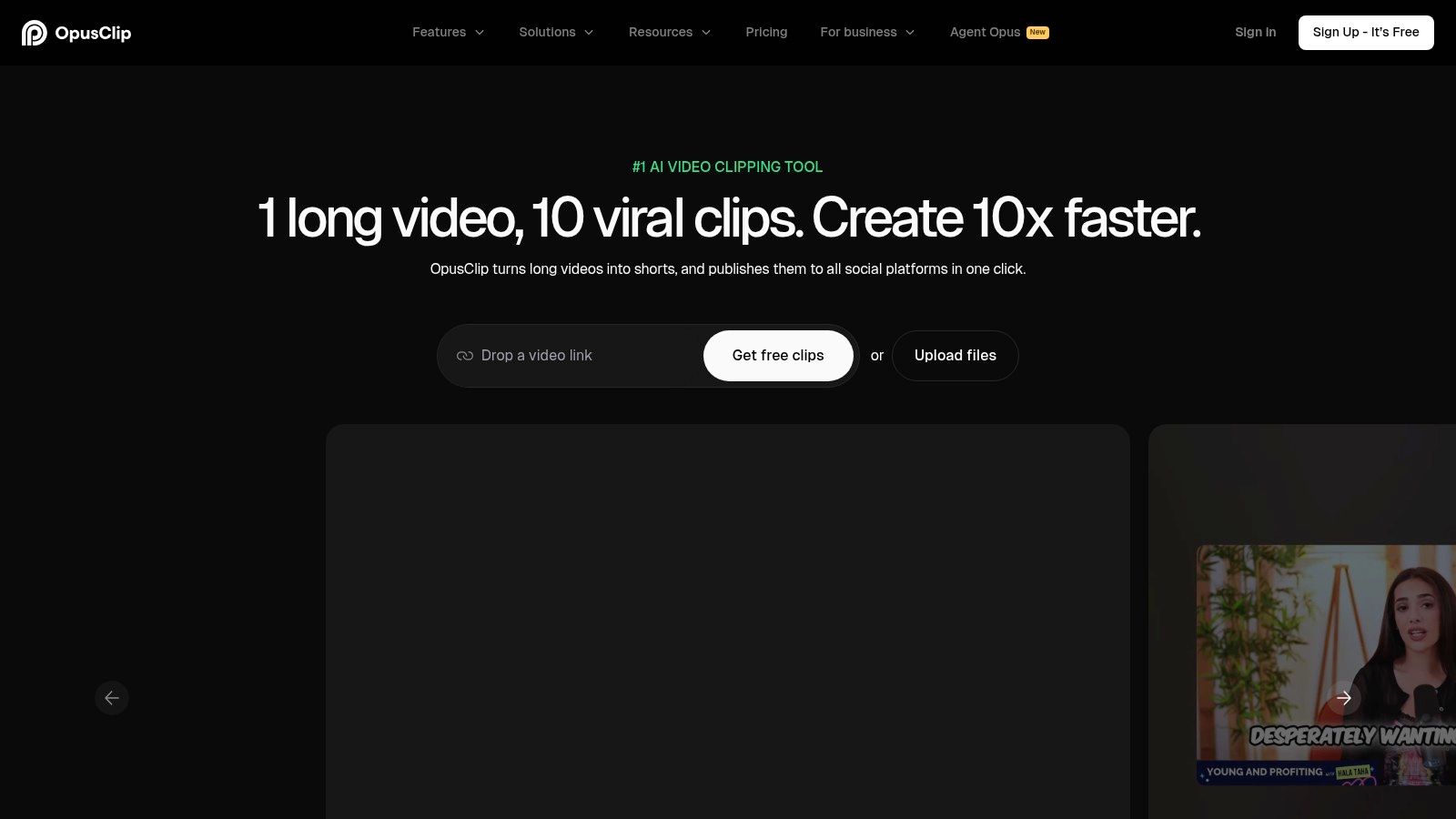
The platform’s “ClipAnything” feature allows you to guide the AI with specific prompts, giving you more control over the types of clips it generates. It also automatically adds animated captions, supports multiple languages, and reframes content for various aspect ratios (9:16, 1:1, 16:9), which significantly reduces manual editing time. For B2B marketers, this means a 60-minute webinar can be swiftly converted into dozens of potential social posts. For more in-depth information, you can explore the features of an ideal webinar clip generator on RepurposeMyWebinar.com.
Key Features & Ideal Use Case
- AI-Powered Clipping & Virality Scoring: Automatically identifies and ranks potential clips based on their perceived potential to go viral.
- Auto Re-framing & Captions: Intelligently crops horizontal video for vertical viewing and adds dynamic, word-by-word captions.
- Team Workspaces & YouTube Import: Facilitates collaboration and streamlines workflows by pulling content directly from YouTube links.
- Built-in Social Scheduler: Allows for direct publishing or scheduling to social media platforms from within the tool.
OpusClip is best suited for social media managers and content teams who need to create a large quantity of short-form video content quickly. It offers a generous free tier for testing, with paid plans starting at $19/month for more processing credits and features.
3. VEED
VEED is a versatile, browser-based video editor that has established itself as a strong contender in the content repurposing space. As a webinar repurposing tool, its primary advantage is its all-in-one approach, combining an intuitive editor with a suite of AI-powered features. It enables marketing teams to trim, subtitle, reformat, and brand webinar recordings without needing complex desktop software. This makes it particularly effective for organisations that require polished, on-brand video assets turned around quickly.
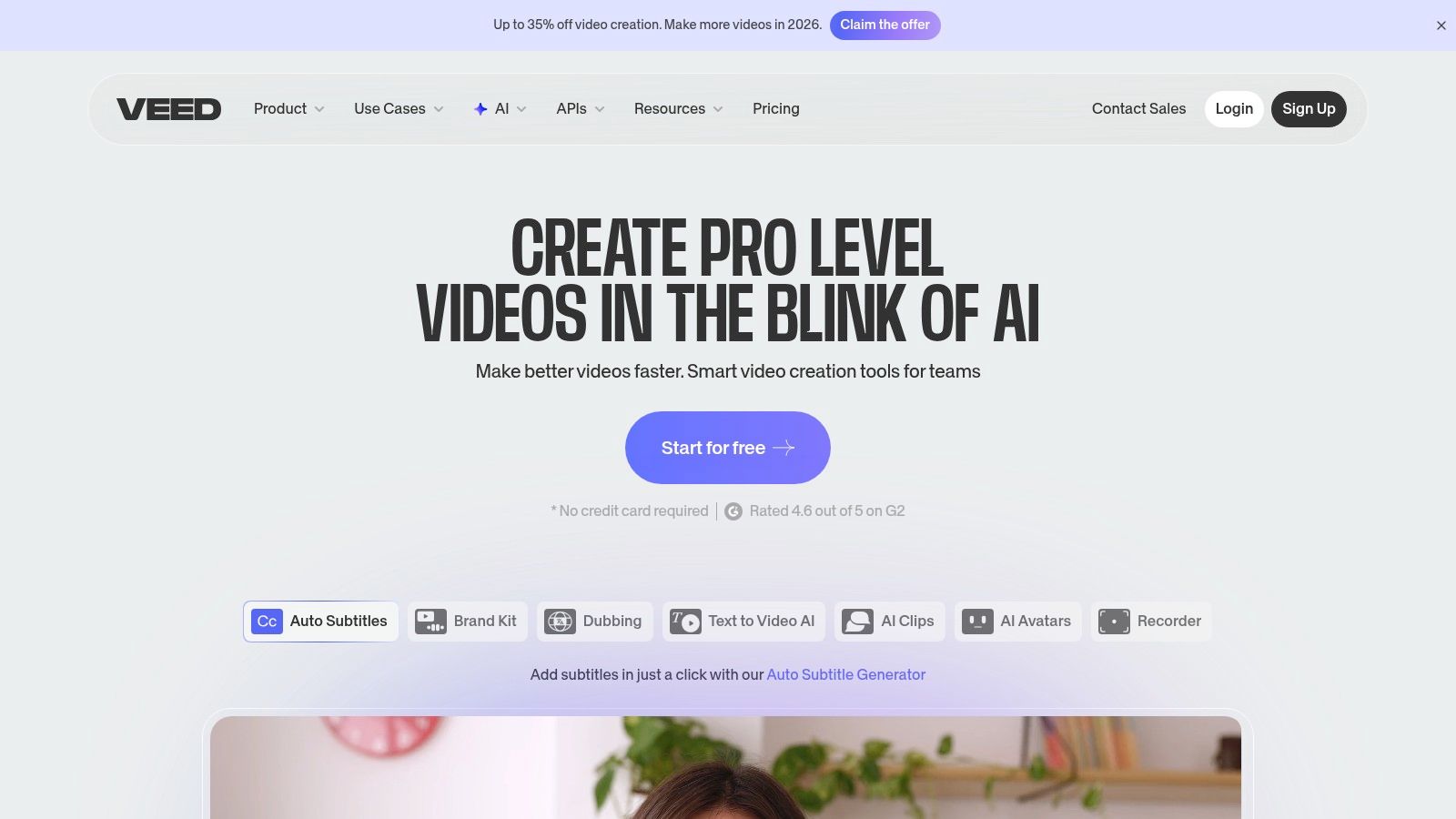
The platform shines with its automatic subtitling and translation capabilities, making webinar clips accessible to a global audience. Its branding kit allows users to consistently apply logos, colour schemes, and fonts, ensuring every piece of repurposed content aligns with brand guidelines. For UK and EU-based teams, its London-founded roots can be an advantage for compliance and invoicing. However, its credit system for certain AI features can sometimes feel confusing compared to simpler pricing models. To see how it compares to other solutions, you can explore the top VEED alternatives for webinar content.
Key Features & Ideal Use Case
- Auto-Subtitles & Translations: Quickly generate accurate subtitles and translate them into multiple languages to broaden your reach.
- Branding Kit & Stock Media: Maintain brand consistency with preset logos, fonts, and colours, and access a library of stock assets.
- One-Click Resizing: Instantly adapt webinar clips for various social media formats (e.g., vertical for Reels, square for LinkedIn).
- Collaboration Workspaces: Enables marketing teams to work together on video projects, review edits, and share feedback seamlessly.
VEED is best suited for marketing teams who need a comprehensive yet user-friendly editor for creating professionally branded video clips. It is a strong choice for those who value precise manual control over editing alongside AI-powered assistance. Paid plans start from $25/month per user, with higher tiers offering 4K exports and advanced features.
4. Kapwing
Kapwing is a collaborative online video editor that functions as a versatile webinar repurposing tool, particularly for teams that require more hands-on creative control. While it isn't a fully automated clipping tool, its strength lies in providing a browser-based suite to quickly resize, subtitle, and brand webinar recordings. It allows users to import content directly via a link and provides AI-assisted features like auto-subtitling and text-to-speech, making it a practical choice for agencies and creators who prefer a simple, cloud-based editing workflow.
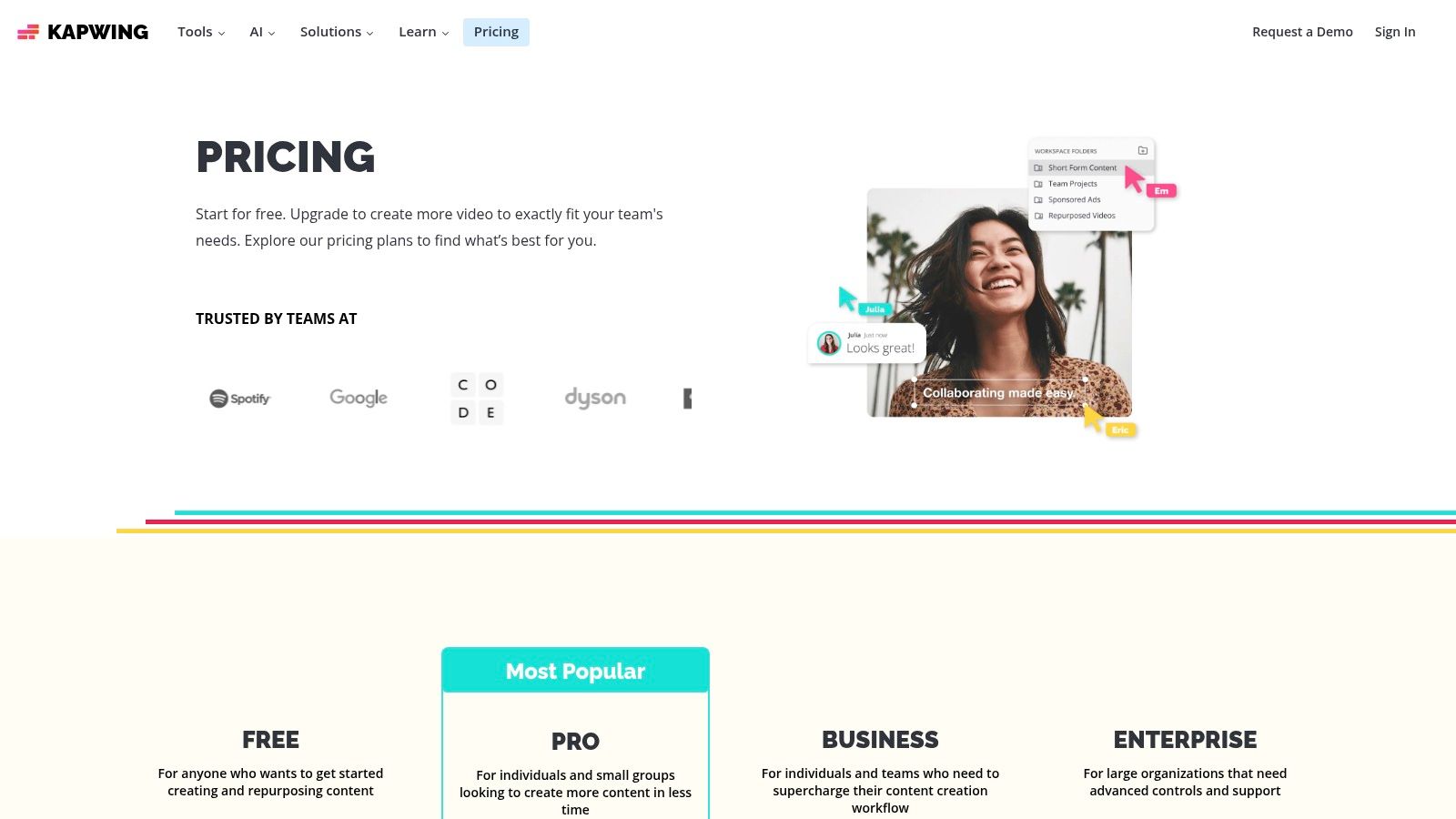
The platform is geared towards turning webinar segments into various assets. You can easily create subtitled clips, add branding using its Brand Kit feature, and even translate or dub content into over 60 languages. Its team workspaces facilitate smooth collaboration, allowing multiple users to work on projects simultaneously. However, its free plan is limited by watermarks and a 4-minute export cap, and heavy reliance on its AI features requires careful management of its credit system.
Key Features & Ideal Use Case
- Auto-subtitles & Translation: Automatically generates captions and translates them into over 60 languages to broaden content reach.
- AI Editing Tools: Includes features like AI-powered dubbing, text-to-speech, and smart editing to speed up the manual process.
- One-Click Resizing & Stock Libraries: Instantly adapts webinar clips for different social media formats and provides access to stock media.
- Team Workspaces & Brand Kits: Enables seamless team collaboration and ensures consistent branding across all repurposed content.
Kapwing is best suited for marketing teams and agencies that need a flexible, all-in-one editor for more than just video clipping and want granular control over the final output. The free plan is useful for testing, while the Pro plan starts at $24/month ($16/month billed annually) for watermark-free exports.
5. Descript
Descript revolutionises video editing by treating it like a word document. This transcript-driven approach makes it an exceptionally intuitive webinar repurposing tool for marketing teams who want to quickly find and extract key moments. Instead of scrubbing through a timeline, you can simply read the auto-generated transcript, highlight text, and instantly create a video clip. This workflow dramatically speeds up the process of turning a long webinar into dozens of highlight clips, blog post drafts, or social media soundbites.
The platform’s power extends beyond simple text-based editing. Features like “Studio Sound” clean up audio with one click, while AI-powered tools can correct a speaker's eye contact, remove filler words ("ums" and "ahs"), and even generate AI-driven show notes or blog drafts from the webinar content. For teams with a global audience, the AI translation and audio dubbing features are invaluable for localising webinar content without hiring expensive voice actors.
Key Features & Ideal Use Case
- Transcript-Driven Editing: Edit video and audio by simply editing the corresponding text in the transcript.
- AI-Powered Enhancements: Includes Studio Sound for audio clean-up, eye contact correction, and automatic filler word removal.
- Content Generation: Uses AI to create summaries, show notes, and draft blog posts directly from your webinar transcript.
- Integrated Remote Recording: Includes SquadCast for high-quality remote recording, perfect for capturing webinars and interviews.
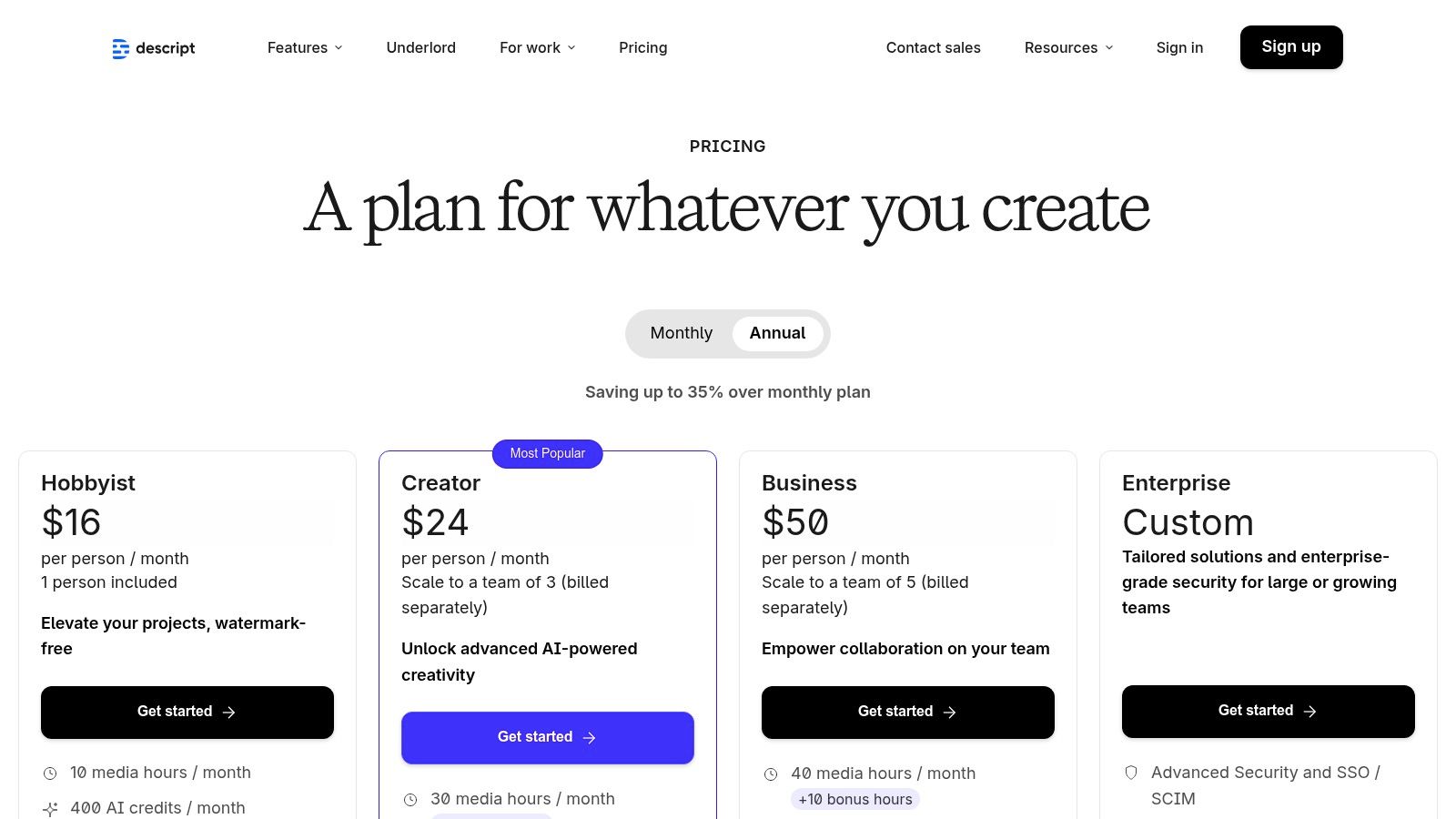
Descript is best suited for content creators and marketing teams who prefer a text-first workflow for editing and want an all-in-one solution for recording, editing, and repurposing. While it has a free plan, the best value is found in the Creator and Business plans, which start at $12/month (billed annually) and offer higher transcription and AI feature limits.
6. Riverside
Riverside is a recording-first platform renowned for its high-quality remote capture capabilities, but it also integrates a suite of tools that make it a powerful end-to-end webinar repurposing tool. Its unique proposition is combining studio-quality recording (up to 4K video) with built-in repurposing features, streamlining the workflow from live event to published content. Instead of exporting a recording to another tool, users can immediately start creating clips and summaries within the same ecosystem.
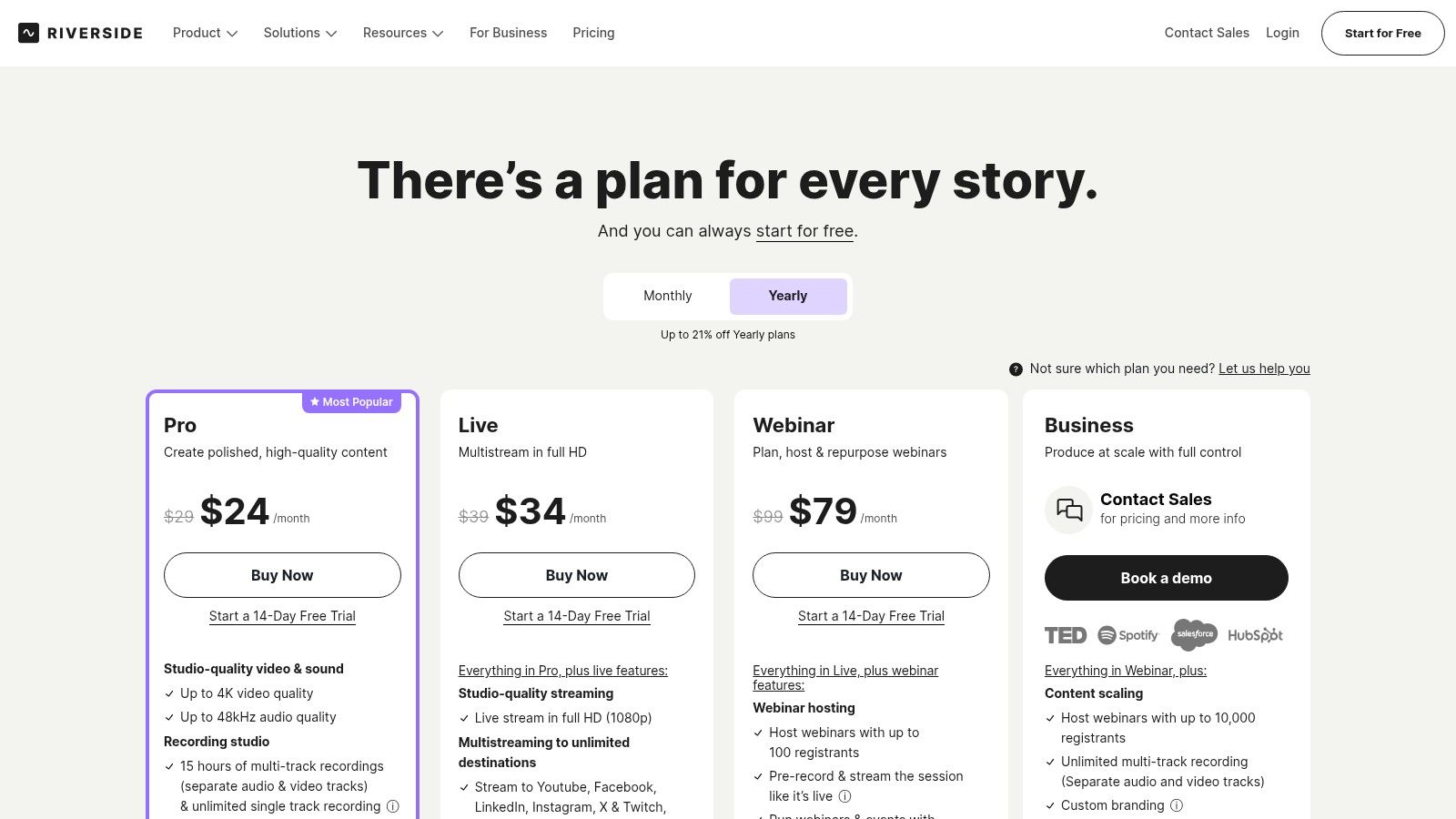
The platform’s "Magic Clips" feature uses AI to automatically identify and generate compelling short-form clips from your long webinar recording, saving significant time in manual review. It also offers text-based video editing, allowing you to edit your recording simply by deleting words from the transcript. This is a game-changer for B2B marketers who need to quickly remove filler words or tighten up a speaker’s key points before publishing. This unified capture-and-edit approach is ideal for teams prioritising quality and efficiency.
Key Features & Ideal Use Case
- High-Fidelity Recording: Captures separate 4K video and 48kHz audio tracks locally for each participant, ensuring top-tier source material.
- Magic Clips & AI Transcription: Automatically generates short clips and provides a highly accurate transcript that powers its text-based editor and AI show notes.
- Text-Based Video Editing: Edit your video and audio recordings by simply editing the corresponding text transcript, drastically speeding up post-production.
- Direct Publishing Integrations: Seamlessly distribute your repurposed content to platforms like YouTube, Spotify, and other podcast directories.
Riverside is best suited for content creators, podcasters, and marketing teams who prioritise pristine recording quality and want an integrated workflow to move from capture to repurposed clips without switching platforms. While its repurposing tools are less specialised than dedicated clipping apps, the convenience is a major advantage. Paid plans with advanced features start from $15/month.
7. Pictory
Pictory is a versatile AI video generator that excels at transforming long-form content like webinars into concise, shareable video assets. It's an ideal webinar repurposing tool for marketers and creators who are not professional video editors, offering guided workflows to create summary videos, highlight reels, and social media clips. The platform can generate a video from a script, automatically adding relevant stock footage, captions, and even AI-powered voiceovers.
What sets Pictory apart is its "Video from Article" and "Video from Script" features, which allow you to repurpose webinar transcripts or blog post summaries into entirely new video assets. It automatically finds B-roll from its integrated Getty and Storyblocks libraries, adds captions, and syncs a voiceover, significantly streamlining the creation of explainer videos or visual summaries. For teams wanting to automate content creation at scale, Pictory also provides an API.
Key Features & Ideal Use Case
- AI-Powered Summarisation: Automatically extracts key highlights from long webinar recordings to create shorter, more digestible summary videos.
- Extensive Stock Libraries: Integrates with Getty Images and Storyblocks to provide a vast library of stock video, images, and music for professional-looking outputs.
- Automatic Captions & AI Voiceovers: Transcribes audio to add captions and offers a range of realistic AI voices (including from ElevenLabs) to narrate your video script.
- Brand Kits & Team Collaboration: Allows you to upload brand assets (logos, fonts, colours) for consistency and provides workspaces for team collaboration.
Pictory is best suited for content marketers and small business owners who need a straightforward, template-driven tool to create various video formats from a single webinar without requiring technical editing skills. Its credit-based model requires some planning, with paid plans starting from $23/month.
8. Repurpose.io
Repurpose.io is a distribution-first automation platform designed to syndicate content across multiple channels with minimal effort. While not a video editor itself, it excels as a powerful webinar repurposing tool by taking your finished webinar clips and automatically publishing or scheduling them to numerous platforms like YouTube, Facebook, Instagram, LinkedIn, and TikTok. Its core strength lies in creating "set and forget" workflows that push content from a source to various destinations, correctly formatted for each one.
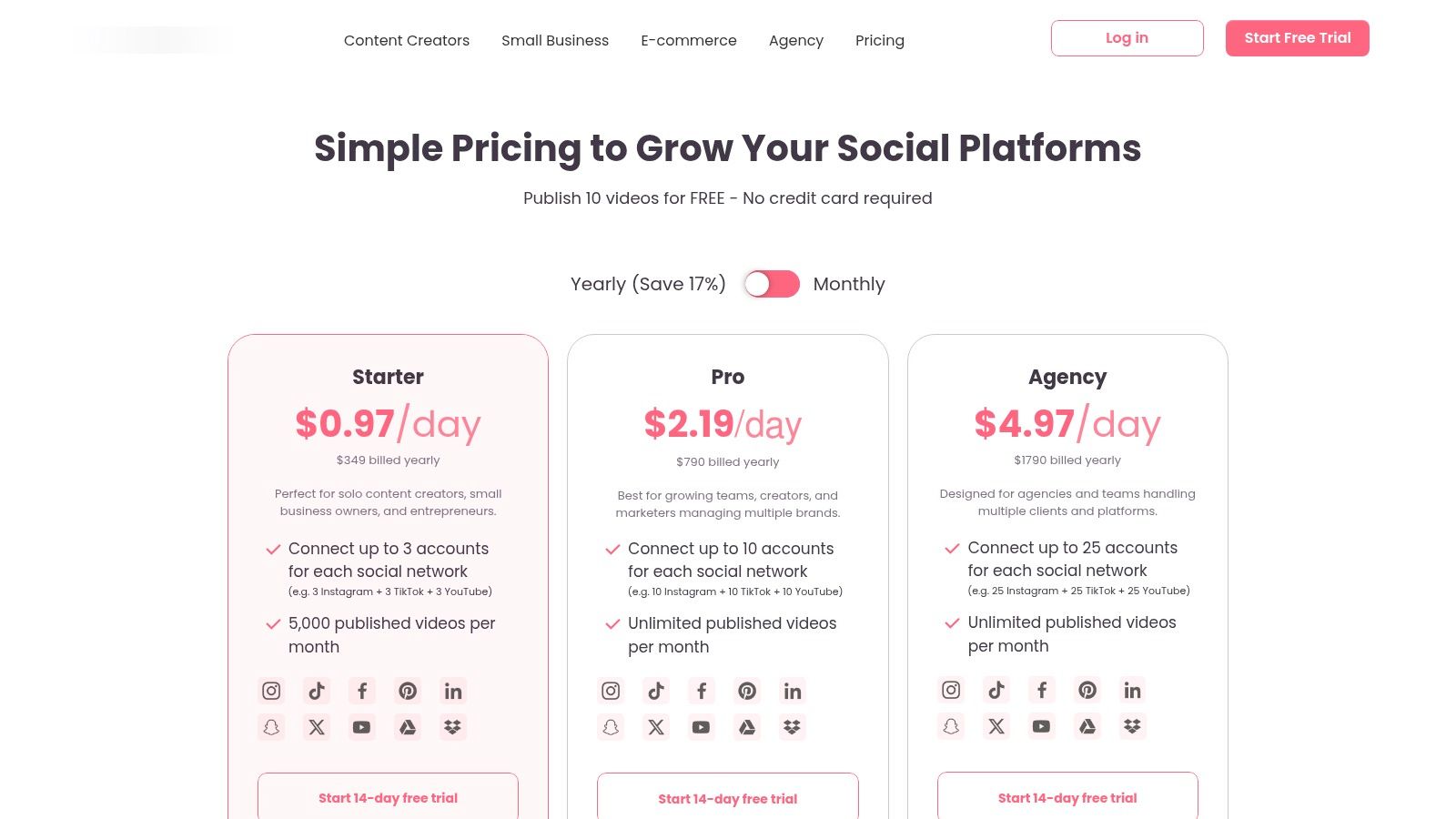
The platform is ideal for marketers who have already created their short-form clips and now face the time-consuming task of manually uploading them everywhere. Repurpose.io connects to sources like a Dropbox or Google Drive folder, YouTube, or even a podcast feed, and automatically pushes new content to your chosen social channels. This workflow automation is a massive time-saver for agencies managing multiple client accounts or B2B teams aiming for consistent, multi-platform visibility. You can learn more about how to repurpose webinar content effectively on RepurposeMyWebinar.com to maximise your distribution strategy.
Key Features & Ideal Use Case
- Automated Cross-Platform Publishing: Create workflows that automatically pull content from a source (e.g., Google Drive) and post it to multiple social destinations.
- Platform-Specific Formatting: Automatically converts horizontal videos to vertical or square formats and can create audiograms for podcast clips.
- Content Scheduling & Backups: Includes a built-in scheduler for drip-feeding content and can automatically back up all published videos to cloud storage.
- Full-Length Video to Clips Snippets: A feature that allows you to create short snippets from longer videos directly within the workflow for platforms like TikTok or YouTube Shorts.
Repurpose.io is best suited for content managers and digital agencies who need to scale their content distribution without spending hours on manual uploads. It’s the perfect tool to pair with a dedicated video clipper or editor. It offers a 14-day free trial, with paid plans starting from $25/month.
9. Vizard
Vizard is an AI-powered platform that excels at high-volume video repurposing, making it a strong webinar repurposing tool for agencies and content teams managing multiple accounts. It automatically identifies speaker highlights, key topics, and questions from long-form video, generating a variety of short clips instantly. Its workflow is designed for efficiency, allowing users to move from a full webinar to dozens of social-ready shorts with minimal manual intervention.
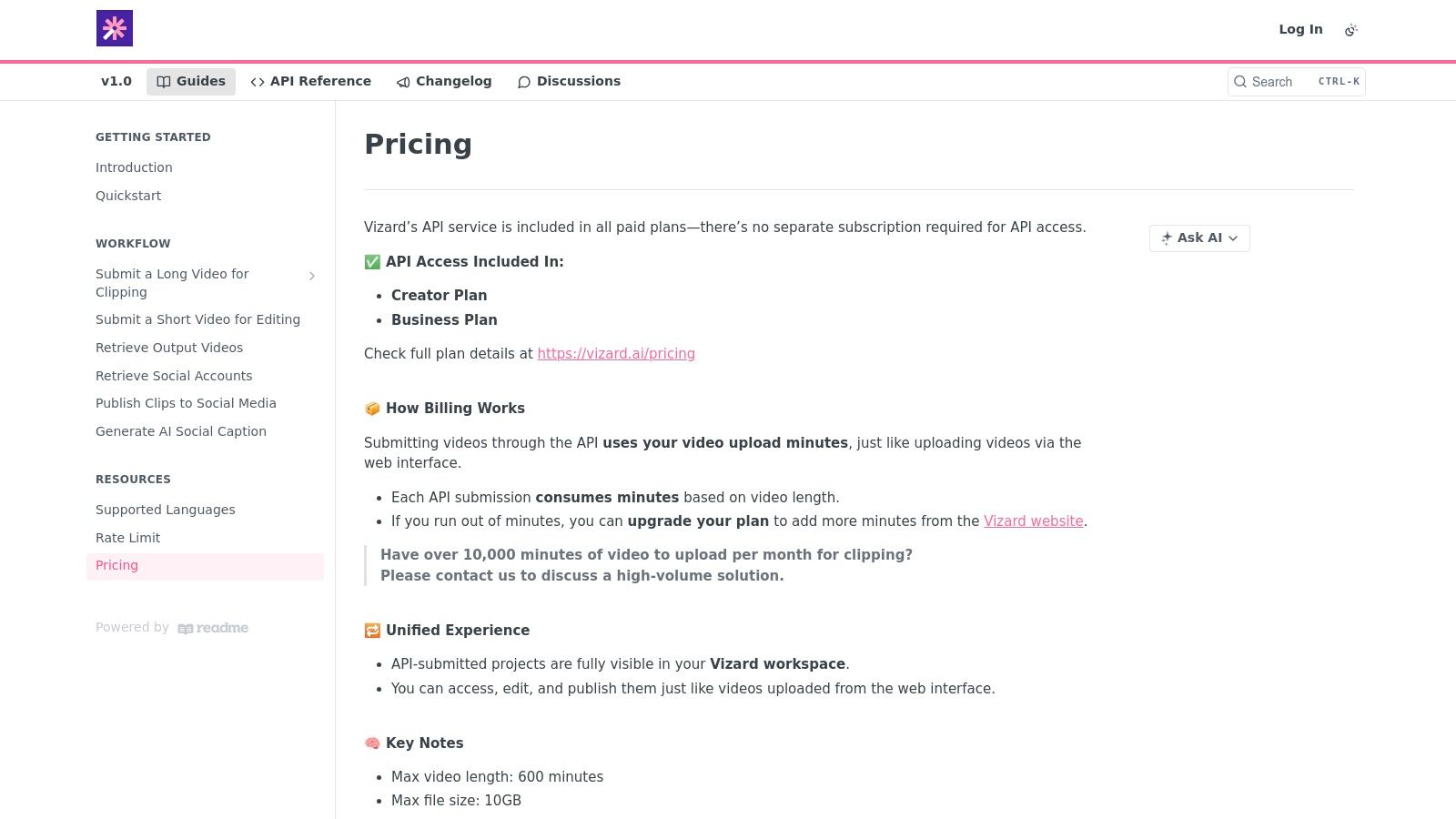
What sets Vizard apart is its accessible API, allowing for programmatic video clipping and integration into custom content workflows. The platform also includes a prompt-based "Spark" feature for more targeted clip extraction, along with AI-generated captions, emojis, and B-roll suggestions to enhance visual appeal. With its built-in social scheduler, teams can manage the entire content lifecycle, from webinar upload to social media publication, all within a single environment.
Key Features & Ideal Use Case
- API Access for Automation: Enables programmatic clipping, ideal for developers and agencies looking to build custom, high-volume repurposing workflows.
- Multi-Account Management: Designed for agencies or large marketing teams managing content creation and scheduling across various brands or clients.
- One-Click & Prompt-Based Clipping: Offers both fully automated highlight detection and user-guided clip extraction for greater control.
- AI Enhancements: Automatically suggests B-roll, styled captions, and relevant emojis to increase the engagement potential of generated clips.
Vizard is best for digital agencies, B2B SaaS companies, and content creators who require a scalable solution for processing a large volume of video content. Its API is a significant differentiator for teams with development resources. Plans start with a free tier, while paid options are priced based on processing minutes, starting from $29/month.
10. Quso (formerly Vidyo.ai)
Quso, which rebranded from Vidyo.ai, is an AI-driven platform designed to streamline the process of turning long-form webinar recordings into a high volume of shareable short-form video clips. Its primary function is to serve as a high-velocity webinar repurposing tool for content creators and marketing teams who need to scale their output on platforms like TikTok and Instagram. The platform automatically detects interesting moments, adds dynamic captions, and formats the clips for vertical viewing, significantly cutting down on manual editing.
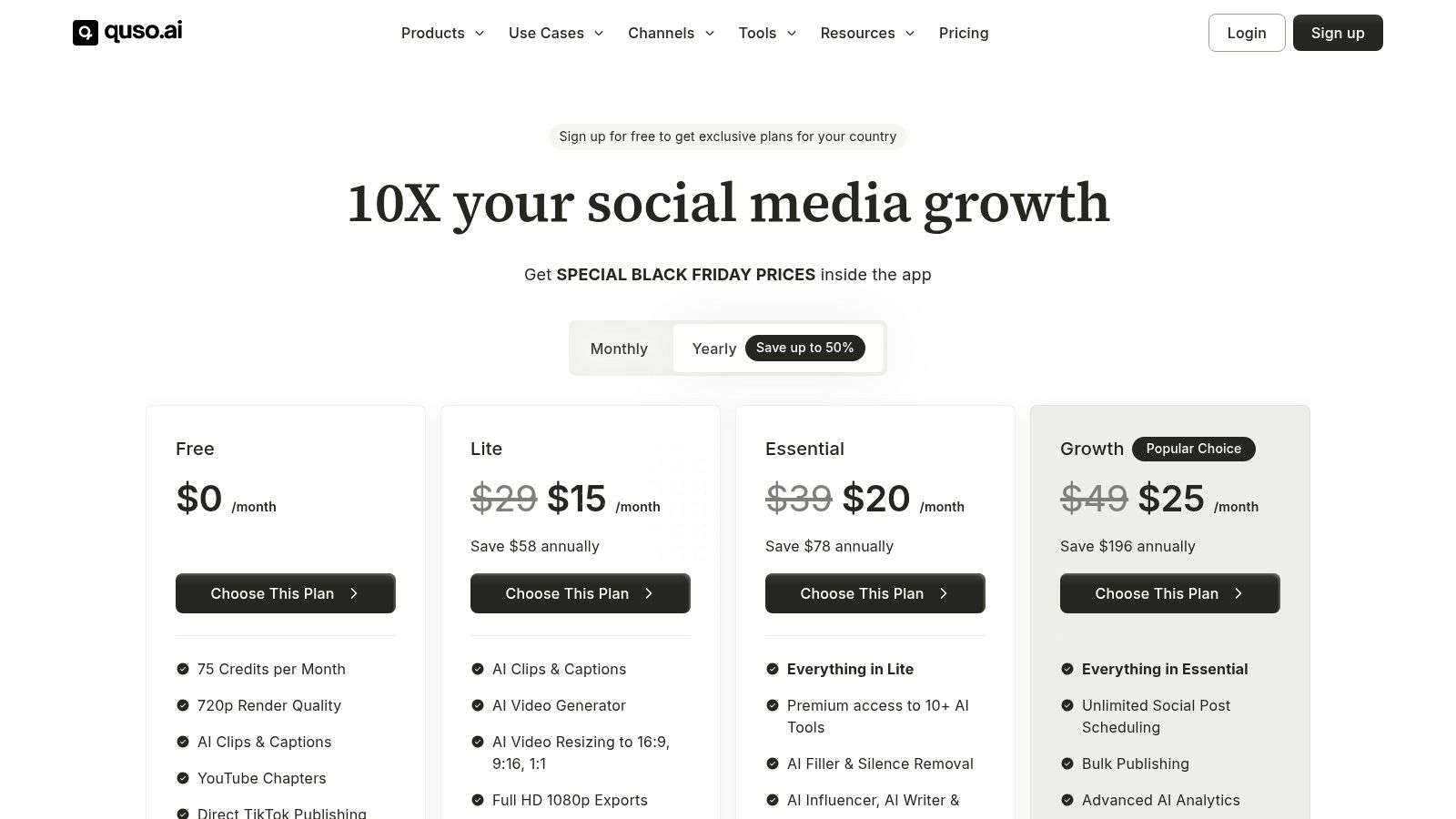
The platform stands out with its integrated content planner and scheduler, allowing teams not only to generate clips but also to organise and publish them in bulk directly to social channels. This feature is particularly useful for maintaining a consistent content calendar. Quso’s “Intelliclips” automatically find and extract key highlights, while its auto-chaptering feature is excellent for creating timestamps for longer YouTube videos, enhancing viewer navigation and engagement.
Key Features & Ideal Use Case
- AI Intelliclips & Auto-Captioning: Leverages AI to automatically identify and extract the most engaging segments from a webinar and applies customisable, dynamic captions.
- Multi-Aspect Ratio Outputs: Automatically reformats content into 9:16, 1:1, and 16:9 aspect ratios for seamless sharing across different platforms.
- Content Planner & Bulk Scheduler: Offers built-in tools to organise, plan, and schedule the bulk publishing of generated clips, including direct-to-TikTok functionality.
- Auto-Chaptering for YouTube: Generates timestamps and chapters, making lengthy webinar replays on YouTube more accessible and user-friendly.
Quso is best suited for social media managers and brand-focused creators aiming to maximise their short-form video production without a steep learning curve. The free plan is available for testing but includes a watermark, while paid plans with more generous features begin at $12.99/month.
11. ContentFries
ContentFries positions itself as a "content multiplier," built around a workflow for batch-generating social media assets from long-form video. It is a practical webinar repurposing tool for those who prefer a template-driven approach, allowing users to create subtitled, branded, and resized clips in bulk. Its core value lies in creating a predictable and consistent output, making it ideal for small teams or solo creators who need to establish a steady content rhythm without a complex creative process.
A unique aspect of ContentFries is its hybrid model. Alongside the software, it offers a "Done-For-You" (DFY) service where their team of editors handles the repurposing for you. This is a valuable option for businesses that want to outsource the entire process. The platform also includes an AI Lab with access to models like ChatGPT 4o and Claude, enabling users to refine social copy or generate ideas directly within their workflow. This blend of software and service makes it a flexible choice for various needs.
Key Features & Ideal Use Case
- Bulk Clip Creation & Templates: Generate dozens of clips simultaneously using pre-set or custom-branded templates for consistent output.
- Auto-Subtitles & Transcript Export: Supports over 120 languages for automatic captioning and allows you to export the full transcript for blog posts.
- AI Lab Integration: Provides in-app access to leading AI models for tweaking social media copy and generating content ideas.
- Optional DFY Service: An uncommon feature that allows you to fully outsource your webinar repurposing to their team of human editors.
ContentFries is best suited for small businesses and creators who value affordability and a predictable, template-based system for content creation. The option to outsource to their DFY service is a significant advantage for teams without the internal capacity for editing. Pricing starts from $29/month, with generous upload limits on annual plans.
12. Wisecut
Wisecut is an AI-driven video editor that specialises in cleaning up and tightening long-form video content, making it a highly efficient webinar repurposing tool for creating polished clips. Its primary strength is the automated removal of awkward pauses, silences, and filler words, which instantly makes talking-head webinar segments more concise and watchable. The platform streamlines the process of turning a raw recording into a professionally edited short video ready for social media.
The platform goes beyond simple cuts by automatically adding background music that fits the mood, generating subtitles, and translating content. For marketing teams looking to quickly repurpose a presenter-led webinar, Wisecut eliminates the most tedious parts of manual editing. Its "Social Hub" feature further simplifies workflow by allowing direct scheduling and posting to social platforms, ensuring a smooth transition from webinar recording to content distribution.
Key Features & Ideal Use Case
- AI-Powered Silence & Filler Removal: Automatically cuts out long pauses and filler words ("ums," "ahs") to create a seamless, fast-paced narrative.
- Auto-Captions & Background Music: Generates accurate subtitles and intelligently selects non-intrusive background music to enhance engagement.
- Social Hub & Auto-Posting: A built-in scheduler for publishing finalised clips directly to social media channels.
- Enterprise API & Custom Hours: Offers scalable solutions for agencies and large teams needing higher processing volumes and integration capabilities.
Wisecut is ideal for content creators and marketing teams who need to quickly clean up presenter-focused webinars and turn them into punchy, professional short videos without extensive manual editing. It offers a free trial, with paid plans starting from $57/month for more processing hours and advanced features.
Top 12 Webinar Repurposing Tools — Side-by-Side Feature Comparison
| Product | Key features | Typical outputs | Best for | Pricing & USP |
|---|---|---|---|---|
| RepurposeMyWebinar (recommended) | AI-first transcription & highlight extraction; Brand Kit auto-apply; multilingual; team review; fast processing (~5–10m per 60m) | Image quotes, LinkedIn posts, SEO blogs, 30–120s clips, audiograms, translations | B2B marketers, agencies, sales enablement teams with regular webinars | Credit-based tiers + Free starter; export-ready, end-to-end webinar→month workflow |
| OpusClip | AI clip extraction, virality scoring, auto-captions, smart reframing, scheduler | Short social videos (Reels/Shorts/TikTok) with captions | Teams focused on short-form social publishing | Free minutes to test; credit tiers for higher volume; fast set-and-forget workflow |
| VEED | Browser editor, auto-subtitles/translations, Brand Kit, one-click resize, stock media | Branded subtitled clips, social-ready exports, 4K on higher tiers | UK/EU teams and non-desktop editors needing on-brand clips | Tiered plans; strong subtitle/branding tools and EU-friendly compliance |
| Kapwing | Auto-subtitles & translation, dubbing/TTS, link import, brand kits, team workspaces | Subtitled/resized/dubbed clips, social posts, stock assets | Agencies, creators wanting simple cloud editing | Transparent credit system; free plan has watermarks/limits; paid removes caps |
| Descript | Transcript-driven editing, Studio Sound, remove filler, AI show notes/dubbing | Transcript-based highlight clips, show notes, blog drafts, dubbed audio | Teams wanting document-like video editing and deep transcript workflows | Clear media-hour/AI entitlements; best value on Creator/Business tiers |
| Riverside | 4K multitrack recording, Magic Clips highlights, AI show notes, publishing | High-quality recordings, shorts, podcasts, clips | End-to-end capture-to-publish workflows, panel recordings | Recording-first pricing; best value at Pro+/Webinar+ tiers |
| Pictory | Auto-summarize, highlight extraction, captions, voiceovers, API | Summary videos, short highlights, scripts, B-roll-enhanced clips | Non-editors who want guided workflows and polished outputs | Credit/minute model; API & stock libraries; simple guided UX |
| Repurpose.io | Automated workflows, auto-resize per platform, backups, scheduling | Syndicated/resized posts across many channels | Teams needing large-scale distribution/syndication | Subscription plans with automation-first USP; pairs with clipper tools |
| Vizard | One-click clipping, “Spark” prompt extraction, stylized captions, API | Multiple short clips with captions, scheduling & multi-account posts | High-volume clipping workflows, agencies, developers (API) | Credit-style pricing, lower-tier API access, built for scale |
| Quso (formerly Vidyo.ai) | Intelliclips highlight detection, chapters/timestamps, bulk scheduler | Shorts in 9:16/1:1/16:9, YouTube chapters, scheduled posts | Creators/brands scaling short-form output | Competitive pricing with annual discounts; free tier has watermark |
| ContentFries | Bulk clip creation with templates, auto-subtitles, transcript→blog, DFY service | Batch subtitled/resized clips + social copy; DFY repurposing option | Small teams wanting predictable templates or outsourced service | Affordable entry on annual plans; DFY service available (limited capacity) |
| Wisecut | Silence/filler removal, auto-captions, music, aspect ratio changes, Social Hub | Tightened talking-head clips with captions and background music | Fast cleanup of long webinars; users needing quick turnarounds | Clear hour/minute quotas; enterprise API/custom hours for scale |
Making the Right Choice: From Clipping Tools to a Complete Content Engine
Navigating the landscape of webinar repurposing tools can be overwhelming. As we have explored, the market offers a spectrum of solutions, from specialised video clippers to sophisticated, multi-format content generators. Your journey from a raw webinar recording to a pipeline of high-performing marketing assets hinges on choosing the right partner for your specific needs.
We have seen how tools like OpusClip and Quso excel at one primary task: identifying and extracting viral-ready video clips. They are fast, effective, and perfect for teams focused solely on fuelling social media channels. Similarly, comprehensive video editors such as Descript and VEED offer immense creative control, but demand a significant investment of time and skill. They are powerful for detailed video production, not rapid, multi-channel content creation.
Beyond Video Clips: Defining Your True Goal
The critical question is not just "How can I make clips?" but "How can I maximise the ROI of my expensive webinar programme with the least amount of effort?" Webinars are resource-intensive. They consume expert time, marketing budget, and significant planning. Leaving that value locked inside a one-hour recording is a massive missed opportunity.
This is where the distinction between a simple tool and a complete content engine becomes crucial. A dedicated webinar repurposing tool must do more than just trim videos. It must serve as a force multiplier for your entire content strategy, transforming a single event into a diverse campaign that fuels your blog, social media, and lead generation efforts for weeks. This is what separates a gadget from a mission-critical platform.
Choosing Your Engine: A Framework for Decision-Making
When evaluating your options, consider these three core pillars:
- Output Diversity: Does the tool only produce video, or can it generate a full suite of assets? Look for platforms that create text-based content like SEO-optimised articles and image quotes alongside video clips. This diversity is key to engaging audiences across various platforms.
- Workflow Automation: How much manual work is required? The ideal solution eliminates manual work. It should handle transcription, branding, formatting, and content generation, moving you from raw recording to ready-to-publish assets in minutes, not hours.
- Strategic Alignment: Does the tool solve your core business problem? The most valuable webinar repurposing tool addresses the challenges of time, budget, and bandwidth. It eliminates the need to juggle multiple subscriptions, hire freelance editors, or burden your team with tedious manual tasks.
Ultimately, your choice reflects your ambition. If you simply want a few more videos for your social feed, a clipping tool will suffice. But if your goal is to build a scalable, efficient, and impactful content marketing machine powered by your webinar content, you need an all-in-one engine. A solution like RepurposeMyWebinar was designed for this exact purpose: to unlock the full commercial value of your webinars, turning every event into 30 days of high-quality, on-brand content, effortlessly.
Stop manually clipping and start systematically multiplying your content. RepurposeMyWebinar is the all-in-one webinar repurposing tool that automates the creation of video clips, image quotes, and SEO-ready articles from a single recording. See for yourself how to turn your webinar library into a powerful content engine. Try it for free today.


