Your B2B Webinar Content Strategy: One Hour to 30 Days of Content
Discover a B2B webinar content strategy that transforms one event into a month of high-impact content. Save time, prove ROI, and amplify your marketing.

A smart B2B webinar content strategy turns a single, one-hour live event into a content engine that fuels your marketing for an entire month. It’s a fundamental shift in thinking: instead of just hosting a webinar, you strategically plan, create, and then repurpose that recording into dozens of professional assets like video clips, quote cards, and SEO-ready articles.
It's all about getting the maximum possible ROI from the time, money, and effort you've already invested.
Why Your B2B Webinar Strategy Is Broken
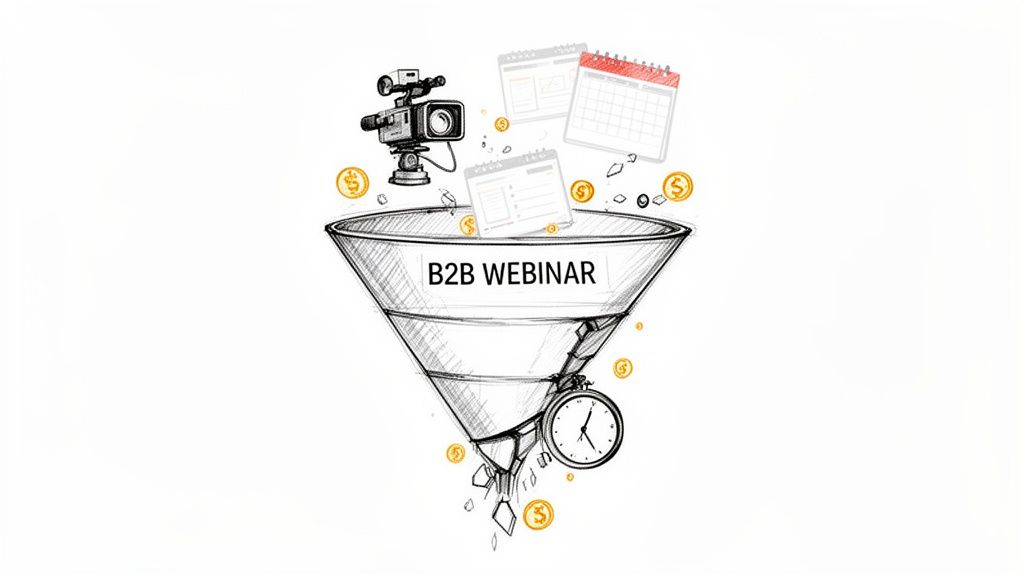
Let’s be direct. Most B2B webinars are expensive, high-effort events that fail to deliver their potential value. Your team pours thousands of US dollars and countless hours into planning and promotion, only to watch that incredible content disappear the second the live session ends. It’s a painful cycle of massive effort for a minimal return. Webinars are expensive, underutilised, and a time-consuming nightmare to repurpose manually.
The irony is that webinars are still one of the most effective tools in your arsenal. A recent report on UK B2B marketing statistics found that 51% of professionals rank webinars as a top-performing channel, nearly on par with in-person events at 52%. They easily beat channels like email newsletters, which only 37% of marketers found as effective. You can dig into more of these B2B marketing insights from the full report.
The data confirms it: webinars work. The problem isn’t the format; it’s the outdated, one-and-done strategy.
Shifting From a Costly Event to a Content Engine
The biggest mistake is treating a webinar as a single moment in time. A modern B2B webinar content strategy treats it as the start of a content cascade. That one-hour recording is a goldmine of expert insights, sharp quotes, and educational moments just waiting to be extracted and shared.
Without an efficient repurposing plan, you're stuck on the content treadmill, constantly scrambling to create something new. The manual process is an absolute drain on time and budget. It usually involves:
- Hiring expensive freelancers to edit videos or write articles.
- Juggling multiple software tools for transcription, design, and social scheduling.
- Wasting internal team hours on repetitive, low-impact tasks.
The real cost of a webinar isn't just the production budget; it's the missed opportunity. Every webinar you don't repurpose is a month's worth of high-quality content left on the cutting room floor.
The Automated Repurposing Solution
This is where a smarter, automated approach completely changes the game. Forget manually chopping up recordings and designing assets from scratch. RepurposeMyWebinar eliminates the manual work, the need for multiple tools, and the cost of hiring help.
You can take one 60-minute webinar and instantly turn it into 30 days of high-quality marketing assets. In minutes, you can automatically get:
- 12-15 professional, short-form video clips ready for social media.
- 6-16 impactful, on-brand image quotes perfect for LinkedIn.
- A fully optimised SEO blog post to drive organic traffic for months.
The difference between the old way and the smart way is night and day.
Webinar Strategy: The Old Way vs The Smart Way
| Activity | Manual Approach (The Drain) | Automated Strategy (The Gain) |
|---|---|---|
| Clip Creation | Hours spent scrubbing timelines to find key moments and manually editing clips. | AI identifies the best moments and generates shareable clips automatically. |
| Blog Writing | Hiring a writer or spending days transcribing and drafting a post from the recording. | An SEO-optimised blog post is generated from the transcript in minutes. |
| Social Content | A designer manually creates quote cards and posts one by one. | Dozens of branded assets (quotes, audiograms) are created instantly. |
| Team Resources | Requires a video editor, writer, and social media manager juggling tasks. | A single person can manage the entire repurposing workflow. |
| Time to Market | It takes weeks to get all the repurposed assets live. | Content is ready to be published the same day as the webinar. |
| Cost | High costs from freelancers, multiple software subscriptions, and internal hours. | A single, predictable subscription cost replaces variable expenses. |
The contrast is stark. This isn't about working harder; it’s about working smarter. By automating your repurposing workflow, you cut out the manual labour, the mess of using multiple tools, and the cost of hiring extra help. You can finally prove the tangible ROI of your webinar programme by turning every event into a powerful, lead-generating content engine that runs itself.
Planning Your Webinar for Effortless Repurposing
A high-return webinar doesn’t start when you hit ‘record’. It starts with a smart, repurposing-first plan. Too many B2B teams fixate on vanity metrics like registration numbers, only to be left with a recording that’s a nightmare to repurpose. This is where you flip the script.
You're not just planning a live event; you're building the foundation for a month's worth of content. This shift means every decision—from the topic to the slide design—is made with one goal in mind: creating a goldmine of clips, quotes, and articles with minimal effort.
Define Business Goals, Not Vanity Metrics
Before you even think about a topic, get crystal clear on what success actually looks like. Registrations are nice, but they don't pay the bills. An effective B2B webinar content strategy must be tied to tangible business outcomes that demonstrate ROI.
Your goals need to be specific and measurable. For instance:
- Generate 50 marketing qualified leads (MQLs) with a clear call-to-action for a product demo.
- Improve customer retention by 5% by hosting a deep-dive on an underused feature.
- Shorten the sales cycle by creating content that answers the top three questions your sales team gets on every call.
When you start with a clear business objective, the content naturally becomes a strategic asset designed to drive growth. It makes proving your ROI simple.
This goal-first approach guarantees the content you produce directly fuels your bottom line.
Choose Topics Primed for Repurposing
The ideal webinar topic is not only engaging for a live audience but is also packed with evergreen insights. You're looking for a subject meaty enough to be sliced into dozens of standalone pieces of content.
To find these topics, analyse customer pain points, dig into your sales team's FAQs, or find an industry debate where you can offer a unique perspective. A topic like "5 Ways to Automate Your Q4 Reporting" is perfect. Why? Because each of those five ways can easily become its own video clip, blog section, and social media post. For more ideas, learn how to repurpose webinar content by picking the right raw material from the start.
Structure Your Presentation for Soundbites
How you structure your presentation is critical for making repurposing fast and simple. Ditch the long, rambling monologue. Instead, think of your webinar as a series of distinct, self-contained modules. This makes it incredibly easy to pull out clips and highlights.
Here are a few practical ways to build repurposing directly into your slides:
- Use clear sub-topics: Dedicate specific slides or sections to individual ideas. This creates natural breakpoints for video clips.
- Spotlight key data: Place important stats or figures on their own slides. These become perfect, instantly shareable image quotes.
- Write deliberate soundbites: Craft short, punchy, memorable sentences that nail a key takeaway. These are destined to perform well on social media.
This planning takes the guesswork out of post-production. Instead of a video editor hunting through an hour-long recording for a decent clip, they’ll find perfectly packaged moments. Even better, RepurposeMyWebinar automatically identifies this structured content and turns it into 6-16 image quotes and dozens of video clips—no manual work needed. You just turned days of editing into a few minutes of automation.
Turning Your Recording Into a Content Goldmine
Once the live webinar ends, the real work begins. This is where a smart B2B webinar content strategy delivers its value, turning that one-hour recording into a content engine that runs for weeks. Forget manually scrubbing through hours of video; there's a much faster, simpler way.
The magic starts the second you have the MP4 file. Instead of letting it gather digital dust, feed it straight into a platform like RepurposeMyWebinar and watch it work. In minutes, the AI identifies the best moments, generates an accurate transcript, and produces a full suite of professionally branded content ready to publish.
From a Single Hour to a Full Month of Content
Let’s get practical. That 60-minute webinar you produced can fuel your entire marketing calendar for a month, saving you time and proving ROI.
Here’s a realistic breakdown of what you get from one webinar recording:
- 12-15 Short-Form Video Clips: Punchy, impactful soundbites perfectly sized for LinkedIn, X, and other social platforms.
- 16 Powerful Image Quotes: Professionally designed, on-brand quote cards featuring your speaker's key takeaways, perfect for grabbing attention.
- A 1,500-Word SEO-Optimised Blog Post: The entire transcript instantly turned into a well-structured article, primed to attract organic traffic long after the webinar is over.
This all starts with a solid plan. Setting the right goals, choosing a topic that resonates, and structuring the webinar itself for easy repurposing is what makes the post-event process so fast and efficient.
Nailing these three planning stages means your recording is already primed for automated repurposing, saving you an incredible amount of time.
Instant Branding and Professional Polish
One of the biggest time-sucks teams face is branding. Manually ensuring every clip and graphic is on-brand is a nightmare of video editors, design software, and hex code checks. It often stops teams from repurposing content at all.
An automated system eliminates that bottleneck. With a pre-configured Brand Kit, you apply your branding with a single click. Every asset is instantly stamped with:
- Your company logo
- Your brand’s specific colour palette
- Your official fonts and typography
This is about more than speed; it’s about maintaining professional consistency that's impossible when juggling multiple tools and people. You get polished, high-quality assets without ever opening a creative suite.
Capitalising on On-Demand Viewing Habits
If you’re only focused on live attendance, you're missing the bigger picture. In the UK B2B space, webinar repurposing is essential because 63% of views come from on-demand replays, according to an analysis of over 100,000 webinars. This is why tools like RepurposeMyWebinar are a game-changer. A 60-minute session, even with few live attendees, can generate blog posts, social clips, and audiograms in minutes, with all your branding automatically applied. You can dig into more webinar statistics on getcontrast.io.
By turning your recording into a library of on-demand assets, you’re meeting B2B professionals where they are, on their own schedule.
Your webinar’s real audience isn't just the people who showed up live. It's the hundreds or thousands who will discover your content through a LinkedIn clip, a Google search, or a shared article weeks later.
This automated approach replaces the need for a dedicated video editor, a freelance writer, and a graphic designer. It consolidates multiple software subscriptions into one efficient platform. What once took days of effort and a hefty budget can now be done by one person in the time it takes to grab a coffee. This is how you unlock the true ROI of your webinars.
Your 30-Day Content Calendar From One Webinar
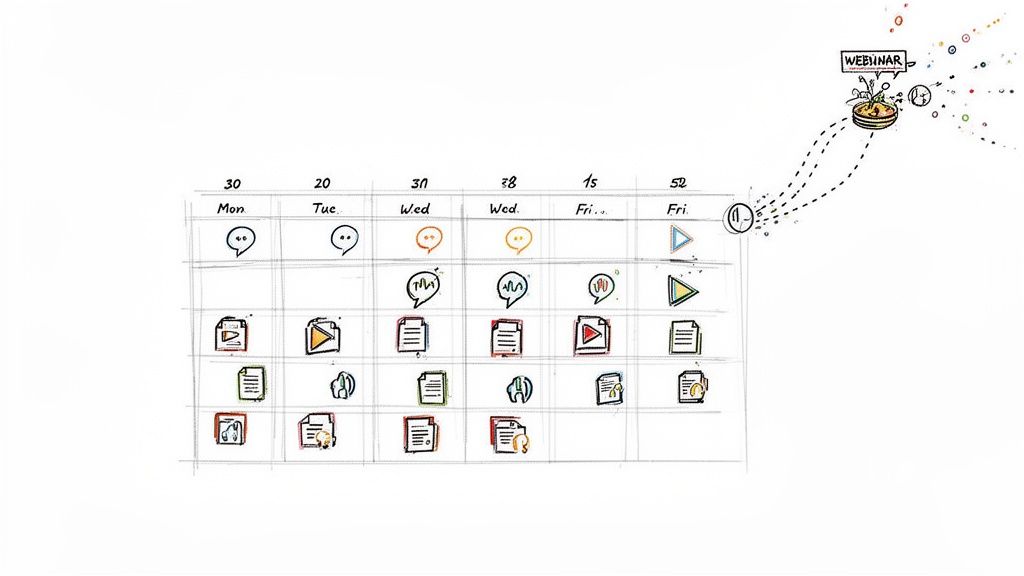
You’ve turned your webinar into a goldmine of marketing assets. But this is where most teams stumble: they either dump everything online at once or let it gather digital dust. To get a return on your webinar, you need a smart distribution plan.
A simple content calendar turns those assets into a month-long campaign. This isn't about flooding your audience. It’s a strategic "drip" campaign that nurtures leads and drives traffic long after the live event.
Instead of waking up to the "what should we post today?" panic, you'll have a clear roadmap. This is how a single hour becomes 30 days of high-quality, professional marketing that works for you.
Creating a Consistent Drumbeat of Value
The goal is to build momentum. By mixing up asset types and channels, you can reach different segments of your audience with fresh content every few days. This sustained presence is far more effective than a single, forgettable content blast.
Imagine: a prospect sees a punchy image quote on LinkedIn on Monday. On Wednesday, an email lands with a link to the full SEO-optimised blog post. By Friday, a short video clip grabs their attention on X. This builds authority and guides them through their buying journey.
RepurposeMyWebinar is designed for this. By automatically generating 6-16 image quotes and 12-15 video clips from one recording, you have a deep well of content. Populating a month-long calendar without creating anything new from scratch becomes simple.
Week One: Your Plug-and-Play Schedule
Here’s a sample schedule for the first week, showing how to strategically roll out your repurposed assets. This is a simple, repeatable framework for the entire month.
| Day | Channel | Asset Type | Goal |
|---|---|---|---|
| Monday | Image Quote | Grab attention with a powerful, shareable insight to boost brand authority. | |
| Tuesday | X (Twitter) | Short Video Clip (30-60s) | Drive quick engagement and conversation around a single key takeaway. |
| Wednesday | Email & Website | SEO Blog Post | Capture organic search traffic and provide deep value to your subscribers. |
| Thursday | Carousel Post | Combine 3-4 related image quotes into a multi-slide post for higher engagement. | |
| Friday | Instagram/X | Audiogram | Share an audio highlight with dynamic captions for passive consumption. |
This schedule is just a starting point. The real beauty of having so many assets is flexibility. You can tweak this plan based on where your audience is and which formats get the best reactions. For a deeper dive, check out our guide on how to turn a webinar into 30+ social media posts.
The power of a content calendar isn't just organisation—it's orchestration. You're no longer just posting content; you're guiding your audience on a journey, with each asset building on the last.
Extending the Momentum for a Full Month
Stretching this plan to cover 30 days is about continuing the rotation.
- Week 2: Shift focus to different key themes from the webinar. Share another batch of clips and quotes.
- Week 3: Re-engage your audience. Run a poll on LinkedIn related to a webinar topic or share a "behind-the-scenes" clip.
- Week 4: Make a final push for the on-demand recording. Use your best-performing clips to drive traffic back to the full replay.
This structured approach takes the manual effort and guesswork out of the equation. The content is already made, branded, and ready to deploy. Your job shifts from creator to strategic distributor, saving hours and ensuring no asset goes to waste. It’s the final piece of a B2B webinar content strategy that delivers measurable, professional results without the burnout.
Measuring Success And Proving Webinar ROI
Turning one webinar into a month’s worth of content is a brilliant time-saver. But it means nothing if you can’t show it’s delivering results.
Stakeholders don’t care about vanity metrics like ‘likes’ or ‘views’. They want to see how your work moves the needle on the bottom line. This is where your B2B webinar strategy must connect content to business results.
The trick is to look past surface-level numbers. Every asset you repurpose—from a blog post to a social media clip—needs a success metric that links back to your original business goals. This is how you build an undeniable case for the ROI of your webinar programme.
Tying Metrics to Business Outcomes
To prove your value, track specific, meaningful KPIs for every piece of content. This gives you a clear picture of what’s working, so you can double down on it.
Here are the crucial metrics to track for your key repurposed assets:
- SEO Blog Post: Your north star is lead conversions from the call-to-action (CTA) in the article. This could be a demo request or an ebook download, directly linking content to your sales pipeline.
- Social Video Clips: Watch audience retention and click-through rates (CTR) on any links. High retention means your content is engaging; a strong CTR proves it’s driving action.
- Email Campaigns: Monitor open rates and CTR on links pointing to the blog or on-demand replay. This shows how well you're re-engaging your warmest audience.
Proving ROI isn’t about showing how busy you were; it’s about showing how effective you were. By connecting each repurposed asset to a specific conversion goal, you can draw a straight line from your webinar strategy to revenue.
This level of tracking turns your repurposed content into a measurable performance driver. For more, our guide on effective content distribution strategies offers a closer look at getting the most out of every asset.
Using Data to Inform Future Webinars
This data-driven approach does more than justify past efforts; it gives you a clear roadmap for your future B2B webinar content strategy. When you analyse which topics and formats perform best, you gain invaluable, data-backed insights.
Did video clips about a specific feature get high engagement? That’s a signal to create a dedicated deep-dive webinar on that topic. Did a speaker's quotes get shared all over LinkedIn? You know who to invite back.
This feedback loop is vital. A recent global report found that 87% of marketers now use AI tools, with engagement on AI-generated content jumping by over 7X. In the UK, where webinars are directly tied to revenue growth for 75% of marketers, using data to fine-tune your strategy is essential. Find more details in the full 2025 Webinar Benchmarks report.
RepurposeMyWebinar is built for this. By automating the creation of dozens of assets, you can rapidly test messages and formats without getting bogged down in manual work. The platform doesn't just save you time; it gives you the analytical firepower to make smarter, faster decisions, ensuring every future webinar is even more successful.
Common Questions About Webinar Repurposing
Even with the perfect framework, nagging questions can pop up. You see the potential, but a few real-world hurdles can make you hesitate. Let’s clear those up with direct, no-fluff answers.
What If I Host Different Kinds of Webinars?
Whether it's a panel, a solo talk, or a product demo, the core repurposing principles don't change. Your job is always to find the moments of highest value.
- Panel Discussions: These are goldmines for soundbites. Every panellist offers a unique perspective that can be spun into a standalone video clip or quote graphic.
- Solo Presentations: Lean on the structure you built. Each key slide, data point, or sub-topic is a pre-packaged asset, perfect for converting into a comprehensive blog post.
- Product Demos: Pull clips that show specific features solving specific problems. These are powerful, bottom-of-funnel assets you can hand to your sales team to help them close deals.
A tool like RepurposeMyWebinar is flexible. It doesn't care about the format; it’s designed to find the most impactful moments in any recording and package them for you, saving you from manually sifting through hours of different presentation styles.
How Can I Make Sure the Repurposed Content Looks Good?
Quality is everything. Grainy videos and sloppy graphics harm your brand. For most B2B marketers, creating professional assets manually is a huge time and money sink.
The only sustainable solution is to build quality into your workflow. Start with a clean recording, but the real magic happens in post-production. Instead of wrangling multiple tools or freelancers, a dedicated platform can apply professional polish for you instantly.
Your repurposed content is often a prospect's first impression of your brand. An automated system ensures every clip, quote, and article is perfectly on-brand, creating a powerful and consistent experience without the manual grind.
By using one platform to apply your Brand Kit—logos, colours, and fonts—to every asset, you eliminate inconsistencies. This simple step ensures everything you publish looks sharp, reinforces your authority, and saves you from the headache of endless design revisions.
Ready to stop wasting time and finally unlock the full ROI of your webinars? RepurposeMyWebinar transforms your recordings into a month of high-quality, on-brand content in minutes. Ditch the manual work, multiple tools, and expensive freelancers. Start your free trial today and see how easy it is to build a content engine that drives real results.


