How to Repurpose Webinar Recording Into a Month of Content
Learn how to repurpose webinar recording into a full month of content. This guide offers actionable strategies to maximize ROI and save dozens of hours.
Repurposing a webinar recording is about instantly slicing your 60-minute session into dozens of ready-to-publish assets. This strategy turns a single one-hour event into a 30-day content campaign—think quick video clips, SEO-optimised blog posts and eye-catching social quotes—maximising ROI while saving weeks of manual work.
The True Cost of a One-And-Done Webinar
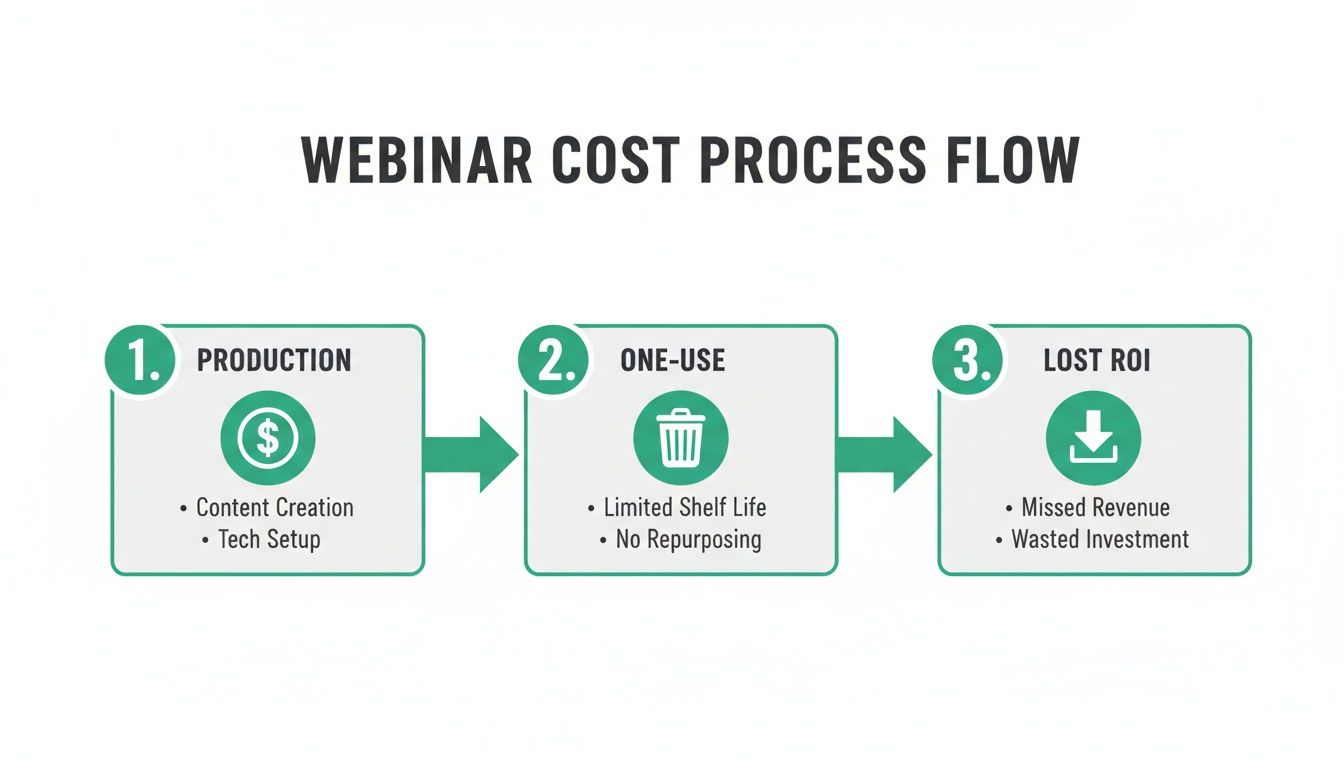
You pull off a successful live event, spend thousands of US dollars on speaker fees, platform licences and promotions, and then… nothing. Your high-value recording drifts into a forgotten folder. That’s a one-and-done webinar, and it slashes your ROI by up to 70%.
Your Content Engine Is Starving
Your social feeds need daily updates, your blog demands fresh SEO content, and your sales team is starving for new assets. Yet teams still burn hours creating material from scratch, ignoring the goldmine they already own.
A single 60-minute webinar contains enough insights, data points and quotable moments to fuel your content calendar for an entire month. Treating it as one use is like buying a whole cow and only eating one steak.
This cycle forces you onto a content treadmill—more events, more spend, diminishing returns.
The Hidden Costs You Can't Ignore
When you don’t repurpose webinar recordings, you’re also paying for:
- Lost Leads: Every clip, quote or blog post is another doorway for prospects. Without them, you limit reach to live attendees only.
- Wasted Expertise: Your speakers’ time and insights deserve far wider exposure than a single recording.
- Inefficient Workflow: Teams spend hours crafting new content when they could extract proven, high-quality material you already have. Understanding effective content distribution strategies is the first step to breaking this cycle.
Stop viewing your webinar as a one-off. It’s a reusable cornerstone asset.
Your Blueprint for Maximum Content Mileage
This isn’t about chopping up videos arbitrarily; it’s a strategic blueprint that turns one hour into a full month of content with measurable ROI.
Start by identifying the core elements in your recording:
- Pivotal Insights: The 3–5 “aha!” moments that drive your webinar’s value.
- Powerful Quotes: Pull out 6–16 image quotes—short, punchy statements your audience will share.
- Hard-Hitting Data: Every statistic, percentage or data point becomes credibility boosters.
- Audience Questions: Q&A segments reveal pain points and deliver direct value.
Once listed, map each nugget to the right format and channel. This approach turns one hour of effort into 30 days of consistent, high-quality marketing.
From 60-Minute Webinar to 30-Day Content Plan
Here’s a tangible look at the volume you can pull from a single session:
| Asset Type | Quantity Per Webinar | Target Channel |
|---|---|---|
| SEO Blog Post (1,500+ words) | 1–2 | Website Blog, Medium |
| Short Video Clips (30–90 secs) | 8–12 | LinkedIn, Instagram Reels, TikTok |
| Quote Graphics | 6–16 | LinkedIn, Instagram, Twitter |
| Audiograms (from clips) | 8–12 | LinkedIn, Instagram Stories |
| Email Newsletter Sections | 3–4 | Email Marketing Campaigns |
| LinkedIn Text Posts | 5–7 | |
| Twitter/X Threads | 2–3 | Twitter/X |
| Key Takeaway Carousel | 1–2 | LinkedIn, Instagram |
This plan shows how one source file fuels a multi-channel presence for weeks, wiping out daily content anxiety.
Mapping Your Content to the Right Channels
Match each insight to its ideal platform:
- Punchy quotes → LinkedIn image posts
- Complex data → SEO-optimised blog articles
- Audience questions → Engaging Q&A clips on Instagram Stories
The goal: fewer new topics, more depth from what you already created.
Think about the UK events industry generating US$61.65 billion in 2023, with over 23% of UK organisations planning more webinars in 2024. Despite an average of 284 registrants per event, many teams still let recordings gather dust. This blueprint fixes that. For more on the scale of this opportunity, see the VisitBritain business events research.
From Blueprint to Automated Reality
Manual repurposing used to mean hiring editors, designers and copywriters. That’s time-consuming, expensive and prone to delays. Enter RepurposeMyWebinar.
Just upload your recording and let AI:
- Identify key insights and quotes
- Generate 15+ on-brand image quotes
- Produce dozens of LinkedIn-ready text posts
- Create multiple short-form video clips
- Deliver an SEO-friendly article
In minutes, not weeks, you get a full 30-day content calendar—no new tools, no additional hires.
Running Your Content Factory on Autopilot with AI
A traditional repurposing workflow demands a small army of specialists. Now you can achieve the same results in under 10 minutes, completely automated.
From a Single Upload to a Full Campaign
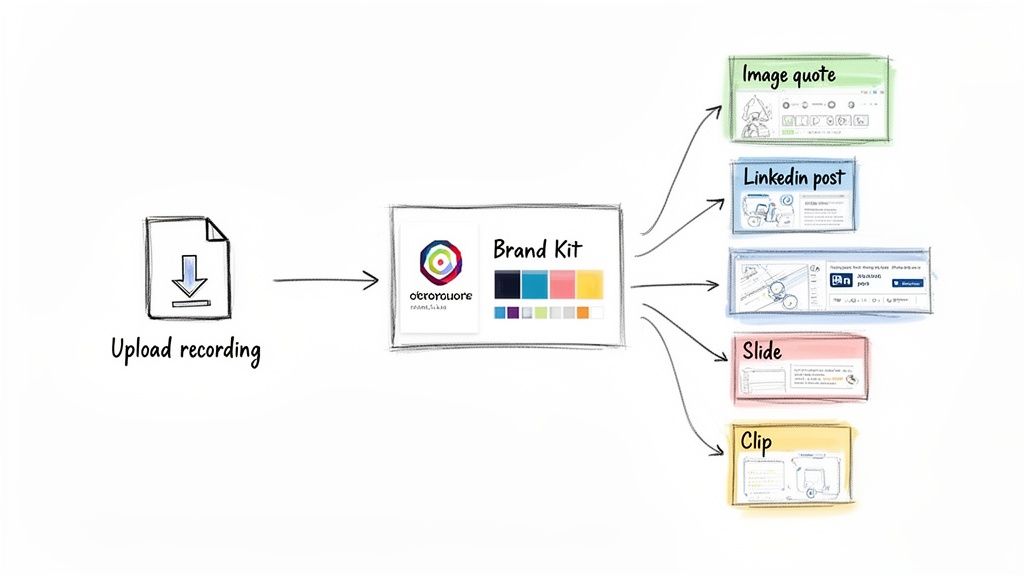
RepurposeMyWebinar’s AI:
- Analyses transcripts for top moments
- Generates captioned, vertical clips
- Designs on-brand graphics via your Brand Kit
- Exports everything ready to publish
No more juggling subscriptions or swapping files. It’s a one-stop solution.
Brand Consistency Without the Manual Grind
Upload logos, define colours and fonts in your Brand Kit—and every asset is instantly on-brand. No designer needed, no endless reviews, just professional consistency.
You’ve invested thousands of US dollars and hours into one webinar. AI automation transforms that one-off spend into a perpetual content engine with immediate ROI.
The Real ROI: Time and Cost Savings
Manual workflows can rack up thousands of dollars in freelancer fees and weeks of delays. Automated repurposing costs a fraction of that and frees your team for strategic work—driving leads, not just assets. Turning one webinar into 30 days of content becomes an everyday reality.
Turning Your Webinar Into Instant, Shareable Clips
Short-form video is king—but manual clipping is soul-crushing. RepurposeMyWebinar automates it.
Go From Hours of Editing to Minutes of AI Magic
AI scans transcripts for:
- Powerful questions from Q&A
- Eye-opening statistics
- Actionable tips
- Memorable “hot takes”
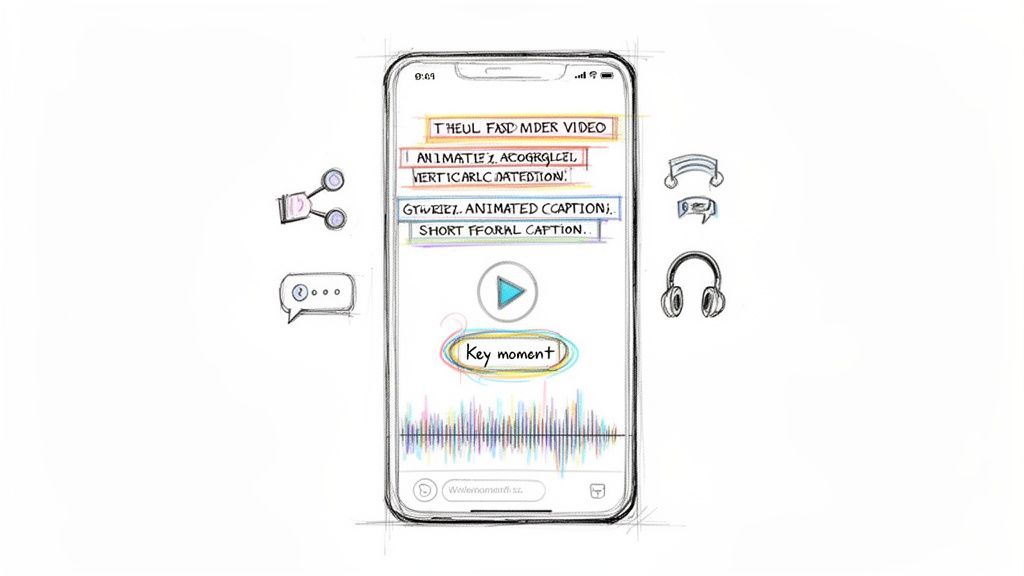
Then it delivers vertical video clips with animated captions. What once took a day is done in minutes. For more on optimized clip creation, see our webinar clip generator.
Why On-Demand Clips Are No Longer Optional
63% of webinar views occur after the live event. Each clip acts as a new entry point—driving viewers back to the full recording or your website.
Hosting a webinar isn’t enough. You need it to live on as an ongoing, multi-channel campaign.
Don't Sleep on Audio
Audiograms—static images with audio snippets and waveforms—extend your reach to listeners on the move. RepurposeMyWebinar auto-generates these, tapping into LinkedIn and podcast habits without extra work. With 67% of UK professionals wanting “tips, tricks and best practices,” audiograms deliver exactly what they crave. Top webinars achieve a stable cost per lead of around US$56 thanks to repurposed clips.
Publishing Your Content and Measuring What Matters
All the assets in the world won’t move the needle unless you publish smartly and track performance. A structured schedule keeps momentum high and ties every post back to tangible results.
Building a Sustainable Publishing Schedule
Consistency beats intensity. Here’s a simple weekly cadence for a 30-day LinkedIn campaign:
- Monday: 30-60 sec video clip + question to spark comments
- Tuesday: Text-only deep dive into a core concept (tag speaker)
- Wednesday: High-impact image quote
- Thursday: Q&A clip addressing pain points
- Friday: Carousel summarising top 3–5 takeaways
That’s 20 touchpoints from one webinar, plus your SEO blog post as a central hub.
Moving Beyond Vanity Metrics
Likes don’t pay bills. Focus on:
- Content-Sourced Leads: Track via UTM parameters.
- Website Traffic from Social: Monitor with Google Analytics.
- On-Demand Webinar Views: Measure clip-to-full-recording conversion.
- Content-Influenced Pipeline: Collaborate with sales to link opportunities to content.
The global virtual events market could hit US$103 billion by 2032. With 41.7% of UK organisations running more webinars in 2024, proving ROI is non-negotiable. Platforms like RepurposeMyWebinar free your team to focus on distribution and measurement, turning repurposing from tactic to core business driver. For more on industry trends, see the full webinar statistics report.
Your Next Step Toward Effortless Content Creation
Stop reinventing the wheel. Your webinar is a month’s worth of content waiting to happen:
- SEO-friendly articles boosting organic traffic
- Shareable clips for LinkedIn, Twitter and Instagram
- Engaging audiograms and pull-quote graphics
- Translations to reach international audiences
With RepurposeMyWebinar, you eliminate manual editing, multiple subscriptions and designer fees. Instead, you consistently publish on-brand assets that drive real results.
Take Action And See The Results
Turning one 60-minute webinar into a full calendar of marketing materials isn’t a dream—it’s how modern teams win.
Stop letting your best content gather dust. Transform your webinar into an ongoing campaign that generates leads and cements your authority long after the live session ends.
Ready to discover how swiftly you can repurpose webinar recordings into a complete content schedule?
- Sign Up for a Free Trial. Explore every feature without commitment.
- Upload Your First Webinar. Drag and drop your recording—then relax.
- Generate Your Assets. Receive videos, articles and social posts in minutes—ready to publish.
Start Your Free Trial of RepurposeMyWebinar Today and transform your content strategy.
Frequently Asked Questions
How Long Does It Take To Repurpose A One-Hour Webinar?
Manually, days of coordination between designer, editor and copywriter. With RepurposeMyWebinar, upload your 60-minute recording and receive a complete suite of content—clips, quotes, blog post and social updates—in about 5–10 minutes.
What Content Can I Realistically Create From One Webinar?
A webinar is a content goldmine. One session can produce:
- 4–6 short-form video clips
- 10–15 impactful image quotes
- An SEO-friendly blog article
- Dozens of LinkedIn text posts
- A series of audiograms
Our AI pinpoints the best moments, so you never waste time scrubbing through recordings.
How Do I Keep All The Repurposed Content On-Brand?
Set up a Brand Kit—upload logos, define colours and fonts once. The AI then applies these settings to every asset. No manual tweaks, no designer fees, just professional consistency.
The biggest mistake when you repurpose webinar recording is chopping random clips without context. Effective repurposing extracts standalone ideas that deliver real value.
Ready to unlock the full potential of your webinar library? RepurposeMyWebinar turns your recordings into a non-stop content engine, saving time, money and a whole lot of effort.