A Webinar Content Marketing Strategy That Drives ROI in Minutes, Not Weeks
Build a powerful webinar content marketing strategy that saves time and proves ROI. Learn how to plan, promote, and repurpose webinars into a month of content.

A powerful webinar content marketing strategy doesn't just create content; it creates leverage. It turns a single, expensive live event into a content engine that fuels your marketing for weeks. Instead of your webinar being a one-off presentation, it becomes the source material for dozens of marketing assets—short video clips, SEO-optimised blog posts, and a steady stream of social media updates. This approach is about multiplying your ROI, transforming a significant investment of time and money (often thousands of US Dollars) into a reliable source of leads, without the manual grind.
Your Webinars Are an Untapped Content Goldmine. Stop Wasting Them.
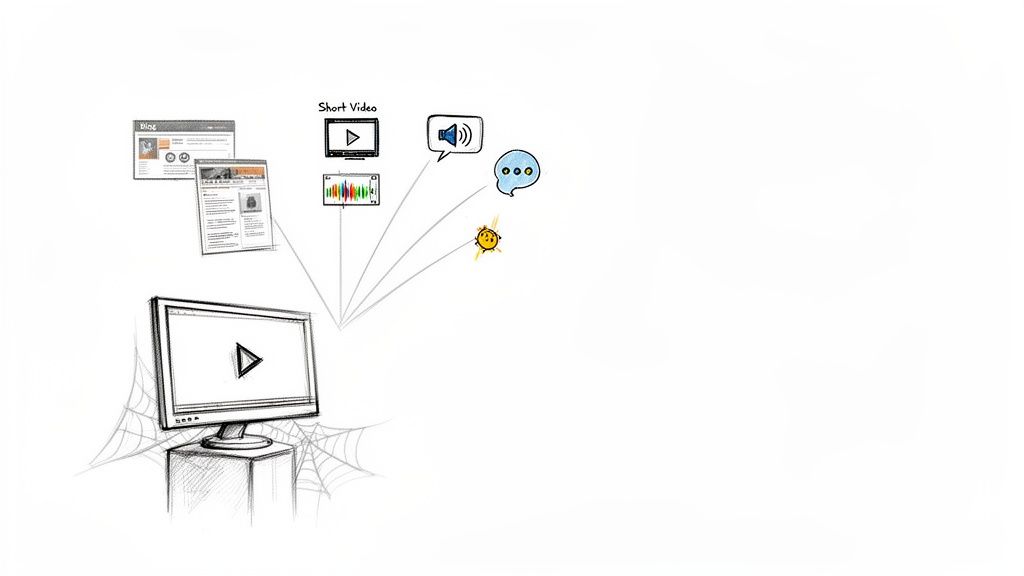
Let's be direct: producing a high-quality webinar is expensive and time-consuming. You spend hours coordinating speakers, perfecting content, and driving registrations. Yet for most marketing teams, all that value vanishes the moment the live session ends. The recording gets a single email out to attendees and is then left to gather digital dust.
This ‘one-and-done’ approach is a huge strategic mistake. You’re leaving an incredible amount of value on the table. It’s like spending thousands on a TV advert that only runs for a single hour. It makes no sense.
The Hidden Cost of Manual Repurposing
The real cost isn't just what you spent producing the webinar; it's the enormous opportunity cost and the painful, manual effort that follows. A single 60-minute webinar is packed with expert insights, genuine customer questions, and compelling data points. Each of those moments is a potential piece of content waiting to be unlocked.
When you don't repurpose that material efficiently, you're forced back onto the content creation treadmill, constantly hunting for new ideas and spending resources to produce everything from scratch. All the while, your best, most authentic content sits there, completely unused, because repurposing it manually is slow, expensive, and requires multiple tools and people.
"Your most valuable, insightful, and audience-tested content is already recorded. The challenge isn't creating more; it's efficiently extracting and distributing the gold you already have without hiring an entire agency."
This is especially critical in B2B marketing, where webinars are a cornerstone for lead generation. If you aren't repurposing, you're simply failing to get the most out of your most effective—and expensive—tool.
Shifting from a One-Off Event to a Content Engine
A winning webinar content marketing strategy requires a simple but powerful mental shift. Stop seeing your webinars as isolated events. Start seeing them as the raw material for a sustainable content engine.
This engine can fuel your marketing channels for weeks on end, saving you time and money:
- Turn a 60-minute webinar into 30 days of content: Imagine taking one recording and effortlessly generating 6-16 image quotes, an SEO-optimised blog post, and a whole series of short video clips for social media.
- Eliminate the manual grind: Ditch the juggling act between multiple tools, freelance video editors, and designers. RepurposeMyWebinar is the single solution that does all the heavy lifting for you, saving you from hiring extra help.
By adopting this mindset, you create a system that delivers professional results with speed and simplicity. You can learn more about how to get more value from webinars in our detailed guide. The rest of this article will show you exactly how to build this powerful engine for your own business.
Designing Your Webinar for Effortless, High-ROI Repurposing
A high-impact webinar content marketing strategy doesn't start after you hit ‘End Meeting.’ The real magic—and the biggest gains in efficiency and ROI—happens in the planning phase. This is about designing your webinar from the ground up with one primary goal in mind: fast, simple repurposing.
Forget generic presentation tips. This is a different way of thinking.
Stop seeing your webinar as a single, hour-long monologue. Instead, think of it as a collection of distinct, modular content blocks. Each block is a self-contained nugget of value that can be easily pulled out and turned into standalone content later. This simple shift in perspective saves you from the painful, time-consuming task of hunting for good clips after the event is over.
Build Your Webinar in Content Modules
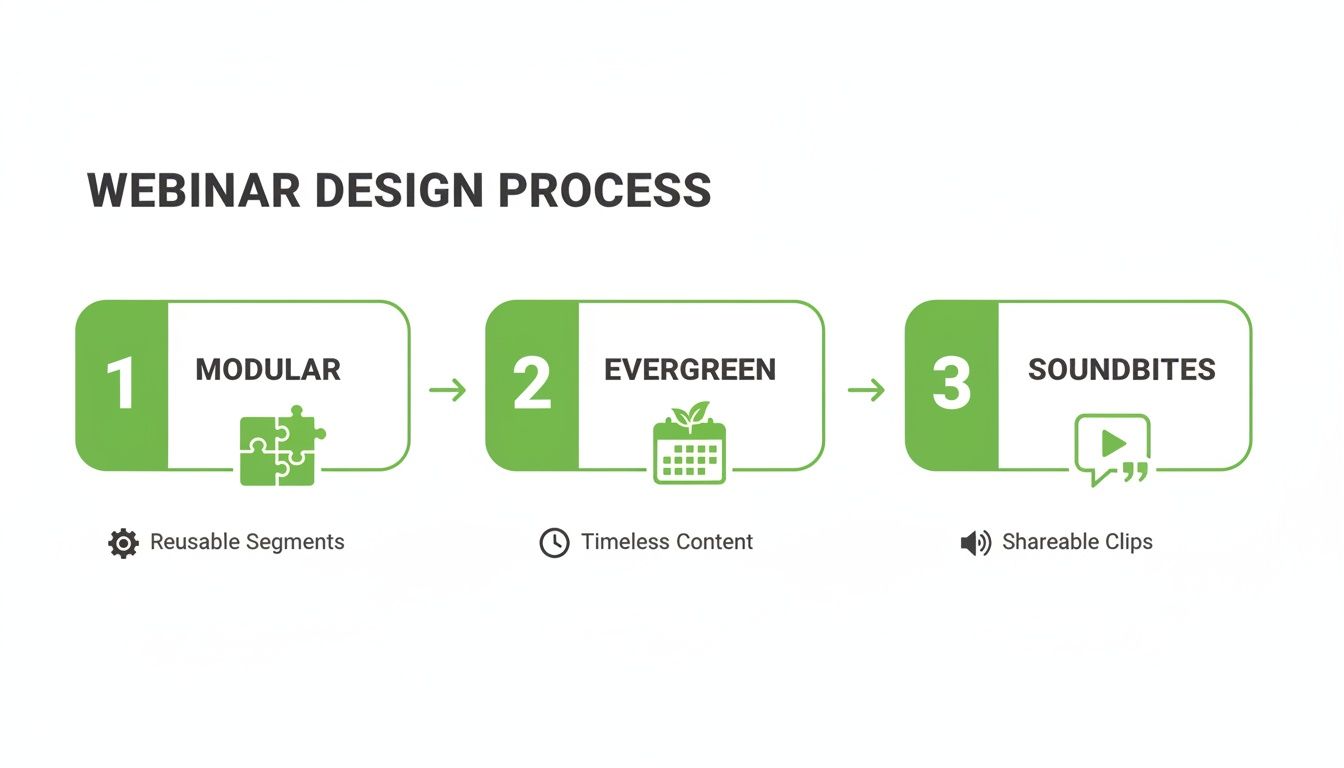
The most effective way to guarantee you have ready-made content is to structure your presentation in clear segments. Each module should tackle a specific problem or deliver one key piece of information. When you’re done, you'll have a library of high-value moments, ready to go.
A solid modular structure might look something like this:
- The Big Problem (5 mins): Kick things off by clearly defining your audience's pain point. This section makes a perfect, attention-grabbing hook for short video clips.
- The Core Framework (15-20 mins): Break down your main solution into three or four distinct tips or steps. Each one of these can easily become a separate social media post or a key section in a longer SEO blog post.
- Actionable Tip Deep Dive (10 mins): Zero in on one practical, easy-to-implement piece of advice. This is prime material for a highly shareable "quick win" video clip.
- Expert Q&A (15 mins): The Q&A is pure gold. Answering real audience questions gives you authentic, user-generated content that can be chopped up into multiple assets.
When you design your webinar this way, you're not just delivering a presentation; you're pre-building your content calendar for the next month. You’re setting the stage for a platform like RepurposeMyWebinar to instantly find and extract these powerful moments, turning what used to be hours of manual editing into a simple, automated workflow.
Focus on Evergreen Topics for Longevity
The best topics for a repurposing strategy are the ones with a long shelf life. Hot trends can drive a spike in sign-ups, but it’s the evergreen content—the stuff that solves a fundamental, recurring problem for your audience—that will stay relevant for months. This ensures the assets you create from your webinar continue to drive traffic and leads long after the live event.
Think about the persistent challenges your ideal customers are always facing. Topics like "How to Improve Lead Quality" or "Mastering Customer Onboarding" are timeless. A webinar on one of these subjects becomes a perpetually valuable resource.
Webinars are a significant investment, often costing hundreds or even thousands of US Dollars to produce. Choosing an evergreen topic ensures that this investment pays dividends over the long term, rather than being a one-off expense with diminishing returns.
Script for Soundbites, Not Just Slides
Here's a simple scripting technique that makes a world of difference. As you write your presentation, consciously create concise, impactful statements that are perfect for soundbites. These are the sharp, memorable takeaways that work brilliantly as audiograms or bold image quotes for social media.
Instead of just presenting data, frame it with a powerful conclusion.
For example, rather than just saying, "Our data shows a 30% increase," try scripting a line like: "The key takeaway here is that a focused strategy delivers a 30% greater return—that's the difference between hitting and missing your quarterly target."
This simple shift helps you naturally bake punchy, shareable moments into your presentation. When you upload this recording, the AI can instantly pinpoint these soundbites, generating 6-16 image quotes and audiograms from a single webinar without you lifting a finger. You get professional, high-impact social content without ever having to hire a designer or video editor.
With a well-designed webinar, the hard work is already done. The next step is simply feeding it into an automated system that turns your one-hour presentation into 30 days of powerful content.
The Automated System to Turn One Hour Into 30 Days of Content
Now for the part where efficiency really kicks in. A well-designed webinar is the perfect raw material, but the real return on investment comes from systematically turning that single hour into a full month of quality marketing assets. This isn’t about working harder; it’s about having a smart system that multiplies your efforts.
Forget the manual grind. You know the drill: downloading huge video files, paying for a separate transcription service, briefing a video editor, and begging for a designer’s time. That old, fragmented process is slow, expensive, and a guaranteed path to team burnout. It’s exactly why so many valuable webinar recordings end up collecting dust.
The modern way to approach your webinar content marketing strategy relies on an automated workflow. You just upload your recording, and an AI-powered engine like RepurposeMyWebinar does all the heavy lifting, generating a complete suite of professional, on-brand assets in minutes, not weeks.
From Recording to Ready-to-Publish Assets in Minutes
Picture this: you finish your 60-minute webinar, upload the MP4 file, and before you’ve even finished your coffee, the system delivers a folder packed with ready-to-use content. This isn't some futuristic concept; it’s a practical reality that high-performing marketing teams are using right now.
An automated platform like RepurposeMyWebinar doesn't just slice and dice your content randomly. It analyses the entire webinar transcript to pinpoint the most compelling moments—the best questions, the most insightful answers, and the punchiest statistics.
From there, it generates a variety of assets tailored for different channels:
- SEO-Friendly Blog Post: The full transcript is transformed into a well-structured article, complete with headings, key takeaways, and speaker quotes. This immediately gives you a long-form asset to start capturing organic search traffic.
- Short-Form Video Clips: The AI identifies between 5-10 high-impact segments perfect for social media. These are automatically captioned, trimmed, and branded with your logo and colours, ready for LinkedIn, X, and YouTube Shorts.
- Engaging Image Quotes: The system pulls out 6-16 of the most memorable soundbites and turns them into professional, visually appealing quote cards for Instagram and LinkedIn feeds.
- LinkedIn Text Posts: It even drafts compelling text-based posts to accompany your video clips and images, saving your social media manager hours of copywriting.
The goal is to achieve content scale and consistency without adding headcount or complex tools. One webinar becomes the cornerstone of your content calendar, ensuring you always have something valuable to share.
Manual vs Automated Webinar Repurposing
The difference between the old manual way and a new automated approach is stark, especially when you break down the time and costs for a standard 60-minute webinar.
| Task | Manual Process (Time & Cost) | Automated with RepurposeMyWebinar |
|---|---|---|
| Transcription | 2-4 hours; $60-$120 service | 5-10 minutes; included |
| Blog Post Creation | 4-6 hours; $200-$400 writer | 5 minutes; included |
| Video Clip Editing | 8-12 hours; $400-$800 editor | 10-15 minutes; included |
| Social Graphic Design | 3-5 hours; $150-$300 designer | 5 minutes; included |
| Copywriting (Social) | 2-4 hours; $100-$200 writer | 5 minutes; included |
| Total Time | 19-31 hours | ~30 minutes |
| Total Cost | $910 - $1,820 | Included in subscription |
As you can see, automation doesn't just save a bit of time—it fundamentally changes the economics of content creation, making a high-volume strategy accessible to any team.
Consistency Without the Chaos
One of the biggest headaches with manual repurposing is maintaining brand consistency. When a video editor, a graphic designer, and a copywriter are all working separately, the final assets can easily feel disjointed.
An automated system solves this by using a central Brand Kit. You upload your company’s logos, colour palette, and fonts just once. From that point on, every single asset—from the intro on a video clip to the font on an image quote—is automatically styled to perfectly match your brand guidelines.
This ensures a professional and cohesive look across all your channels, reinforcing your brand identity without any manual design work. It completely removes the need to hire a freelance designer or add to your in-house team’s already full plate. For a deeper look at the nuts and bolts, check out our guide on how to automate webinar repurposing.
Ultimately, this automated approach transforms your webinar strategy from a series of time-consuming manual tasks into a streamlined, ROI-focused system. It lets you focus on creating one brilliant webinar, confident that you have a machine ready to turn it into a month's worth of marketing that drives real business results.
Putting Your Multi-Channel Promotion Calendar into Action
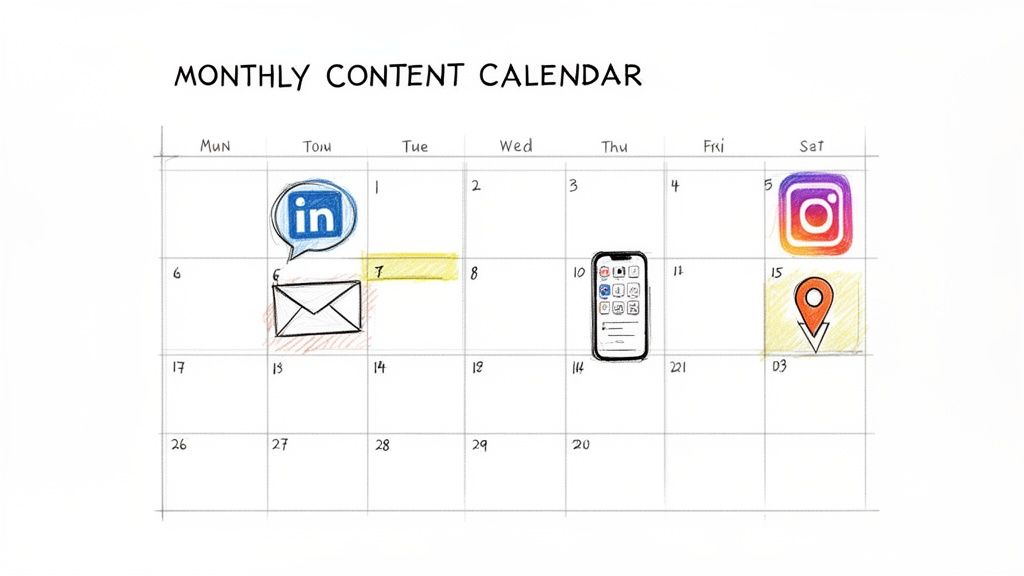
So, you’ve got a folder packed with high-quality clips, quotes, and a blog post. That’s a great first step, but those assets won’t generate a single lead until you put them to work. This is where the rubber meets the road: a systematic, multi-channel promotion calendar.
This isn’t about randomly spraying clips across social media and hoping for the best. It’s a deliberate, repeatable playbook designed to squeeze every drop of value from your webinar over 30 days.
You’ve already invested time, effort, and possibly thousands of dollars to produce this webinar. A disorganised promotion plan means you’re leaving most of its potential ROI on the table. The goal here is to turn that one-hour investment into a continuous stream of engagement, ensuring its value compounds over time, not fades away.
You’re moving from content creation to strategic distribution. Let's break down the plan.
The First 72 Hours: The Initial Blitz
The moments immediately after your webinar are pure gold. Your audience is engaged, the topic is fresh in their minds, and the value is at its peak. Your promotion needs to be swift and direct to capture that momentum.
- Day 1 (Within 2 Hours): Get the full webinar replay link out to all registrants—both attendees and no-shows. Don’t just send an email. Post a high-impact video clip on LinkedIn, tagging your speakers and thanking everyone who joined. This grabs immediate attention.
- Day 2: Send a follow-up email just to attendees, highlighting a key takeaway or a powerful quote from the Q&A. On your primary social channel, share a different video clip, but this time, end it with a question to spark some conversation.
- Day 3: A final email goes to the no-shows. Use a subject line that creates a little urgency, like "You missed these insights…". At the same time, post a compelling image quote on social media that teases one of the core solutions you discussed, driving people back to the full replay.
This initial burst ensures you get maximum visibility while the webinar is still a current event.
Days 4 to 14: The SEO and Social Push
Alright, the initial buzz is over. Now, we shift from promoting the replay to establishing your webinar content as a long-term asset. This phase is all about capturing organic traffic and deepening the social media conversation.
The centrepiece here is publishing the SEO-optimised blog post you generated from the webinar transcript. This is how you transform your spoken words into a searchable, indexable asset that will attract new audiences for months, even years, to come.
Once that blog post is live, your promotional tactics need to change gear:
- Promote the Blog, Not Just the Video: Your social posts should now drive traffic to the blog article. Share your image quotes and video clips with a clear call-to-action that encourages people to read the full breakdown.
- Lean into LinkedIn Text Posts: Use those AI-generated text posts to kick off deeper conversations. Post a provocative insight from the webinar and ask your network to weigh in, then drop a link to the blog in the first comment.
- Hit Different Angles: Use a variety of image quotes to highlight different pain points and solutions you covered. Each quote can appeal to a slightly different segment of your audience, which broadens the reach of your core message.
This phase is what turns your live event into an evergreen resource that works for you 24/7. To dig deeper into this, you might find our guide on effective content distribution strategies helpful.
Days 15 to 30: Sustaining Momentum
In the final two weeks, the goal is to reignite engagement and catch anyone who missed the first few waves. This is where you deploy your remaining assets to keep the conversation going without sounding like a broken record.
"The mistake most teams make is going silent after the first week. A truly effective webinar content marketing strategy ensures your insights are still driving engagement and leads on day 30, not just day 3."
Now’s the time to bring in your audiograms and remaining video clips for variety.
Post your vertical video clips to Instagram Reels or YouTube Shorts to reach audiences on platforms that prioritise that format. Share an audiogram on LinkedIn with a powerful quote, offering a different sensory experience for your followers who might be scrolling with the sound off.
This sustained, multi-format approach ensures your webinar’s insights saturate your channels, continuously generating leads and cementing your brand’s authority. It’s a simple, repeatable system that ends the constant pressure to create brand-new content from scratch.
With a platform like RepurposeMyWebinar, this entire 30-day calendar is fuelled by assets generated in minutes. You get all the benefits of a high-volume, multi-channel strategy without the manual work, juggling multiple tools, or hiring editors and designers. You just execute the plan.
Measuring the ROI of Your Webinar Content Strategy
A winning webinar content marketing strategy isn’t just about creating a mountain of assets; it’s about proving every single piece delivers a measurable return. You’ve invested heavily—often thousands of dollars in time and resources—so simply tracking view counts doesn’t cut it.
To show real business impact, you have to connect your repurposed content directly to meaningful results. That means ditching the vanity metrics and adopting a framework that ties every video clip, blog post, and social share back to your bottom line.
Moving Beyond Simple Views
The true value of your webinar content isn’t how many people watched a clip, but what those people did next. You need a holistic view of your key performance indicators (KPIs), focusing on the tangible outcomes your leadership team actually cares about.
Here’s a practical set of KPIs to start tracking for every asset you create:
- Lead Generation from Assets: Use unique tracking links (UTMs) for every single piece of repurposed content. This is non-negotiable. It’s the only way to know for sure which video clip or image quote drove someone to download a resource, book a demo, or join your newsletter.
- Engagement Rate on Social Media: Don't just glance at likes. Dig into the comments, shares, and saves on your clips and quotes. High engagement is a powerful signal that your content is hitting the mark and building a real community around your expertise.
- Organic Traffic from the SEO Blog Post: Jump into Google Analytics and see how much new, relevant traffic the blog post from your webinar transcript is bringing to your site. Look at which keywords it's ranking for and, crucially, where those users go afterwards.
- Pipeline Contribution: This is the ultimate metric. Work closely with your sales team to track how many leads generated from your webinar content have entered the sales pipeline and, eventually, become paying customers. This closes the loop and proves real ROI.
Calculating Your Cost-Per-Asset
To really understand the efficiency gains from an automated system, you have to calculate your cost-per-asset. When you do this manually, the figure is often alarmingly high once you factor in the hourly rates of editors, designers, and copywriters.
Manually repurposing a single webinar can cost anywhere from $900 to over $1,800 and take up to 30 hours of coordinated effort. When you automate this, the cost plummets, making your cost-per-asset drastically lower and proving a clear ROI on your time and technology.
An automated platform like RepurposeMyWebinar completely changes this calculation. It gets rid of the need for multiple tools and freelance hires. Instead of spending weeks and a huge chunk of your budget, you can generate an entire library of professional, on-brand assets in minutes.
This massively lowers your cost-per-asset and, just as importantly, frees up your team to focus on strategy and distribution, not tedious, soul-crushing production tasks.
Creating a Cycle of Improvement
Measurement isn't a one-off report you create to justify your budget. It's a continuous feedback loop that makes your entire webinar content strategy smarter over time. The insights you gather should directly inform what you do next.
For example, if you see that video clips from the Q&A section get 3x more engagement than clips from the main presentation, you know to build more time for Q&A into your next live event. Simple.
If the SEO blog post starts ranking for an unexpected but highly relevant keyword, you can create more content around that topic to really own that space in the search results.
This data-driven approach takes the guesswork out of content planning. You're no longer just creating what you think your audience wants; you're creating what you know they respond to.
Ready to see how an automated system can transform your content production and deliver measurable ROI? Upload your first webinar to RepurposeMyWebinar and see how quickly you can turn one hour of content into a full month of powerful, performance-tracked marketing assets.
Got Questions? We’ve Got Answers.
Here are some of the most common questions we hear about building a webinar content machine. Let's dig into the practical side of things—tools, time, and getting real results.
How Long Does It Really Take to Repurpose One Webinar?
If you're doing it manually, you're looking at a painful process. A skilled marketer juggling separate tools for video editing, transcription, design, and copywriting could easily sink 20-30 hours into turning a single webinar into a full campaign's worth of assets. It’s a slow, expensive grind that absolutely kills momentum.
But with an AI-powered platform like RepurposeMyWebinar, the whole game changes. You can feed it a 60-minute recording and get back a full suite of content—video clips, an SEO-ready blog post, social captions, and image quotes—in about 5-10 minutes of automated processing. The actual hands-on time for you? Usually under an hour, most of which is just reviewing and scheduling.
What if My Past Webinars Weren't Designed for Repurposing?
That's a super common worry, but it’s not a blocker. Even if your old webinars weren't neatly structured into perfect soundbites, they’re still packed with authentic, valuable insights from your experts.
Think of it like mining for gold. The value is already there; you just need a better tool to find and extract it quickly.
An AI platform analyses the entire transcript and automatically pinpoints the most compelling questions, key stats, and actionable tips. It’s the perfect way to breathe new life into your entire content archive and get an immediate return on assets you've already created.
Can This Strategy Work for a Small Marketing Team?
Absolutely. In fact, this webinar content marketing strategy is ideal for smaller teams, solo marketers, and founders who are constantly short on time and resources.
The whole principle is built on leverage.
Instead of burning out on the content creation treadmill, you pour your energy into producing one high-value webinar. Then, you use automation to multiply its impact across all your channels. RepurposeMyWebinar effectively consolidates the need for a separate video editor, graphic designer, and copywriter, letting one person execute a sophisticated strategy that looks like it came from a much larger team.
How Do You Ensure All Repurposed Content Stays On-Brand?
Keeping everything on-brand is crucial for building trust, and it's one of the biggest headaches of manual repurposing. The best solution is to use a platform that has a centralised ‘Brand Kit’ feature.
You just upload your company's logos, primary and secondary colours, and brand fonts once. From then on, every single asset the system creates—from video clips with branded intros and captions to the design of image quotes—is automatically styled to your exact guidelines. This completely removes the risk of human error and ensures a professional, cohesive look across all your channels without any manual design work. It means you can stop hiring freelance designers or adding to your in-house team's already-full plate.
Ready to stop letting your valuable webinars collect digital dust?
With RepurposeMyWebinar, you can turn a single recording into a month of on-brand, ready-to-publish content in minutes. Ditch the manual work, forget juggling multiple tools, and start seeing a real return on your webinar investment today.