Your webinar repurposing strategy: Turn one recording into a month of content
Explore a practical webinar repurposing strategy to turn one recording into a month of high-impact content, saving time and boosting ROI.
A solid webinar repurposing strategy is your fastest route to turning a single, expensive live event into a long-term content engine. Instead of a one-and-done broadcast, you systematically break down the recording into dozens of smaller assets—video clips, blog posts, social media quotes—to fuel your marketing for weeks. This approach maximises your investment, proves ROI, and ensures your best ideas reach a wider audience across every channel, without the manual work.
Why your “one-and-done” webinar approach is leaking money
Let’s be direct: producing a high-quality webinar is a serious investment of time and money. You pour hours into research, slide creation, speaker prep, and promotion. The end result? A powerful, insight-packed hour of premium content.
But what happens a week after the live event? For most teams, the answer is… not much.
The recording gets uploaded to a resource library and an email goes out. Then it’s on to planning the next big thing. This “one-and-done” mindset is one of the most common and costly mistakes in marketing. You’ve created a premium asset, only to let its value evaporate almost immediately.
The hidden costs of manual repurposing (and inaction)
When a webinar is treated as a single event, its ROI is handcuffed to live attendees and the few on-demand viewers who find it. This completely ignores a massive untapped opportunity. Every moment that recording sits gathering digital dust, you're leaving leads and revenue on the table.
Webinars are expensive. With the average cost per lead hovering around US$72, you need to extract every ounce of value from that initial production expense. By failing to repurpose, you’re accepting that high cost for a very limited audience, effectively letting potential leads slip away. The manual effort required—juggling transcription services, video editors, and design tools—is so time-consuming and expensive that most teams simply give up.
Your webinar recording isn’t just a video file; it's a goldmine of pre-validated content. It contains your best talking points, expert insights, and answers to your audience's most pressing questions—all waiting to be unlocked.
The mindset shift: From event to engine
Instead of seeing a webinar’s value fade after the live broadcast, you need to see it as a content engine waiting to be started. A smart webinar repurposing strategy transforms this one expensive event into a month-long marketing campaign that fuels:
- Lead Generation: By converting the transcript into an SEO-rich blog post that attracts organic traffic for months.
- Sales Enablement: By clipping key moments into concise videos your sales team can share to answer questions and close deals faster.
- Brand Authority: By turning powerful quotes into shareable graphics that build your reputation on social media.
This is where a solution like RepurposeMyWebinar becomes your unfair advantage. It eliminates the manual, time-sucking work of transcribing, editing video, and designing assets. Instead of juggling multiple tools or hiring freelancers, you automate the entire process, turning your underused webinar library into a consistent source of professional, on-brand content in minutes. From there, you can explore various content distribution strategies to ensure these new assets reach the right audience.
How to map your webinar to a 30-day content plan
The secret to an effective webinar repurposing strategy? It starts before you hit ‘record’.
Most teams treat content repurposing as an afterthought—something they scramble to do after the event is over. The smartest teams, however, build it directly into their webinar planning. This simple shift turns repurposing from a chore into a system, saving you hundreds of hours and guaranteeing a month of high-quality assets from a single hour of effort.
Think of your webinar script not just as a presentation, but as the blueprint for an entire campaign. As you build your slides, you're also identifying the core pillars of your future content. This is the difference between ad-hoc repurposing that fizzles out and a systematic content engine that consistently delivers.
Identifying content pillars during webinar creation
Your mission is to “mine” your own content for gold before you’ve even presented it. While scripting the webinar, actively tag moments that are perfect for repurposing. You’re looking for the fundamental building blocks of great social media posts, blog articles, and sales snippets.
What should you look for?
- Quotable Moments: Isolate punchy, memorable sentences that summarise a key idea. You can easily get 6-16 image quotes from one webinar.
- Surprising Statistics: A data point that makes you say "wow" will do the same for your audience. These are instant wins for social graphics.
- Compelling Anecdotes: A short customer story or a real-world example? That’s your next powerful 60-second video clip for LinkedIn.
- Actionable Frameworks: A 3-step process or a unique model is a ready-made infographic or a series of educational social posts.
- Deep-Dive Explanations: A 5-7 minute segment unpacking a complex topic is the detailed outline for an SEO-rich blog post.
This “content-first” planning doesn’t create more work; it makes the work you do after the webinar faster and more effective. By flagging these assets upfront, you’re creating a clear roadmap for post-webinar production. No more staring at a 60-minute recording wondering where to begin. You have a prioritised hit list of high-impact moments ready to be extracted.
This timeline shows how a webinar's value stretches far beyond the live event, evolving from initial buzz into a long-term, evergreen asset.
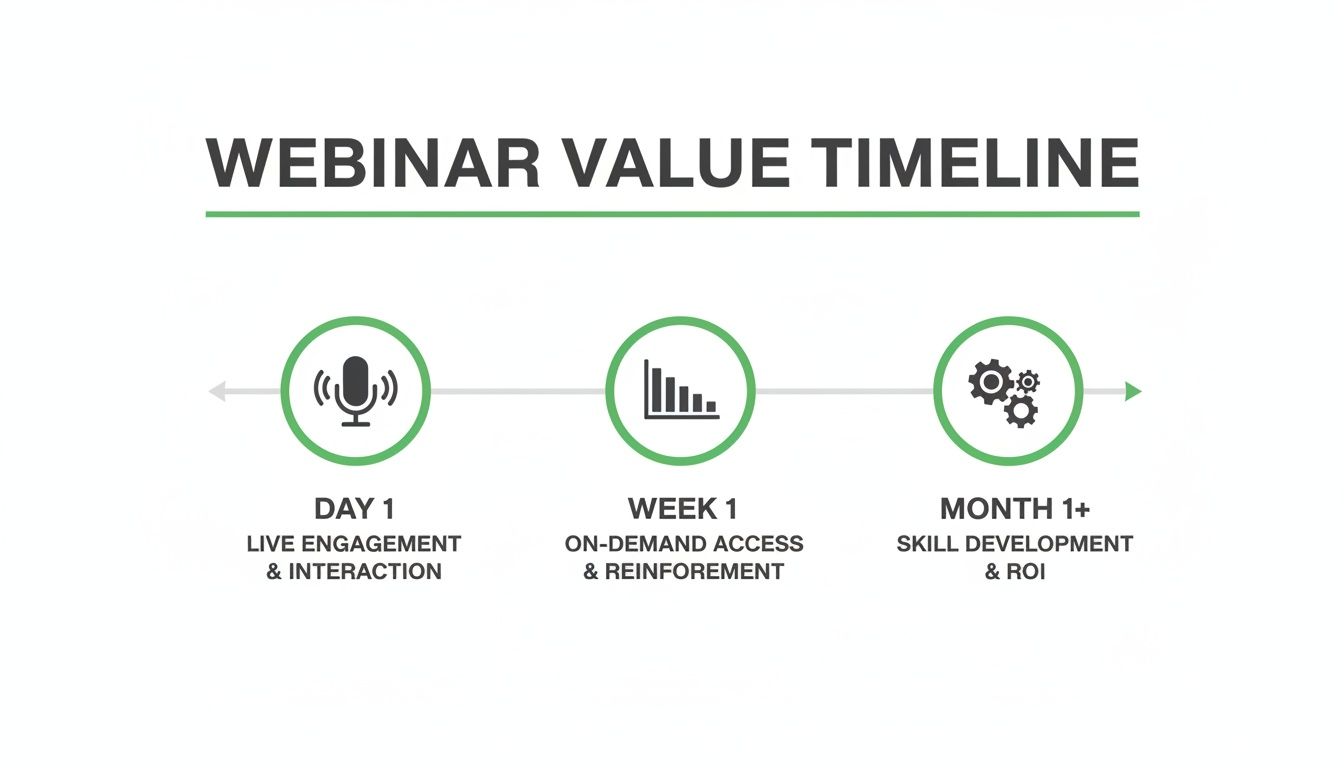
The key takeaway is that you're transforming a single event into a continuous content engine that drives value for months.
Sample 30-day content calendar from one 60-minute webinar
Seeing this mapped out makes the potential crystal clear. A single, well-planned 60-minute webinar can be systematically broken down to fuel your entire content calendar. It’s about tailoring the same core message for different channels to maximise reach without starting from scratch.
| Week | Blog & SEO | Social Media (LinkedIn/Twitter) | Short-Form Video (TikTok/Reels/Shorts) | Email & Sales Enablement |
|---|---|---|---|---|
| Week 1 | Publish SEO-focused blog post (1,500 words) summarising key webinar takeaways. | Day 1: "Live now!" & "Recording available" posts. Day 3: Share first key statistic as an image quote. Day 5: Post a text-based "key takeaway" thread. | Day 2: Release "hook" video clip (30s) teasing the main topic. Day 6: Share a 60s clip explaining an actionable tip. | Day 1: Send "Recording is ready" email to registrants. Day 4: Equip sales team with key stats and a link to the on-demand webinar. |
| Week 2 | Create a shorter (700 words) blog post as a deep dive into a specific sub-topic from the webinar. | Day 8: Share a second key statistic as an image quote. Day 10: Post a poll related to a webinar topic. Day 12: Share a personal anecdote from the speaker. | Day 9: Post a 45s "myth-busting" clip. Day 13: Release an audiogram with a powerful quote. | Day 11: Send a follow-up email to attendees with a link to the new deep-dive blog post. |
| Week 3 | Turn a webinar framework into a standalone infographic and embed it in a new blog post. | Day 15: Share the infographic. Day 17: Post a "behind-the-scenes" photo from the recording. Day 19: Ask a question related to a pain point discussed. | Day 16: Post a 60s video clip of a compelling customer story mentioned in the webinar. | Day 18: Create a one-page PDF summary for the sales team to use as a leave-behind. |
| Week 4 | Publish a Q&A blog post using the best questions asked by the audience during the live event. | Day 22: Share another powerful image quote. Day 24: Link back to the main blog post with a new insight. Day 26: Promote the on-demand recording again. | Day 23: Share a final "key takeaway" video clip. Day 28: Post a time-lapse or simple animation of the framework infographic. | Day 25: Send a "last chance" email to non-attendees in your nurture sequence. |
This schedule ensures you're hitting different formats and channels consistently, keeping your audience engaged long after the live event.
Turning one hour into a full month of content
Your webinar is the central "hero" asset. A strong repurposing strategy breaks it down into dozens of "micro" assets, each designed to shine on a specific platform and guide your audience back to the main event.
Trying to do this manually is exactly why most teams give up. It’s a messy juggle of transcription services, video editing software, and graphic design tools—a process that’s slow, expensive, and frustrating.
This is the exact bottleneck that platforms like RepurposeMyWebinar were built to smash.
Instead of hiring a freelancer or losing a week of your team's time, you upload a single recording and let AI do the heavy lifting. The platform pinpoints quotable moments, clips engaging video segments, and drafts a blog post from the transcript, all while automatically applying your brand’s colours, fonts, and logos.
The outcome is a complete, on-brand content library generated in minutes, not days. You can finally turn your 60-minute webinar into 30 days of content without the manual labour, multiple tools, or specialised hiring that holds marketing teams back.
Automating asset creation without sacrificing quality
Let’s be honest. The biggest hurdle in any webinar repurposing strategy isn't the ideas; it’s the sheer effort of execution. You can map out the perfect content plan, but if creating the assets feels like a monumental task, that plan is destined to fail.
Manually transcribing a recording, scrubbing through it to find the best soundbites, and then juggling multiple tools to edit videos and design graphics is a monumental time-sink. It’s painfully slow, requires specialised skills, and gets expensive if you have to hire freelancers. This is the friction that kills great content strategies.
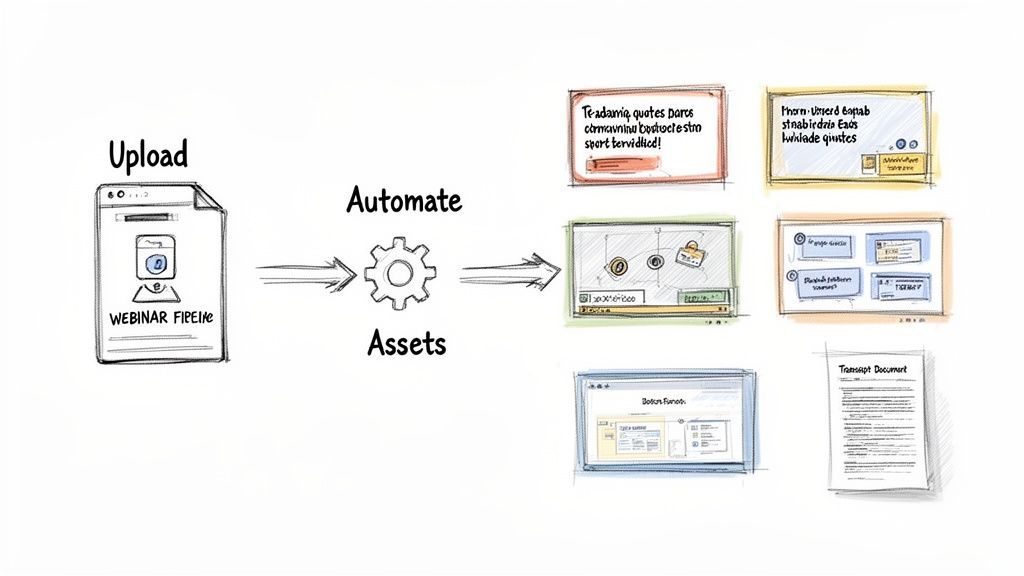
From days of work to minutes of waiting
Now, imagine a different reality. Instead of blocking out a week for manual production, you upload your webinar recording. Within minutes, a suite of on-brand, ready-to-post assets appears, perfectly tailored for each channel you use.
This is what an automated, AI-driven approach delivers. You can get 10-15 polished image quotes and 5-7 powerful video clips without ever opening a design or video editing tool. That entire clunky, multi-step process gets replaced by a single, efficient workflow.
This isn't about cutting corners. It's about eliminating the tedious, low-value work that burns out marketing teams. Automation frees you to be a content strategist, not just a content producer.
The benefits are immediate. Production time is slashed from days to minutes, empowering any team member—not just specialists—to execute a sophisticated repurposing strategy. For lean teams, that is a complete game-changer.
Maintaining perfect brand consistency at scale
One of the biggest headaches with manual repurposing is keeping everything on-brand. When different people create assets, you inevitably end up with variations in colours, fonts, or logo placement. These small inconsistencies dilute your brand presence.
An automated system like RepurposeMyWebinar solves this. You set up your Brand Kit once—upload your logos, define your colour palette, and choose your fonts. From then on, every single asset the platform generates is perfectly on-brand.
This means:
- Video Clips: Automatically get your branded intro/outro, lower-thirds, and colour-matched captions.
- Image Quotes: Feature your logo, brand colours, and speaker headshots in a professional, consistent layout.
- Audiograms: Are generated with your branded background and a waveform that matches your colour scheme.
This built-in brand governance ensures a cohesive, professional look across all channels, reinforcing brand recognition with every post. It takes the guesswork out of design and saves a massive amount of time. For a deeper dive, check out our guide on finding the perfect webinar clip generator that puts brand integrity first.
Scaling content production to build trust
Consistency isn't just about branding; it’s also about how often you show up. Data reveals that top-performing brands publish frequent, valuable content. It's a critical trust signal.
For teams with limited resources, automation makes this possible. You can build the perception of a prolific thought leader without the crushing burden of constantly creating new content from scratch.
By extracting dozens of assets from a single recording, you create a steady drumbeat of valuable content that keeps your brand top-of-mind and establishes you as a reliable authority. You’re no longer trapped in a content feast-or-famine cycle. Instead, you're building a sustainable content engine that works for you long after the live event ends. The goal is simple: remove every point of friction between your great webinar content and the audience that needs to see it.
Your channel-specific repurposing playbook
Having a library of professionally generated assets is a great start, but the real ROI comes from deploying them with precision. A powerful video clip on the wrong platform is just noise. This is where a channel-specific playbook becomes essential, turning your assets into actual results.
Instead of a generic "spray and pray" approach, this means tailoring your content to fit the unique audience expectations and algorithm preferences of each platform. It’s about knowing how to post, not just what to post.
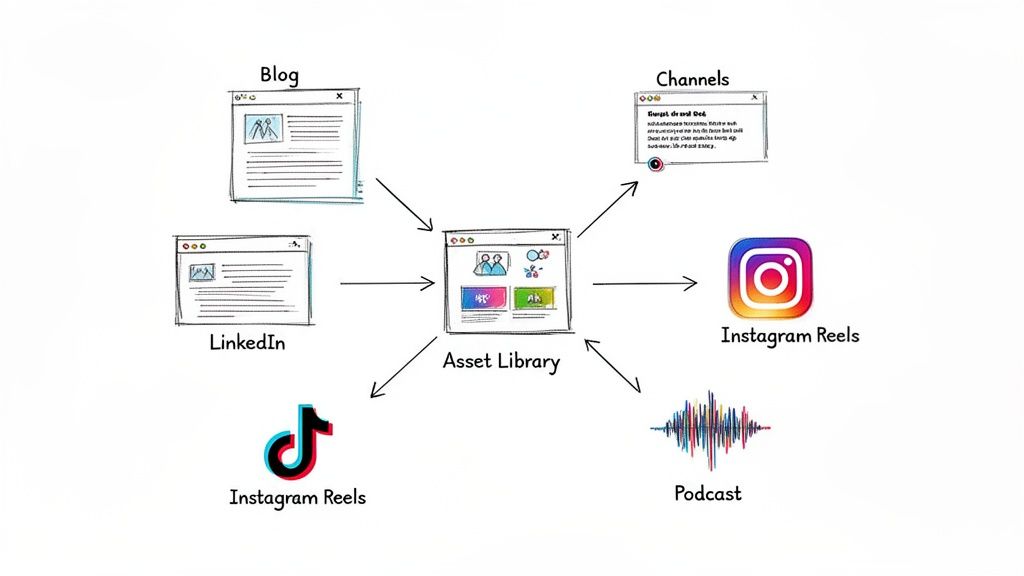
Transform your blog into an SEO powerhouse
Your webinar transcript is the raw material for a high-performing, SEO-friendly blog post that can attract organic traffic for months. While manually cleaning a transcript is a soul-crushing job, a platform like RepurposeMyWebinar can deliver a clean, AI-drafted article in minutes.
From there, your job is to refine that draft into a true pillar piece of content.
- Target Long-Tail Keywords: Use the core webinar topic to drill down into specific, long-tail keywords. For example, if your webinar was on "Sales Automation," a blog post could target "how to automate sales follow-up emails for SaaS." This attracts a more qualified, high-intent audience.
- Structure for Skimmability: Break up the text with H2 and H3 subheadings pulled from your webinar's key themes. Use bullet points and bolded text to make actionable tips impossible to miss.
- Embed Your Assets: Weave the short video clips and image quotes you’ve created directly into the article. This boosts time-on-page—a key SEO signal—and creates a far richer reader experience.
The goal is to turn a one-time broadcast into an evergreen asset that continuously pulls in search engine traffic, long after the live event.
Dominate LinkedIn with strategic content
LinkedIn is the king of B2B social networks, but simply dropping a link to your webinar recording won't cut it. You have to earn attention with content that feels native to the platform.
A single webinar gives you a treasure trove of material perfect for LinkedIn's algorithm.
Think of your repurposed assets as conversation starters. Each clip, quote, or insight is a hook designed to draw your professional audience into a meaningful discussion, positioning your brand as a helpful authority.
Start with a compelling text-only post sharing a provocative insight. A few days later, follow up with a polished 30-60 second video clip. These are incredibly effective at stopping the scroll and conveying value instantly. Be sure to ask a question in the post copy to encourage comments.
Finally, mix in image quotes featuring your speaker. These are highly shareable and reinforce key messages while putting a human face to your brand. Each piece should stand on its own while subtly guiding your audience back to the full on-demand recording.
Capture attention with short-form video and audio
Platforms like TikTok, Instagram Reels, and YouTube Shorts are powerful channels for reaching new professional audiences—as long as you adapt your content to their fast-paced, vertical format. Your webinar is a goldmine for this.
The key is to pinpoint the most impactful 30-60 second moments: a surprising statistic, a myth-busting statement, or a quick "how-to" tip. With a tool like RepurposeMyWebinar, these clips are automatically identified and formatted with brand-matched, burned-in captions, which is critical since most users watch with the sound off.
Don't forget the power of audio. An audiogram—a static image with an audio waveform and captions—is a simple yet potent way to share podcast-style snippets. It's perfect for sharing a powerful quote or a short story from your speaker, offering another way to consume your content.
This channel-specific approach ensures you're not just reusing content; you're optimising it for maximum impact, all without the brutal manual work that holds most teams back.
How to measure the ROI of your repurposing efforts
Turning one webinar into a month’s worth of content feels like a win, but the real victory is proving it moved the needle for the business. To secure more budget, you need to go deeper than likes and shares and connect your content back to KPIs that leadership cares about.
The game is about tracking the journey from a viewer watching a repurposed clip to a new deal closing. This is how you shift the conversation from repurposing being a ‘nice-to-have’ tactic to an undeniable driver of growth.
Tracking lead generation and pipeline influence
The cleanest way to prove ROI is by directly attributing new leads and sales opportunities to your repurposed content. This requires setting up your tracking before a single asset goes live.
Give every piece of repurposed content a home on a dedicated landing page, and ensure every link you share has a unique UTM parameter. This tiny bit of text in the URL lets you say with certainty, "This demo request came directly from that audiogram we posted on LinkedIn."
Here’s how that looks in practice:
- For Blog Posts: See how many people subscribe to your newsletter or download a guide from a form embedded within the article.
- For Social Media Clips: Use the platform's built-in lead forms or drive traffic to a specific landing page to capture contact details.
- For Email Sequences: Keep a close eye on click-through rates. Which links are people clicking? Which contacts are showing the most interest?
With this data, you can draw a straight line from a single asset, born from your webinar, to a new contact in your CRM.
Calculating a defensible ROI
Once tracking is in place, calculating a real ROI is simple. The formula is: take the revenue you can attribute to leads who first engaged with your repurposed content, subtract the total cost of the webinar and your tools, then divide that by the same cost.
(Revenue Attributed - Total Cost) / Total Cost = ROI
Suddenly, a fuzzy content marketing activity becomes a hard number you can confidently share. It proves that a smart repurposing strategy isn't a cost centre; it’s a revenue generator.
The UK's events industry, including webinars, generates £61.65 billion in direct economic value. With 63% of webinar views now happening on-demand, repurposing is essential for getting the most out of that investment. You can discover more insights about the UK events economy and its impact. A single recording can be spun into dozens of assets that support sales and keep leads coming long after the live event.
From manual mess to measurable machine
Trying to track these metrics manually across a dozen channels is a recipe for a headache. A dedicated platform becomes your single source of truth.
When all your repurposed assets are created and stored in one place, you're no longer guessing which content is driving results. You have a clear, organised library, making it infinitely easier to set up tracking and attribute every success. The loop is closed.
Now, when someone asks, "What was the return on that webinar?" you can show them the data and tell the full story of how one event fuelled business growth for an entire month.
Common questions answered
Even with a killer webinar repurposing strategy, you might get questions. Let's tackle the most common ones so you can move forward with confidence and show everyone the value of working smarter, not harder.
How much content can we realistically get from one webinar?
From a single 60-minute webinar, you can easily fuel your content calendar for over a month. No exaggeration. An automated webinar repurposing strategy unlocks a surprising amount of content from one recording. A typical run will give you:
- A full SEO-optimised blog post (1,500+ words)
- 5-7 short video clips perfect for social media
- 10-15 unique image quotes, with speaker headshots
- An audiogram for a podcast-style promo
- Dozens of text-based posts for platforms like LinkedIn
Stop seeing this as manual labour and start viewing your webinar as the raw material for an entire content campaign, ready in minutes.
Can we do this without video editing or design skills?
Absolutely. That's why teams switch to an automated approach. Modern repurposing platforms are built to empower marketers, not force them to become video editors or graphic designers.
You upload your brand kit once—your logo, colours, and fonts. From then on, the system automatically bakes your brand guidelines into every asset it creates. You get professional, on-brand videos and graphics ready to post, without ever opening specialised software. It puts high-quality content creation back into the hands of the marketing team.
How long does it take to repurpose a full webinar?
Doing it manually is a nightmare. Between transcribing, finding clips, and designing graphics, you could burn an entire week of someone's time. It’s slow, tedious, and a massive drain on resources.
With an AI-powered platform like RepurposeMyWebinar, you can shrink that timeline to minutes. Upload your 60-minute recording, and you can have a complete set of on-brand assets—from a blog draft to social videos—ready for review in as little as 10-15 minutes. It’s about shifting your team’s time from tedious production work to strategic distribution.
How can I ensure the repurposed content is high quality?
The best webinar repurposing strategies are a partnership between AI speed and human expertise. An intelligent platform will analyse your recording to pinpoint the most compelling clips, powerful quotes, and key takeaways.
But you always have the final say. The best tools don't just churn out content; they present AI-generated suggestions for you to approve. This hybrid approach gives you the incredible efficiency of automation while keeping complete creative control over the quality and messaging.
Ready to stop letting your webinars gather digital dust and start turning them into a predictable content engine? RepurposeMyWebinar eliminates the manual work, multiple tools, and hiring needs, giving you the power to execute this entire strategy in minutes. See for yourself how easy it is to generate a month’s worth of on-brand content from a single recording.