AI Webinar Repurposing: Turn One Webinar Into a Month of Content
Discover AI webinar repurposing to transform a single session into a full month of ready-to-share content and maximize ROI.
Webinars are expensive. You invest thousands of US Dollars and dozens of hours to produce a single, high-value event. But once it's over, that expert content sits on a landing page, its potential trapped. Manually chopping it up into blog posts, video clips, and social graphics is a slow, painful process that drains your team's time and budget.
What if you could turn that one-hour recording into 30 days of high-quality, on-brand content in under 10 minutes?
That’s AI webinar repurposing. It’s not just a tool; it’s a strategic shift. It’s the fastest way to multiply the ROI of your most valuable content, eliminate manual work, and fill your content calendar without hiring freelancers or juggling multiple expensive tools.
Why Your Best Webinar Content Is Gathering Dust
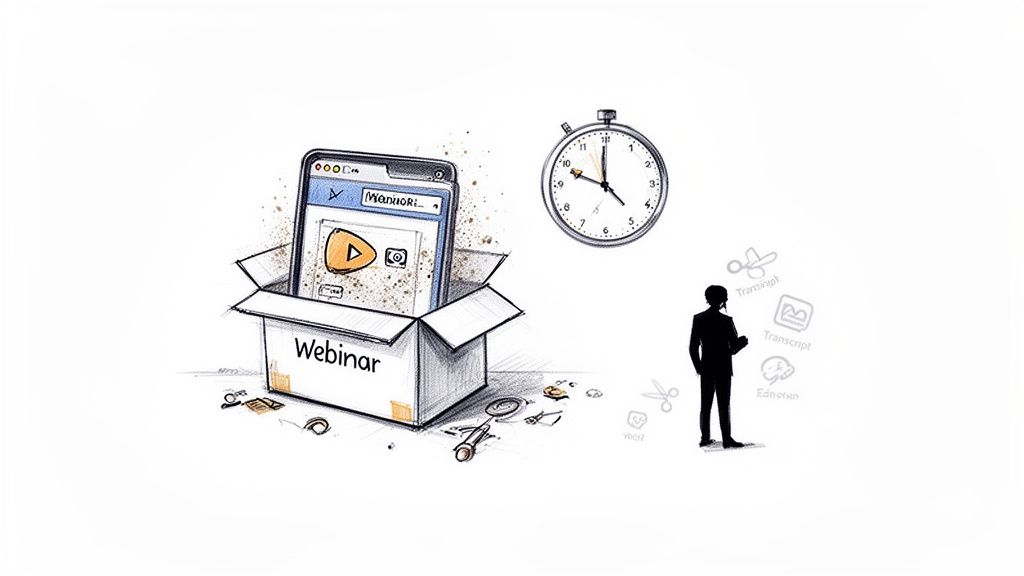
Your team pours resources into planning, promoting, and running a killer webinar. You line up expert speakers, polish every slide, and deliver a session packed with value. But what happens after the live event ends and the thank-you emails go out?
For most B2B marketing teams, the answer is painful: that valuable content starts gathering digital dust. The full recording gets parked on a landing page, its potential locked inside a 60-minute video file. This isn’t just a missed opportunity—it’s a massive drain on your resources and a surefire recipe for content anxiety.
The Hidden Costs of a "One-and-Done" Approach
The pressure to constantly feed the content beast never lets up. While your webinar recording is a goldmine of insights, the manual work needed to dig them out creates a huge bottleneck. It can easily take your content manager a full day—or more—just to squeeze out a handful of assets.
This old-school manual workflow means:
- Juggling Multiple Tools: Hopping between separate apps for transcription, video editing, graphic design, and copywriting.
- Painfully Slow Labour: Manually scrubbing through the entire recording just to find a few impactful moments or key quotes.
- Extra Hiring Needs: Relying on freelancers or agencies to slice, dice, and package the content, which adds significant cost and complexity.
This broken process means your most authoritative content—expert insights straight from a live discussion—is chronically underutilised. You’re left with a systemic problem of untapped potential, forcing you to create new content from scratch when your best stuff is already in the can.
A Growing Trend with a Strategic Flaw
In the UK, webinars have become a B2B marketing staple. In fact, 23.6% of UK marketers already use webinars and plan to increase their usage, seeing them as a strategic tool for scalable events. This shift highlights just how important they've become, but it also shines a spotlight on the inefficiency of manual repurposing. You can learn more about the latest UK digital marketing statistics to see how your own strategy stacks up.
The truth is, your webinar’s value shouldn't evaporate the second the live stream ends. Every minute of that recording holds the seeds of potential blog posts, social media clips, and lead magnets. The problem isn't a lack of content; it's the lack of a smart, efficient system to unlock it.
This is where AI webinar repurposing becomes more than just another tool—it's your strategic advantage. It’s about turning a costly, one-off event into a predictable content engine that multiplies your ROI and gives your team back its most valuable asset: time.
What Is AI Webinar Repurposing Anyway?
Let's cut through the jargon. AI webinar repurposing is a system that automatically transforms a single webinar recording into a complete, ready-to-publish content campaign. It's the end of manual work.
Think of it like a content assembly line. You feed in the raw material—your one-hour webinar recording—and the AI acts as your tireless, automated production crew. It kills the manual grind.
Instead of your team spending days switching between tools for transcription, video editing, and graphic design, an AI-powered platform like RepurposeMyWebinar does all the heavy lifting. It listens to the audio, identifies the most compelling moments, drafts entire blog posts, chops up shareable video clips, and even designs quote graphics, all wrapped in your company's branding.
From Recording to Campaign: A Simple Mental Model
This whole process boils down to an intuitive, three-step workflow. This isn’t another complicated piece of software your team has to spend weeks learning. It's designed for speed and simplicity.
- Upload: Just drop in your webinar recording. It doesn't matter if it's from Zoom, Google Meet, or Microsoft Teams. The AI immediately starts analysing the content.
- Select: The platform serves up a menu of AI-generated assets. You just pick what you need for your campaign—maybe five short video clips, a full blog post, and 6-16 image quotes.
- Generate: With a single click, the system builds all the assets you chose, professionally formatted with your company’s logos, colours, and fonts. Everything is ready to download and publish in minutes.
That’s it. It transforms a time-sucking, multi-step manual process into a lightning-fast, automated one that delivers professional results without you needing a designer or video editor on standby.
Manual Drudgery vs. AI Efficiency
The difference between the old way and the new way is staggering. Manually repurposing a single webinar is a resource black hole, draining time and budget that could be much better spent on strategy.
The goal of AI webinar repurposing is simple: to turn your most valuable, expert-led content into a scalable marketing engine. A one-hour webinar genuinely becomes 30 days of high-quality content, without burning out your team.
Just look at the stark contrast in effort and output. The table below lays out the time, cost, and resource savings you get by switching to an AI-driven workflow.
Manual Repurposing vs. AI-Powered Repurposing
This is where the ROI becomes undeniable. Here’s a direct comparison showing just how much time and effort you get back.
| Task | Manual Process (Time & Tools) | AI-Powered Process with RepurposeMyWebinar |
|---|---|---|
| Video Clip Creation | 4-6 hours. Needs a video editor, transcription tool, and someone to manually hunt for key moments. | Under 5 minutes. AI automatically suggests clips with transcripts. One-click generation. |
| Blog Post Drafting | 3-5 hours. Involves manual transcription, summarisation, and writing from scratch using a separate tool. | Under 3 minutes. AI generates a structured, SEO-friendly draft based on the webinar transcript. |
| Image Quote Graphics | 2-3 hours. Requires a graphic designer, brand assets, and manually pulling quotes from the transcript. | Under 2 minutes. AI extracts powerful quotes and applies your brand kit to create dozens of designs. |
| Total Time Investment | 9-14 hours (over a full day of work) | Under 10 minutes |
The comparison makes the ROI crystal clear. With a platform like RepurposeMyWebinar, you aren’t just saving a few hours; you’re completely overhauling your content production model. You can stop paying for multiple expensive tools and forget about hiring freelancers, turning a major expense into a highly efficient, predictable system.
Your AI-Powered Content Workflow in Action
Theory is one thing, but seeing an AI-powered workflow for yourself really shows off the speed and simplicity of modern AI webinar repurposing. Let's walk through the actual journey, turning a raw, 60-minute recording into a portfolio of polished, on-brand assets ready to fill your content calendar. This isn't a week-long project; we're talking minutes.
The old way was a tangled mess of different tools and people. With a platform like RepurposeMyWebinar, that entire convoluted chain of tasks gets collapsed into a single, intuitive flow.
Step 1: Upload Your Recording
It all kicks off the moment you upload your webinar file. Whether your recording is from Zoom, Microsoft Teams, or Google Meet, you just drag and drop it into the platform. No need to worry about complex file conversions or fiddly technical settings.
Instantly, the AI gets to work in the background. It isn't just sitting there; it’s performing a deep analysis, which includes:
- Creating a word-for-word transcript with timestamps for easy navigation.
- Identifying different speakers to correctly attribute quotes and insights.
- Extracting key topics and themes discussed throughout the session.
This first step alone saves hours of manual transcription and review. For a typical hour-long webinar, you get a structured foundation to build from in under ten minutes.
This simple three-step process shows just how quickly you can move from a raw recording to a collection of ready-to-publish assets.
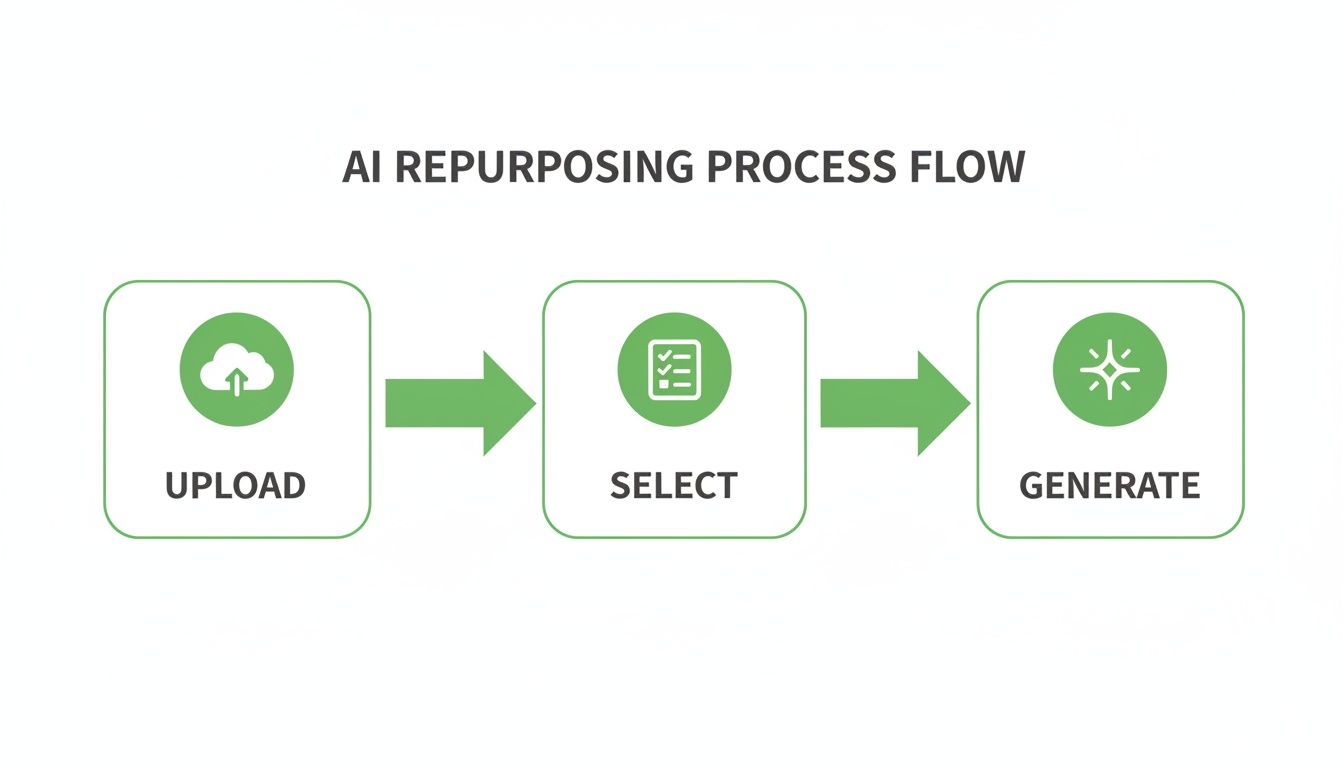
The flow from 'Upload' to 'Generate' highlights how the manual grind is replaced by AI-driven efficiency and your own creative choices.
Step 2: Select Your Desired Assets
Once the AI has processed your webinar, it presents you with a menu of suggested content pieces. This is where you shift from analysis to creation. Instead of you hunting for powerful moments, the AI serves them up for your approval.
Let's say your goal is to generate 30 days of content from this single webinar. To get there, you could select:
- Five short-form video clips featuring your speaker's most compelling points.
- One SEO-optimised blog post drafted from the core themes of the discussion.
- A dozen branded image quotes highlighting memorable statistics or insights.
- Four LinkedIn-style text posts summarising key takeaways for social sharing.
This selection process is built for speed. For instance, you can generate 6-16 professional image quotes from key speaker moments in under two minutes. No need to open a separate design tool or brief a freelancer. For a deeper dive into creating engaging short videos, check out our guide on using a webinar clip generator to capture attention.
Step 3: Generate and Deploy Your Content
With your assets selected, the final step is a single click. The AI takes your choices and instantly applies your pre-loaded brand kit—logos, primary and secondary colours, and custom fonts—to every single asset. The result is a complete set of professional, consistently branded content, ready for download.
This automated branding eliminates one of the most tedious parts of manual repurposing. Every video clip has your logo overlay, every image quote uses your brand colours, and every document is formatted correctly.
The entire workflow, from uploading a 60-minute file to downloading a full suite of assets, is completed in the time it takes to make a cup of coffee. It's a fundamental shift from spending hours on one piece of content to producing dozens in minutes.
This efficiency is crucial for UK businesses. Market research shows average Zoom webinar attendance sits at just 48%, with 83% of sessions drawing fewer than 50 live attendees. However, a staggering 63% of total views come from on-demand content, proving that the real value lies in the afterlife of your event. Platforms like RepurposeMyWebinar are essential for capitalising on that on-demand audience.
Building a Month of Content from a Single Webinar
An AI-powered workflow isn't just about making individual assets faster; it's about building a cohesive, multi-channel campaign from a single event. A 60-minute webinar isn't one piece of content. It is the raw material for a full month of strategic marketing that fuels your entire funnel.
This is where you move from just processing content to actual strategy, connecting each repurposed piece to a specific marketing goal. Picture your webinar as the central sun, with smaller, targeted assets orbiting around it—each one designed to capture a different audience on a different platform.
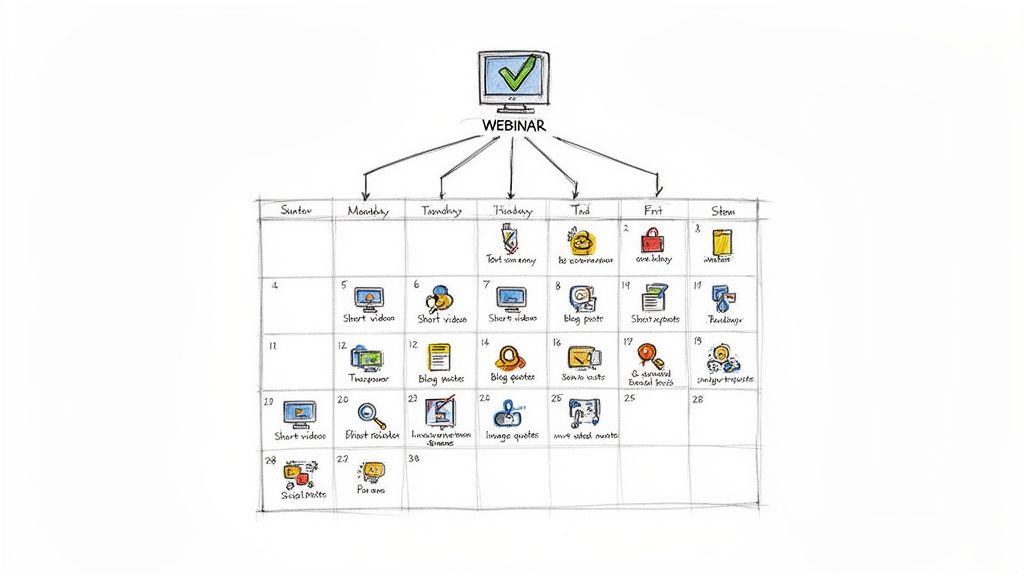
With a platform like RepurposeMyWebinar, you can finally stop thinking in terms of single assets and start building a predictable content engine. It’s an approach that gets rid of the manual grind and the need for multiple tools or freelancers, turning one high-investment event into dozens of valuable touchpoints.
From Recording to Revenue-Driving Assets
So, what exactly can you get out of one webinar? Let's break down the assets you can generate and the strategic role each one plays. The key is to match the content type to the channel and the audience's mindset, and an AI-powered system lets you create this variety at scale.
-
Short-Form Video Clips (5-10 per webinar): These are your social media powerhouses. Perfect for LinkedIn, X (formerly Twitter), and Instagram, these 30-60 second clips grab attention, showcase your speaker's authority, and drive serious engagement. They’re absolutely ideal for top-of-funnel awareness.
-
SEO-Friendly Blog Posts (1-2 per webinar): By turning the webinar transcript into a structured, keyword-optimised article, you create a long-term asset that pulls in organic traffic. This helps you rank for relevant search terms and captures audiences actively looking for solutions, hitting both mid-funnel education and bottom-funnel interest.
-
Branded Image Quotes (6-16 per webinar): These are thumb-stopping, easily shareable graphics for social media. Highlighting key stats or memorable insights, they reinforce your message and encourage viral sharing, which is a massive boost for brand visibility and thought leadership.
This is just the start. You can learn more about turning your events into a full library of assets by exploring different types of webinar content repurposing software.
Mapping Assets to the Buyer's Journey
The real magic of AI webinar repurposing is its ability to support every single stage of the buyer’s journey, all at once. You're no longer creating content for just one purpose; you're building a connected ecosystem of assets that work together.
Your 60-minute webinar doesn't just produce assets; it produces a month-long, multi-channel campaign. One upload fuels your social media, your blog, your email nurture sequences, and your sales enablement materials—all without any extra manual work.
This strategic approach is especially powerful in the UK market, where the business events industry has a direct value of £61.65 billion. With AI-driven personalisation proven to boost engagement, repurposing is no longer a "nice-to-have" but a core efficiency driver for UK marketers. You can discover more insights about the economics of the UK events industry and its impact.
By deploying these assets strategically, you create a cohesive story that guides potential customers from initial awareness all the way to a final decision. A short video clip might catch their eye on LinkedIn, which leads them to a more detailed blog post on your site, which then prompts them to download a comprehensive guide derived from the very same webinar. Each piece builds on the last, all sourced from your single, authoritative event.
Measuring the ROI of Your AI Repurposing Strategy
Bringing any new workflow into the business means you have to build a solid case for it. Luckily, showing the return on investment (ROI) for AI webinar repurposing is refreshingly straightforward. Forget about vague vanity metrics. We're talking about tangible savings and predictable growth—the kind of hard data that proves its impact to stakeholders.
Let's face it, webinars are expensive. Between speaker fees, platform costs, and promotion, you're looking at thousands of US Dollars. Leaving all that value locked up in a single recording is a huge financial drain. An AI-powered strategy completely flips that script, turning a one-time cost into a machine that constantly generates value.
The trick is to track the right key performance indicators (KPIs) that connect directly to business outcomes. This isn't about counting views and likes; it's about measuring efficiency gains and marketing performance in a way leadership understands.
Key Metrics That Demonstrate Real Value
To build your business case, zero in on these four core areas. They paint a clear before-and-after picture, showing exactly how much time, money, and effort you're saving while simultaneously cranking up your marketing output.
-
Content Velocity: This is all about how many unique assets you can squeeze out of a single webinar. Manually, you might be lucky to get 2-3 pieces. With AI, you can easily generate 15-20 assets—clips, quote graphics, social posts—from the same recording. This explosion in output fuels your content calendar without needing a bigger budget.
-
Time Saved Per Webinar: Get specific here. Track the hours your team currently spends on manual repurposing: transcription, video editing, design work, and copywriting. Now, compare that to the 5-10 minutes it takes an AI platform like RepurposeMyWebinar to process a 60-minute recording. This simple calculation often reveals savings of 8-14 hours of skilled work per event, freeing up your best people for more strategic projects.
Adopting an AI workflow isn't just about doing things faster; it's about fundamentally changing your cost structure. You stop paying for hours of manual labour and instead invest in a system that delivers predictable, high-quality results at a fraction of the cost.
Calculating the Financial Impact
Beyond just saving time, the financial ROI becomes crystal clear when you calculate the Cost Per Asset. This is where an AI solution really starts to pull away from the pack, wiping out the need for multiple subscriptions or freelance hires.
Think about the typical manual route: hiring a freelance video editor might set you back $500, a copywriter $300, and a designer another $200 just to repurpose one webinar. That’s $1,000 for a handful of assets. An AI platform produces far more content for a tiny fraction of that cost, making your budget work much, much harder.
Finally, you need to track Increased Channel Performance. Tag every single repurposed asset so you can monitor its direct impact on engagement, lead generation, and website traffic. By connecting these pieces of content to specific campaign goals, you can draw a straight line from your AI-powered content engine to new leads and customers. Of course, a well-planned approach to distribution is crucial here, and you can get a head start by reading up on effective content distribution strategies to make sure your new assets get seen.
Start Your First AI Repurposing Project Today
You’ve seen the proof. AI webinar repurposing takes a single, expensive event and turns it into a content engine that actually performs. The ROI is clear, the process is simple, and the results are professional. Now it’s time to stop learning and start doing.
We've cleared away all the usual obstacles. You don’t need a credit card, a long onboarding call, or any technical skills. In less than ten minutes, you can have your first batch of professionally branded content ready to go, proving just how fast and simple it is to get started.
Your Three-Step Quick Start Guide
Getting your first project off the ground is ridiculously simple. The RepurposeMyWebinar platform was designed from the ground up to eliminate the manual work, endless tools, and hiring headaches that have been holding your content back.
Here’s exactly how to generate your first set of assets today:
- Sign Up for a Free Account: It takes less than a minute. This gives you immediate access to the platform’s core features to test the entire workflow, commitment-free.
- Upload a Recent Webinar: Just grab a recording from a recent event—a Zoom, Teams, or Google Meet file works perfectly. Drag and drop it into the platform, and our AI immediately gets to work transcribing it and finding all the best moments.
- Generate Your First Assets: Tell the AI what you need. For example, pick two great video clips and a summary blog post. Then just watch as the platform automatically applies your branding and gets everything ready for you to download.
This quick exercise will show you firsthand just how fast and simple the platform is. You’ll see a 60-minute recording turn into a whole set of valuable marketing assets faster than it takes to make a cup of coffee.
Stop letting your best content collect digital dust. Upload a webinar right now and see just how easy it is to build a powerful content engine that saves you time and multiplies your impact.
Ready to unlock all that hidden value in your webinar library? Take the first step. Visit RepurposeMyWebinar and start your free trial. Your content calendar will thank you.
A Few Common Questions
Jumping into any new workflow is going to bring up a few questions. We get it. Here are some of the most common things people ask, answered plain and simple to help you get started with confidence.
How Does the AI Know Which Parts of My Webinar Are Interesting?
Great question. The AI doesn't just randomly chop up your video; it’s trained to analyse the entire webinar transcript to spot the key moments. It looks for powerful statements, actionable advice, insightful questions from the audience, and even shifts in speaker energy.
It actively flags compelling soundbites that are most likely to grab attention on social media or work well in a blog post.
You get a curated list of these AI-suggested clips and quotes. This puts you in the director's chair—you have full creative control to review, tweak, or approve the final assets. The real win? You save hours you would have spent manually scrubbing through the recording yourself.
Is My Webinar Content Secure When I Upload It?
Absolutely. We know your webinar content is a valuable piece of intellectual property. Our platform uses industry-standard security protocols to ensure your data is encrypted and protected, both during upload and while stored on our servers.
Your content is always yours, period. We’re committed to the highest levels of privacy and security, so you can repurpose your webinars without ever having to worry about data integrity.
Can I Use This for Webinars That Are Not in English?
Yes, our platform was built from the ground up for global marketing teams. It can process and transcribe webinars recorded in dozens of languages. But it doesn't stop there.
It can also translate the content it creates—like blog posts and social media captions—into over 30 different languages.
This means you can take a single webinar you hosted in English and spin up fully localised assets for your audiences in France, Germany, Spain, and beyond. It’s a massive shortcut to expanding your content’s international reach with minimal extra effort, turning one event into a truly global campaign.
Ready to stop letting your best content collect dust? RepurposeMyWebinar turns your webinar library into a predictable content engine, saving you time and multiplying your impact. Start your free trial today and generate your first assets in minutes.