How to Repurpose Webinars for SaaS: The Ultimate Time-Saving Guide
Learn how to repurpose webinars for SaaS and turn a single recording into a month of high-value content. Discover the playbook to maximise your ROI.
Let's be direct: your last webinar was expensive.
Your SaaS company sinks a huge amount of time and thousands of US dollars into producing just one expert-led online event. For most teams, all that value vanishes the second the live broadcast ends. The recording gets filed away, left to gather digital dust in a forgotten folder.
This approach treats a high-value asset like it's disposable. Meanwhile, the pressure on you is relentless—create more high-quality content, stretch impossibly tight budgets, and somehow prove the ROI for every single activity. Pumping out expensive, single-use webinars is an unsustainable game. You're stuck on a content treadmill, and it's exhausting.
Your Hidden SaaS Content Goldmine
The real cost isn't just the speaker fees or the platform subscription. It’s the opportunity cost. Every webinar is a condensed package of your company's best thinking, packed with subject matter experts, customer stories, and direct answers to your audience's most urgent questions.
When that recording is left untouched, you’re throwing away:
- Sustained Lead Generation: A live event captures leads for a day. A repurposed content campaign can capture them for months on end.
- SEO Authority: All the valuable keywords and topics discussed in your webinar never get a chance to rank on search engines and bring in organic traffic.
- Social Media Engagement: Those powerful soundbites and data points that could fuel your social calendar for weeks remain unheard.
- Sales Enablement Material: Your sales team misses out on perfect, bite-sized clips to send prospects to handle objections or demonstrate value.
The tough reality for most SaaS marketers is that manually repurposing a single webinar is a time-draining nightmare. It usually involves hiring a freelance video editor, briefing a designer, and assigning a writer to draft posts. It's a slow, disjointed, and expensive process that kills your momentum and ROI.
From Webinar Archive to Content Engine
It’s time for a change in perspective. Your webinar archive isn't a graveyard of past events; it's a content goldmine waiting to be excavated.
Imagine turning one 60-minute webinar into 30 days of content. A single recording holds enough raw material to solve your content planning headaches for an entire month, without any extra creative effort.
That’s the core of an effective webinar repurposing strategy. It isn’t about creating more content; it’s about getting professional results, fast, from assets you already own.
For example, a single webinar can effortlessly become:
- An SEO-optimised blog post summarising all the key takeaways.
- 10-20 short video clips perfect for LinkedIn, X, and TikTok.
- 6-16 professionally branded image quotes highlighting expert advice.
- Dozens of text-based social media posts drafted from key insights.
This doesn't have to be a complex, manual task anymore. With a platform like RepurposeMyWebinar, you eliminate the manual work, the need for multiple tools, and the cost of hiring freelancers. You simply upload your recording and let automation do the heavy lifting, delivering professional, on-brand assets in minutes, not weeks.
This guide shows you exactly how it’s done.
The Automated Repurposing Blueprint
Let's be honest, the old way of repurposing content is a nightmare. Juggling video editors, writers, and designers to squeeze a few extra assets out of a webinar is slow, expensive, and frankly, kills all momentum.
This is your playbook for doing it the smart way. We're talking about an automation-first workflow that turns a single 60-minute webinar into a full-funnel content campaign, without the manual headaches.
Imagine this: you upload your recording and, within minutes, you get back a complete library of on-brand assets. No more chasing freelancers or wrestling with a dozen different software tools. This is all about speed, efficiency, and getting professional results without the typical overheads.
The process below shows how one high-effort webinar can be transformed from a one-off event into a genuine content goldmine that keeps delivering value and ROI.
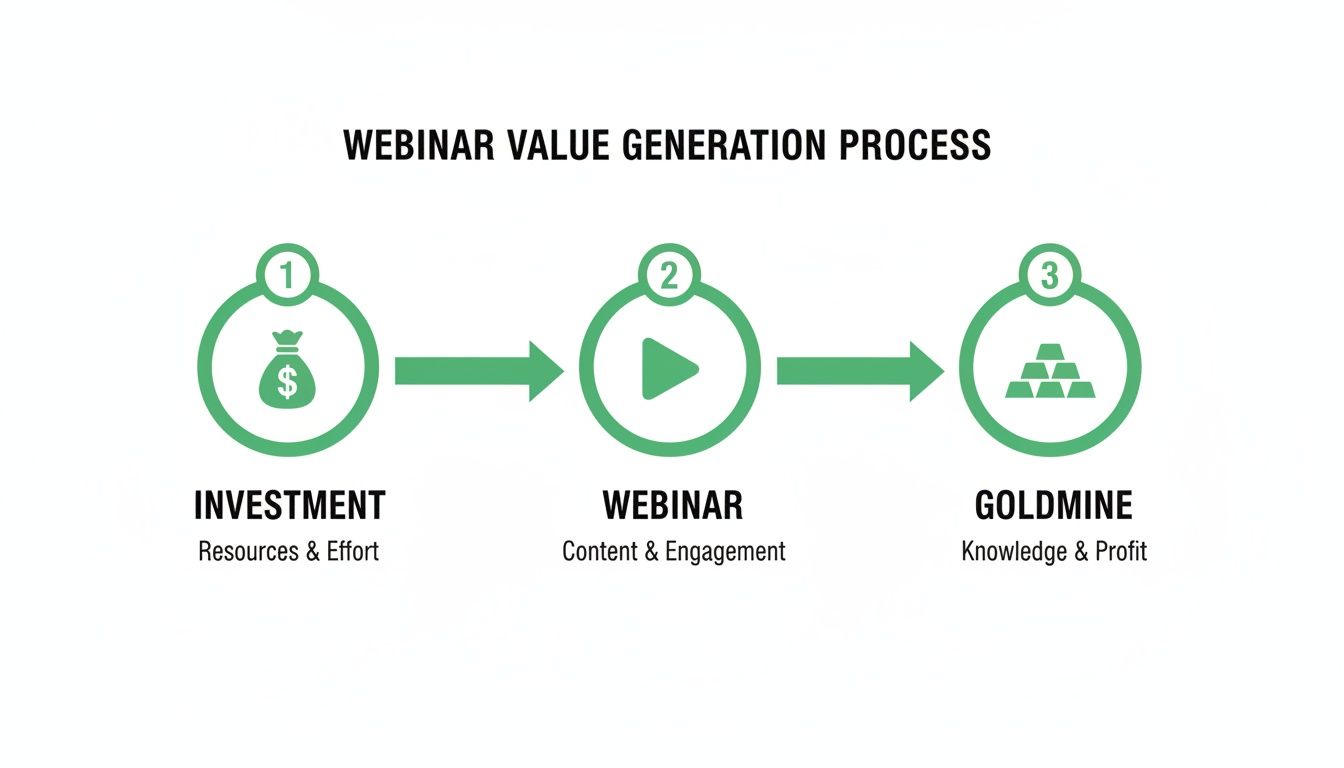
It’s a simple flow, but it highlights the core principle of a modern content strategy: get the absolute maximum value from your biggest content investments.
From Upload to Asset Library in Minutes
The whole point is to remove the friction. Using a platform like RepurposeMyWebinar, you go from a raw recording to a polished content library in one move. Just upload the video file, and the AI gets to work. It understands the context, pinpoints the key moments, and automatically applies your branding.
Instead of spending days trying to coordinate different tasks and people, you get everything you need almost instantly. This kind of automation is the secret to scaling your content output without having to scale your team or your budget.
Generating Your Core Content Assets
Once your webinar is processed, you’ll see a dashboard filled with ready-to-use assets. This is where the magic really happens, turning one hour of conversation into weeks of marketing material.
Here’s what you can expect to get back:
- An SEO-Optimised Blog Post: The AI transcribes the entire discussion and then structures it into a proper article, complete with headings, summaries, and key takeaways. This is an immediate win for capturing long-tail search traffic related to your webinar topic.
- Dozens of Social Video Clips: The system identifies the most compelling soundbites—those killer stats, insightful questions, or expert predictions—and turns them into short, captioned video clips. You can easily generate 10-20 clips from a single session, perfect for getting attention on LinkedIn and X. We’ve got more ideas in our guide on creating a webinar clip generator.
- Professional Image Quotes: Instantly create 6-16 professional image quotes featuring powerful statements from your speakers. Your brand colours, logo, and fonts are applied automatically, so every graphic is 100% on-brand and ready to post.
- Drafted LinkedIn Text Posts: The AI also pulls out key concepts and drafts them into text-only posts, which are fantastic for sparking conversations and debates on LinkedIn.
This approach completely changes the content production game for SaaS teams.
Manually repurposing one webinar can take a skilled team 20-40 hours of coordinated effort. With an automated platform, you can generate a full suite of assets in just 5-10 minutes of processing time, cutting your total hands-on involvement to under an hour.
To put this into perspective, let's compare the two approaches for a single 60-minute webinar. The difference in time, cost, and effort becomes starkly clear.
Manual vs Automated Repurposing for One Webinar
| Repurposing Task | Manual Method (Time/Cost) | Automated Method (Time/Cost) |
|---|---|---|
| Transcription | 2-4 hours (Human service) or 1-2 hours (DIY) | 5-10 minutes (AI-powered) |
| Blog Post Writing | 6-10 hours (Writer + editor) | 10-15 minutes (AI draft + human review) |
| Video Clip Creation | 8-15 hours (Video editor) | 5-10 minutes (AI clip generation) |
| Graphic Design | 3-6 hours (Designer) | 2-5 minutes (AI-generated with templates) |
| Social Copywriting | 2-4 hours (Copywriter) | 2-5 minutes (AI-generated drafts) |
| Total Time | 21-39 hours | < 1 hour (hands-on time) |
| Estimated Cost | US $1,000 - $2,500+ (Freelancers) | Included in subscription |
As you can see, the savings aren't just marginal—they're transformative. This frees up your team to focus on strategy and distribution instead of getting bogged down in production.
The Power of AI in Modern Marketing
This isn’t some future-gazing concept; this level of efficiency is here now. AI-powered content repurposing has become a genuine game-changer, especially for UK B2B marketers trying to maximise their webinar ROI.
Recent data shows that 87% of B2B marketers are now using AI to support their virtual events. The efficiency gains are massive, with AI repurposing features saving marketers over 13,000 hours annually and generating approximately US $650,000 in cost savings per year. For UK-based SaaS teams, these figures represent a huge operational advantage.
This blueprint isn't just about saving time. It's about unlocking a consistent, reliable flow of high-quality content that you simply couldn't produce otherwise. By automating the grunt work, you can finally focus on the strategic distribution that drives real business results—turning your webinar archive into your most valuable content engine.
Your 30-Day Content Distribution Plan
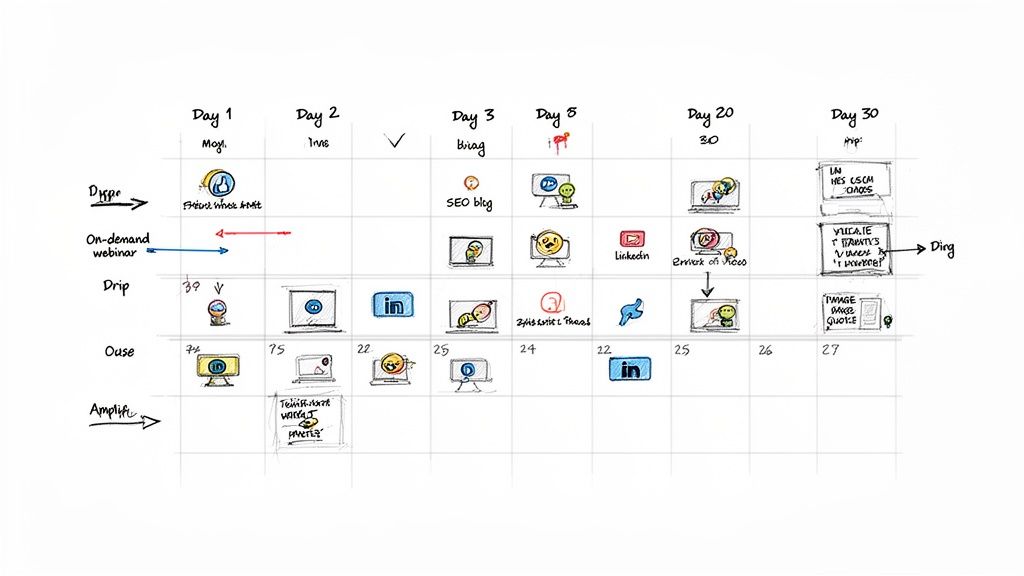
Creating a library of high-quality assets is a huge step, but honestly, it’s only half the battle. To see a real return on your webinar, you need a smart, deliberate distribution strategy that gets your content in front of the right people at the right time.
Without a plan, even the best assets will just sit there, collecting digital dust.
This isn’t about just randomly posting and hoping for the best. It’s about creating a sustained ‘echo chamber’ effect around your webinar’s core message. The goal is to build momentum, turning a single event into a month-long campaign that captures attention from every angle.
The trick is a carefully sequenced rollout. By staggering the release of different asset types, you can engage various audience segments on their preferred platforms, maximising visibility without causing content fatigue.
Week 1: The Launch and SEO Foundation
The first week is all about making a big impact and laying the groundwork for long-term discovery. The aim here is to capture the initial post-webinar buzz while securing your search engine rankings for the long haul.
- Day 1: The On-Demand Recording: Get the full, on-demand webinar recording live. Email it to all registrants—both attendees and no-shows—and announce it across your primary social channels like LinkedIn. Frame it as an exclusive resource for those who want the full deep dive.
- Day 3: The Pillar Blog Post: Publish the SEO-optimised blog post generated from the webinar. This is your cornerstone asset for capturing organic traffic. Make sure it’s internally linked to relevant product pages and other blog content, then promote it heavily on LinkedIn and X as the ultimate summary of key takeaways.
- Day 5: The First Video Clip: Share your strongest, most impactful video clip. This should be a compelling soundbite or a surprising statistic that completely stops the scroll. The goal here is pure engagement—likes, comments, and shares—to signal to the algorithms that your content is valuable.
Week 2: Driving Social Engagement
With the core assets live, the focus shifts to a steady drip of bite-sized content designed for social media algorithms. This is where you put all those clips and quotes your automated system created to work.
This phase is all about sparking conversations and driving traffic back to your pillar blog post.
A simple schedule might look like this:
- Monday: Post a branded image quote with a thought-provoking question in the caption.
- Wednesday: Share another short video clip, this time focusing on a different key point from the webinar.
- Friday: Post a text-only LinkedIn post summarising a key insight, and be sure to encourage comments and discussion.
The secret to a successful distribution plan is consistency. Turning one 60-minute webinar into a 30-day content calendar ensures your brand stays top-of-mind. It moves you from a sporadic content schedule to a predictable, high-impact presence that builds real authority.
Week 3: Reinforcing the Message
By the third week, your audience has seen your core message in multiple formats. Now it’s time to reinforce it with different angles and keep fuelling the conversation. This keeps your content feeling fresh while hammering home the key value propositions.
You should mix up the formats to maintain audience interest. Try sharing an audiogram snippet on LinkedIn, posting a carousel of several image quotes, or running a poll related to the webinar's central theme. Don't forget to tag speakers and relevant companies to expand your reach.
This consistent, multi-format approach ensures your message really sinks in. It caters to different learning styles—some people prefer video, others prefer reading—and makes your content feel ubiquitous.
Week 4: The Final Push and Evergreen Strategy
In the final week, the goal is to drive any remaining engagement and set your assets up for long-term success. This is your last chance to capture leads from the initial promotional burst before the content transitions into your evergreen library.
Your final promotional push could include a few key moves:
- A round-up email to your newsletter subscribers summarising the best insights and linking to all the assets.
- Reposting the most successful video clip or quote from the past month.
- Pinning the pillar blog post to the top of your X profile or featuring it on your company's LinkedIn page.
After 30 days, the active promotion winds down, but the value keeps on coming. The SEO blog post will continue attracting organic traffic, and your sales team can keep using the video clips for months. This is the true power of an effective plan to repurpose webinars for SaaS—it turns a one-time cost into a long-lasting business asset.
Arming Your Sales Team with Webinar Assets
Your marketing content shouldn’t live in a silo. When you repurpose webinars for SaaS, the assets you create are far more than just top-of-funnel marketing tools; they’re powerful sales and customer success resources that can directly speed up your revenue cycle.
Think about it. Your sales team is on the front lines, handling tough questions and specific objections every single day. Instead of trying to explain a complex feature for the tenth time, what if they could send a 60-second video clip of your product expert explaining it perfectly? This is where a strategic internal content library changes the game.
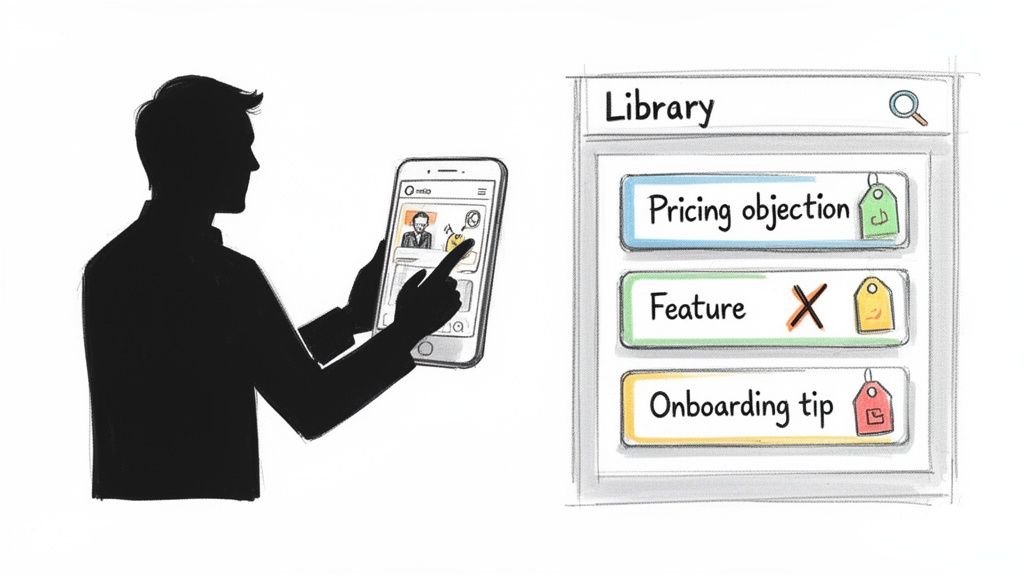
This approach transforms your webinar archive from a marketing expense into a high-impact sales enablement engine. It arms your revenue teams with exactly what they need to close deals faster and keep customers happy.
Building Your Internal Content Library
First things first, you need to create a centralised, easily searchable hub for all your repurposed assets. Please, don't just dump files into a shared drive and call it a day. A well-organised library makes it effortless for anyone in the company to find and share the right piece of content in seconds.
Using a platform like RepurposeMyWebinar eliminates the grunt work of creating and tagging all these assets. Once you process a webinar, you instantly have a collection of clips, quotes, and summaries ready to be organised and deployed.
Here’s how we recommend structuring your library for maximum impact:
- Tag by Topic or Theme: Use tags like “competitor comparison,” “pricing objection,” or “integration features.”
- Tag by Product Feature: If a clip discusses your new AI dashboard, tag it “AI dashboard” so reps can find it instantly.
- Tag by Funnel Stage: Label content for “top-of-funnel,” “mid-funnel consideration,” or “bottom-of-funnel decision.”
This simple system empowers your sales team to pull the perfect asset at the perfect moment—without ever having to bother the marketing team.
A well-tagged library of webinar assets puts your company's best expertise on demand. It turns every sales rep into a subject matter expert, capable of delivering the perfect, concise answer to any prospect question in seconds.
Actionable Use Cases for Sales and Success Teams
The real value kicks in when your teams start using these assets in their daily workflows. Instead of writing long, complicated emails, they can share bite-sized, high-impact content that does the selling for them. This not only saves a huge amount of time but also provides social proof and builds credibility.
For the Sales Team:
Imagine a sales rep is on a call, and the prospect brings up a concern about implementation being too complex. The rep can follow up immediately with an email containing a two-minute video clip from a webinar where a happy customer describes their smooth onboarding. That’s far more powerful than a simple reassurance, right?
- Handling Objections: Send a video clip of a speaker directly addressing a common objection.
- Nurturing Leads: Share a concise blog post summary to keep a warm lead engaged between calls.
- Demonstrating Value: Forward an image quote with a powerful statistic that reinforces your solution's ROI. If you're looking for more ideas, we have a complete guide on how to extract powerful quotes from any webinar.
For the Customer Success Team:
Your customer success managers (CSMs) can use these assets to improve retention and drive expansion. If a client is struggling to adopt a new feature, a CSM can send them a short tutorial clip extracted directly from a product training webinar. Easy.
- Onboarding New Users: Share a series of short clips that walk new customers through key features.
- Encouraging Feature Adoption: Send a brief summary of a webinar that highlights the benefits of an underutilised feature.
- Proactive Support: Share a "best practice" clip to help customers get more value from your platform, reducing churn risk.
By turning your webinar library into a company-wide resource, you multiply its value exponentially. It stops being a "marketing thing" and becomes a core business asset that drives efficiency, accelerates deals, and improves the entire customer experience. With a solution like RepurposeMyWebinar, you can build this sales enablement engine automatically, without needing to hire a video editor or a dedicated content manager.
Measuring the True ROI of Your Content
So, how do you prove all this effort to repurpose your webinar is actually working? Creating a library of assets is one thing, but if you can’t connect them back to real business outcomes, you’re just creating noise. It's time to get past vanity metrics like likes and shares and start tracking the results that really matter—the ones that justify your strategy and lock in next year's budget.
Measuring the return on investment (ROI) from repurposed content doesn't have to be complicated. At its core, it’s about attributing value back to that initial webinar investment. You spent thousands on the live event; now we're going to prove how that single cost is generating returns for months.
Tracking KPIs for Each Asset Type
Every piece of content you spin out from your webinar has a different job to do, so you need to track the right key performance indicators (KPIs) for each one. A short video clip isn't meant to rank on Google, and a blog post isn’t going to go viral on LinkedIn in the same way.
Here’s a simple framework for tracking what matters:
- SEO Blog Post: The main goal here is long-term organic visibility. You’ll want to track organic traffic coming to the post, keyword rankings for your target terms, and any new marketing qualified leads (MQLs) that come through the calls-to-action in the article.
- Social Media Clips & Quotes: Think of these as your engagement drivers. Keep an eye on views, comments, shares, and click-through rates back to your website or the main blog post. It's all about measuring audience interaction and brand reach.
- Gated Content (e.g., Summaries, Checklists): This is purely about lead generation. The metric is straightforward: the number of form submissions or new contacts added to your database. Simple.
- Sales Enablement Assets: The impact here is measured by how much it helps your sales team. Track how often reps share the assets and, where you can, their influence on deal progression or even time-to-close.
Connecting Performance Back to Investment
Once you have these KPIs, you can start weaving together a compelling ROI story. The B2B marketing world in the UK and Europe has shifted heavily towards channels that deliver tangible value. Webinars are a perfect example—recent data shows they're incredibly effective, second only to in-person events.
While organic social media dominates at 89% and corporate blogs are used by 84% of UK marketers, webinars hold a strong 55% adoption rate. This tells you the initial investment was sound. You can dig into more of these UK B2B marketing insights on Root Digital.
By repurposing your webinar, you’re simply extending that proven effectiveness across the channels your audience uses most, like blogs and social media.
The real magic of webinar repurposing is in the compound gains. A single investment fuels your SEO engine, your social media calendar, and your sales team for an entire quarter. It’s not about the ROI of one blog post; it’s about the total value generated from one initial cost.
A Simple ROI Calculation
You don’t need a ridiculously complex attribution model to get started. A simple calculation is often all you need to show the value you're creating.
Total Value of Repurposed Assets - (Initial Webinar Cost + Repurposing Cost) = ROI
To figure out the "Total Value," you can assign a monetary value to the leads you've generated, calculate the cost-equivalent of your organic traffic (what you'd have paid in PPC ads for the same clicks), and even factor in the time saved for your sales and marketing teams.
With a platform like RepurposeMyWebinar, the "Repurposing Cost" becomes a predictable, low subscription fee, which makes the ROI calculation look even better. You get to ditch the high, unpredictable costs of freelancers and juggling multiple software tools.
This whole framework gives you a clear, defensible way to prove that repurposing your webinars isn't just a "nice-to-have" content tactic—it's a smart, measurable business strategy that drives serious returns.
Your Next Steps: Stop Wasting Time and Start Repurposing
Right, you’ve seen the playbook. Now it's time to get off the content treadmill for good.
The fastest way to see just how powerful this automated repurposing is? Try it. You can get your first project running in the next five minutes, right from your desk.
Forget juggling freelancers or stitching together five different software tools. All you need is a recording of a webinar you've already run. That’s it. From there, you’re just a few clicks away from turning it into a whole suite of professional, on-brand assets.
How to Guarantee a Quick Win on Your First Go
Don't just grab the most recent webinar from your archive. Be strategic about which one you pick first.
- Pick a proven winner: Start with a webinar that pulled in a great crowd and had lots of engagement. If people loved it live, that's a massive signal the content will resonate across other channels.
- Or, pick an evergreen topic: Got a webinar that tackles a timeless, core pain point for your ideal customer? Perfect. Repurposing that one means the assets you create will keep delivering value for months, maybe even years.
Once you’ve picked your recording, the heavy lifting is already over.
Seriously. With a platform like RepurposeMyWebinar, you just upload the video file and tell it what you want. Need an SEO-optimised blog post? Done. A dozen video clips for LinkedIn? Easy. A folder of image quotes for social? The AI handles it all in minutes, leaving you with a library of content ready to deploy.
Stop letting your best content collect dust after the live event. You can turn one insightful 60-minute webinar into 30+ days of high-impact content. This is your chance to see just how simple it is to build a scalable content engine.
There's really no reason to wait. See the results for yourself and finally squeeze every last drop of value from the expert content you've already worked so hard to create.
Start your free trial of RepurposeMyWebinar today and get your first project live in minutes.
Your Questions, Answered
Thinking about turning your webinars into a full-blown content engine? Good. Here are some straight answers to the questions that usually pop up when SaaS teams start looking at this seriously. We’ll cover time, technical content, and what to expect.
How Long Does This Actually Take?
Doing this the old-fashioned way is a massive time sink. If you get a writer, a video editor, and a designer in a room (or a Slack channel), you’re easily looking at 20-40 hours to properly dismantle a single 60-minute webinar. It's slow, tedious, and expensive.
Now, if you use an AI platform built for this, like RepurposeMyWebinar, the timeline shrinks dramatically. You upload the recording, and in about 5-10 minutes, it generates the blog post, video clips, quotes, and social copy. The platform handles the heavy lifting like transcription and branding, so your actual hands-on time drops to less than an hour for a quick review and a few final tweaks.
Can AI Really Handle Our Technical SaaS Content?
Yes, and honestly, it excels here. Modern AI doesn't need to be a subject matter expert on your niche B2B SaaS product. Its job isn't to invent knowledge; it's to extract the key insights directly from the experts who were already speaking on your webinar.
Think of it as a production assistant. It takes those complex, technical discussions and carves them up into accessible, shareable snippets. Your team just needs to give the AI-generated assets a quick once-over to ensure 100% accuracy, and you're good to go.
Which Webinar Should I Repurpose First for the Best Results?
Don't just grab the most recent recording. To get the biggest bang for your buck right out of the gate, you want to be strategic. Start with one of these two:
- A proven winner: Go back through your analytics and find a webinar that had great attendance and tons of engagement (like questions in the chat). That’s a massive signal that the topic has legs.
- An 'evergreen' classic: Pick a webinar that tackles a fundamental, timeless pain point for your ideal customer. This kind of content stays relevant for a long, long time, meaning the assets you create from it will keep delivering value for months, if not years.
What Kind of Content Can I Realistically Create from One Webinar?
A single 60-minute session can generate a surprising amount of material. You can genuinely fuel your entire content calendar for a month or more, without feeling like you're scraping the bottom of the barrel.
A single webinar recording can be transformed into one SEO-optimised blog post, 10-20 short-form video clips for social media, 6-16 branded image quotes, several audiograms for podcast feeds, and multiple text-based posts for platforms like LinkedIn.
It’s about turning that one-off event into a reliable, repeatable system for content creation.
Stop letting your best content collect digital dust in a forgotten folder. With RepurposeMyWebinar, you can turn your webinar archive into a powerful, automated content engine that saves serious time and shows a clear return.
Start your free trial today and get your first project live in minutes.