The Time-Saving Webinar Marketing Strategy for Maximum ROI
Discover a proven webinar marketing strategy to generate leads, save time, and prove ROI. Learn to plan, promote, and repurpose webinars for maximum impact.
A powerful webinar marketing strategy does more than just fill seats for a live event. It turns a single 60-minute recording into a content engine that generates leads and proves its value long after you’ve gone offline. It's about building a repeatable system for planning, promoting, and running your webinar, then squeezing every last drop of ROI out of it.
This is how you stop treating expensive webinars as a ‘one-and-done’ deal and start building a sustainable, time-saving marketing asset.
Your Blueprint for a High-ROI Webinar Strategy
Let's be direct: webinars are expensive and time-consuming. The biggest mistake is treating them like isolated events, completely missing the chance to amplify their impact. A modern, ROI-driven webinar strategy is built on seven core pillars that transform your investment into a return you can actually measure. We're moving away from fuzzy goals and towards clear outcomes, like pipeline growth and a lower cost per lead.
The game changes when you see your webinar recording not as an archive, but as raw material. That 60-minute file is the source for a month's worth of killer content. When one webinar can be automatically turned into dozens of social media clips, a detailed blog post, and 6-16 image quotes, the entire cost-benefit analysis shifts in your favour.
The True Cost of Neglecting Strategy
Without a strategy, webinars become an expensive headache. The real pain isn't just the upfront cost; it's the missed opportunity. Every recording gathering digital dust is a wasted chance to engage prospects and cement your authority. A smart strategy prevents this by making content repurposing a non-negotiable part of the plan from day one, eliminating the manual grind.
In the UK's competitive B2B market, webinars are a lead generation powerhouse. They deliver an impressive 213% ROI on average, with a cost-per-lead of just US $70. That figure crushes alternatives like LinkedIn Ads (at US $410 per lead) or trade shows (a staggering US $820 per lead). For any budget-conscious B2B marketer, the choice is clear. To see the full financial breakdown, check out the complete webinar marketing strategy report.
This guide provides a repeatable framework to turn every webinar into a machine that fuels your content calendar for months. It saves you time, cuts out the need for multiple tools or hiring freelancers, and delivers the professional results you need to prove your value.
A great webinar strategy isn't about a perfect live event. It's about a system that extracts every ounce of value, turning one hour of effort into weeks of marketing momentum without the manual work.
By following a structured plan, you ensure every part of your process—from topic selection to post-event follow-up—is optimised for maximum impact and a healthy return on investment.
The Seven Pillars of a Modern Webinar Strategy
To build an effective webinar marketing plan, focus on these seven essential pillars. They are the building blocks for turning your webinars from simple events into powerful, long-term marketing assets that prove their ROI.
| Pillar | Key Objective |
|---|---|
| 1. Goals & Audience | Define clear business outcomes and identify the ideal attendee persona. |
| 2. Topic & Speaker | Select a compelling topic and a credible speaker that resonates with your audience. |
| 3. Promotion & Funnel | Build a multi-channel promotion plan and a seamless registration funnel. |
| 4. Live Engagement | Use interactive tactics like polls, Q&A, and chats to keep attendees hooked. |
| 5. Follow-Up & Nurture | Create automated email sequences to convert attendees into customers. |
| 6. Measurement & KPIs | Track key performance indicators to measure ROI and identify improvements. |
| 7. Repurposing & Scale | Turn the webinar recording into a library of multi-channel content assets. |
By mastering each pillar, you create a holistic system where every action builds on the last, ensuring your investment delivers measurable and lasting results.
Planning and Promotion for Maximum Attendance
A successful webinar is won long before you go live. Success starts with a solid plan and a promotion strategy that gets the right people to show up. This phase is about building momentum and creating the feeling of an unmissable event, right from your first announcement.
The foundation of a high-attendance webinar is a topic that solves an urgent problem for a specific audience. Vague topics attract casual browsers. Instead, zero in on a precise pain point. For example, instead of "An Introduction to SEO," try "How SaaS Companies Can Triple Demo Requests with a 3-Step SEO Tweak." The specificity promises a tangible, valuable result for your ideal attendee.
Building Your Promotional Timeline
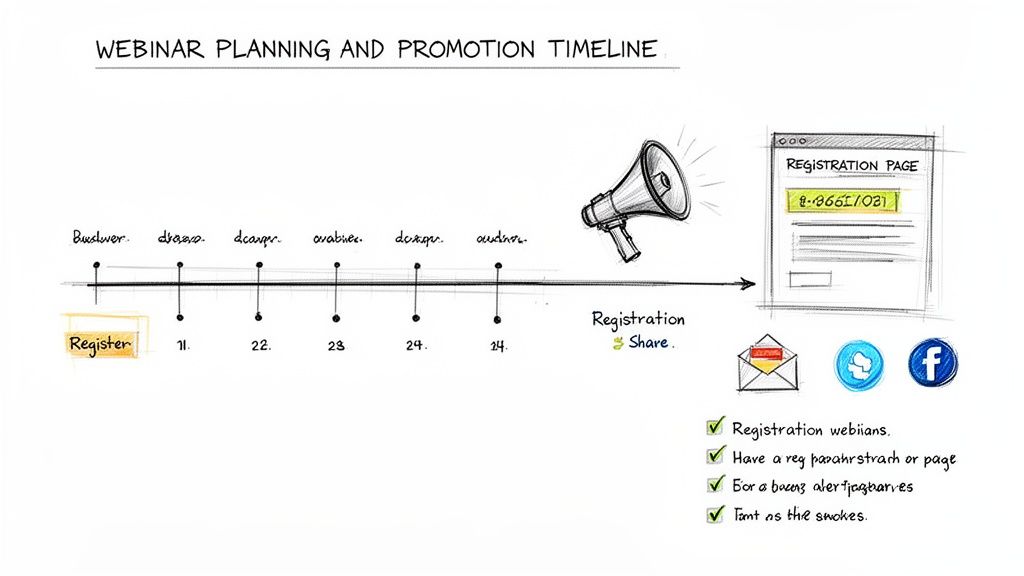
A common mistake is promoting too late. You need to start making noise at least two to three weeks before the event. This gives you enough time to build awareness without fatiguing your audience. A promotional calendar prevents last-minute panic and ensures you hit all your channels effectively.
Here’s a simple, actionable timeline:
- 3 Weeks Out: Announce the webinar to your email list and post a "save the date" teaser on LinkedIn.
- 2 Weeks Out: Send a follow-up email focusing on the problems you'll solve. Share the speaker's bio to build credibility and start targeted social media ads.
- 1 Week Out: Increase frequency. Send an email highlighting a key takeaway and start posting daily on social channels.
- 3 Days Out: Send the "last chance to register" email. A little urgency works wonders.
- Day of Event: Send a final reminder 1-2 hours before you go live. Up to 17% of attendees register on the day, making this final push critical.
Crafting a High-Converting Registration Page
Your registration page has one job: turn visitors into registrants. Keep it simple, clean, and focused on the benefits. Every element, from headline to sign-up button, should scream value. A well-designed landing page with a clear value proposition can achieve conversion rates of up to 51%.
Your promotional materials must answer one question for the prospect: "What specific, valuable outcome will I get from giving you 60 minutes of my time?" If the answer isn't immediately obvious, they won't register.
To drive sign-ups, your page must include these essentials:
- A Compelling Headline: State the primary benefit and call out your target audience directly.
- Benefit-Oriented Bullet Points: List 3-5 key takeaways framed as solutions to their problems.
- Speaker Information: A professional headshot and short bio highlighting their expertise builds instant trust.
- A Simple Form: Only ask for what you absolutely need—usually a name and business email. Every extra field reduces conversions.
By mapping out a structured promotional plan and creating a laser-focused registration page, you build a powerful funnel that drives high-quality sign-ups. This methodical approach ensures your virtual room is filled with an engaged audience. To amplify your message further, explore various content distribution strategies.
Engaging Your Audience During the Live Event
The moment you go live, you’re fighting for attention against a dozen other browser tabs and notifications.
Getting people to show up is half the battle. The real magic happens when you turn passive viewers into active participants. Simply talking at them for 60 minutes is a guaranteed way to make them tune out.
Instead, strategically weave in interactive elements that pull them into the conversation. Live polls, Q&A sessions, and a lively chat are essential for keeping people focused and gathering priceless feedback.
Kickstart Interaction from the First Minute
Don't wait to ask for engagement. Launch a poll within the first three to five minutes. A simple question like, "What's your biggest challenge with [your topic]?" achieves two critical things.
First, it immediately gets attendees to interact. Second, it gives you real-time insight into their pain points, allowing you to tailor your presentation to what they really care about. This simple tactic transforms a one-way broadcast into a two-way dialogue.
Fuel the Conversation with Strategic Q&A
A dedicated Q&A at the end is standard, but encouraging questions throughout is far better. Have a moderator flag relevant questions to be answered in the moment or grouped for later. This makes the session feel more like a dynamic workshop than a static lecture.
This approach not only keeps energy levels high but also provides a rich source of customer intelligence. The questions people ask reveal knowledge gaps, objections, and buying signals that are pure gold for your sales and marketing follow-up.
Engagement isn't just about keeping people awake. Every poll response, chat message, and question asked is a data point that helps you identify your most interested prospects and understand what truly matters to them.
Recent data shows that UK audiences crave interaction. Webinar engagement in the B2B space has skyrocketed, with the average engagement time hitting 51 minutes and a 68% surge in reactions per attendee.
These highly engaged events see incredible results, including 3X more meeting bookings and a 51% uptick in live chat participation. You can dig into more of these powerful stats in the 2025 Webinar Benchmarks Report.
Drive Action with Clear Calls to Action
The final five minutes are your most valuable. Deploy a clear, compelling call-to-action (CTA). Use your platform's built-in CTA feature to display a clickable button that takes attendees exactly where you want them to go.
Make the offer time-sensitive to create urgency. For example:
- "Book a 15-minute strategy call with our expert in the next 24 hours and get a free audit."
- "Download the exclusive checklist we discussed, available only for live attendees."
By mastering these live engagement tactics, you’ll do more than improve the attendee experience. You'll turn your webinar into an interactive data-gathering machine, arming your team with the insights needed for highly effective follow-up sequences.
Turning Attendees into Customers After the Event
The webinar doesn’t end when you click “Stop Broadcast.” That’s when the work that actually drives ROI begins.
It's painful to see marketers invest thousands in a brilliant live event, only to follow up with a generic “thanks for coming” email. That’s not a strategy; it’s a missed opportunity. An effective post-webinar plan is what turns interest into revenue.
It’s about continuing the conversation. The secret is to stop blasting everyone with the same message and start segmenting based on their engagement.
Segment Your Audience for Maximum Impact
Immediately split your audience into groups based on behaviour. Sending the same email to a highly engaged attendee and a no-show is a surefire way to be ignored.
Start with these three core segments:
- Live Attendees: Your hottest leads. They are ready for a direct, value-packed follow-up.
- No-Shows: A missed webinar doesn't mean a lack of interest. This group needs an easy way to catch up.
- Partial Viewers: They were interested enough to join but dropped off. Your job is to pull them back in by highlighting the best content.
Segmenting this way lets you craft relevant messages that dramatically boost the odds they’ll take the next step.
Crafting High-Converting Nurture Sequences
Once segmented, build automated, tailored email sequences. Automation saves your sanity and ensures no one slips through the cracks. The goal is to deliver the right content at the right time.
For your Live Attendees, maintain momentum. Get the on-demand recording into their inbox within hours, along with any promised resources. The call to action here can be more direct, like "book a demo."
For No-Shows, the goal is simple: get them to watch the content. Your email should tease the top takeaways and feature a prominent link to the recording. Roughly 45% of all webinar attendees watch on-demand, so getting this right is critical.
A great follow-up sequence feels like a helpful, personalised continuation of the conversation, guiding each attendee to the next logical step based on their demonstrated interest.
Finally, for Partial Viewers, use data. If your platform tracks engagement, send them a clip of the most valuable section they missed. It shows you’re paying attention and gives them a low-effort way to re-engage. For more post-event ideas, our guide on what to do after hosting a webinar offers more detail.
By implementing a segmented, automated follow-up system, you build a powerful conversion engine that turns every attendee into a sales opportunity—without burying your team in manual work.
Scaling Your Impact with Intelligent Repurposing
The webinar is over. The recording is saved. It’s tempting to move on, but that recording is a content goldmine waiting to be exploited.
The old way was a logistical nightmare: manually chopping up video, writing summaries, and briefing designers. It was a slow, expensive grind requiring multiple tools and freelance budgets. Nobody has time for that.
A modern webinar strategy sees the recording as raw material for a cascade of valuable content. The goal isn’t to work harder; it’s to work smarter by getting your message across every channel with a fraction of the effort.
From One Hour to One Month of Content
Imagine turning a single 60-minute webinar into 30 days of high-quality, multi-channel content. This is what happens with intelligent, automated repurposing.
The process is simple. You upload your MP4 file, and a system like RepurposeMyWebinar gets to work, churning out a suite of assets perfectly formatted for different platforms. This systematic approach transforms one expensive event into a long-term marketing engine that keeps proving its ROI.
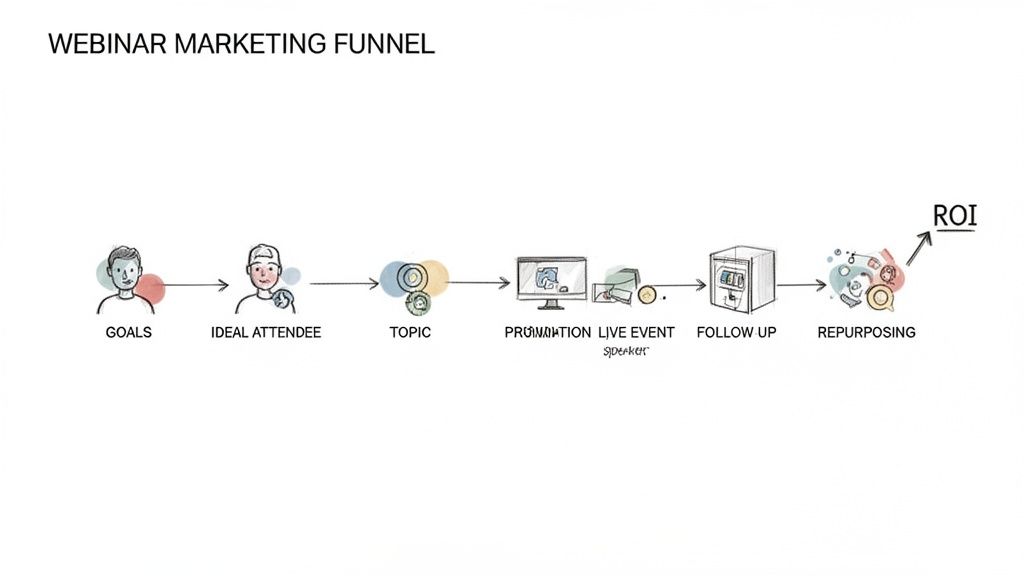
This simple flow shows how intelligent repurposing fuels the entire post-webinar journey.
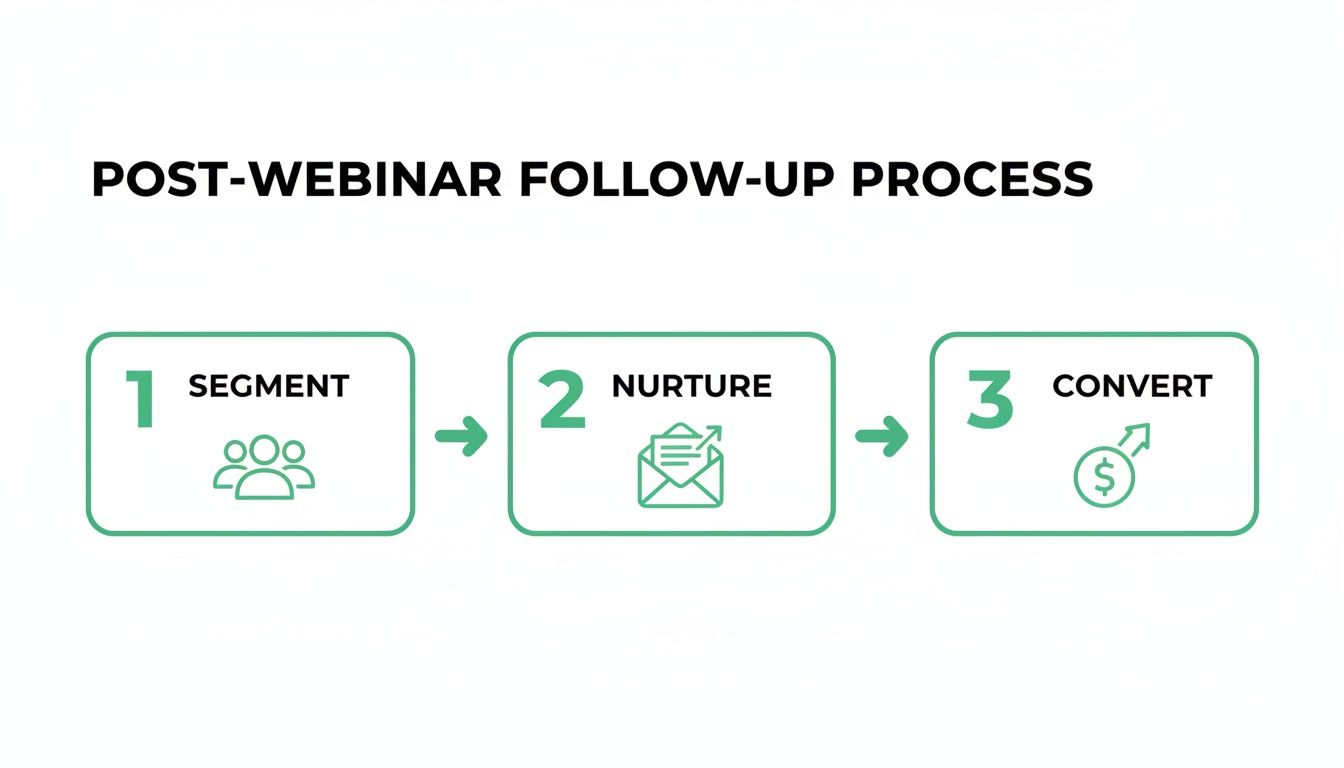
The key takeaway is that scaling your impact depends on a structured, automated process to guide your audience from engagement to conversion.
The Power of an Automated Workflow
Manual repurposing is a classic time-sink. It means hiring a video editor, writer, and graphic designer, or forcing your team to juggle complex tools. An automated solution like RepurposeMyWebinar eliminates all that friction.
Here’s what that looks like in practice:
- SEO-Friendly Blog Posts: An AI-generated article based on the transcript, ready to publish.
- Short-Form Video Clips: Punchy snippets perfect for TikTok, Instagram Reels, and YouTube Shorts.
- LinkedIn Carousels: Compelling, multi-slide posts that capture key insights.
- Impactful Image Quotes: Between 6-16 shareable graphics highlighting your speaker's most powerful statements.
This isn’t just about speed; it's about consistency. A platform like RepurposeMyWebinar automatically applies your brand kit—logos, colours, and fonts—to every asset. The result is professional, on-brand content that’s ready to publish immediately, without you ever opening a video editor.
For a deeper look into the process, check out our guide on how to repurpose webinar content.
Manual vs Automated Repurposing Workflow
| Task | Manual Method (Time & Cost) | RepurposeMyWebinar (Time & Cost) |
|---|---|---|
| Video Clip Creation | 4-6 hours with a video editor (US $180-$360) | 15 minutes (Included in subscription) |
| Blog Post Writing | 3-5 hours with a copywriter (US $150-$300) | 5 minutes (Included in subscription) |
| Social Media Graphics | 2-3 hours with a designer (US $100-$180) | 10 minutes (Included in subscription) |
| Brand Consistency | Manual checks, requires brand guidelines | Automated brand kit application |
| Total Estimated Time | 9-14 hours | ~30 minutes |
The numbers speak for themselves. Automation doesn't just save time; it fundamentally changes the economics of content creation, allowing you to produce more for less.
Proving ROI with Scalable Content
Scaling your content output tackles a major challenge for UK marketers. Although 5.3% of UK professionals rank webinars as their top channel for returns, a surprising 6% currently use them.
This points to a massive opportunity, especially since 29% of marketers plan to increase their webinar usage. This signals a clear strategic shift towards more scalable engagement. You can dig into the numbers yourself by reading the full UK digital marketing statistics for 2025.
By automatically creating dozens of assets from a single event, you drastically lower your cost per piece of content and multiply your touchpoints with potential customers, making the initial investment much easier to justify.
The true value of a webinar isn't in live attendance; it's in its longevity as a core content asset that can be endlessly remixed to fuel every other marketing channel.
Switching from a manual grind to an intelligent, automated system is the key to unlocking this value. It frees your team to focus on strategy instead of getting bogged down in production. This is how you build a webinar marketing strategy that systematically builds your brand's authority over the long haul.
Measuring Success and Proving Webinar ROI
A great webinar doesn't end when the live session does. The real work—proving its value—is just getting started. To justify your budget and get stakeholders excited, you need to speak their language: data.
Forget vanity metrics like registration numbers. The finance department wants to know the cost per lead (CPL), the registration-to-attendee rate, and how many attendees turned into real sales opportunities.
This is how you change the conversation from, "We had a busy webinar" to "This webinar generated US $60,000 in new sales pipeline."
Connect Webinars to Your CRM
The secret to proving ROI is to pipe your webinar data directly into your Customer Relationship Management (CRM) system.
When you connect your webinar platform to your CRM, you get a complete picture of an attendee's journey. You can track them from registration to contract. This is the only way to answer the questions that matter:
- Which webinars generate the most sales-qualified leads (SQLs)?
- What was the pipeline value influenced by our Q2 webinar series?
- How many deals did we close last quarter that had a webinar as a touchpoint?
Without this connection, you can’t accurately attribute revenue, which means you can't prove the massive value your webinar programme is delivering.
Build Your ROI Dashboard
You need a simple, visual way to report on your key performance indicators (KPIs). Build a straightforward dashboard that tells a clear story with a few key metrics.
Proving ROI is about telling a clear financial story. It's the final, critical step that transforms your webinar marketing from a cost centre into a recognised revenue driver for the business.
Your dashboard should focus on a handful of metrics that scream efficiency and financial return.
Essential KPIs for Your Dashboard:
- Registration-to-Attendee Rate: A health check for your promotion and topic selection. A strong rate (typically 40-50%) proves you’re attracting a genuinely interested audience.
- Cost Per Lead (CPL): Simple but powerful. Divide your total webinar cost by the number of qualified leads it generated. It’s the perfect metric for showing how cost-effective webinars are.
- Pipeline Influence: Track the total value of all sales opportunities that included a webinar as a key touchpoint. This metric directly links your event to potential revenue.
- Revenue Attribution: The holy grail. This shows the amount of closed-won revenue that can be traced back to your webinar efforts. It's the ultimate proof that your work fuels the bottom line.
When you consistently track and report on these KPIs, you build an undeniable case for your webinar strategy. You’re no longer just "hosting events"—you’re building a predictable, scalable engine for business growth.
Frequently Asked Questions
Got questions about webinar marketing? Here are quick answers to the most common sticking points.
How Long Should a B2B Webinar Be?
Aim for 45 to 60 minutes. This is the sweet spot.
Industry data shows the average attendee stays for about 51 minutes, giving you enough time for a solid presentation (35-40 minutes) and a lively Q&A (10-15 minutes) without losing their attention.
What Is the Best Day and Time to Host a Webinar?
The middle of the week is best. Wednesdays and Thursdays consistently pull the best attendance numbers.
As for time, late morning usually wins. Think 10 AM or 11 AM in your audience's main time zone to avoid clashing with morning meetings or lunch breaks.
How Far in Advance Should I Promote My Webinar?
Start promoting at least two to three weeks before the live event. This gives you enough time for a steady promotional cadence.
A huge chunk of sign-ups will flood in during the last 24-48 hours, so make sure you have a final promotional push ready for that critical window.
How Do I Start Repurposing My Webinar?
Getting started is simple. Just upload your webinar recording (the MP4 file) to a platform built for this.
From there, select the assets you want—like short video clips, a full blog post, or quote graphics. The system does the heavy lifting, processing the video and delivering a folder of ready-to-use content in minutes. It eliminates the manual work and saves a massive amount of time.
Stop wasting hours on manual editing and start getting more from your webinar content. With RepurposeMyWebinar, you can turn a single recording into a full month of on-brand, ready-to-publish assets in minutes—no designers, editors, or multiple tools needed. Try it for free today.