What To Do After Hosting a Webinar: 10 Steps to Maximise Your ROI
Don't let your investment go to waste. Learn what to do after hosting a webinar with our 10-step checklist to repurpose content and generate leads.
You've invested thousands of US Dollars and countless hours into creating a fantastic webinar. The speakers were brilliant, the audience was engaged, and the live event was a success. Congratulations. But if your post-webinar plan is just a single 'thank you' email, you're leaving 90% of the value on the table. The hours and days immediately following your event are critical for converting attendees into customers and transforming that one-hour recording into a month-long content engine.
Many marketers understand this in theory, but the reality is often a logistical nightmare. The manual process of downloading, editing, transcribing, and formatting content creates a time-consuming bottleneck that completely kills momentum. That expensive, high-value asset gathers digital dust while your team moves on to the next fire. This guide changes that.
We've created a practical, 10-step playbook on precisely what to do after hosting a webinar. It focuses on actionable, ROI-driven strategies that save time, simplify workflows, and eliminate the manual grind. Forget juggling multiple tools or hiring freelancers. We'll show you how to efficiently turn that single recording into a pipeline-generating machine, moving from a costly one-off event to a sustainable source of leads, authority, and measurable business impact. Let's get started.
1. Send Thank You and Resource Emails to Attendees
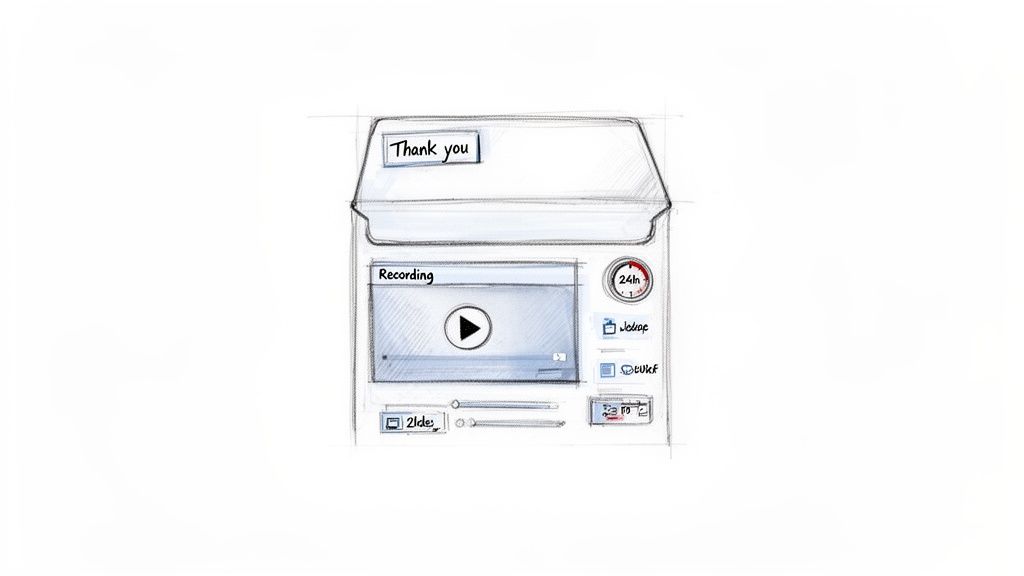
The single most important action to take immediately after your webinar is to send a thank-you email to everyone who attended. This isn't just a polite gesture; it's a critical first touchpoint that capitalises on the momentum you've built. The goal is to reinforce the value you provided, offer immediate access to resources, and pave the way for a continued relationship. This email is the foundation for converting passive viewers into active, engaged leads.
This communication solidifies your brand's professionalism and demonstrates a commitment to your audience beyond the live event. Failing to follow up quickly risks losing the interest and goodwill you worked so hard to generate. This is a key step in maximising the ROI from your webinar investment.
How to Execute This Effectively
Your thank-you email should be more than just a link to the recording. It's an opportunity to provide a comprehensive resource package that keeps attendees engaged.
- Segment Your Audience: Don't send a one-size-fits-all email. Create at least two segments: one for those who attended live and another for those who registered but didn't attend. The "no-show" email should have a subject line like "Sorry we missed you - here's the webinar recording" to entice them to engage.
- Provide Key Resources: Include direct links to the webinar recording, a PDF of the slide deck, and any other resources mentioned during the presentation (e.g., templates, checklists, white papers). Make these assets easy to access.
- Include a Clear Next Step: Guide your audience on what to do next. This could be a link to book a demo, an invitation to a related event, or a link to a relevant blog post that expands on the webinar topic.
For example, Marketo (Adobe) often segments its follow-up emails by job title, sending role-specific takeaways to make the content more relevant and actionable for each recipient. This personalised approach significantly increases engagement.
2. Create and Distribute Repurposed Content Across Channels
Your webinar doesn't end when the live session is over; that’s just the beginning. The next crucial step is to repurpose your webinar content into various formats to distribute across multiple channels. This strategy multiplies the ROI of your initial investment, transforming a single one-hour event into a month's worth of valuable marketing assets. By doing this, you extend the life of your content and engage audiences who prefer different formats or simply missed the live event.
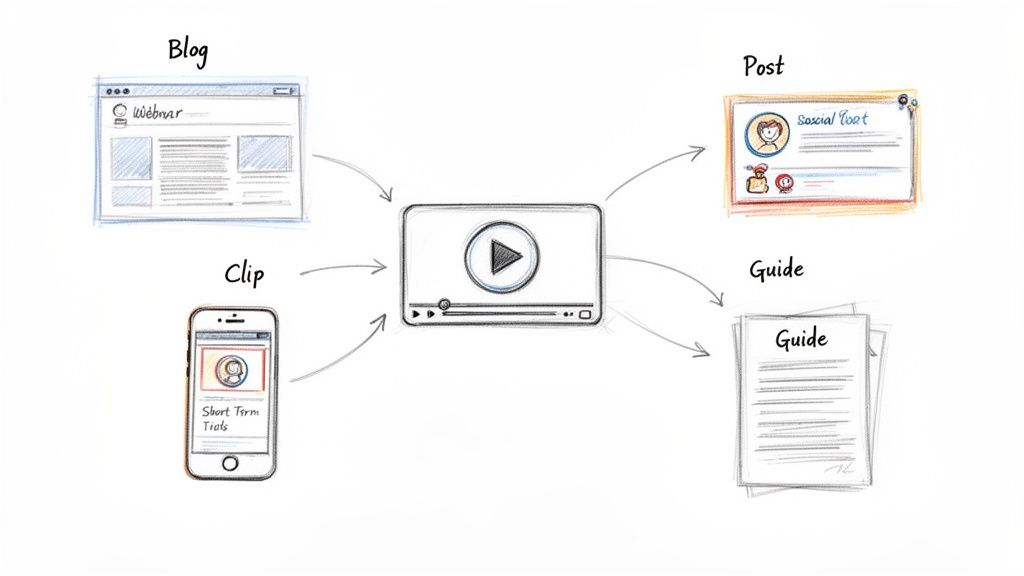
Failing to repurpose your webinar is like producing a film and only showing it once. You leave significant value and potential leads on the table. A well-organised content distribution plan ensures your key messages reach a wider audience, reinforcing your brand's authority and keeping your content pipeline full without reinventing the wheel. This is a foundational tactic for anyone wondering what to do after hosting a webinar to maximise its impact.
How to Execute This Effectively
Transforming your webinar recording requires a strategic, multi-platform approach. The goal is to atomise the core content into bite-sized, platform-native assets.
- Plan Your Content Calendar: Before the webinar even airs, map out a 4-6 week distribution schedule. For example, a single 60-minute B2B SaaS webinar can be turned into one in-depth blog post, five LinkedIn text posts, three short video clips for social media, and a three-part email nurture sequence. Spacing this content out prevents audience fatigue.
- Tailor Content for Each Channel: Customise your headlines, copy, and calls-to-action for each platform. Highlight different speakers or key takeaways to create multiple unique story angles. For instance, a powerful quote can become a compelling image carousel on LinkedIn, while a data point can be a quick, impactful Tweet.
- Leverage Different Formats: Go beyond simple video clips. Turn key statistics into an infographic, transcribe the audio for a detailed blog post, and use short audiograms for platforms like LinkedIn. HubSpot Academy is a prime example, often repurposing a single webinar into YouTube videos, certification course modules, and downloadable checklists.
By implementing effective content distribution strategies, you can ensure your message resonates across the entire customer journey, from initial awareness to deep engagement.
3. Segment Attendees and Create Targeted Follow-Up Sequences
Moving beyond a generic, one-size-fits-all follow-up is one of the most impactful things to do after hosting a webinar. Segmenting your audience allows you to deliver highly relevant content that speaks directly to each individual's level of interest and intent. This personalised approach acknowledges that not every attendee is at the same stage of the buyer's journey, dramatically increasing the effectiveness of your follow-up and boosting conversion rates.
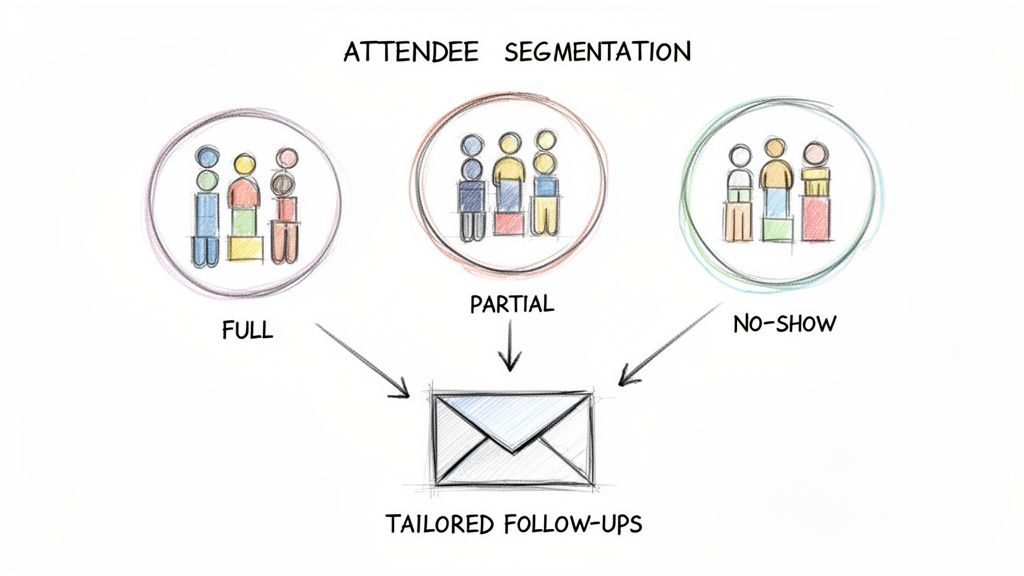
By tailoring your communication, you transform your follow-up from a simple notification into a strategic conversation. This demonstrates a sophisticated understanding of your audience's needs, which strengthens your brand's authority and accelerates leads through the sales funnel much more efficiently than a single, broad-stroke email ever could.
How to Execute This Effectively
Effective segmentation relies on combining behavioural data from the webinar with demographic and firmographic data from your CRM. The goal is to create distinct cohorts and map out a unique journey for each.
- Define Your Segments: Start with simple, behaviour-based groups. A common approach is to create segments for full attendees (e.g., watched >75%), partial attendees (watched <75%), and registrants who did not attend.
- Layer in Intent Data: Refine these segments by layering in firmographic or role-based data. For example, a C-level executive who attended the full session is a much hotter lead than an intern who dropped off after 10 minutes. Create a high-touch sequence specifically for these high-value decision-makers.
- Customise Email Sequences: Develop tailored multi-email nurture sequences for each segment. A highly engaged lead might receive a case study and a demo invitation, while a "no-show" receives the recording and a summary of key insights to encourage re-engagement.
- Incorporate Repurposed Assets: Use repurposed webinar content like short video clips, key quote graphics, or a blog post summary to add variety and value to your email sequences. This keeps the conversation fresh and reinforces your core messages across different formats.
For example, a SaaS company could create a segment for attendees from target accounts who asked a question during the Q&A. This group would receive a personalised sequence referencing their specific question, followed by a relevant case study and a direct calendar link to book time with a sales specialist. This hyper-targeted approach significantly increases the likelihood of converting interest into a sales opportunity.
4. Conduct Post-Webinar Surveys and Gather Feedback
Moving beyond the initial thank-you email, a post-webinar survey is an essential tool for gathering direct feedback and qualifying leads. This isn't just about asking if attendees enjoyed the session; it's a strategic intelligence-gathering operation. The data you collect informs future content, improves presentation quality, and uncovers valuable insights for sales and marketing. This step transforms your webinar from a one-time event into a continuous feedback loop that drives your entire content strategy.
This proactive approach demonstrates that you value your audience's opinion and are committed to improvement. Critically, it also provides another high-value engagement touchpoint, helping to re-engage attendees who might otherwise go cold. Analysing this feedback is a key action when considering what to do after hosting a webinar to maximise its long-term value and ROI.
How to Execute This Effectively
A successful survey is brief, targeted, and sent promptly. Your goal is to capture insights while the webinar experience is still fresh in the attendee's mind.
- Keep it Short and Simple: Aim for 5-7 questions maximum. Long surveys suffer from extremely low completion rates, often below 10%. Focus on questions that will deliver actionable data, not just vanity metrics.
- Ask a Qualifying Question: Include one behaviour-focused question to segment high-intent leads for your sales team. For example, "When are you planning to evaluate a solution like ours?" This simple question can be a powerful trigger for your sales qualification process.
- Time it Right: Send the survey link within 24-48 hours of the webinar. This timing ensures higher recall and a better response rate. Integrate it into a follow-up email that also provides resources.
For instance, Gong famously asks attendees two key questions: "How relevant was this content?" and "When do you plan to evaluate a solution?". These responses are automatically routed to their CRM, ensuring high-intent leads are flagged for immediate sales follow-up. This turns a simple feedback form into a powerful, automated lead generation machine.
5. Identify and Nurture Hot Leads with Sales-Qualified Follow-Up
Not all attendees are created equal. The next crucial step in what to do after hosting a webinar is to analyse engagement data to pinpoint your most sales-ready leads. This process moves beyond simply collecting registrations; it involves identifying individuals who demonstrated strong buying intent through their actions during the live event. The goal is to bridge the marketing-to-sales handoff swiftly and effectively, arming your sales team with the context they need to have meaningful, high-converting conversations.
This targeted approach transforms your webinar from a broad awareness play into a powerful lead generation engine. By immediately routing these "hot leads" to your sales reps while their interest is at its peak, you significantly accelerate the sales cycle. Failing to act on these behavioural signals means leaving high-potential revenue on the table and allowing warm leads to go cold.
How to Execute This Effectively
A systematic approach to lead scoring and routing is essential. This ensures no high-intent prospect slips through the cracks and that your sales team’s time is focused where it matters most.
- Define Pre-Webinar Scoring Criteria: Don’t wait until after the event. Establish clear rules for what constitutes a hot lead. For instance, an attendee who stays for 45+ minutes of a 60-minute webinar and asks two technical questions could be automatically flagged for sales.
- Provide Sales with Context: Equip your sales team with specific engagement details. Provide reps with email templates that reference the lead's activity, such as, "I saw you asked about Salesforce integration during our webinar yesterday…" This context makes outreach far more personal and effective.
- Automate the Handoff: Set up automated workflows in your CRM or marketing automation platform. When a lead meets your defined criteria (e.g., job title is 'VP of Sales' and post-webinar survey response is 'We plan to evaluate in Q2'), an alert should be sent to the assigned sales rep immediately.
- Implement Real-Time Monitoring: For high-value or target accounts, assign a dedicated sales development representative (SDR) to monitor the webinar chat and Q&A in real-time. This allows for immediate, personalised follow-up, sometimes even before the webinar has concluded.
6. Optimize and Promote Webinar Recording for Organic Discovery (SEO)
Your live webinar may be over, but its value as a lead-generation asset has just begun. By transforming the recording into SEO-optimised, long-form content, you create a marketing engine that passively attracts qualified traffic and leads for months or even years. This isn't just about posting a video; it's about strategically converting your one-hour presentation into a permanent, high-ranking piece of content that answers your audience's most pressing questions.
This process turns a time-bound event into an evergreen asset, maximising the ROI from your initial investment. Failing to optimise for search means you're leaving a significant amount of long-term, organic traffic on the table. This is a crucial step in any content strategy that considers what to do after hosting a webinar for sustainable growth.
How to Execute This Effectively
Your goal is to make your webinar content discoverable to a new audience searching for solutions on Google and YouTube. This requires a multi-pronged approach to content creation and optimisation.
- Publish a Comprehensive Transcript: Convert the full webinar transcript into a long-form blog post. Search engines favour fresh, comprehensive content, so aim to publish this within a week. Enhance it with headings, images from your slides, and clear calls-to-action.
- Target Long-Tail and Question-Based Keywords: Instead of broad terms like "sales enablement," focus on specific, high-intent phrases your audience is searching for, such as "how to improve sales enablement for remote teams." This attracts a more qualified audience.
- Optimise for YouTube: Host the recording on YouTube with a keyword-rich title and a detailed description. Add timestamps to create video chapters, which improves user experience and helps Google index specific sections of your video. For an in-depth guide, explore best practices for time-stamping YouTube videos.
- Build Internal Links: Within your new blog post, strategically link to relevant product pages, other blog articles, and gated resources. This distributes "link juice" across your site and guides visitors deeper into your marketing funnel.
For example, HubSpot regularly turns its webinar transcripts into 2,000+ word blog posts. By optimising these for specific keywords and embedding strong CTAs, many of their posts rank in the top three on Google, driving a consistent flow of thousands of monthly views and leads long after the live event has concluded.
7. Launch a Strategic Content Series from Key Webinar Insights
A single webinar is a valuable asset, but its true power is unlocked when you treat it as the cornerstone of a larger content campaign. By identifying the most resonant topics, questions, or objections from your live event, you can develop a multi-part content series that addresses audience needs comprehensively. This strategy transforms a one-off event into a sustained conversation, positioning your brand as an authoritative thought leader and fuelling your content calendar for weeks or even months.
This approach is a crucial part of what to do after hosting a webinar because it maximises your initial investment. Instead of constantly searching for new topics, you are strategically deepening the engagement with an already interested audience. It’s a highly efficient way to build trust and guide prospects further down the sales funnel with relevant, high-value content.
How to Execute This Effectively
A successful content series requires planning and a clear understanding of what your audience wants to learn next. The goal is to create a cohesive journey that builds on the webinar's foundation.
- Mine Your Q&A for Topics: The questions your attendees asked are a goldmine. They reveal precisely where their knowledge gaps and biggest challenges lie. Prioritise the most frequently asked or complex questions as the central themes for your series.
- Plan the Entire Series in Advance: Before publishing the first piece, map out the entire series. For a webinar on ‘Sales Enablement Best Practices,’ your series could include a blog post on fundamentals, a downloadable collateral audit template, a short video on role-based training, and a measurement framework checklist. This ensures a consistent and logical flow.
- Gate High-Value Assets Strategically: While some content should be freely available to build trust, gate 2-3 of your most valuable pieces (like templates, checklists, or ebooks) behind a simple form. This allows you to capture new leads from an audience that has already shown interest in the topic.
- Promote Each Instalment Individually: Treat each piece of the series as a mini-campaign. Promote each blog post, video, or template across your email lists, social media channels, and potentially through targeted paid ads to maximise reach and re-engage your audience at every step.
8. Create Case Studies and Customer Testimonials from Attendee Success Stories
Your webinar audience contains a valuable, often untapped resource: powerful success stories. Transforming attendee achievements into compelling case studies and testimonials is a high-impact strategy that turns passive listeners into vocal brand advocates. This process provides your sales and marketing teams with authentic, high-converting social proof that directly addresses prospect pain points and builds immense credibility. It's a key part of what to do after hosting a webinar to maximise long-term value.
This strategy converts the theoretical knowledge shared during your webinar into tangible, real-world results that other potential customers can see. By spotlighting how existing customers applied your teachings to achieve success, you create a powerful flywheel of trust and validation. Failing to capture these stories is a missed opportunity to generate potent, evergreen marketing assets directly from the audience you just engaged.
How to Execute This Effectively
Proactively identifying and nurturing these stories is crucial. The goal is to make the process simple for the customer and to focus on quantifiable outcomes that resonate with future buyers.
- Identify and Segment Potential Advocates: Immediately after the webinar, review the attendee list. Pinpoint existing customers, active trial users, or highly engaged participants (those who asked insightful questions). Tag them in your CRM for a specific follow-up sequence.
- Reach Out Quickly and Simply: Contact this select group within one week. Send a personalised email with a simple, low-friction request, such as: "Loved having you at the webinar. We'd be keen to hear if you've had a chance to apply any of the insights and what results you’ve seen."
- Focus on Quantifiable Results: When you get a positive response, guide the conversation towards specific metrics. Ask about percentage improvements, time saved, revenue gained, or costs reduced. Frame these outcomes as the core of the story to create compelling headlines.
- Offer a Clear Incentive: Encourage participation by offering a meaningful incentive for a full case study or video testimonial. This could be a gift card, a free service upgrade, or prominent logo placement on your website.
For example, Salesforce regularly identifies customers who share success stories during Q&A sessions. Their team follows up to develop these anecdotes into detailed case studies for their customer success portal, generating significant organic traffic and providing the sales team with powerful proof points. This turns a single webinar moment into a lasting asset.
9. Run Retargeting Ads to Non-Attendees and Webinar Audiences
Your relationship with your webinar audience shouldn't end when the live stream does. Running retargeting ads is a powerful strategy to re-engage every segment of your audience, from those who attended live to those who registered but couldn't make it. This approach maximises the return on your initial investment by converting missed opportunities and reinforcing your key messages to an already warm audience. It’s a crucial step in a comprehensive plan for what to do after hosting a webinar.
By using pixel-based targeting, you can serve highly relevant ads across platforms like LinkedIn, Facebook, and Google. This keeps your brand top-of-mind, drives traffic to the on-demand recording, and nurtures leads further down the funnel. Failing to retarget means leaving a significant amount of potential revenue and engagement on the table from people who have already shown interest in your expertise.
How to Execute This Effectively
A successful retargeting campaign relies on precise segmentation and tailored messaging. You can't show the same ad to an attendee and a no-show and expect optimal results.
- Segment Your Audiences: Create custom audiences for distinct groups: attendees, registered-but-didn't-attend, and even those who visited the registration page but didn't sign up. Each segment requires a unique message to be effective.
- Tailor Ad Creative and Copy: For non-attendees, use "catch-up" messaging like, "Missed the webinar? Watch the 30-minute replay now." For attendees, focus on the next step with a CTA like, "Enjoyed our webinar? Book your personalised demo today."
- Use Repurposed Content as Ads: Don't create ad assets from scratch. Use short, impactful video clips, key statistics, or powerful quotes extracted from the webinar itself. This saves immense production time and uses proven, engaging content.
- Create Lookalike Audiences: Once you identify high-quality leads from your attendee list, create lookalike audiences on platforms like LinkedIn or Facebook. This expands your reach to new, highly relevant prospects who share characteristics with your best customers.
For example, a B2B SaaS company could run a LinkedIn ad campaign targeting non-attendees with the message, "Missed our expert session on AI in marketing? Get the recording," leading to a landing page with the on-demand video. This simple tactic can achieve a cost per lead of just $25 with a 12% conversion rate, turning a missed opportunity into a valuable pipeline asset.
10. Develop a Webinar Follow--Up Playbook and Analyse Performance Metrics
Once you’ve successfully executed a few post-webinar follow-ups, it's time to stop reinventing the wheel. Creating a playbook formalises your process, documenting successful actions, timelines, and templates into a repeatable system. This ensures consistency, scales your efforts, and allows you to systematically measure what to do after hosting a webinar to maximise returns. This playbook becomes your single source of truth for converting webinar engagement into measurable business outcomes.
This strategic documentation transforms your webinar programme from a series of one-off events into a predictable, data-driven lead generation engine. Without it, you risk inconsistent execution and miss critical opportunities to learn and optimise. A well-defined playbook is the foundation for calculating true ROI and proving the value of your webinar strategy to stakeholders.
How to Execute This Effectively
Your playbook should be a living document that guides your team and evolves based on performance data. The goal is to standardise excellence while leaving room for improvement.
- Document Every Step: Map out the entire post-webinar journey, from the immediate thank-you email to long-term nurture sequences. Specify timelines for each action (e.g., "Day 1: Send recording to attendees," "Day 3: Publish summary blog post").
- Track Funnel-Wide Metrics: Go beyond registration and attendance rates. Measure engagement scores, marketing qualified leads (MQLs), sales qualified leads (SQLs), and pipeline influence. For example, a successful event might show a total investment of $3,500 leading to 47 MQLs, 18 SQLs, and three closed deals worth $150,000 in pipeline, demonstrating a clear 43:1 ROI.
- Assign an Owner and Iterate: Designate a 'playbook owner' responsible for keeping the document updated and training the team. Schedule quarterly reviews to analyse performance data and refine your approach. This includes evaluating all the content you create; for guidance on which assets perform best, discover more about how to repurpose your webinar.
For example, Marketo uses a master webinar playbook template across 15 regional offices. This allows distributed teams to execute campaigns consistently while adapting messaging for local markets, a strategy that led to a 40% improvement in lead quality year-over-year.
Top 10 Post-Webinar Follow-Up Comparison
| Item | Implementation complexity | Resource requirements | Expected outcomes | Ideal use cases | Key advantages |
|---|---|---|---|---|---|
| Send Thank You and Resource Emails to Attendees | Low–Medium — template & timing setup | Email platform, templates, minimal copywriting, tracking | Immediate engagement, high open rates, replay access | Post-webinar immediate engagement, drive next-step CTAs | Timely engagement; captures engagement metrics; reinforces credibility |
| Create and Distribute Repurposed Content Across Channels | Medium — planning + format optimization | Repurposing platform or content team, channel assets, editorial calendar | Multiplied content output, extended reach, improved SEO | Maximize webinar ROI, multi-channel content strategy | Scalable content production; cross-channel reach; saves production time |
| Segment Attendees and Create Targeted Follow-Up Sequences | High — segmentation rules & automation | CRM, marketing automation, clean data, templates | Higher conversion rates, personalized nurture, better lead qualification | ABM, targeted nurture, prioritizing sales outreach | More relevant messaging; improved conversions; automated at scale |
| Conduct Post-Webinar Surveys and Gather Feedback | Low–Medium — survey design & analysis | Survey tool, short questionnaire, minor incentives, analysis time | Direct content feedback, topic insights, lead qualification signals | Improve future webinars, collect audience preferences | Actionable attendee insights; informs repurposing and segmentation |
| Identify and Nurture Hot Leads with Sales-Qualified Follow-Up | High — real-time scoring & handoff | Lead scoring system, sales integration, alerting, contextual assets | Faster sales follow-up, higher close rates, shorter sales cycles | B2B sales enablement, high-value opportunities | Sales-ready leads with context; faster conversion; better MQL→SQL alignment |
| Optimize and Promote Webinar Recording for Organic Discovery (SEO) | Medium–High — SEO work and publishing | SEO expertise, transcript/long-form content, YouTube/blog publishing | Long-term organic traffic, passive lead generation, domain authority | Evergreen content strategy, organic demand gen | Sustained traffic; captures long-tail queries; long-term ROI |
| Launch a Strategic Content Series from Key Webinar Insights | Medium — editorial planning & cadence | Content planners, writers/video producers, gated assets | Multi-week engagement, thought leadership, lead capture | Deep-dive topics, serialized education, nurturing campaigns | Serial engagement; recurring lead capture; authority building |
| Create Case Studies and Customer Testimonials from Attendee Success Stories | Medium — interviews & production | Customer interviews, editing, approvals, incentive budget | High-converting sales assets, stronger social proof | Proving ROI to prospects, sales enablement, ad creatives | Credible social proof; quantifiable results; versatile formats |
| Run Retargeting Ads to Non-Attendees and Webinar Audiences | Medium — ad setup & creative refresh | Ad budget, pixels, creative (video/clips), landing pages, analytics | Lower CPL than cold traffic, re-engages missed audience, registrations | Recover non-attendees, re-engage attendees, audience expansion | Cost-efficient lead capture; measurable performance; lookalike scaling |
| Develop a Webinar Follow-Up Playbook and Analyze Performance Metrics | Medium–High — documentation & dashboards | Cross-team coordination, analytics tools, documented processes | Consistent execution, scalable program, measurable ROI | Organizations running recurring webinars, scaling programs | Repeatable process; data-driven improvements; time savings |
Stop the Manual Work. Start Maximising Your ROI.
The curtain falls on your live session, but the real performance is just beginning. What you do after hosting a webinar is the single most important factor determining its ultimate return on investment. The manual grind of editing clips, writing social posts, and designing graphics is a time-consuming bottleneck that prevents you from unlocking the true potential of your expensive webinar. A single 60-minute webinar contains enough material for 30 days of high-quality content—if you can extract it efficiently.
This is where most teams fail. They invest heavily in the live event but lack the time and resources to repurpose it effectively. The result? A high-value asset gathers digital dust, and the opportunity to generate leads, build authority, and prove ROI is lost forever. This isn't just inefficient; it's a huge waste of your marketing budget.
Your Post-Webinar Flywheel: From Event to Evergreen Engine
An effective post-webinar strategy turns a one-off event into an evergreen marketing engine. It focuses on two core pillars:
- Immediate Engagement: Capitalise on fresh interest with segmented follow-up emails that guide high-intent leads directly to your sales team. This is about converting warm interest into qualified pipeline, fast.
- Automated Repurposing: This is where the real ROI is generated. Instead of manually creating content, you need a system to automatically turn your webinar recording into dozens of assets—from 6-16 image quotes and SEO-optimised blog posts to short video clips for every social platform.
The goal isn't just to get more views on your recording. The goal is to systematically extract every ounce of value from the time and resources you invested, turning a single hour of effort into 30 days or more of high-impact marketing collateral.
The True Cost of Inaction
Executing this ten-point checklist manually is a daunting task. It often involves a chaotic scramble, juggling multiple software subscriptions for video editing, transcription, graphic design, and social scheduling. The process is slow, expensive, and frustrating. It can take a skilled team member upwards of 20 hours to properly repurpose a single webinar. More often than not, this friction means that valuable recordings end up gathering digital dust in a folder, their potential completely unrealised.
This is precisely the bottleneck we built RepurposeMyWebinar to eliminate. You’ve already done the hard work of planning, promoting, and presenting a fantastic webinar. Your job should be to focus on strategy and engaging with qualified leads, not wrestling with video timelines and transcription errors. By automating the entire post-webinar content creation process, you can reclaim those lost hours and ensure every webinar you host delivers maximum impact. Stop the manual grind and start maximising your ROI by turning your expertise into a library of high-performing, on-brand assets that work for you 24/7.
Ready to see how AI can transform your post-webinar workflow? RepurposeMyWebinar turns your 60-minute recording into a full month of ready-to-publish content, from social clips to SEO-optimised articles, in under 10 minutes. Start your free trial today and discover what to do after hosting a webinar, the automated way. RepurposeMyWebinar