Create LinkedIn Posts From Webinars and Save 30+ Hours a Month
Learn how to create LinkedIn posts from webinars with this guide. Turn one recording into a month of high-impact content and prove your marketing ROI.
You're sitting on a content goldmine, and it's probably gathering digital dust.
That 60-minute webinar you poured weeks of planning and a significant chunk of your budget into? It’s an expensive, high-effort asset. Yet, for most businesses, it’s treated as a one-off event. It gets recorded, shared once in a newsletter, and then forgotten. This forces your team straight back onto the content hamster wheel, scrambling for new ideas.
But that single recording is packed with everything you need to dominate LinkedIn. It contains expert insights, genuine audience questions, and compelling data points—exactly the kind of high-value content that stops the scroll and builds authority. The problem isn’t the webinar; it’s the time-consuming manual process of extracting that value.
Why Your Webinar Is a Hidden Content Goldmine for LinkedIn
Let's be direct. Manually sifting through an hour-long recording to find shareable moments is a painful, inefficient process. It’s tedious, time-consuming, and almost always gets pushed aside for more urgent tasks. This is the exact pain point where most webinar repurposing strategies fall apart because the manual work simply doesn’t deliver a clear ROI.
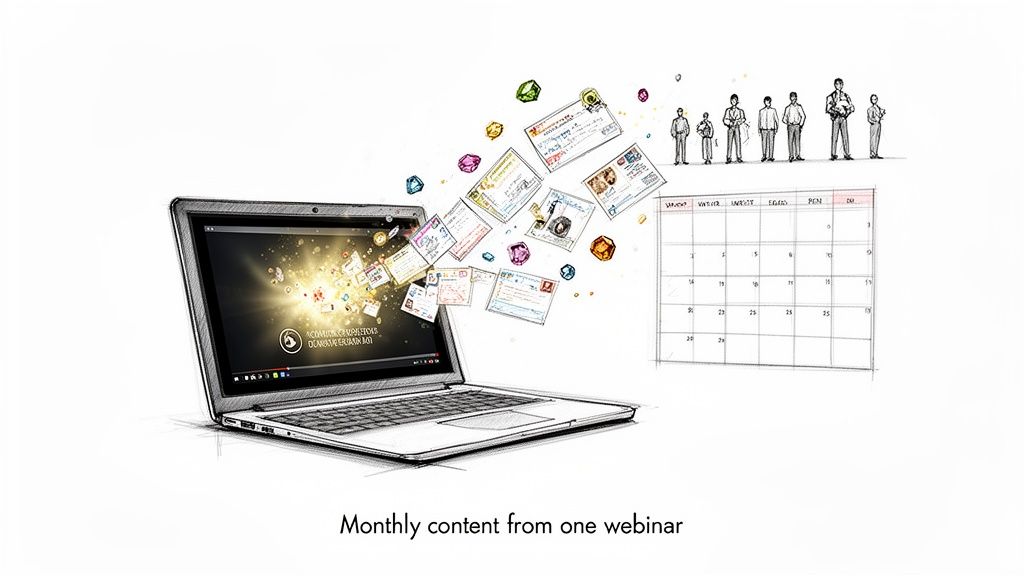
The old-school manual approach is a messy workflow that looks something like this:
- Rewatching the entire recording, probably more than once, just to find a few good quotes.
- Juggling multiple tools for transcription, video editing, and graphic design.
- Hiring expensive freelancers or overloading your design team to create on-brand assets.
The process is slow, costly, and inefficient. As a result, that treasure trove of content stays locked away, and your LinkedIn feed suffers from inconsistent, generic posts. You're left searching for new ideas when your best ones are already recorded.
A single 60-minute webinar contains enough raw material to fuel your LinkedIn content calendar for at least 30 days. We're talking dozens of quotes, multiple video clips, and several deep-dive carousels or document posts, all generated in minutes.
A Smarter Way to Create Consistent LinkedIn Content
Instead of seeing a webinar as a single event, you need to reframe it as the starting point for an entire campaign. By adopting a smarter workflow, you can systematically extract the best moments and deploy them without the manual grind, saving time and maximising your return.
Imagine turning one hour of recorded content into a month's worth of polished, engaging LinkedIn posts that build your authority and keep your brand top-of-mind, all without hiring extra staff or buying more software.
This is exactly what RepurposeMyWebinar was built for. It eliminates the manual work, the need for multiple tools, and the expense of hiring freelancers. The platform uses AI to find the best moments in your webinar, automatically creates on-brand assets like image quotes and video clips, and delivers them ready for you to schedule.
This isn't just about saving time; it's about maximising the return on your initial webinar investment. You transform a costly, underutilised asset into a reliable engine for building your brand on LinkedIn, ensuring every US dollar spent delivers lasting value.
The rest of this guide will walk you through exactly how to do it.
Finding the Best Moments in Your Webinar Recording
You have the hour-long recording. Before you can turn it into high-performing LinkedIn posts, you need a plan. A raw video file is not a content strategy, and your audience will ignore a full-length video dropped into their feed. The secret is to analyse your recording through a ‘LinkedIn lens’ to pinpoint the exact moments that will stop the scroll.
This isn’t about just hitting play and hoping for inspiration. It's a targeted hunt for the powerful quotes, actionable tips, surprising stats, and mini-stories hidden inside that recording—the moments that can stand on their own and grab attention.
The Slow Road Versus the Smart Route
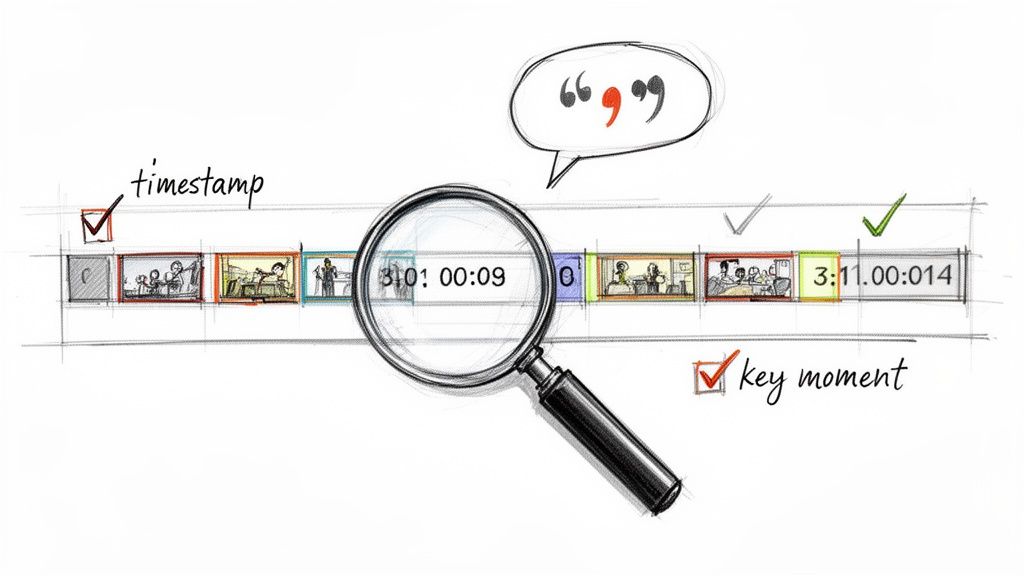
The old way of doing this is, frankly, painful. You press play, open a blank document, and start manually logging timestamps: "Good quote at 12:45," or "Interesting stat at 33:10." This slog can easily eat up hours before you've even written a single word of a post.
This manual process is a massive bottleneck. It’s slow, tedious, and it’s the main reason that expensive webinar content ends up collecting digital dust on a server.
The smart route skips this entire grind. AI-powered platforms like ours do this heavy lifting for you, saving you time and delivering professional results, fast.
Instead of spending hours scrubbing through a timeline, our AI transcribes the entire webinar in minutes. From there, it analyses the text to automatically pinpoint the most compelling questions, key takeaways, and quotable soundbites, complete with their exact timestamps.
This completely changes the game. Your workflow shifts from a reactive, time-consuming chore into a proactive, strategic planning session. You immediately get a 'content blueprint'—a clear map of all the valuable segments ready to be repurposed. You're not just saving time; you're guaranteeing no great insight gets left behind.
Building Your Content Blueprint
Once the AI has identified these key moments, you can start mapping out your content. Think of this blueprint as your guide to turning one recording into a month’s worth of varied, high-quality LinkedIn posts. The aim is to make every post feel purposeful and engineered for impact.
Here's exactly what our platform looks for when building your content blueprint:
- Punchy Quotes: Short, memorable sentences from your speaker that challenge a common belief or deliver a profound insight. Perfect for text-only posts or slick image quotes.
- Actionable Tips: The "how-to" moments where the speaker breaks down a process or offers practical advice. These can be turned into short video clips or multi-image carousels. Our guide on how to extract video clips from webinar recordings goes into much more detail on this.
- Surprising Statistics: Any mention of data, percentages, or surprising figures is pure content gold. These make for highly shareable posts that grab attention and instantly build authority.
- Audience Questions: The Q&A section is a goldmine. Each question represents a real pain point your audience has, making it the perfect starting point for a relatable post that speaks directly to their needs.
With RepurposeMyWebinar, this blueprint is automatically generated. The platform provides a full transcript and highlights these exact moments, letting you review and select your content assets in a flash. This means you can go from a raw video file to a strategic content plan in under ten minutes, eliminating the manual work that holds marketing teams back.
Crafting LinkedIn Posts From Webinar Clips That People Actually Stop For
You’ve pinpointed the gold nuggets in your webinar. Now for the simple part: turning those raw moments into polished LinkedIn posts that stop the scroll. This is where you match the right format to the right message to maximise engagement.
The goal here is to create a mix of content that appeals to different audience preferences. Some people love a quick, punchy text post. Others want to dig into a detailed carousel or document. A single webinar gives you all the raw material you need to create this variety, keeping your feed fresh and your audience engaged.
Turning Powerful Quotes into Scroll-Stopping Text and Image Posts
The simplest—and often most powerful—way to get started is by pulling out killer quotes. These are the sharp, insightful, or provocative one-liners your speaker delivered. A single strong quote can become a post that gets shared again and again.
You have two main options:
- Text-Only Posts: Highly effective when the quote is the hero. Frame it with a strong hook to pull people in, and end with a question to drive comments.
- Image Quotes: Placing that quote on a branded graphic makes it instantly more eye-catching. Manually, this is where the workflow grinds to a halt, forcing you to brief a designer or fumble around in Canva.
This is exactly the kind of time-consuming work RepurposeMyWebinar eliminates. Instead of writing a design brief, you just select the quote the AI has already found for you. The platform then generates a professionally designed, on-brand image using your company’s colours, logo, and fonts. In minutes, you can generate 6-16 unique image quotes from one webinar.
Here’s a practical example: Your speaker said, "Most companies focus on acquiring new customers, but the real growth is hiding in your existing customer base." A powerful text post would open with a hook like, "Are you ignoring your biggest growth opportunity?" then drop the quote, and close with a question like, "What's one thing you do to retain customers? Share below."
Breaking Down Complex Ideas with Engaging Carousels
Got a more complex idea or a multi-step process from your webinar? The carousel post is your best friend. Carousels are fantastic for slicing dense information into digestible, swipeable slides. They work because they encourage interaction—every swipe is a micro-commitment from your viewer.
Turn a key segment, like "Three common mistakes in project management," into a simple four-slide carousel:
- Slide 1 (Title): A bold, attention-grabbing headline.
- Slide 2 (Mistake 1): A quick explanation of the first mistake.
- Slide 3 (Mistake 2): A quick explanation of the second.
- Slide 4 (Call to Action): Ask for comments or point to a link.
Manually creating carousels is notoriously time-consuming. RepurposeMyWebinar eliminates this friction. It can take a core theme from your transcript and build a draft carousel for you, branded visuals and all, saving you hours of design work.
Building Authority with Document Posts (PDFs)
Document posts are the unsung heroes of LinkedIn. They’re PDFs that people can preview and swipe through right in their feed, and they feel much more substantial than a standard post. This format is perfect for repurposing checklists, frameworks, or key slides from your webinar.
It lets you package up your most valuable takeaways into a single, high-value asset. For example, you could turn the "Top 10 Takeaways" from your session into a clean, two-page PDF. This doesn't just provide immediate value; it positions your brand as an expert.
With RepurposeMyWebinar, you can pull key summaries and bullet points straight from the AI-generated transcript to build the foundation of a document post without ever leaving the platform. This is how you can easily turn a 60-minute webinar into 30 days of diverse content, including these high-impact document posts.
This strategic, multi-format approach is essential. In the UK, LinkedIn has a staggering 47.6 million registered users—about 81.8% of all UK adults over 18. With video content driving high engagement, turning your webinar into these varied formats is the smartest way to connect with this huge professional audience. You can discover more UK LinkedIn statistics and what they mean for marketers here.
Automating Your LinkedIn Content Workflow
Creating brilliant posts from your webinar clips is a huge win, but consistency is what truly builds authority and keeps you top-of-mind on LinkedIn. A sporadic posting schedule kills momentum.
This is where you move from creating individual posts to building a scalable, automated workflow. It’s about ensuring a steady stream of high-quality content without the daily scramble.
The goal is to batch-create an entire month of diverse LinkedIn content from just one webinar recording. It sounds ambitious, but it’s entirely achievable when you stop the manual grind and start using a system. This means having a central hub where you can manage everything from asset creation and team review to exporting posts ready for scheduling.
From Manual Grind to Automated Machine
The traditional workflow is a mess of friction points. You’re juggling video editors, graphic designers, copywriters, and scheduling tools. Each handoff is a potential delay, and the administrative overhead is enough to make anyone fall behind. It’s expensive, slow, and completely unnecessary.
An automated platform like RepurposeMyWebinar becomes the engine of your entire operation. Instead of spending hours manually clipping videos or briefing a designer for image quotes, the AI does it in minutes. This frees you up to focus on high-level strategy—refining the copy, engaging with comments, and measuring what works.
The flowchart below shows just how streamlined this process can be, turning one piece of core content into a variety of post types.
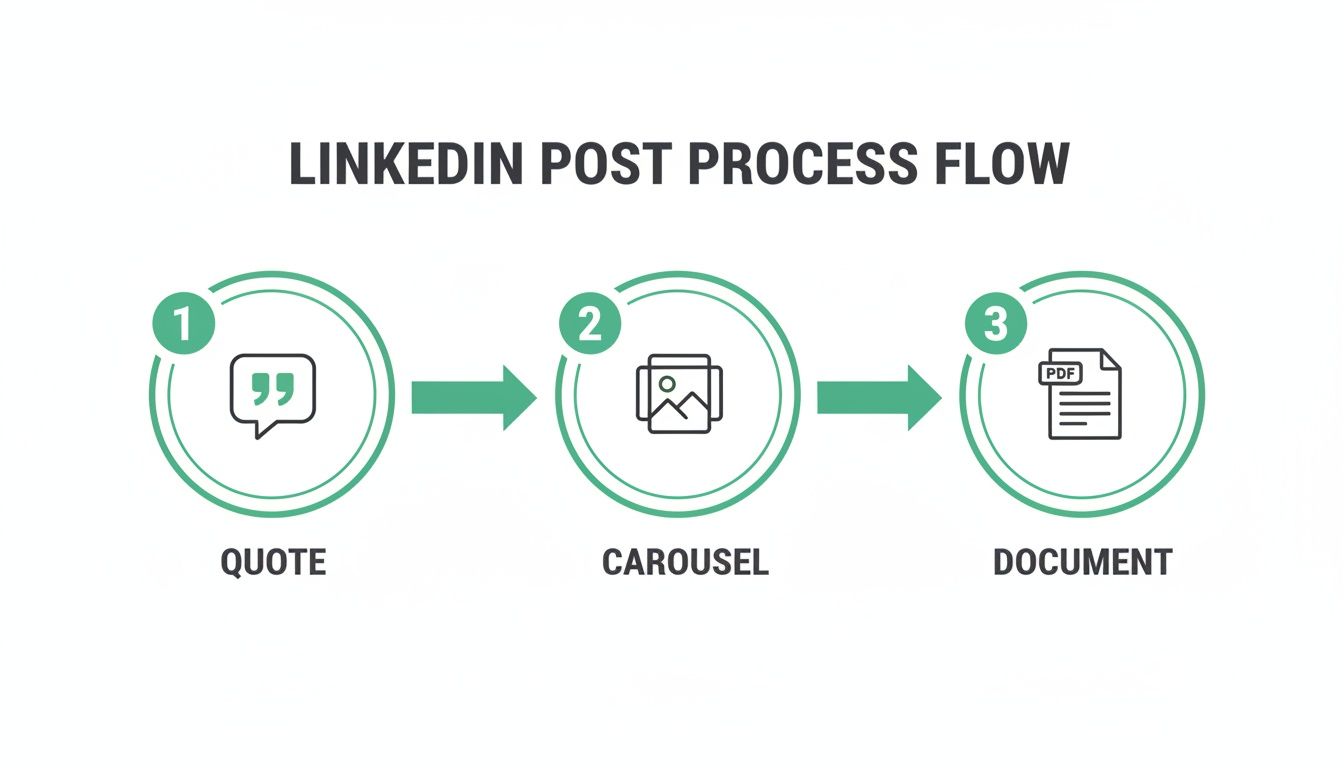
As you can see, you can effortlessly generate quotes, carousels, and documents from one webinar, ensuring your content calendar is always full.
To really grasp the difference, let’s compare the time and effort involved. The old way of doing things isn't just slower; it's a massive drain on resources.
Manual vs Automated Webinar Repurposing Workflow
| Task | Manual Method (Time per Webinar) | Automated with RepurposeMyWebinar (Time per Webinar) |
|---|---|---|
| Finding Key Moments | 1–2 hours of manual scrubbing & review | 5–10 minutes with AI-powered suggestions |
| Video Clip Creation | 2–4 hours with a video editor | 10–15 minutes for generating multiple clips |
| Carousel/Document Design | 2–3 hours briefing & working with a designer | 15–20 minutes using on-brand templates |
| Copywriting | 1–2 hours for multiple post variations | 30 minutes using AI-generated drafts for refinement |
| Review & Approvals | 1 hour+ of back-and-forth emails | 20 minutes of in-platform collaboration |
| Total Time | 7–12 hours | ~1.5 hours |
The numbers speak for themselves. Shifting to an automated system doesn't just save you a couple of hours—it gives you back an entire working day for every single webinar you repurpose, delivering a clear ROI in time saved alone.
Why Posting Frequency Is Non-Negotiable
Consistency directly impacts your reach and engagement on LinkedIn. Sporadic posting tells the algorithm that you’re not a serious contributor, and your content gets buried. But when you publish regularly, you build momentum that pays real dividends.
The data backs this up decisively. Posting frequency is a game-changer on UK LinkedIn, where accounts sharing 6-10 posts per week enjoy around +5,001 additional impressions per post and a solid +0.76 percentage points boost in engagement rate over baseline weekly posting—proven from analyses of over 2 million posts.
Push it to 11+ posts weekly, and you're looking at a massive +17,000 impressions per post and roughly 3x more engagements, with engagement rates climbing +1.4 percentage points. These UK-relevant benchmarks highlight why B2B marketers can't afford sporadic content.
This is where automation delivers clear ROI. By turning one webinar into dozens of assets, you can easily hit that optimal posting frequency without burning out your team or inflating your budget.
This automated workflow isn't just about saving time; it's a direct line to measurable growth. More impressions, higher engagement, and a stronger brand presence are the tangible outcomes of a well-oiled content machine.
Building a Scalable Review and Scheduling Process
Once your assets are generated, the next step is getting them scheduled. A centralised platform simplifies this immensely. Instead of emailing files back and forth for approval, your team can collaborate directly within the tool.
Here’s a simple, scalable process:
- Generate and Review: Use RepurposeMyWebinar to create a batch of assets (video clips, image quotes, carousels). Invite stakeholders to review them all in one place. You can find more tips in our detailed guide on using a webinar clip generator for maximum efficiency.
- Export for Scheduling: Once approved, export all your content—visuals and drafted copy—ready for your scheduling tool of choice, whether that’s Buffer, Hootsuite, or another platform.
- Schedule and Forget: Load up your scheduler with a month's worth of content. Now you can focus your daily efforts on engaging with your audience, not scrambling to find something to post.
This system transforms your content strategy from a reactive task into a proactive, strategic operation. You're no longer just creating LinkedIn posts from a webinar; you're building a reliable engine for audience growth.
Measuring the ROI of Your Repurposed Content
Creating a steady stream of LinkedIn posts from your webinar is a massive time-saver, but how do you prove it’s actually working? To justify the investment in an automated tool, you need to connect your repurposing efforts to real business outcomes. This is where we focus on data that demonstrates tangible ROI.
Your goal is to show that turning one webinar into a month of content isn't just an efficiency hack. It’s a strategic move that generates measurable value. Tracking the right numbers tells the story of how your content is driving business growth.
Moving Beyond Vanity Metrics
Likes and impressions are tempting, but they don't pay the bills. While they give you a sense of reach, they don't tell you if your content is resonating with the right people or inspiring them to take action.
Instead, focus on the metrics that signal genuine interest and intent.
These are the analytics that really matter:
- Click-Through Rate (CTR): Are people clicking the links in your posts? A solid CTR is a clear sign that your content sparked enough curiosity for them to take the next step.
- Comments and Engagement Quality: Don't just count comments; read them. Are people asking thoughtful questions or tagging colleagues? This qualitative feedback is pure gold.
- Lead Quality: If your posts link to a lead magnet or a demo request, track the quality of those leads. Are they from companies that fit your ideal customer profile?
- Profile Views and Follower Growth: A spike in profile views after a post goes live shows you’ve captured someone's attention enough for them to want to learn more about your company.
Your repurposed webinar content should do more than just fill your calendar; it should create a direct line to revenue. By tracking these deeper metrics, you can draw a clear connection between a US$5,000 webinar and the qualified leads it generates weeks or even months later.
Creating a Powerful Feedback Loop
The data you collect is for refining your entire approach. Think of your LinkedIn analytics as a powerful feedback loop that tells you exactly what hits home with your audience. Use this insight to make each new batch of repurposed content perform better than the last.
After each content cycle, ask yourself these questions:
- Which formats drove the most meaningful engagement? Was it the short video clips, the detailed carousels, or the punchy image quotes?
- What topics or quotes sparked the most discussion? This reveals the pain points your audience cares about most.
- Which posts drove the most clicks back to our website or key landing pages?
This analysis allows you to double down on what works. If you notice that posts featuring quotes from the Q&A session consistently get high engagement, you know to pull more of those next time. This iterative process transforms content creation from guesswork into a data-informed strategy.
You can learn more about building this into your broader plan by checking out our guide on creating a comprehensive webinar marketing strategy.
The Undeniable Value of Consistency
This data-driven approach is especially powerful in the current climate. Engagement on UK LinkedIn is thriving, with a solid +11% increase expected in 2025, even as the platform's user base hit 44.6 million in January 2025. This growth, combined with 23% higher impressions, makes it the perfect time to deploy high-quality B2B content from your webinars. You can explore more about the rising engagement on UK LinkedIn and see why now is the time to act.
Repurposing isn't just about saving time or money. It's about systematically extracting value from an asset you've already created and using it to refine your entire marketing approach. By measuring what matters, you prove that turning a webinar into a month of LinkedIn posts is one of the highest-ROI activities your team can undertake.
Got Questions? We’ve Got Answers
You're ready to turn your webinars into a LinkedIn content machine, but a few questions might still be lingering. Let's tackle the common ones so you can move forward with confidence.
How Long Should My Webinar Video Clips Be for LinkedIn?
The sweet spot is between 30 and 90 seconds. This is enough time to share a genuinely valuable insight without losing the attention of someone scrolling their feed.
Each clip should deliver one powerful, standalone takeaway. It’s a hook that makes people curious. You're not trying to cram in a five-minute explanation, just a single nugget of wisdom that makes them stop and listen.
Can I Really Get a Month of Content From a Single Webinar?
Absolutely. It’s not just possible; it’s the entire point of a smarter workflow. A typical 60-minute webinar can comfortably provide:
- 10-15 high-quality video clips
- 15-20 compelling image quotes
- Enough material for 4-5 carousels or document posts
Even if you only post once a day, you’ve easily got over 30 days of content from a single recording. This is the core of smart repurposing—squeezing every drop of value from an asset you've already paid to create.
Suddenly, your content workflow is a strategic, predictable system, not a constant scramble.
How Do I Keep All These Repurposed Assets On Brand?
Keeping your branding consistent is non-negotiable, but it’s a massive bottleneck when doing things manually. Managing logos, brand colours, and fonts across multiple tools is a recipe for mistakes and wasted hours.
This is where an automated solution like RepurposeMyWebinar excels. You set up your Brand Kit once—your logo, fonts, colour palette—and the system automatically applies it to every single asset for professional, on-brand results, every time.
- Image Quotes: Your logo and brand colours are added automatically.
- Video Clips: Get branded intros, outros, and subtitles in your specific brand colours.
- Carousels: Every slide uses your brand fonts and colour scheme, guaranteed.
The result? Every piece of content looks professional and is instantly recognisable as yours, without you having to play designer for every post.
What’s the Best Way to Schedule All This Content?
Batching is the key to efficiency. Forget creating and scheduling one post at a time. The smart approach is to dedicate a couple of hours to process an entire webinar in one session. Use an automated tool to generate all your clips, quotes, and carousels in a single go.
Once your assets are ready, export them with AI-generated copy drafts. Then, load everything into your scheduling tool of choice (like Buffer or Hootsuite) for the next month. It’s a “schedule and forget” approach that frees you up to focus on what matters: engaging with your audience, not wondering what to post tomorrow.
Is This Just for Live Webinars, or Can I Use Old Recordings?
You can, and you absolutely should, use your archives. Every webinar recording you have gathering digital dust is a goldmine of potential LinkedIn posts.
This is a fantastic way to breathe new life into valuable, evergreen content you already paid to produce. If you're not sure where to start, pick one of your most popular webinars from the past. It’s a simple way to get some quick wins and prove the ROI of this strategy immediately.
Stop letting your expensive webinar content go to waste. With RepurposeMyWebinar, you can turn a single recording into a month of high-performing, on-brand LinkedIn posts in minutes, not hours—eliminating manual work and the need for extra tools or hires. See how it works and start your free trial today.