How to Extract Video Clips from a Webinar and Maximise Your ROI
Learn how to extract video clips from webinar recordings to maximise your content ROI. Discover AI-powered methods to create social media assets in minutes.
You’ve run a great webinar, but now the recording is gathering dust. That’s a costly mistake. Webinars are a significant investment of time, expertise, and often thousands of US dollars to produce. Leaving that asset unused is leaving money on the table.
The good news? You can turn that single one-hour recording into a month's worth of high-performing social media content. The key is to efficiently extract video clips from your webinar—not by spending hours in a complex video editor, but by using a smarter, faster workflow designed for busy marketing teams.
Forget the manual grind of scrubbing through timelines and juggling multiple tools. AI-powered platforms like RepurposeMyWebinar automate the entire process, turning a multi-day headache into a few minutes of review. This is how you unlock the true ROI of your content.
Your Webinars Are an Untapped Content Goldmine
You've already done the hard work. But for many marketers, the value of a webinar evaporates the second the live session ends. The recording gets emailed to attendees, maybe uploaded to a resource library, and then it’s forgotten.
This is a massive missed opportunity for ROI. The live event isn’t the finish line; it’s the starting block for a powerful content engine.
By strategically extracting short, impactful video clips, you can turn a single 60-minute webinar into 30 days of content. Imagine generating dozens of assets—from video clips for LinkedIn to 6-16 image quotes—that fuel your social media, email campaigns, and sales outreach, all from one recording.
The True Cost of Inaction
Leaving high-value webinar recordings untouched is a strategic disadvantage. Every idle recording is a lost opportunity to generate leads, build brand authority, and connect with your audience on platforms like LinkedIn, TikTok, and Instagram where they spend their time.
The manual process is the bottleneck. It’s a time-consuming grind that involves:
- Endlessly scrubbing through long recordings to find a few key moments.
- Juggling multiple software tools for clipping, captioning, and branding.
- Losing hours to tedious, repetitive editing tasks that drain your team's energy.
This is precisely why so many valuable recordings are underutilised. The manual effort is simply too slow and inefficient for modern marketing teams that need to produce content at scale without burning out.
The problem isn't a lack of content. It's the lack of an efficient system to unlock the value in the content you already have. Your best marketing assets are already recorded—they just need to be set free.
The solution isn't hiring more people or buying more complicated software. It’s a smarter workflow that automates the heavy lifting. With an AI-driven platform, you skip the manual slog and instantly transform webinar recordings into a library of professional, on-brand video clips. Instead of spending a day creating five clips, you can generate thirty in under ten minutes.
If you want to dive deeper into the technology, you can explore our full guide on AI webinar repurposing.
Manual Grind vs AI Speed: A Quick Comparison
The difference between the old way and the new way is stark. The manual route is filled with friction, while an automated, AI-powered approach removes the barriers, letting you focus on strategy instead of tedious tasks.
| Factor | Manual Extraction (Traditional Tools) | Automated Extraction (AI Platform) |
|---|---|---|
| Time Investment | 3-5 hours per webinar to find and create just 5-10 clips. | 5-15 minutes to generate 20-30+ suggested clips. |
| Skill Required | Intermediate video editing skills needed. Requires knowledge of timelines, keyframes, and export settings. | Minimal. If you can review and click, you can create professional content. |
| Cost | High in terms of team hours or freelance editor fees ($50-$150/hr). | Low monthly subscription, eliminating the need for extra hires or tools. |
| Output Quality | Depends entirely on the editor's skill and patience. Often inconsistent. | Consistent, professional quality with branded templates and perfect captions every time. |
| Scalability | Very low. Repurposing multiple webinars becomes a major, time-consuming project. | High. Process multiple recordings simultaneously, building a content library fast. |
Choosing an AI platform isn't just about saving time; it's a strategic shift. It allows you to produce content at a scale and consistency that's impossible with manual methods, giving you a clear competitive advantage.
The Manual Grind Using Traditional Editing Tools
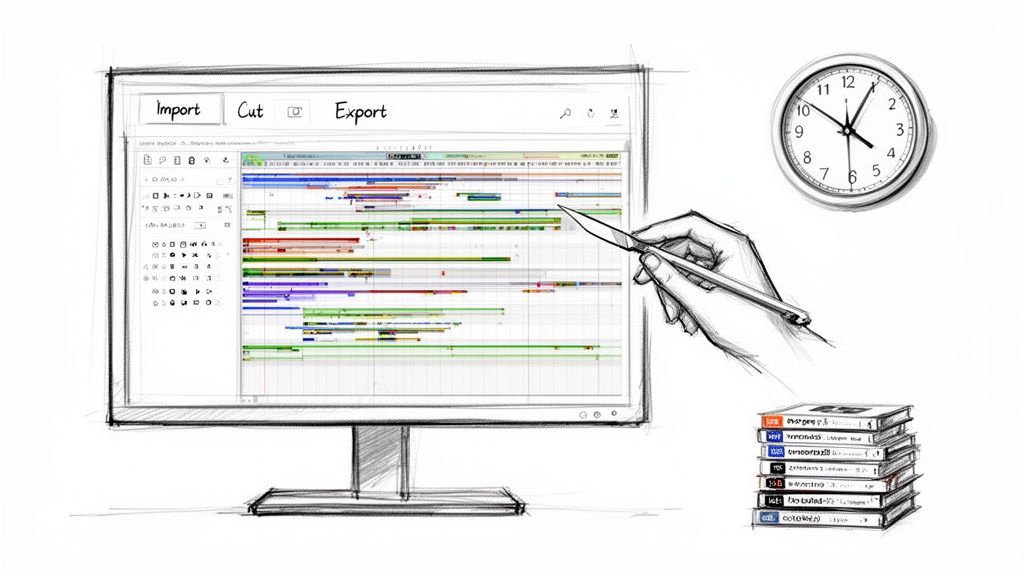
Before we get to the faster way, it’s worth understanding the old-school process many marketers are still wrestling with. This isn't just about software; it's a multi-stage workflow that absolutely drains your time and kills any creative momentum.
Tools like Adobe Premiere Pro or Final Cut Pro are incredibly powerful, but they were built for filmmakers, not for marketers who need to create content at the speed of social media.
When you decide to manually extract video clips from a webinar, you're signing up for a slow, repetitive, and often frustratingly linear process. It gets the job done, eventually. But it’s a terrible use of a skilled marketer’s time, turning a high-value strategic asset into a low-value admin headache. Let's break down what this grind actually looks like.
The Painstaking Step-by-Step Workflow
Picture this: you've just wrapped up a brilliant 60-minute webinar. The goal seems simple enough—pull out five killer 30-second clips for social media. With traditional tools, your entire afternoon is now officially booked.
First, you import the huge, gigabyte-sized recording into your editing software and wait for it to load and render.
Next comes the "scrubbing." You manually drag the playhead across the hour-long timeline, listening intently for golden nuggets—a powerful quote, a sharp insight, or a great answer during the Q&A. You might find a perfect moment at the 15-minute mark and another at 47 minutes, forcing you to re-watch huge chunks of the recording just to find the good stuff.
Isolating and Exporting Each Clip
Once you’ve found a potential clip, the real mechanical work begins. You use the blade tool to make a cut at the start and end of the segment, then zoom in to trim the frames with precision. You have to do this for every single clip.
Now your timeline is a mess of isolated segments. The next phase is exporting, which is where the inefficiency really kicks in. You have to select each clip individually, send it to the export queue, name it, check the settings, and hit render.
- Clip 1: Select, Export, Name, Render. Wait.
- Clip 2: Select, Export, Name, Render. Wait.
- Clip 3: Select, Export, Name, Render. Wait.
Rinse and repeat for every single segment. It’s not just time-consuming; it's wide open to human error, leading to inconsistencies that damage your brand's professional look.
The manual process forces you to trade strategic marketing time for low-level production tasks. The hours spent clicking, trimming, and waiting are hours you're not spending on campaign planning, analytics, or engaging with your audience.
This whole process highlights a massive mismatch. Your goal is to create content at scale, but your tools are designed for single, bespoke projects. Trying to repurpose a webinar manually feels like trying to build a car with a basic set of spanners—it’s possible, but it’s the least efficient way to get it done.
The Post-Production Nightmare
The grind doesn't stop once you have the raw MP4 files. Those clips are useless for social media as they are. Now, another round of manual labour begins, often requiring a completely different set of tools.
First: captions. Since around 85% of social media videos are watched with the sound off, burned-in subtitles are essential. This means painstakingly typing them out or using a separate transcription service, then importing the SRT file and hoping the timings are correct.
Next is branding. You’ll need to add your company logo, custom fonts, and brand colours to every single clip. This might involve creating a template in your editing software or re-importing the clips into a design tool like Canva. Again, this is a repetitive, clip-by-clip chore.
By the end of this journey, creating just five short clips from one webinar has easily eaten up half a day. The cost isn't just the US$50-150 you might pay a freelance editor per hour; it’s the huge opportunity cost of what your team could have been doing instead. This bottleneck is precisely why so many valuable webinar recordings gather digital dust. The ROI is there, but the manual effort required to unlock it is just too high for most teams.
Finding the Gold in Your Webinar Recording
Just because you can extract video clips from a webinar doesn’t mean you should. The real magic isn't in the how, it's in the what. You need to stop thinking like a video editor and start thinking like a content strategist on a mission to find moments that deliver real value on their own.
This isn’t about slicing your recording into ten-minute chunks. It’s about hunting down specific, compelling segments that make someone stop scrolling. Your job is to find snippets that not only teach something useful but also spark enough curiosity to get people clicking back to your full-length webinar.
What to Look for When Clipping
Before you even press play, have a mental checklist of what makes a fantastic clip. You're searching for moments of high impact, clarity, and energy.
Keep your eyes and ears open for these triggers:
- Powerful Quotes and Soundbites: Listen for concise, memorable sentences that perfectly nail a key idea. These are your most shareable assets.
- Surprising Statistics: A jaw-dropping statistic that challenges a common belief is an excellent, attention-grabbing hook for a video.
- Key Framework Explanations: When a speaker clearly breaks down a complex concept into a simple, step-by-step framework, that's pure gold. It offers immediate, tangible value.
- Moments of High Energy: Notice points where the speaker gets more animated or passionate. That natural energy is contagious and translates directly to better viewer engagement.
These are the core ingredients for a smart repurposing strategy. You’re not just sharing generic information; you’re extracting peak moments that can stand on their own.
Using Transcripts and Chat Logs as Your Treasure Map
Scrubbing back and forth through an hour-long video timeline is a painfully slow way to find these gems. Instead, use your webinar's transcript and chat log as a treasure map to find the best moments in a fraction of the time.
Your audience's engagement is a direct indicator of your most valuable content. If they asked a question or reacted strongly to a point, that's exactly where you should look first.
Rather than listening to the entire recording, just Ctrl+F the transcript for keywords related to your main topics. This lets you jump straight to the most relevant sections. If you want to get even faster, our article on time-stamping YouTube videos shares some related strategies that can seriously speed up your workflow.
The Q&A section is especially useful. A quick scan of the transcript shows you what your audience was most curious about. The answers that follow are often the most practical and relatable parts of the entire webinar, making them perfect candidates for short video clips.
A Practical Scenario: Uncovering Hidden Gold
Let's say you just hosted a webinar on B2B lead generation. Sifting through the whole recording could easily eat up your afternoon. Here’s a much smarter approach:
- Scan the Chat Log: Look for a sudden burst of comments. Maybe everyone went wild when your guest mentioned a 78% increase in conversions from one specific tactic. Boom. That’s Clip #1.
- Search the Transcript for "Mistake": Find the exact moment the speaker said, "The biggest mistake most companies make is..." That’s a killer hook for a social media clip. That’s Clip #2.
- Review the Q&A Section: An attendee asked, "What's the one metric you track daily?" The speaker’s direct, no-fluff answer is perfect for a short, high-value video. And there's Clip #3.
This simple process turns a tedious task into a focused, strategic exercise. It not only saves a massive amount of time but also ensures you're clipping the content your audience has already told you they care about. This is exactly the kind of intelligent workflow that platforms like RepurposeMyWebinar automate, using AI to pinpoint these high-potential moments for you and cutting out the manual search entirely.
The AI-Powered Solution to Extract Clips in Minutes
Let's be direct: the old way of creating clips is slow, expensive, and a complete waste of your team's talent. There’s a much faster way to extract video clips from a webinar, and it doesn’t involve hiring a video editor or wrestling with complex software. The solution is using an AI-driven platform that does all the heavy lifting for you.
Instead of seeing your webinar as one long video to be manually chopped up, these systems treat it as a rich source of data. The AI transcribes the entire audio, then analyses the text to identify key topics, powerful statements, and standout moments based on semantic context.
This isn't just spotting keywords. The system understands the difference between a throwaway comment and a profound insight. It’s a total shift in how you work, moving from a tedious, hours-long task to a quick review that takes just a few minutes.
From Hours of Work to a Few Clicks
Picture this: you upload your 60-minute webinar recording. You go and make a coffee. By the time you’re back at your desk, the platform has already presented you with a list of 20-30 high-potential clip suggestions, each complete with its transcript.
This is exactly how a tool like RepurposeMyWebinar finds those clip-worthy moments for you.
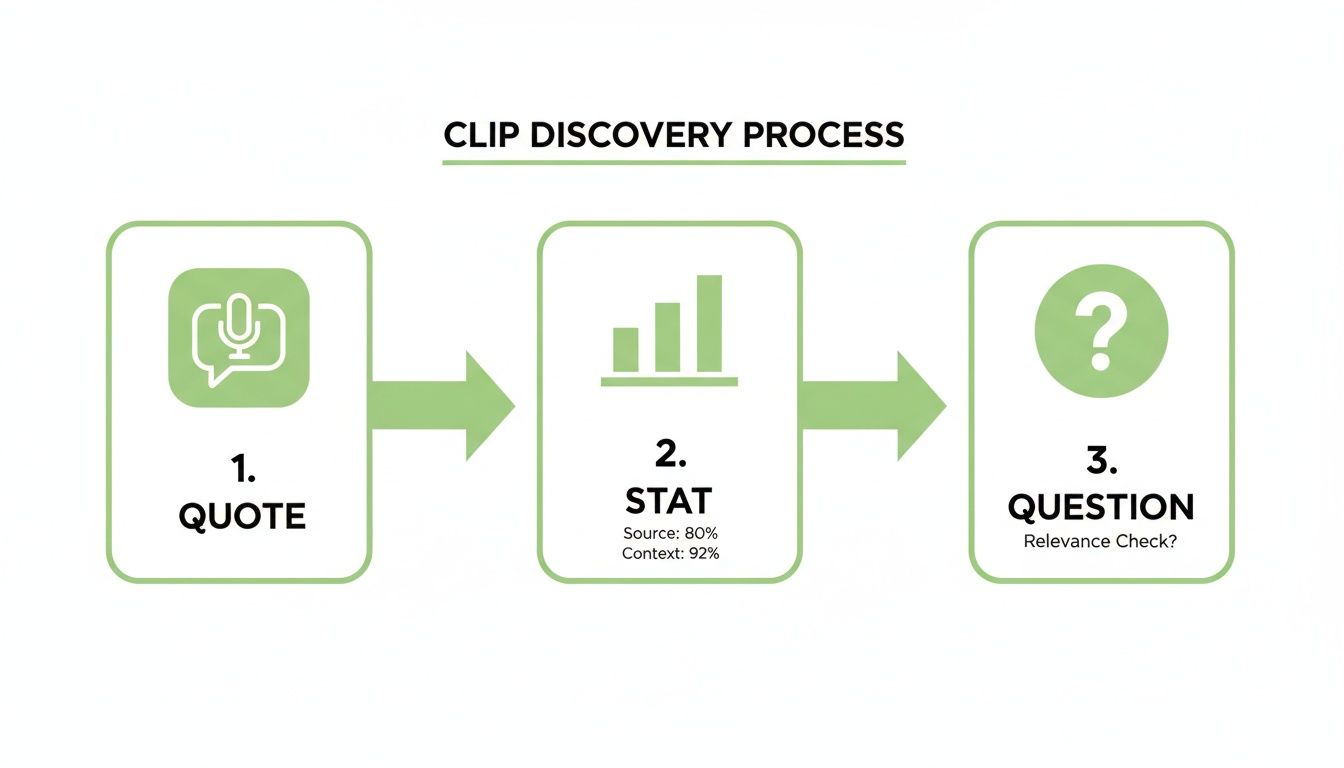
The system is smart enough to hunt for powerful quotes, interesting data points, and direct questions—all the things that make for an engaging social media clip.
This automated discovery process removes the single biggest bottleneck in repurposing your webinar: finding the gold. The platform does the prospecting, so you can focus on finalising the clips. All you have to do is review the suggestions, pick the ones you like, and with a single click, the platform generates professional, ready-to-post videos.
Get a Real Return and Save Your Sanity
This is about more than convenience; it delivers a clear, measurable return on investment. Webinars are expensive, often costing thousands of US dollars in speaker fees, platform costs, and promotional efforts. Letting that valuable asset gather digital dust is leaving money on the table.
An AI platform like RepurposeMyWebinar directly solves this problem. It allows you to:
- Turn one 60-minute webinar into 30+ days of content: Get off the content creation treadmill and build a sustainable pipeline from an asset you already own.
- Ditch the multiple tools: No more juggling Premiere Pro for clipping, another tool for captions, and Canva for branding. Everything happens in one place.
- Avoid hiring a video editor: You don’t need a bigger marketing team to scale your video production. The platform acts as your dedicated production assistant, eliminating freelance costs and internal bottlenecks.
This frees your team to focus on what really matters—strategy, distribution, community engagement, and analysing performance—instead of getting bogged down in tedious production tasks. If you want a closer look at how it all works, our guide on using a webinar clip generator breaks down the technical side.
The real value isn't just in the clips themselves. It's in the speed and scale at which you can produce them, allowing you to maintain a consistent, high-quality presence on social media without burning out your team.
Our platform lets you upload your recording and instantly see AI-suggested clips ready for your review. This dashboard is where the magic happens, turning hours of manual searching into a simple review and approval process.
This is the control centre for your new content strategy. You can effortlessly select, brand, and export dozens of assets in minutes. The value is clear: you get better results with a fraction of the effort, finally unlocking the full potential of your webinar content. It’s time to stop letting your most valuable assets go to waste and start putting them to work.
Making Your Clips Look Right for Social Media
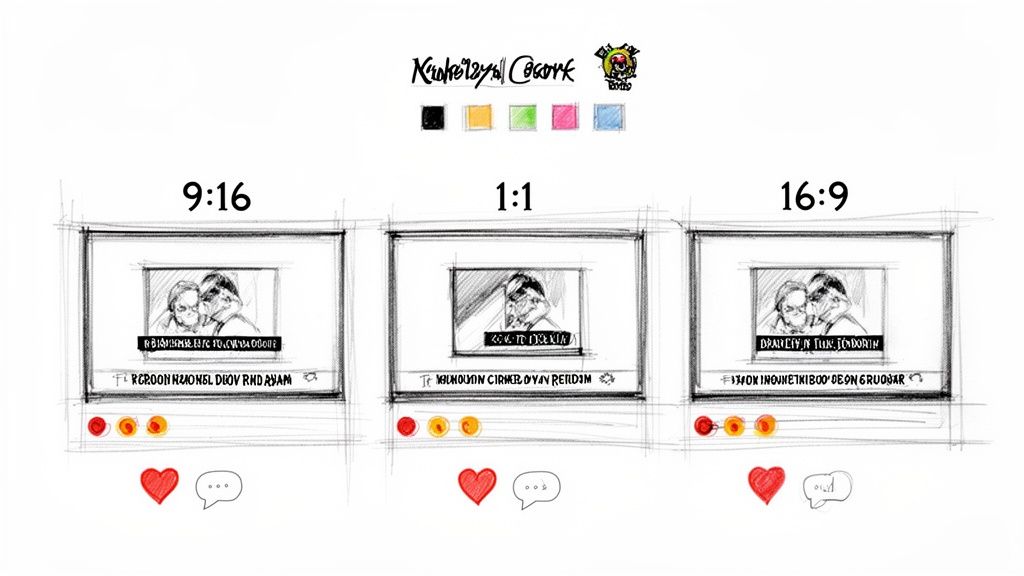
Pulling a great clip from your webinar is only the first step. To ensure that video gets seen and shared, you must format it for the platform where it will live. A clip that works on LinkedIn will fall flat on Instagram Reels if it isn't adapted.
This isn't just about resizing; it's about making your content feel native to each social media environment. Viewers expect a certain look and feel, and if your video stands out for the wrong reasons, they’ll just scroll right past. To properly extract video clips from a webinar and turn them into assets, you must prepare them to meet these expectations.
In the past, this was another soul-crushing, multi-tool process. You’d get your clip from one program, jump into another to burn in captions, and then maybe a third like Canva or CapCut to resize it and add your logo. It’s slow, clunky, and exactly the kind of friction that prevents great content from ever being published.
Match the Shape to the Platform
The single most critical tweak you can make is getting the aspect ratio right. A horizontal 16:9 video—the standard format for any webinar recording—looks tiny and amateurish when squeezed into a vertical phone screen.
-
9:16 (Vertical): This is non-negotiable for platforms like Instagram Reels, TikTok, and YouTube Shorts. It fills the entire mobile screen for an immersive view.
-
1:1 (Square): This format is the workhorse for in-feed posts on LinkedIn and Instagram. It takes up far more screen real estate than a horizontal video, making it harder to scroll past.
-
4:5 (Portrait): Think of this as a slightly taller square. It’s a great option for Instagram and Facebook feeds, giving you more vertical space.
Manually re-editing a single clip for each of these formats is a huge time sink. An automated platform like RepurposeMyWebinar is a lifesaver here. You choose your clip once, and it instantly generates perfectly formatted versions for every social channel you need, all in one go.
Captions and Branding Are No Longer Optional
Consider this: up to 85% of social video is watched with the sound off. Without burned-in captions, your message is lost. Captions need to be accurate, easy to read, and styled to match your brand.
Speaking of your brand, consistency builds recognition. Every clip you publish should be instantly identifiable as yours. This means applying your brand kit—your logo, specific brand colours, and custom fonts—to every video, every time.
Without consistent branding and clear captions, your clips are just random videos in a crowded feed. Professional optimisation turns them into powerful, recognisable brand assets that work for you.
This is another area where manual work doesn't scale. Applying brand elements and syncing captions for every clip, across multiple aspect ratios, is a tedious task that guarantees inconsistency.
In contrast, RepurposeMyWebinar lets you set up your Brand Kit once. From that moment on, every single asset you generate—whether it’s a video clip, an audiogram, or a quote graphic—is automatically produced with your branding perfectly applied. It eliminates the need for separate design tools and ensures a professional, cohesive look across all your content, delivering superior results in a fraction of the time.
Stop Leaving Money on the Table
Your webinars represent a huge investment. You pour time, expertise, and money into creating them, but what happens afterwards? For most, those valuable recordings just sit there, a missed opportunity.
Every hour spent trying to manually extract video clips from a webinar is an hour you could have invested back into your business. The slow, repetitive grind of traditional editing isn't just a chore; it's a bottleneck that kills your momentum and your ROI.
This old-school approach costs you more than just time. It costs you the chance to be a consistent voice in your niche, to dominate conversations with a steady stream of high-value content. Leaving these assets on the shelf is the same as leaving money on the table.
It's time to stop the manual grind. The only way to win is with an approach that delivers speed, scale, and professional, on-brand results—without needing a bigger team or a bigger budget.
This is exactly where RepurposeMyWebinar comes in. We built it to finally unlock the full potential sitting in your content library. The workflow couldn't be simpler: upload your recording, and our platform gets to work. Within minutes, you get back a full suite of ready-to-post assets, from polished video clips to sharp-looking image quotes, all perfectly branded.
Stop letting your best content go to waste. Upload your first webinar recording and see for yourself how quickly you can turn one long video into a full month of content. It’s time to start maximising your webinar ROI.
Got Questions? We've Got Answers
Still have a few questions about clipping up your webinar? Here are some quick answers to the queries we hear most often from marketers ready to get more from their content.
What’s the Best Format for Webinar Clips on Social Media?
It depends entirely on the platform. For TikTok, Instagram Reels, and YouTube Shorts, a vertical 9:16 aspect ratio is essential. It fills the mobile screen and meets user expectations. For the main feed on LinkedIn or Instagram, a square 1:1 format is your best bet, as it takes up more screen real estate.
A non-negotiable for all platforms is burned-in captions. Most people watch with the sound off, so without them, your message is lost. An AI repurposing tool can handle this automatically, exporting your clips in every format you need, captions included.
How Long Should My Webinar Video Clips Be?
The sweet spot for social media is between 30 and 60 seconds. This is just enough time to share one powerful, standalone idea without the viewer losing interest.
Think of each clip as a self-contained nugget of value. Your goal isn't to cram everything in, but to deliver a single, compelling tip that makes someone stop, think, and maybe even share. That's what builds curiosity for the full webinar.
Can I Pull Clips from a Webinar Hosted on Any Platform?
Absolutely. As long as you can download a recording of the webinar—usually as a standard MP4 file—you can repurpose it. Whether you used Zoom, Google Meet, or Microsoft Teams, they all allow you to download your recordings.
Once you have that video file, you can upload it directly into a dedicated repurposing platform like RepurposeMyWebinar. This bypasses any platform limitations and lets you manage everything from one central place.
Stop letting your most valuable content assets gather dust. RepurposeMyWebinar was built to eliminate the manual grind, turning your recordings into a library of on-brand, ready-to-post content in minutes. See how much time you can save by visiting https://www.repurposemywebinar.com.