How to Repurpose Webinar Content for Social Media: Turn One Hour into a 30-Day Campaign
Discover how to repurpose webinar content for social media. Turn one webinar into a month of high-performing posts that save time and boost ROI.
Repurposing a webinar isn't just chopping up a recording; it's about strategically transforming a single, high-effort event into weeks of high-performing social media content. The goal is to extract the golden nuggets—killer quotes, insightful video clips, and surprising data points—and instantly reformat them for platforms like LinkedIn, X (formerly Twitter), and Instagram. Do this right, and you multiply your webinar ROI without creating anything new from scratch.
Your Hidden Content Goldmine: Why Repurposing Webinars Delivers Serious ROI
Your company pours a huge amount of time, expertise, and money—often thousands of US dollars—into producing a single webinar. But for most, that value evaporates the second the live event ends. Frankly, that’s a massive missed opportunity and a serious drain on your marketing budget.
Instead of treating webinars like one-off expenses, you need to see them for what they are: renewable content assets. A single 60-minute recording is packed with expert insights, customer stories, and powerful stats just waiting to be pulled out. With a smart, automated strategy, that one-hour session can fuel your social media calendar for a full month, saving you countless hours and proving a clear return on investment.
The Problem With One-and-Done Webinars
The manual way of doing things is just plain inefficient. You spend weeks planning, promoting, and presenting, only to let the recording collect digital dust. This short-sighted process keeps your team on a constant content treadmill, forcing them to start from scratch for every single campaign. It's expensive and exhausting.
This isn’t just a missed opportunity; it’s a strategic failure. Your competitors are almost certainly multiplying their content output this way. In fact, an impressive 94% of marketers are already repurposing content because they know it’s essential for ROI. If you’re not doing it, you're not just falling behind—you're failing to capitalise on your most valuable knowledge assets. For more context, check out the full survey from ReferralRock on content repurposing statistics.
A Smarter Path to Content ROI
A strategic repurposing system flips this entire model on its head. It eliminates the need for tedious manual editing, juggling multiple software subscriptions, or hiring expensive video editors and designers. An automated platform like RepurposeMyWebinar handles the entire workflow, pinpointing the best moments from your webinar and instantly generating dozens of on-brand assets for you.
Imagine turning one 60-minute webinar into 6-16 image quotes, 3-5 engaging video clips, and an entire SEO-optimised blog post—all in a matter of minutes, without hiring anyone or using multiple tools. This is how you dramatically improve your content marketing ROI.
It all comes down to making your initial investment work harder and longer. By learning how to properly repurpose your webinars for social media, you transform an expensive, underused resource into a cornerstone of your social strategy. The result? Hours saved and measurable results that keep coming long after the live broadcast is over.
The Modern Repurposing Workflow: From Recording to Social Feed in Minutes
Let’s be honest, the old way of repurposing webinar content was painful. It meant manually scrubbing through hour-long recordings, paying a video editor $50 an hour to find a few decent clips, and then chasing your design team for a handful of quote images. It was slow, expensive, and the results were often hit-or-miss.
Thankfully, that’s not how it works anymore. The modern workflow is all about speed, simplicity, and getting professional-looking content without the soul-crushing manual grind. It’s a clean path from a raw recording to a complete, ready-to-schedule social media campaign, and it all kicks off with one simple upload.
From MP4 to a Multi-Asset Campaign
It all starts when you upload your webinar recording—from Zoom, Microsoft Teams, or Google Meet—into an automated platform. This is where the real magic happens. Instead of you hunting for golden nuggets, AI analysis dives in and pinpoints the most powerful quotes, insightful questions, and key data points from your entire presentation.
From that single file, the system generates an entire library of social media assets. In just a few minutes, you’ll have a full suite of content ready to go:
- Short Video Clips: Perfectly sized for LinkedIn and Instagram, complete with slick animated subtitles and your company branding.
- Quote Images: Professional, eye-catching graphics that feature speaker headshots alongside their best takeaways.
- Audiograms: Engaging audio snippets formatted for platforms where sound is the main event.
- Written Content: AI-generated summaries and captions to accompany each post, saving you hours of copywriting.
This approach doesn't just create a few posts; it transforms one core asset into dozens, turning your initial webinar investment into a long-term content engine.
This simple but powerful cycle from investment to ongoing value is what it’s all about.
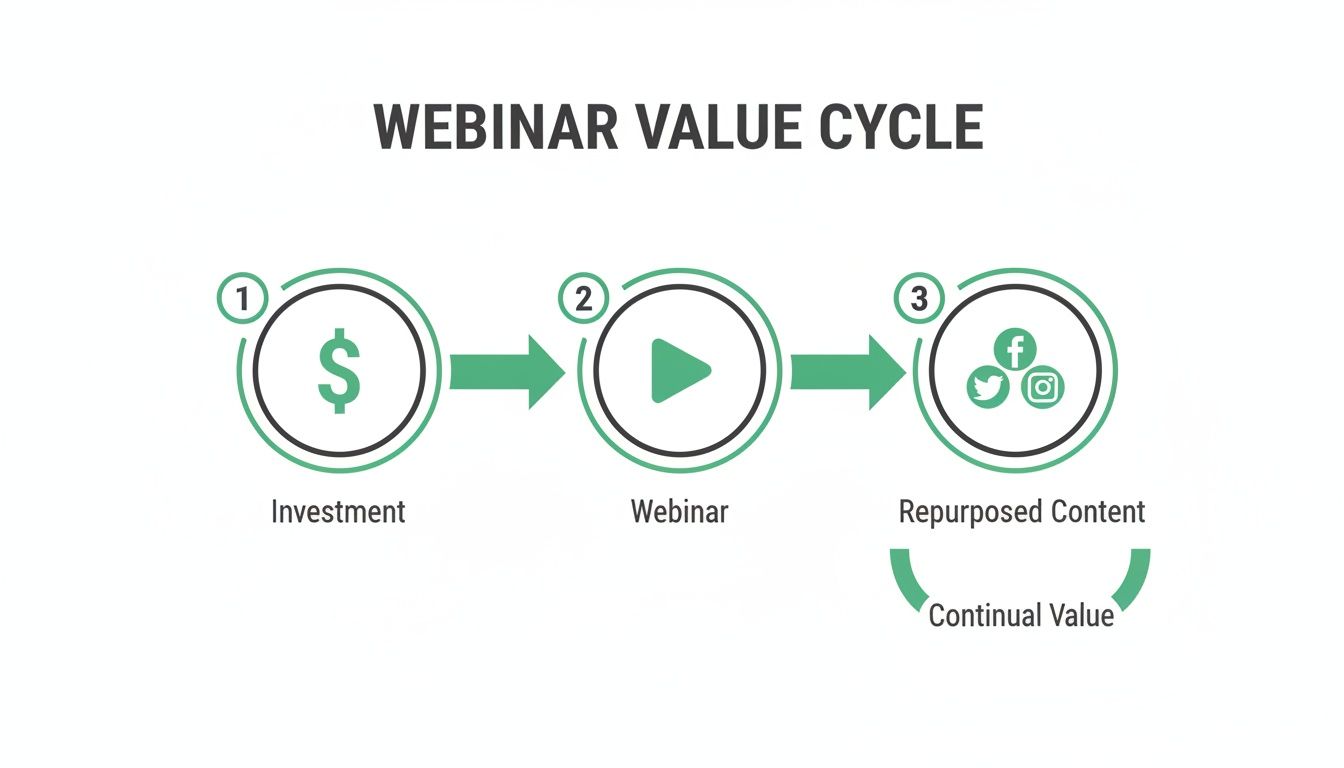
This visual shows exactly how a single webinar investment can be multiplied into a continuous stream of social media content, squeezing every last drop of value from it.
Achieving Professional Results Without the Overheads
This automated workflow is built to eliminate the need for a patchwork of different tools and specialist skills. You can forget about paying for separate subscriptions for video editing software, graphic design tools, and transcription services. An all-in-one platform like RepurposeMyWebinar brings all these functions under one roof, seriously cutting down your costs and complexity.
The goal here is to make high-quality content creation available to everyone. You get polished, on-brand assets without needing a designer or video expert on your payroll. It turns a once-complex task into a simple, automated step in your marketing process.
This shift allows your team to stop focusing on tedious production tasks and start thinking about strategy. Instead of spending days editing one video, they can generate an entire campaign's worth of content in minutes. If you want to see exactly how this works, you can learn more about how to automate webinar repurposing and see the tools in action.
Ultimately, this modern workflow isn't just about saving time—it’s about changing how you think about your webinar content entirely. A webinar stops being a one-off event and becomes a wellspring of value, consistently feeding your social channels with expert insights that actually engage your audience and drive business results.
Creating Platform-Specific Content That Actually Performs
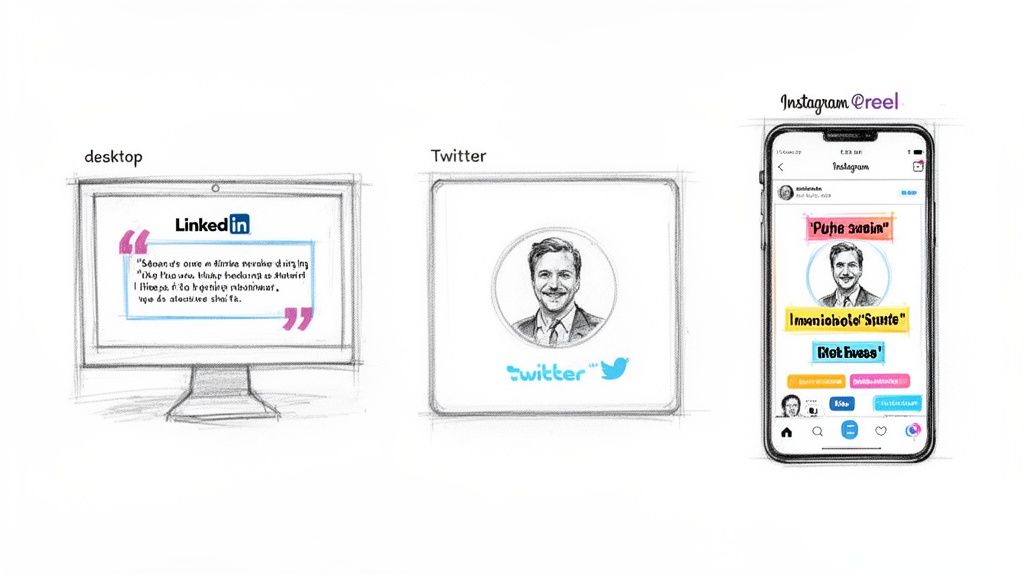
Let’s be direct: a generic approach to social media is a dead end. The audiences scrolling through LinkedIn, Instagram, and X (formerly Twitter) have completely different expectations. Blasting the same asset across every channel is a surefire way to get ignored and waste the potential of your valuable content.
To get real results, you have to create content that’s tailor-made for each platform’s algorithm and user behaviour. Now, that probably sounds like a mountain of extra work, and it would be—if you did it manually. This is exactly where an automated solution proves its worth. Instead of getting bogged down in reformatting every single asset, a platform like RepurposeMyWebinar does the heavy lifting for you. It automatically pinpoints the most powerful moments from your webinar and spins them into a whole library of assets, each one optimised for a specific channel.
Tailoring Your Assets for Maximum Impact
The real magic happens when you shift from a one-size-fits-all mindset to a platform-specific strategy. A single 60-minute recording can become a huge variety of formats designed to perform on different channels. This is where an automated workflow truly shines.
Just think about what you can get from one webinar file:
- For LinkedIn: It could produce 3-5 vertical video clips (under 90 seconds) with bold, animated subtitles, perfect for grabbing attention in a professional feed where most people watch with the sound off.
- For Twitter/X: It might generate 10-15 compelling image quotes that feature speaker headshots and your company branding. These are incredibly shareable and brilliant for getting key takeaways across in seconds.
- For Instagram Reels: You could get short, snappy video highlights that focus on a single powerful idea or statistic, perfectly tuned for a fast-paced, visual-first audience.
This isn't about creating more manual tasks; it's about smart automation. The system takes care of the tedious resizing, reformatting, and branding, making sure every single asset feels like it belongs on its platform.
The goal is brand consistency without mind-numbing repetition. You deliver a cohesive message across all your channels, but you do it in the format each audience actually wants to see. That simple shift can dramatically boost your engagement rates.
LinkedIn: The Professional Powerhouse
For most B2B marketers, LinkedIn is the main event. Success here is all about providing genuine value and starting meaningful conversations, and your repurposed webinar content is the perfect fuel for that.
Your workflow should centre on pulling out expert insights and presenting them in an easy-to-digest format. AI-generated video clips with accurate subtitles are incredibly effective, as are professional quote graphics that cement a speaker's authority. If you want to go deeper, our guide on how to create high-performing LinkedIn posts from your webinar content is a complete playbook.
By letting an AI platform handle the creation of these platform-specific assets, you escape the soul-crushing cycle of manual editing. You can stop juggling different tools for video, design, and transcription and instead get a complete library of ready-to-publish content from a single upload. This frees you up to focus on what really matters: scheduling the content, engaging with your audience, and measuring the results.
Building Your 30-Day Social Media Calendar from One Webinar
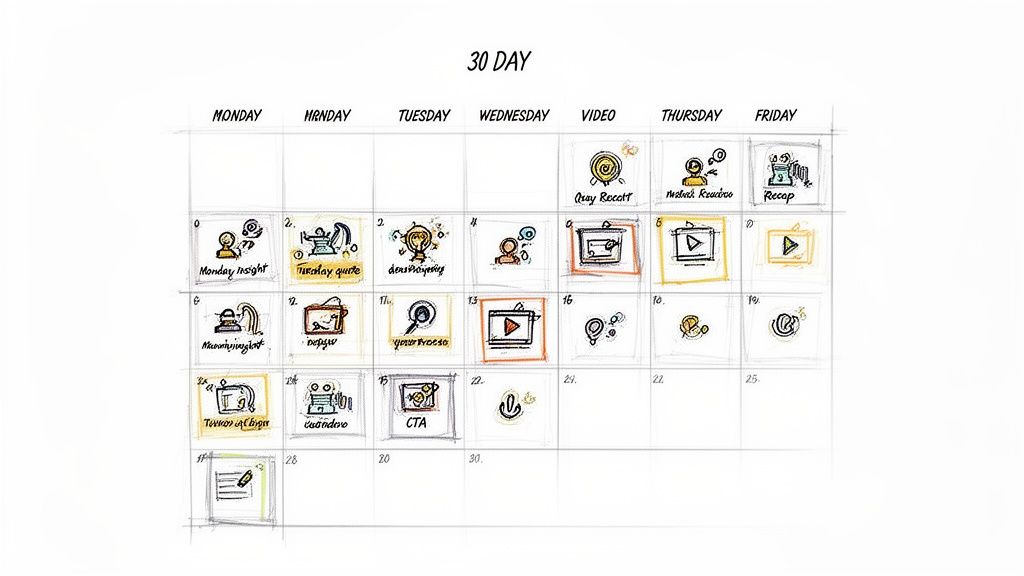
So you have a folder full of perfectly branded, ready-to-go assets. That's a great start, but it's only half the job. The real ROI comes from distribution. Without a smart plan, even the most amazing content can sit there, delivering zero value.
This is where you shift from just making content to building a proper, month-long campaign that keeps your audience engaged. The promise of turning one 60-minute webinar into 30 days of content isn't a gimmick; it's an achievable strategy. It hinges on a simple, rhythmic schedule that drips out different types of assets over time. You’re not just dumping everything at once—you're creating a steady drumbeat of value that keeps your brand top-of-mind.
A lot of marketers get stuck deploying repurposed content on their own websites (53%) or through email blasts (48%). While those are important, social media is where you can massively extend your webinar's reach. You can check out more stats and trends from the full research on the state of webinars.
Weaving Your Assets into a Weekly Schedule
Let’s get practical. Imagine your webinar just finished. Instead of letting that buzz fade, you immediately start slotting your new assets into your content calendar.
Here's a sample schedule showing how you can easily stretch the content from just one webinar recording over a week, creating multiple touchpoints with your audience.
| Day | Platform | Content Asset Type |
|---|---|---|
| Monday | LinkedIn, X | High-impact quote image |
| Tuesday | 60-second video clip (explainer) | |
| Wednesday | Instagram Reels | 30-second video clip (quick tip) |
| Thursday | Text-based post with a question | |
| Friday | X, LinkedIn | Audiogram (Q&A snippet) |
| Saturday | Instagram Stories | Quote image with a poll |
| Sunday | Carousel of key stats/takeaways |
See the rhythm? You start the week with a punchy insight, go deeper mid-week with video, spark conversation, and then share some behind-the-scenes audio. Repeat this cycle with fresh assets for four weeks, and you’ve got a full month of content locked and loaded. Your brand stays top-of-mind without you having to scramble for ideas every morning.
Letting AI Handle the Captions and Copy
Now for the part everyone dreads: writing dozens of unique, engaging captions for every single post. This is a notorious time-sink and often where the entire repurposing process grinds to a halt.
This is the final bottleneck RepurposeMyWebinar is built to eliminate. The platform doesn't just hand you a folder of videos and images; it also generates AI-powered captions, summaries, and show notes for every single asset.
You get a ready-to-use caption for every video clip and a compelling summary for every thought leadership post. This eliminates the need for manual copywriting and ensures every post is optimised for reach and engagement from the moment it’s generated.
This final piece closes the loop. You go from a raw recording to a fully scheduled, strategically planned social media campaign without ever having to stare at a blank text box. The entire workflow, from creating the assets to writing the copy, becomes a simple, automated process.
Measuring the ROI of Your Repurposed Content
So, you’ve turned your webinar into a mountain of social media content. It feels productive, but here’s the million-dollar question: is it actually working? The whole point isn’t just to look busy; it’s to prove this strategy delivers a real, tangible return on your original webinar investment, which probably cost thousands to produce in the first place.
To get there, you have to connect the dots between your repurposing efforts and genuine business outcomes. That means looking past vanity metrics like 'likes' and focusing on data that shows you're making an impact. By giving your webinar a second life, you’re creating dozens of fresh, meaningful touchpoints with your audience, keeping your brand top-of-mind long after the live event wraps up.
Tracking the Metrics That Matter
Think of each repurposed asset as a soldier in a bigger campaign. Every video clip, quote image, and text post needs to be pushing your audience towards a specific action. Your job is to measure how well they’re accomplishing that mission.
Start by getting forensic with these key performance indicators for each type of asset you create:
- Engagement Rate: Are people actually commenting, sharing, and reacting to your video clips and quote images? A high engagement rate is the clearest sign that your content is hitting the mark.
- Click-Through Rate (CTR): Of the people who see your post, how many are clicking the link to watch the on-demand webinar or visit your landing page? This is a direct measure of intent.
- Video View Duration: Are people sticking around to watch your clips all the way through? This tells you if the snippets you’ve chosen are compelling enough to hold their attention.
- Lead Generation: How many new leads did your social posts bring in? Make sure you’re tracking sign-ups for the on-demand version or downloads of related resources tied to the campaign.
The argument is simple: every repurposed asset is another shot at driving traffic, capturing a lead, or cementing your brand's authority. This isn't just about saving time—it's a quantifiable revenue-driver that turns a one-off expense into an ongoing source of value.
Demonstrating Value to Stakeholders
Imagine walking into a meeting and showing that one webinar generated 30 unique social media posts, which led to a 15% lift in on-demand views and 25 new MQLs. Suddenly, the value is crystal clear. This data changes the conversation from "we posted some stuff on social media" to "our webinar content strategy generated measurable pipeline".
This is exactly how you justify the initial investment and, more importantly, secure the budget for your next event. If you want to dive deeper, we have a whole guide on how to maximise your webinar ROI. And with a platform like RepurposeMyWebinar, tracking all this becomes incredibly straightforward, giving you the hard data you need to prove your content’s worth.
Got Questions About Repurposing? We've Got Answers
Even with the perfect game plan, a few questions always pop up. It’s totally normal to wonder if an automated workflow can really deliver the goods. Let's clear the air and tackle the most common things people ask.
The whole point here is to ditch the old, clunky, manual ways that made repurposing feel like a massive chore. Modern tools are built to get rid of that friction, making the entire process faster and more effective than you'd think.
How Much Content Can I Really Get From One Webinar?
This is the big one, and the answer usually surprises people. A single 60-minute webinar recording can easily give you enough high-quality, ready-to-post content to fill your social media calendar for a solid month.
For instance, a tool like RepurposeMyWebinar can pull all this from one recording:
- 3-5 engaging video clips with subtitles, perfect for LinkedIn.
- 6-16 professional image quotes that feature your speaker's headshot.
- An SEO-friendly blog post that summarises the key takeaways.
- Dozens of AI-generated captions and social media posts, ready to go.
Suddenly, that one-time event becomes a content machine that keeps on giving. It solves the dreaded "what do I post today?" problem for weeks on end. The magic is in automating the heavy lifting—the extraction and formatting—which turns a mountain of work into a simple upload.
Will the Quality Be as Good as Manual Editing?
Yes, and honestly, it’s often better. When you’re editing by hand, you’re dealing with human error and inconsistencies, especially if you have different freelancers or team members working on things. An automated system applies your branding—logos, colours, and fonts—flawlessly, every single time.
AI algorithms are trained to pinpoint the most insightful, punchy, and shareable moments in your webinar. This means the clips and quotes you get are chosen based on their potential to perform, not just on what a busy editor happened to stumble upon. The result is consistently high-quality, on-brand content without the manual grind.
How Long Does This Whole Repurposing Thing Actually Take?
This is where you really see the value. Doing this manually could take days—or even weeks—of juggling different tools and people. With an automated platform, you squash that entire process down into a matter of minutes.
A typical 60-minute webinar can be fully processed—with all assets ready for you to review—in just 5–10 minutes. That kind of speed means you can ride the wave of your live event, getting content out while the topic is still fresh in everyone's minds. It completely shatters the production bottleneck that holds so many marketing teams back.
Ready to stop letting your valuable webinar content collect digital dust? See for yourself how RepurposeMyWebinar eliminates manual work and turns one recording into a month of social media assets in minutes. Start your free trial today.