Turn One Webinar Into Multiple Posts and Maximise Your ROI
Learn how to turn one webinar into multiple posts for a full month of content. This guide provides actionable strategies to maximise your ROI and save time.
To turn one webinar into multiple posts, you need a system that extracts high-impact moments—killer quotes, surprising stats, and valuable Q&A—and instantly transforms them into professional, ready-to-publish assets. This is how a single one-hour event becomes 30 days of content, fuelling your blog, video clips, and social media calendar without the manual grind.
Unlock the Hidden Value in Your Webinar Recordings
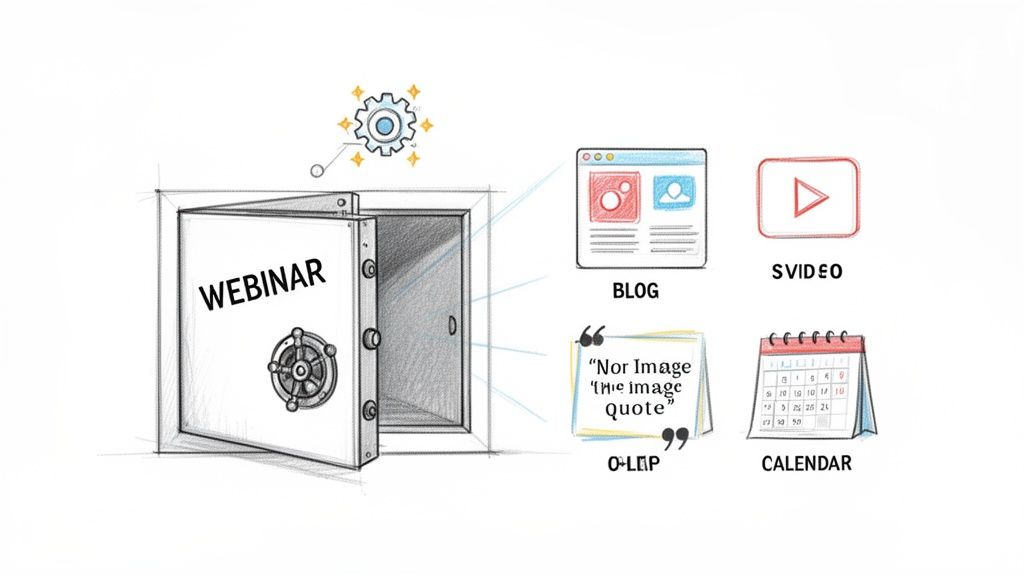
Your webinar archive is a goldmine. You invested thousands of US Dollars and countless hours creating a high-value event, only for it to sit in a folder collecting digital dust. This is a common pain point: webinars are expensive and time-consuming, yet most of their value gets locked away the moment the live session ends.
Trying to repurpose those recordings manually is an uphill battle. It’s a slow, clunky process that involves juggling multiple tools for transcription, video editing, and graphic design. This either eats up your team's precious time or forces you to hire expensive freelancers.
Maximising Your Webinar ROI
The return on investment (ROI) sitting dormant in your recordings is massive. A single 60-minute webinar contains enough material to power a month-long content campaign that drives measurable results. Instead of a one-off spike in engagement, you create a sustained presence that builds authority and keeps your brand top-of-mind.
To get the most out of your efforts, you need practical content repurposing strategies that turn one event into a library of high-performing assets.
The old way is broken. Manually chopping up a webinar is time-consuming and inefficient. The smart approach uses an AI-powered platform to automatically extract the best moments and generate ready-to-publish assets, eliminating the need for multiple tools or extra hires.
With a platform like RepurposeMyWebinar, that entire manual workflow is eliminated. You can turn one webinar into multiple posts without the complexity. It’s a simple, fast way to unlock the content you’ve already created, turning what was once a time-sink into your most effective content engine. This guide shows you exactly how it’s done.
How to Pinpoint Your Webinar's Best Moments
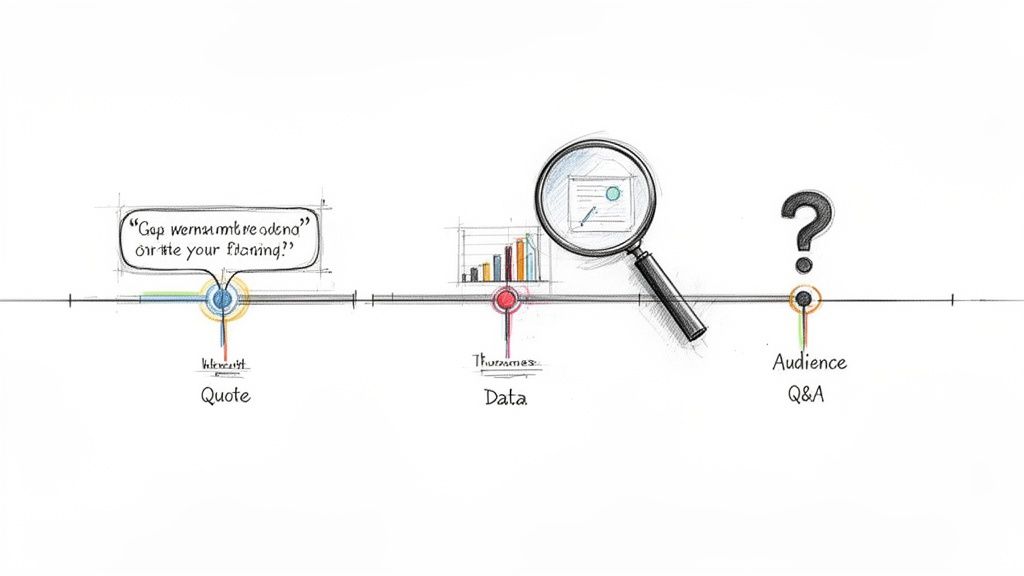
Before you can turn one webinar into multiple posts, you need to find the raw materials. Your hour-long recording is packed with gems—powerful quotes, standout data points, and insightful audience questions—that are perfect for standalone content. The trick is finding them without spending hours manually scrubbing through the timeline.
We’ve all been there: re-watching an entire recording with a notepad, constantly pausing and rewinding to catch the perfect soundbite. It's a painful process that kills motivation and is precisely why so many brilliant webinar recordings are underutilized. It’s slow, inefficient, and a waste of valuable time.
Locating Your High-Impact Moments
Instead of listening for anything interesting, hunt for specific types of content that perform well in other formats. These moments are the building blocks for your entire content campaign.
What should you look for?
- Powerful Quotes: Listen for strong, concise statements that stick. A single impactful sentence can become a hero image quote for LinkedIn or a compelling audiogram.
- Surprising Statistics: Did you share a data point that made the virtual room go quiet? A shocking number or an unexpected industry trend is gold for creating graphics that stop the scroll.
- Audience Questions: Don't overlook the Q&A section. A detailed answer to a common customer pain point is a ready-made blog post section or a multi-post social media thread.
This focused approach is all about ROI. Webinars in the UK B2B space can deliver a massive ROI, but considering nearly half of all views come from the on-demand recording, finding and sharing these key moments is how you amplify your reach and maximise that return.
Automating the Extraction Process
This is where you swap hours of manual work for smart automation. Manually finding these moments is a grind, but an AI-powered platform does the heavy lifting in minutes. It scans your transcript, pinpoints the most compelling segments, and serves them up as ready-to-use clips and quotes.
Think of it as having a production assistant that never gets tired. Instead of you searching, the platform highlights the best bits for you.
This automation means you skip the tedious work and jump straight to creating professional, on-brand content that gets results. To see how this works, check out our guide on how to extract video clips from a webinar. It’s about shifting your focus from busywork to strategy, ensuring no valuable insight gets left behind.
Creating Core Content Assets Without the Manual Grind
You’ve pinpointed the high-impact moments in your webinar. Now it's time to turn them into the foundational assets that will fuel your marketing for weeks. This is where you actually turn one webinar into multiple posts.
The old-school way was a slow, disjointed mess. You’d send the transcript to a writer, the video file to an editor, and a list of key quotes to a designer. This manual grind holds so many teams back. It’s expensive, time-consuming, and coordinating multiple people or tools often leads to inconsistent branding. What should be a simple win becomes a logistical nightmare.
From Transcript to SEO Blog Post
Your webinar transcript is more than a record of what was said; it’s the skeleton of a high-performing SEO blog post. A raw transcript isn't engaging, but with proper structuring, it becomes a valuable asset that drives organic traffic long after the live event ends.
Manually, this means copying, pasting, and sinking hours into rewriting and formatting. A platform built for this, like RepurposeMyWebinar, handles it instantly. It doesn’t just transcribe; it analyses the conversation and structures it into a proper blog post, complete with headings, bullet points, and pull quotes, ready for you to review and publish.
Crafting Short-Form Video Clips and Audiograms
Short-form video is non-negotiable for social media. Creating these clips manually means wrestling with video editing software, needing design skills for branded captions, and a lot of patience.
Instead of fighting with complex tools, imagine generating professional, ready-to-share clips in minutes. This is where you take those key moments and instantly transform them into perfectly branded videos.
- Branded Captions: Automatically burn subtitles directly into your video, formatted with your brand's font and colours.
- Headlines and Progress Bars: Add engaging headlines and visual elements that stop the scroll in a busy feed.
- Audiograms: For powerful audio snippets, generate audiograms that pair the audio with a static image and animated waveforms. They're perfect for sharing insightful quotes and soundbites.
This approach consolidates the work of a video editor, graphic designer, and copywriter into one simple step, ensuring every asset looks consistent and professional.
The challenge for B2B teams isn't just creating content; it's maximising the lifespan of every expensive event. With nearly half of all webinar views coming from on-demand recordings, turning that single asset into multiple posts isn't a 'nice-to-have'—it's essential for ROI.
UK digital marketing statistics reveal that while webinars are a growing channel, many businesses struggle to extend their value. Efficient repurposing is a complete game-changer.
For Heads of Content at SaaS companies or agencies, uploading one recording from Teams or Google Meet to a tool like RepurposeMyWebinar can generate an entire library of assets—from image quotes to SEO blogs—with your Brand Kit already applied. To dive deeper into these trends, you can learn more about the UK's digital marketing landscape. It’s about working smarter, not harder, to get maximum value from your efforts.
Building a Full Month of Social Media Content
You have your core assets. Now for the best part: turning that one webinar into a comprehensive social media calendar that keeps your brand visible and valuable for an entire month. This is how you get off the content creation treadmill for good.
We’re not just randomly posting clips; we’re building a strategic blueprint that uses every drop of value from your webinar. The aim is a diverse mix of content that reaches your audience in their preferred formats. A single 60-minute webinar is more than enough to fuel this.
Your 30-Day Content Recipe
A typical 60-minute webinar holds a powerful blend of visual and text-based assets perfect for platforms like LinkedIn. From one webinar, you can easily create 30 days of content.
Here’s a tangible plan to start with:
- 6–16 Compelling Image Quotes: Grab the most powerful one-liners, stats, or key takeaways. These are scroll-stoppers that reinforce your authority.
- 4–8 Engaging Video Clips: Short, punchy video clips (15-60 seconds) are non-negotiable. Use them to share a practical tip, a surprising insight, or an answer to a common question.
- 3–5 Insightful LinkedIn Text Posts: Go deeper with longer text posts. Expand on a key concept, tell a related story, or start a conversation around a specific pain point you addressed.
This flowchart shows how one core piece of content—your webinar—can be splintered into these different assets, feeding a much wider strategy.
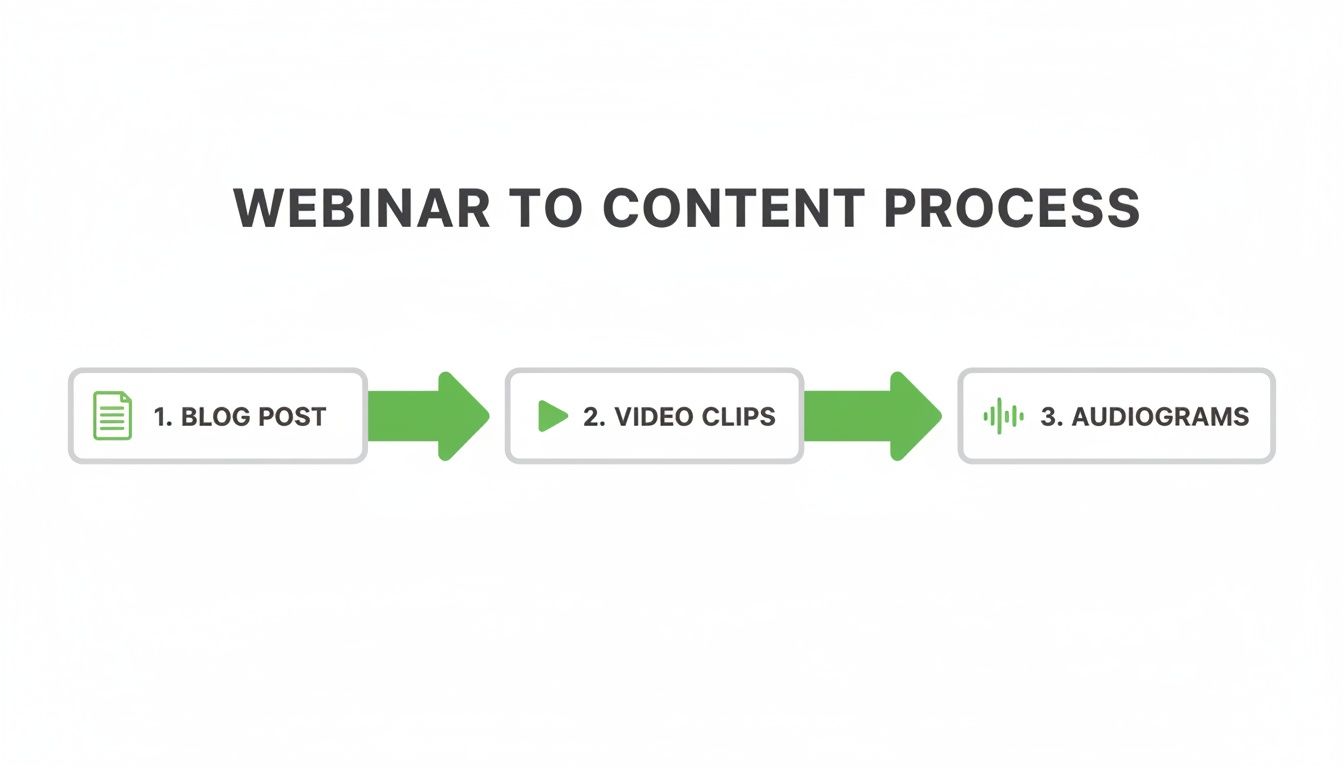
This isn't just about making more content. It's about getting the maximum possible return from the time and money you invested in that initial webinar.
To give you a clearer picture, here’s what a month-long schedule could look like, all derived from a single 60-minute session.
A Sample Plan to Turn One Webinar Into 30 Days of Content
This table breaks down how that single webinar becomes a full calendar of varied, high-impact posts, each with a specific job to do.
| Asset Type | Quantity Per Webinar | Platform Focus | Purpose |
|---|---|---|---|
| Blog Post | 1 | Website/SEO | Drives long-term organic traffic and serves as a central content hub. |
| LinkedIn Thread | 2–3 | Breaks down a complex topic into digestible points to spark conversation. | |
| Short Video Clip | 4–8 | LinkedIn, TikTok | Grabs attention with quick, valuable insights or tips. |
| Audiogram | 3–5 | LinkedIn, X | Shares audio-first insights for passive consumption. |
| Quote Image | 6–16 | LinkedIn, X | Provides easily shareable, memorable takeaways that reinforce key messages. |
With this mix, you’re hitting multiple angles and keeping your feed fresh and engaging without having to constantly invent new ideas from scratch.
From Manual Labour to Automated Production
Let's be direct: creating all of this by hand is a monumental task. It means coordinating a designer, a video editor, and a copywriter—all while trying to maintain brand consistency. This is exactly where the process breaks down. It’s too much manual work.
Scaling one UK webinar into multiple posts unlocks massive reach. Recent data shows nearly 50% of views come from recordings, effectively doubling your audience without any extra effort.
This is precisely why automation is a game-changer. A platform like RepurposeMyWebinar can process your 60-minute recording in just 5–10 minutes and generate all of these assets for you. Every video clip, quote image, and LinkedIn post is delivered ready-to-publish, with your logos, fonts, and brand colours baked in.
This completely flips the script. Instead of spending hours on production, you spend minutes on strategy and scheduling. The result? A full month of perfectly on-brand content, ready to go. If you want to dive deeper into this workflow, check out our guide on how to repurpose webinar content for social media.
How to Schedule and Measure Your Repurposed Content
Turning a webinar into a month’s worth of on-brand content is a massive win, but the final step is putting that content to work—and proving it delivered. Strategic scheduling and smart measurement separate a busy content calendar from one that drives revenue. You’ve managed to turn one webinar into multiple posts; now it’s time to show the ROI.
Scheduling for Maximum Impact
Spreading your assets out over a month is the best way to get maximum mileage from your webinar. A steady cadence of two or three posts a week is a great starting point, mixing up the formats to keep your feed from feeling repetitive.
Post a short video clip on Monday, a compelling quote image on Wednesday, and a detailed LinkedIn post on Friday. This drip-feed approach keeps the conversation alive and continuously points people back to your full on-demand webinar. You're not just posting content; you're running a sustained campaign that builds momentum.
You can even learn how to automate your webinar repurposing workflow to make this process incredibly efficient.
Measuring What Actually Matters
It’s tempting to chase likes and impressions, but those are vanity metrics. They don't pay the bills. The real value is in the numbers that signal genuine interest and map directly to business goals.
What should you be tracking?
- Link Clicks: How many people are clicking through to your on-demand webinar or landing page? This is your most direct measure of engagement.
- Comments Signalling Intent: Look for questions that show people are seriously considering your offer. Comments like, "How does this integrate with..." or "Can you tell me more about..." are buying signals.
- Shares within Industry Groups: When someone shares your post in a relevant LinkedIn group, that’s a huge indicator of authority. Your content is resonating with the right people.
Your repurposed content isn't calendar filler; it's a predictable growth engine. Every post needs a purpose, whether that’s generating a lead, building brand authority, or driving traffic back to your core assets.
Once everything is ready, the next step is to prove its impact by building a robust content repurposing strategy to turn one piece into revenue.
With a tool like RepurposeMyWebinar, the creation process is so fast that you can spend your valuable time on what really moves the needle: analysing performance and optimising your strategy. This is how you connect content directly to results, turning past webinars into a reliable source of future leads.
The value locked in your webinar recordings is too good to ignore. The manual process of transcription services, video editors, and design tools eats up time and kills momentum. Automating this workflow is the single smartest move you can make to see a return on your webinar investment. Imagine saving dozens of hours on every event and getting professional, on-brand results every single time. This is how you stop treating webinars as one-off events and start building a content engine that generates leads.
The gap between knowing what to do and doing it is much smaller than you think. It's about swapping hours of manual work for smart automation that gets you professional results in minutes, not days.
The next step is to see it for yourself. Stop letting brilliant recordings collect digital dust. It's time to turn that content backlog from a source of dread into your biggest marketing asset.
Ready to see how RepurposeMyWebinar makes it happen? Start your free trial today and get a month of content out of your next webinar.
Frequently Asked Questions
People often ask about the practical side of this webinar-to-content strategy. Let’s get into the process, the tools, and what you can realistically expect.
How Long Does This Actually Take?
The manual route is a huge time-sink. Doing it all yourself—transcription, video editing, design, copywriting—you’re easily looking at 10–15 hours of work for a single webinar. It’s a multi-day project demanding a range of different skills.
With an AI-powered platform like RepurposeMyWebinar, the timeline shrinks dramatically. Upload a 60-minute recording and get a month's worth of branded content—video clips, a blog post, social copy—in about 5–10 minutes.
What Content Assets Give the Best ROI?
Time and again, we see the same assets deliver results. Short-form video clips (15-60 seconds) are gold for driving engagement on social media. For long-term, organic traffic, nothing beats an SEO-optimised blog post created from the webinar transcript.
But the real magic isn't in one format; it's the mix. A video clip grabs attention, a quote image builds authority, and the blog post pulls in search traffic. Together, they create a powerful, multi-channel campaign from just one piece of content.
Can I Repurpose Old Webinars?
Absolutely. In fact, you should. This strategy is perfect for breathing new life into your entire back catalogue of recordings.
That evergreen webinar you ran last year can be turned into a month of fresh, relevant content today. It instantly revives the investment you made in creating it. Repurposing past events is one of the fastest ways to build a deep content library without creating anything new from scratch. It's pure ROI.
Stop letting your valuable webinar recordings collect dust. With RepurposeMyWebinar, you can turn hours of manual work into minutes of automated production.
Start your free trial and turn your webinar backlog into your biggest asset.